Introduzione
Thank you for choosing the Tribit FlyBuds 3 True Wireless Earbuds. This manual provides detailed instructions on how to set up, operate, maintain, and troubleshoot your earbuds to ensure optimal performance and longevity. Please read this manual carefully before using the product.
Contenuto della confezione
Si prega di controllare la confezione per verificare la presenza dei seguenti elementi:
- Tribit FlyBuds 3 True Wireless Earbuds (L/R)
- Custodia di ricarica
- Cavo di ricarica USB-C
- Diverse misure di inserti auricolari (S/M/L)
- Manuale d'uso
Prodotto finitoview

Figura 1: Tribit FlyBuds 3 Earbuds and Charging Case. This image shows the pink charging case open with one earbud inside and the other earbud outside, displaying its design.
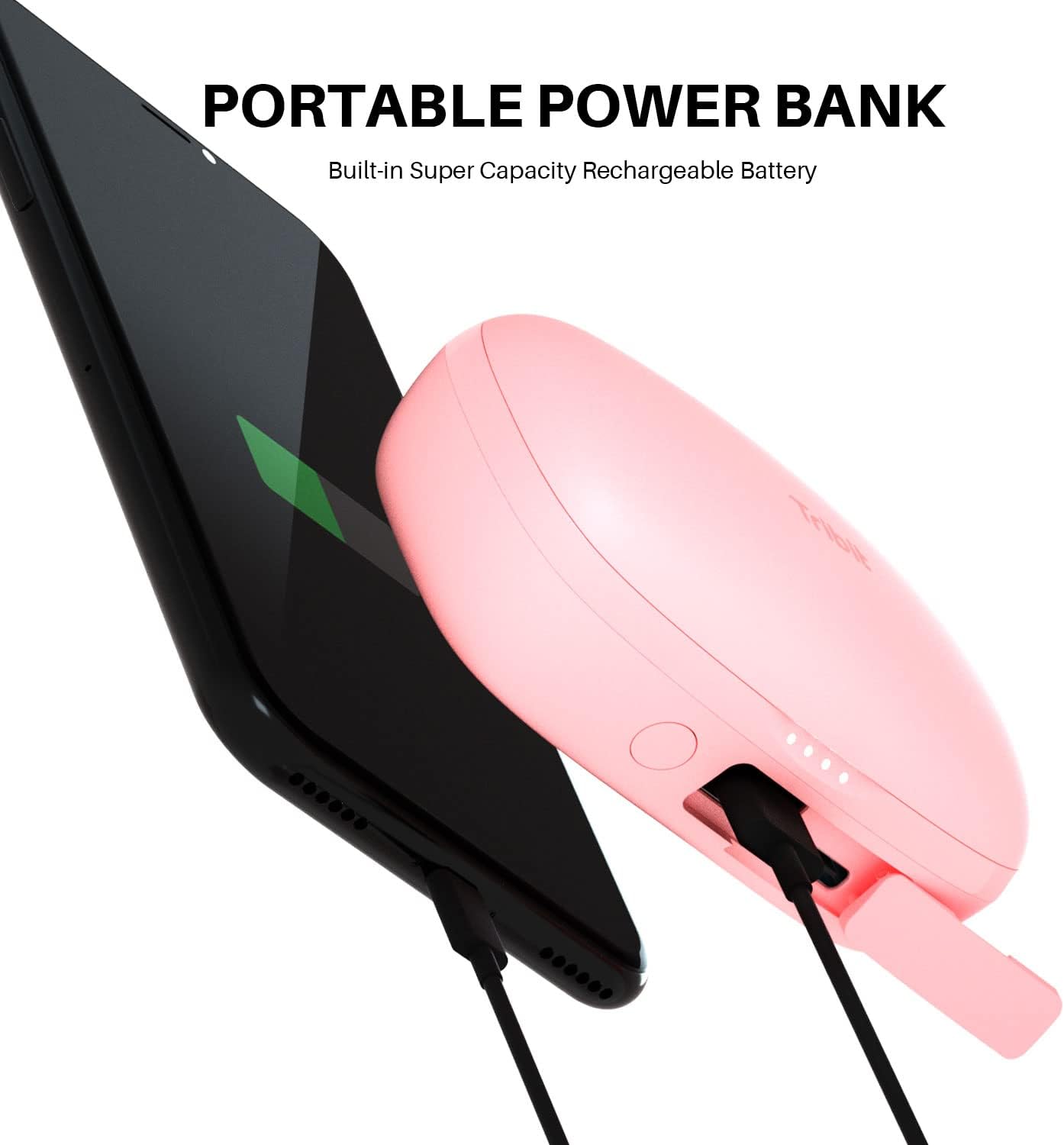
Figura 2: Tribit FlyBuds 3 Charging Case Controls. This image highlights the multi-function button on the charging case, indicating its uses for battery voltage check, re-pairing, and power output.
The Tribit FlyBuds 3 consist of two wireless earbuds and a portable charging case. The charging case not only protects and charges the earbuds but also functions as a power bank for other devices.
- Earbuds: Each earbud features a touch control area for managing playback, calls, and voice assistant.
- Custodia di ricarica: Equipped with LED indicators for battery status and a multi-function button for various operations including pairing and power output.
Impostare
1. Ricarica degli auricolari e della custodia
Prima del primo utilizzo, caricare completamente gli auricolari e la custodia di ricarica.
- Ricarica della custodia: Connect the USB-C charging cable to the charging port on the case and a power source. The LED indicators on the case will show the charging progress.
- Ricarica degli auricolari: Place the earbuds into the charging case. They will automatically begin charging. The case LEDs will indicate the earbuds' charging status.

Figura 3: Long-lasting Battery. This image shows the earbuds inside the charging case, emphasizing the 100 hours of cycle playtime, 20 times recharge capability, and 5 hours of music playtime per charge.
The Tribit FlyBuds 3 offer up to 5 hours of music playback per charge, and the charging case provides an additional 100 hours of playtime, allowing for multiple recharges on the go.
2. Utilizzo della custodia di ricarica come power bank
The charging case can also serve as a portable power bank for your smartphone or other small devices.
- Connect your device to the USB-A output port on the charging case using an appropriate cable.
- Press the multi-function button on the case to initiate charging for your connected device.

Figura 4: Portable Power Bank Feature. This image illustrates the Tribit FlyBuds 3 charging case connected via a cable to a smartphone, demonstrating its capability to charge other devices.
3. Associazione con il tuo dispositivo
The FlyBuds 3 feature one-step pairing for convenience.
- Abbinamento iniziale: Open the charging case. The earbuds will automatically enter pairing mode and connect to the last paired device. If no device is found, they will enter discovery mode.
- Connecting to a New Device: With the earbuds in the case and the lid open, press and hold the multi-function button on the charging case for 10 seconds until the LED indicators flash, indicating re-pairing mode. Then, select "Tribit FlyBuds 3" from your device's Bluetooth list.
Operativo
1. Indossare gli auricolari
For optimal sound quality and comfort, choose the eartips that best fit your ears. Insert the earbuds into your ear canal and gently twist them to secure a snug fit.

Figura 5: Earbud in Ear. This image shows a person wearing one of the pink Tribit FlyBuds 3 earbuds, demonstrating its discreet and comfortable fit.

Figura 6: Close-up of Earbud Fit. A detailed view of the Tribit FlyBuds 3 earbud properly seated in a person's ear, highlighting its ergonomic design.
2. Toccare Controlli
The Tribit FlyBuds 3 utilize touch controls for various functions. The touch control area is located on the outer surface of each earbud.
| Azione | Funzione |
|---|---|
| Tocco singolo (S/D) | Riproduci/Metti in pausa la musica, Rispondi/Termina chiamata |
| Doppio tocco (auricolare destro) | Traccia successiva |
| Doppio tocco (auricolare sinistro) | Traccia precedente |
| Triplo tocco (auricolare destro) | Alza il volume |
| Triplo tocco (auricolare sinistro) | Abbassa il volume |
| Tieni premuto (2 secondi) | Rifiuta chiamata, attiva assistente vocale |
Manutenzione
Proper maintenance ensures the longevity and performance of your Tribit FlyBuds 3.
- Pulizia: Pulisci regolarmente gli auricolari e la custodia di ricarica con un panno morbido, asciutto e privo di lanugine. Non utilizzare prodotti chimici aggressivi o materiali abrasivi.
- Auricolari: Remove and clean the eartips with water and mild soap if necessary. Ensure they are completely dry before reattaching.
- Contatti di ricarica: Per garantire una ricarica corretta, pulire periodicamente i contatti di ricarica su entrambi gli auricolari e all'interno della custodia con un batuffolo di cotone asciutto.
- Resistenza all'acqua: The FlyBuds 3 boast an IPX8 waterproof rating, meaning they are protected against prolonged immersion in water. However, it is recommended to dry them thoroughly after exposure to water before placing them back in the charging case to prevent damage to the charging contacts.
- Magazzinaggio: Quando non li usi, riponi gli auricolari nella loro custodia di ricarica per proteggerli e mantenerli carichi. Conservali in un luogo fresco e asciutto, lontano da temperature estreme.
Risoluzione dei problemi
If you encounter issues with your Tribit FlyBuds 3, try the following solutions:
- Gli auricolari non si associano:
- Assicurati che entrambi gli auricolari siano carichi.
- Place both earbuds back into the charging case, close the lid, and then open it again to re-initiate pairing.
- Forget "Tribit FlyBuds 3" from your device's Bluetooth settings and attempt to re-pair.
- Eseguire un ripristino delle impostazioni di fabbrica (vedere sotto).
- Funziona solo un auricolare:
- Assicurati che entrambi gli auricolari siano carichi.
- Place both earbuds back into the charging case and close the lid for 5 seconds, then open it again.
- Pulisci i contatti di ricarica su entrambi gli auricolari e all'interno della custodia.
- Nessun suono o volume basso:
- Aumenta il volume sia sul dispositivo sia sugli auricolari.
- Assicurati che gli auricolari siano collegati correttamente al tuo dispositivo.
- Prova una sorgente audio o un'applicazione diversa.
- Problemi di ricarica:
- Assicurarsi che il cavo di ricarica sia collegato saldamente.
- Prova un cavo di ricarica o un adattatore di alimentazione diverso.
- Pulisci i contatti di ricarica sugli auricolari e sulla custodia.
Ripristino delle impostazioni di fabbrica
If the above steps do not resolve the issue, you can perform a factory reset:
- Posiziona entrambi gli auricolari nella custodia di ricarica.
- Press and hold the multi-function button on the charging case for 10 seconds until the LED indicators flash rapidly. This clears the pairing history.
- Remove "Tribit FlyBuds 3" from your device's Bluetooth list.
- Repeat the pairing process as described in the "Setup" section.
Specifiche
| Caratteristica | Dettaglio |
|---|---|
| Marca | Tribita |
| Modello | FlyBud 3 |
| Tecnologia di connettività | Wireless (Bluetooth) |
| Fattore di forma | Nell'orecchio |
| Durata della batteria (auricolari) | Fino a 5 ore |
| Tempo di riproduzione totale (con custodia) | Fino a 100 ore |
| Livello di resistenza all'acqua | IPX8 impermeabile |
| Metodo di controllo | Tocco |
| Usi specifici per il prodotto | Film e giochi |
Garanzia e supporto
Tribit products are designed with quality and reliability in mind. For information regarding warranty coverage and customer support, please refer to the warranty card included in your product packaging or visit the official Tribit website. If you experience any issues not covered in this manual, please contact Tribit customer service for assistance.
Tribit Official Websito: www.tribit.com


