Introduzione
The FlightScope Mevo is a lightweight and portable 3D Doppler radar launch monitor designed to help golfers practice with purpose and improve their game. It provides essential club and ball data parameters, allowing users to gain valuable insights into their performance both indoors and outdoors.
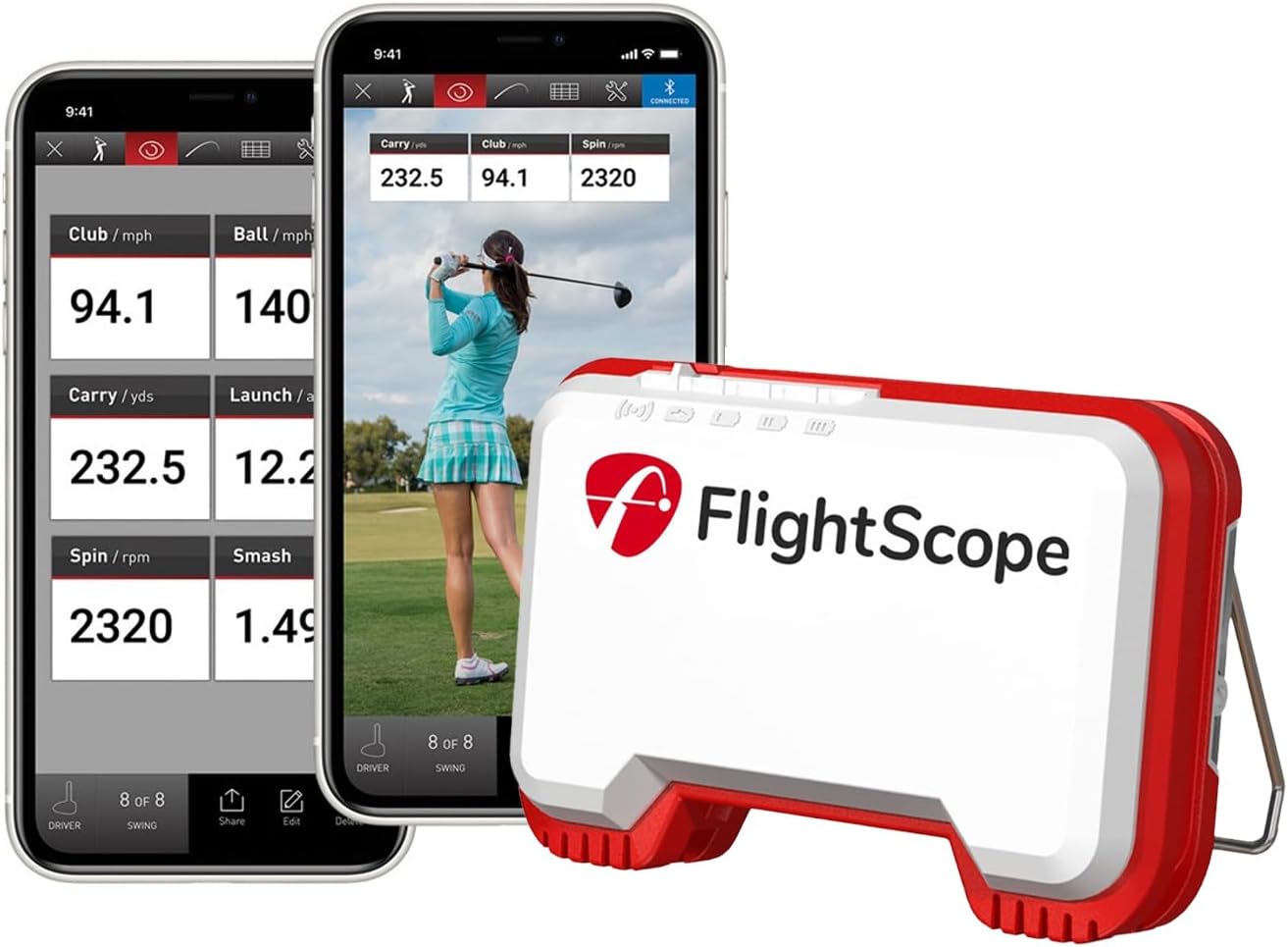
Image: The FlightScope Mevo device shown alongside mobile devices displaying real-time golf swing data and video analysis.
Impostare
To set up your FlightScope Mevo, ensure the device is placed 6-7 feet directly behind the ball. For indoor use, metallic dots are required on the ball for accurate spin measurement. For pitching, the maximum distance to the target should be 20 yards. For outdoor full swings, ensure unrestricted ball flight. The Mevo connects wirelessly to your mobile device via the FlightScope Golf app.

Image: Detailed setup instructions for optimal performance in various environments, including indoor, outdoor, and pitching scenarios.
Istruzioni per l'uso
The Mevo provides 8 essential data parameters for every shot, including carry distance, club head speed, ball speed, spin rate, launch angle, smash factor, time in air, and height. This data is instantly sent to your connected mobile device for real-time feedback.
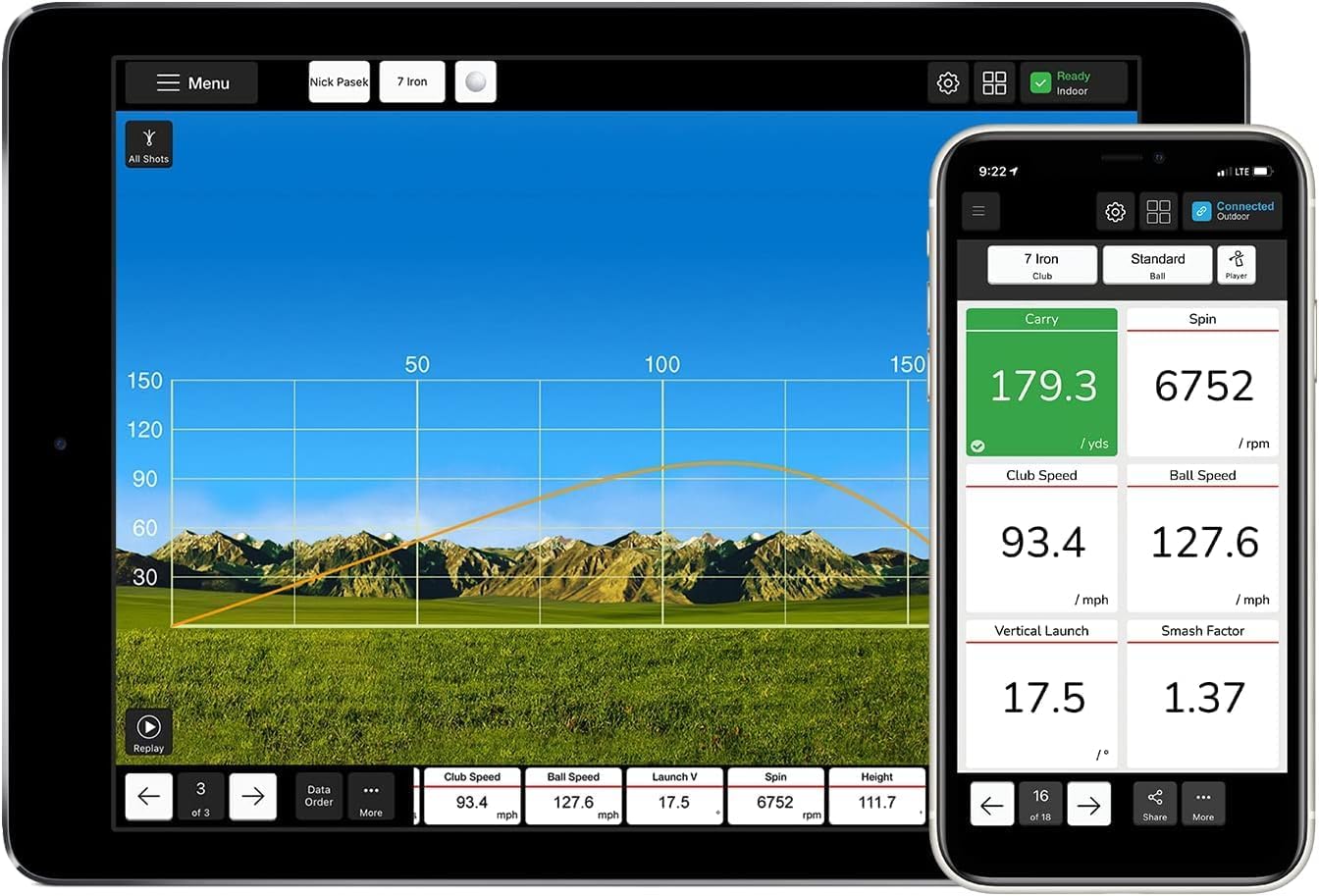
Image: The FlightScope Mevo application displaying comprehensive shot data, including trajectory and key performance metrics.
Caratteristiche principali:
- Practice Anywhere: Use the Mevo on the driving range, on the golf course, or at home for consistent data collection.
- Video Recording & Analysis: The Mevo app automatically records and clips videos of every shot. You can overlay selected data parameters directly onto the video for detailed swing analysis. The app also allows you to draw lines and circles on the video for further examination of your swing mechanics.
- Feedback vocale: The Mevo provides audible feedback through your device's speaker, headphones, or wireless earphones, announcing key data parameters after each shot.
- Mevo Skills Challenges: Engage in various challenges such as PGA & LPGA Challenges, Long Drive Competition, and Range Competition to make your practice sessions more engaging and goal-oriented.

Image: The FlightScope Mevo app's challenges section, offering structured practice and competitive modes.
Video ufficiali del prodotto:
Flightscope Mevo: In-Depth Industry Leading Radar Tech
Video Description: This video provides an in-depth look at the radar technology used in the FlightScope Mevo, demonstrating its accuracy and capabilities for tracking golf shots. It highlights how the device captures various data points to help golfers improve their performance.
FlightScope Mevo - Portable Personal Launch Monitor for Golf
Video Description: This video showcases the portability and ease of use of the FlightScope Mevo, demonstrating its application on the driving range, golf course, and at home. It illustrates how the device provides immediate feedback on shot data to enhance practice sessions.
Bryson DeChambeau and The FlightScope Mevo Launch Monitor
Video Description: Professional golfer Bryson DeChambeau demonstrates the use of the FlightScope Mevo, highlighting how it assists in his practice and game improvement. The video emphasizes the device's accuracy and utility for serious golfers.
Flightscope Mevo: Around The Globe and in your Golf Bag
Video Description: This video illustrates the global presence and portability of the FlightScope Mevo, showing how it can be easily carried and used anywhere a golfer practices. It reinforces the device's convenience and versatility.
Manutenzione
To ensure the longevity and optimal performance of your FlightScope Mevo, follow these maintenance guidelines:
- Pulizia: Pulire il dispositivo con un panno morbido, damp panno dopo ogni utilizzo per rimuovere sporco e detriti. Evitare l'uso di prodotti chimici aggressivi o materiali abrasivi.
- Magazzinaggio: Store the Mevo in a cool, dry place away from direct sunlight and extreme temperatures. Use the provided carrying case for protection during transport.
- Cura della batteria: The Mevo uses a Lithium-Ion Polymer battery. Charge the device regularly, even when not in use, to maintain battery health. Avoid fully discharging the battery for extended periods.
- Aggiornamenti del firmware: Periodically check for and install firmware updates via the FlightScope Golf app to ensure your device has the latest features and performance enhancements.
Risoluzione dei problemi
If you encounter issues with your FlightScope Mevo, consider the following common troubleshooting steps:
- Problemi di connettività: Ensure Bluetooth is enabled on your mobile device and the Mevo is within range. Try restarting both the Mevo and your mobile device.
- Letture imprecise: Verify that the Mevo is positioned correctly (6-7 feet directly behind the ball). For indoor use, confirm that metallic dots are properly applied to the golf ball. Ensure there are no obstructions between the Mevo and the ball.
- L'app non risponde: Close and reopen the FlightScope Golf app. If the issue persists, try reinstalling the app.
- Batteria non in carica: Check the charging cable and adapter for damage. Ensure the charging port on the Mevo is clean and free of debris.
For further assistance, refer to the official FlightScope support resources or contact customer service.
Specifiche
| Caratteristica | Dettaglio |
|---|---|
| Marca | FlightScope |
| Nome del modello | Mevo |
| Peso dell'articolo | 1.76 once |
| Dimensioni del prodotto | 3.5 cm L x 2.4 cm P x 1.5 cm A |
| Colore | White with red trim |
| Materiale | Plastica |
| Batterie incluse | Yes (Lithium-Ion Polymer) |
| Valutazione internazionale di protezione | Grado di protezione IP54 |
| Campo di misura | Typical golf swing and ball flight parameters |
| Codice UPC | 860000879606 |
Garanzia e supporto
For detailed warranty information, please refer to the official FlightScope website or the documentation included with your product. FlightScope provides comprehensive support for its products.
- Manuale utente (PDF): È possibile scaricare un manuale utente completo. Scarica il manuale utente in formato PDF
- FlightScope Store: Visit the official FlightScope store for product information, accessories, and support resources. Visit FlightScope Store


