
1. Introduzione
This manual provides essential instructions for the safe and correct installation and use of your Joolz Hub/Hub+ Car Seat Adapters. These adapters allow you to securely attach compatible infant car seats to your Joolz Hub or Hub+ stroller, facilitating a seamless transition for your child from car to stroller without disturbance.
Si prega di leggere attentamente il presente manuale prima dell'installazione e di conservarlo per riferimento futuro.
2. Informazioni sulla sicurezza
- Always ensure the car seat adapters are correctly and securely attached to the stroller frame before placing the car seat.
- Always ensure the car seat is securely clicked into the adapters before use. Verify by gently pulling up on the car seat.
- Never leave your child unattended in the car seat on the stroller.
- Do not use these adapters with any stroller or car seat not explicitly listed as compatible.
- Regularly inspect the adapters for any signs of wear, damage, or loose parts. Discontinue use if any damage is observed.
- The car seat adapters are designed for infant car seats only. Do not attempt to attach toddler car seats or other accessories.
3. Contenuto della confezione
Your Joolz Hub/Hub+ Car Seat Adapters package should contain the following:
- 1x Left Car Seat Adapter
- 1x Right Car Seat Adapter
- 1x Manuale di istruzioni (questo documento)
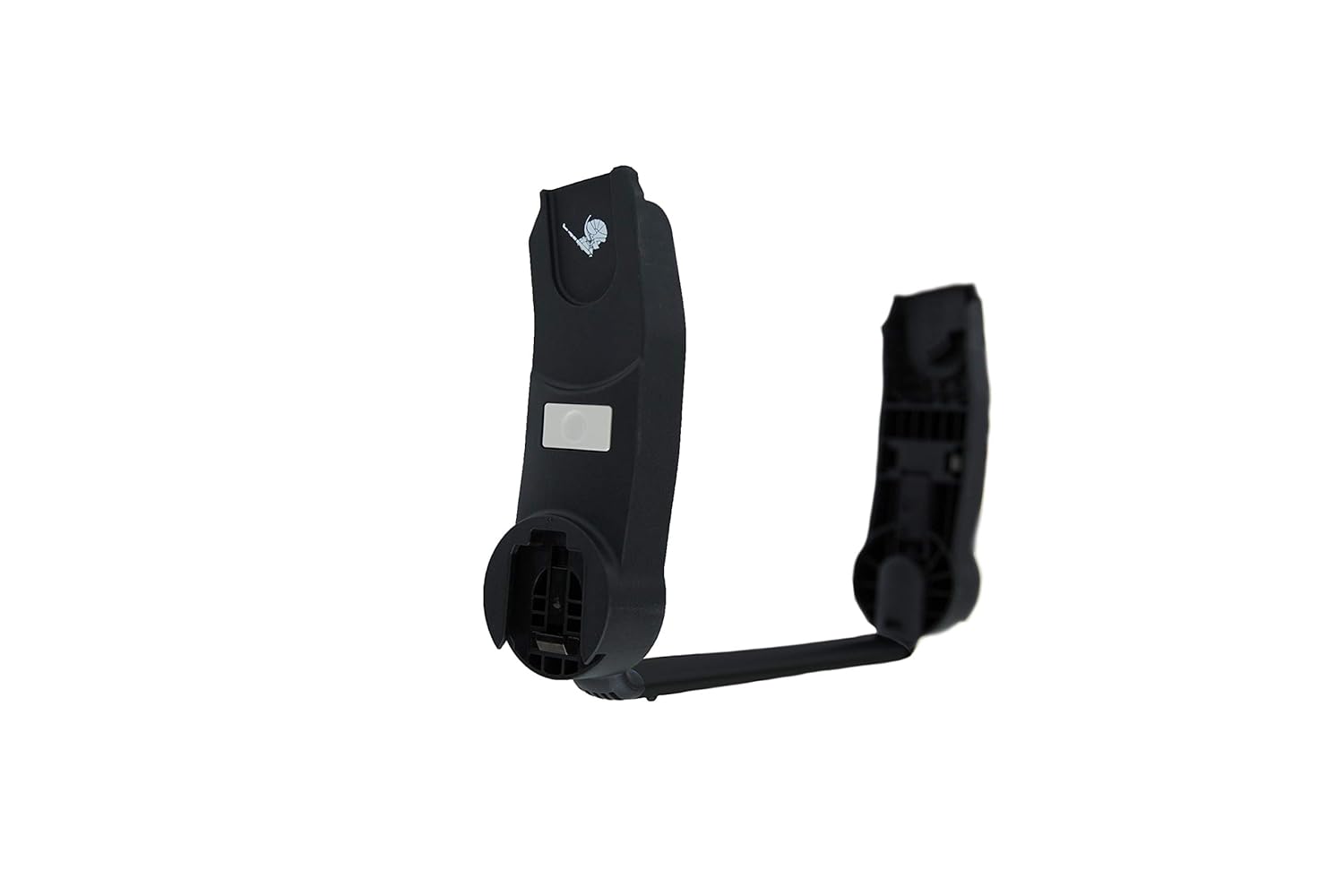
Image: The Joolz Hub/Hub+ Car Seat Adapters, showing the left and right adapter pieces.
4. Configurazione e installazione
Follow these steps to correctly install the car seat adapters onto your Joolz Hub or Hub+ stroller:
- Identify Adapters: The adapters are marked 'L' for left and 'R' for right. Ensure you match them to the correct side of your stroller frame. The 'L' adapter attaches to the left side of the stroller (when facing the stroller from the handle), and the 'R' adapter to the right side.
- Attach Adapters to Stroller: Align the adapter with the attachment points on the stroller frame. Push firmly until you hear a distinct "click," indicating it is securely locked into place. Repeat for the other side.
- Verify Adapter Security: Gently pull upwards on each adapter to ensure it is firmly attached and does not wobble.
- Attach Car Seat: Place your compatible infant car seat onto the installed adapters. Ensure the car seat clicks securely into both adapters.
- Verify Car Seat Security: Gently lift the car seat from the adapters to confirm it is locked in place and cannot be easily removed.

Image: A Joolz Hub+ stroller with an infant car seat securely attached using the adapters, positioned outdoors by a body of water.

Immagine: Uno sguardo più da vicino view of the Joolz Hub+ stroller with an infant car seat attached, highlighting the connection point.
5. Compatibilità
These Joolz Hub/Hub+ Car Seat Adapters are compatible with the Joolz Hub and Joolz Hub+ strollers. They are designed to work with a range of infant car seat brands, including but not limited to:
- Avionaut
- Britax Römer
- CibexItalia
- Maxi-Cosi
- Nuna
Always refer to your car seat's instruction manual for specific compatibility and installation guidelines when using it with a stroller adapter.
6. Utilizzo e funzionamento
Once the adapters and car seat are securely installed, you can use your Joolz Hub/Hub+ stroller as a travel system. To detach the car seat from the adapters, follow the release mechanism instructions provided with your specific car seat model. Typically, this involves pressing release buttons on the car seat itself while lifting it from the adapters.
To remove the adapters from the stroller, locate the release buttons or levers on each adapter (usually near the attachment point to the stroller frame) and press them while pulling the adapter away from the frame.
7. Cura e manutenzione
- Pulizia: Wipe the adapters with a damp panno e sapone neutro se necessario. Non utilizzare prodotti chimici aggressivi o detergenti abrasivi.
- Magazzinaggio: Store the adapters in a clean, dry place away from direct sunlight and extreme temperatures when not in use.
- Ispezione: Periodically check the adapters for any cracks, breaks, or signs of wear. Ensure all connection points are intact and functional.
8. Risoluzione Dei Problemi
- Adapters not attaching securely to stroller: Ensure the adapters are correctly oriented (L/R sides) and aligned with the stroller's attachment points. Apply firm, even pressure until a click is heard. Check for any obstructions.
- Car seat not clicking into adapters: Verify that your car seat model is listed as compatible. Ensure the car seat is correctly aligned with the adapter slots. Check for any debris in the locking mechanisms.
- Adapters feel loose: If the adapters feel loose after installation, remove them and re-install, ensuring a firm click. If looseness persists, discontinue use and contact Joolz customer support.
9. Specifiche
| Caratteristica | Dettaglio |
|---|---|
| Marca | Gioia |
| Numero di modello | 902000 |
| Colore | Nero |
| Materiale | Nylon |
| Materiale del telaio | Alluminio |
| Peso dell'articolo | 1.32 libbre (0.6 kg) |
| Compatibilità | Joolz Hub, Joolz Hub+ strollers; various infant car seats (e.g., Avionaut, Britax Römer, Cybex, Maxi-Cosi, Nuna) |
10. Garanzia e supporto
Joolz offers a Garanzia a vita del produttore on these car seat adapters. This warranty covers defects in materials and workmanship under normal use. Please retain your proof of purchase for warranty claims.
For warranty service, technical support, or any questions regarding your Joolz Hub/Hub+ Car Seat Adapters, please visit the official Joolz website or contact Joolz customer service directly.
Joolz ufficiale Websito: www.joolz.com