1. Prodotto finitoview
The Wolf-Guard 4G WiFi Smart Alarm System is a comprehensive security solution designed to protect your home or business. This intelligent system integrates a main alarm host with various sensors and remote controls, providing real-time alerts and remote management capabilities via a smartphone application.
Le caratteristiche principali includono:
- Doppia connettività: Supports both WiFi and 4G networks for reliable communication.
- Protezione completa: Includes PIR motion detectors, door/window sensors, and remote controls.
- Controllo app: Manage your alarm system remotely using the 'Smart Life' app on Android or iOS devices.
- Nessun canone mensile: Enjoy security alerts and features without recurring subscription costs.
- Batteria di backup: Built-in rechargeable battery provides up to 8 hours of operation during power outages.
- Sistema espandibile: Supports up to 8 remote controls, 10 defense zones, and 100 detectors.
2. Contenuto della confezione
Si prega di verificare che tutti gli articoli elencati di seguito siano inclusi nel pacco. Se alcuni articoli risultano mancanti o danneggiati, contattare l'assistenza clienti.
- Wolf-Guard WM4N Alarm Host Unit
- Rilevatore/i di movimento PIR
- Sensore/i porta/finestra
- Wireless Remote Control(s)
- Adattatore di alimentazione
- Viti per l'installazione
- AAA Batteries (for sensors/remotes)

Figure 2.1: Alarm system components including the host, sensors, remote, and packaging.

Figure 2.2: The main alarm host unit, a PIR motion sensor, a door/window sensor, and two remote controls.
3. Host Unit Features
Familiarize yourself with the main alarm host unit's indicators and ports.
3.1 Top Panel Indicators

Figura 3.1: in alto view of the alarm host, showing LED indicators for Power, 4G, Status, RF, and the central SOS button.

Figure 3.2: Detailed diagram of the host unit's top panel, indicating Power Light, Signal Light, CODE Light, SOS Button, Status Light, and Alarm Light.
3.2 Side Panel Ports

Figura 3.3: lato view of the alarm host, detailing the Power Switch, Power Supply port, Siren Port, SIM Card Slot, Function Key, and Microphone (MIC).
3.3 Bottom Panel Information

Figura 3.4: In basso view of the alarm host, displaying product information such as Model No. WM4N, Serial Number MP0622268631E06, IMEI 862205055398400, and WiFi SN 100080224000A7.
4. Guida all'installazione
4.1 Powering the Host Unit
- Connect the provided power adapter to the DC 12V/500mA port on the side of the host unit.
- Plug the adapter into a standard AC 110-240V power outlet.
- Flip the Power Switch to the 'ON' position. The Power LED indicator on the top panel will illuminate.
The host unit has a built-in 7.4V/400mA rechargeable battery, providing up to 8 hours of operation during power interruptions.

Figure 4.1: The alarm host unit features a 400mAh built-in rechargeable battery, offering up to 8 hours of continuous protection against power failure.
4.2 Installazione dell'app e connessione di rete
- Download the 'Smart Life' app from Google Play Store (for Android) or Apple App Store (for iOS).
- Registrati per un nuovo account o accedi se ne hai già uno.
- Follow the in-app instructions to add your Wolf-Guard alarm host. This typically involves pressing a button on the host unit for network pairing.
- Ensure your WiFi network is 2.4GHz, as 5GHz networks may not be supported.
4.3 Sensor and Remote Pairing
Once the host unit is connected to the app, you can pair your sensors and remote controls:
- In the 'Smart Life' app, navigate to the device settings for your alarm host.
- Select the option to add new accessories (e.g., 'Add Sensor' or 'Add Remote').
- Follow the specific instructions for each sensor or remote control to put them into pairing mode (e.g., pressing a button on the sensor, activating the remote).
- The app will confirm successful pairing. You can then edit zone names for better organization.
5. Istruzioni per l'uso
5.1 Inserimento e disinserimento
The system can be armed or disarmed using the remote control or the 'Smart Life' app.

Figure 5.1: Wireless remote controls for arming, disarming, home arming, and emergency SOS functions.
- Attiva (modalità assente): Attiva tutti i sensori. Ogni sensore attivato emetterà un allarme e invierà notifiche.
- Disarmare: Deactivates the alarm system. Sensors will not trigger an alarm.
- Inserimento domestico (modalità soggiorno): Activates perimeter sensors (e.g., door/window sensors) while allowing movement within the property (e.g., PIR sensors may be disarmed).
- Pulsante SOS: Press for immediate emergency alert.
5.2 Funzionamento del sensore
The system supports various detectors to secure your premises.
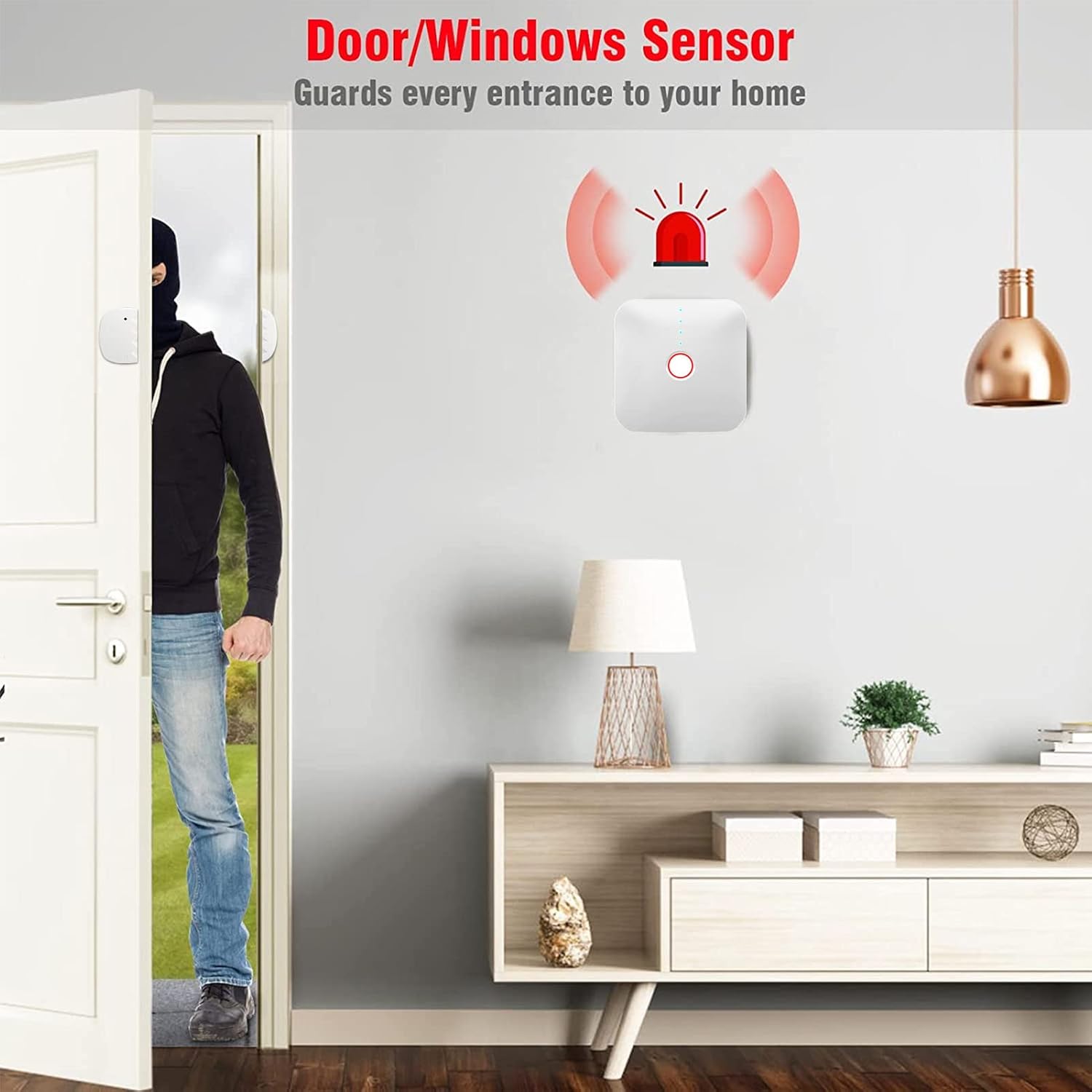
Figure 5.2: A door/window sensor installed on an entrance, triggering an alarm when the door is opened.

Figure 5.3: Illustration of a PIR motion detector's detection angle, typically ranging from 60 to 120 degrees.
- Sensori per porte/finestre: Detect when a protected door or window is opened.
- Rilevatori di movimento PIR: Rilevano i movimenti all'interno della loro area di copertura.
- When a sensor is triggered while the system is armed, the alarm host will sound the siren (90 dB) and send instant notifications to your smartphone via the app.
6. Manutenzione
6.1 Gestione della batteria
- The host unit's internal battery is rechargeable and provides backup power. Ensure the host unit is regularly connected to AC power to keep the internal battery charged.
- Sensors and remote controls use AAA batteries. Replace batteries promptly when the app indicates a low battery status for any accessory.
6.2 Anti-Disassembly Function
The alarm host is equipped with an anti-disassembly feature. If the unit is tampered with or forcibly removed from its mounting location, it will trigger an alarm and send a notification.

Figure 6.1: The hidden anti-disassembly device on the back of the alarm host. Tampering with this button will trigger an alarm.
7. Risoluzione Dei Problemi
If you encounter issues with your Wolf-Guard alarm system, please refer to the following common solutions:
- Impossibile connettersi al Wi-Fi: Ensure your WiFi network is 2.4GHz. The system may not be compatible with 5GHz networks. Verify your WiFi password and signal strength. Try restarting your router and the alarm host.
- I sensori non attivano l'allarme: Check if the system is armed. Ensure sensors are properly paired with the host unit via the app. Verify sensor battery levels.
- Nessuna notifica dell'app: Check your smartphone's notification settings for the 'Smart Life' app to ensure notifications are enabled. Verify the alarm host has a stable internet connection (WiFi or 4G).
- Telecomando non funzionante: Replace the remote control's batteries. Ensure it is paired with the host unit.
- L'allarme suona inaspettatamente: Check the event log in the 'Smart Life' app to identify which sensor triggered the alarm. Ensure sensors are installed correctly and not in areas prone to false alarms (e.g., PIR sensor facing a heat source or direct sunlight).
Per ulteriore assistenza, contattare l'assistenza clienti.
8. Specifiche
| Caratteristica | Dettaglio |
|---|---|
| Numero di modello | WM4N |
| Produttore | Chi Tong Da |
| Dimensioni del prodotto (L x P x A) | Dimensioni: 11.8 x 2.4 x 11.8 cm |
| Peso | 400 grammi |
| Materiale | addominali |
| Colore | Bianco |
| Tipo di fonte di alimentazione | Alimentato a batteria (con adattatore CA) |
| Ingresso CA Voltage | 110 ~ 240 V |
| Volume di uscita CCtage | 12 V / mA 500 |
| Batteria integrata | 7.4 V / 400 mA rechargeable lithium battery |
| Durata della batteria (backup) | Fino a 8 ore |
| Batterie per sensori | 2 batterie AAA (incluse) |
| Tecnologia di connettività | Wireless (WiFi 2.4GHz, 4G) |
| Tipo di installazione | Fai da te senza fili |
| Livello sonoro | 90 decibel |
| Metodo di controllo | App (Vita intelligente) |
| Dispositivi compatibili | Smartphone, Tablet |
| Accessori supportati | 8 Remote Controls, 10 Defense Zones, 100 Detectors |
| Tipo di avviso | Motion, Door/Window, SOS |
9. Garanzia e supporto
Wolf-Guard products are designed for reliability and performance. For warranty information, please refer to the documentation included with your purchase or contact your retailer. For technical support or assistance with setup and operation, please reach out to the manufacturer's customer service or the seller.
Manufacturer: Shenzhen Wolf-Guard Security Hi-tech Company Limited


