1. Introduzione
The Rexel Mercury RES1523 is a strip-cut paper shredder designed for personal and business use, offering efficient and secure disposal of confidential documents. It features revolutionary anti-jam technology, a 23-liter waste bin, and the ability to shred up to 15 sheets of paper at once, along with CDs and credit cards. This manual provides essential information for the safe and effective operation, maintenance, and troubleshooting of your shredder.
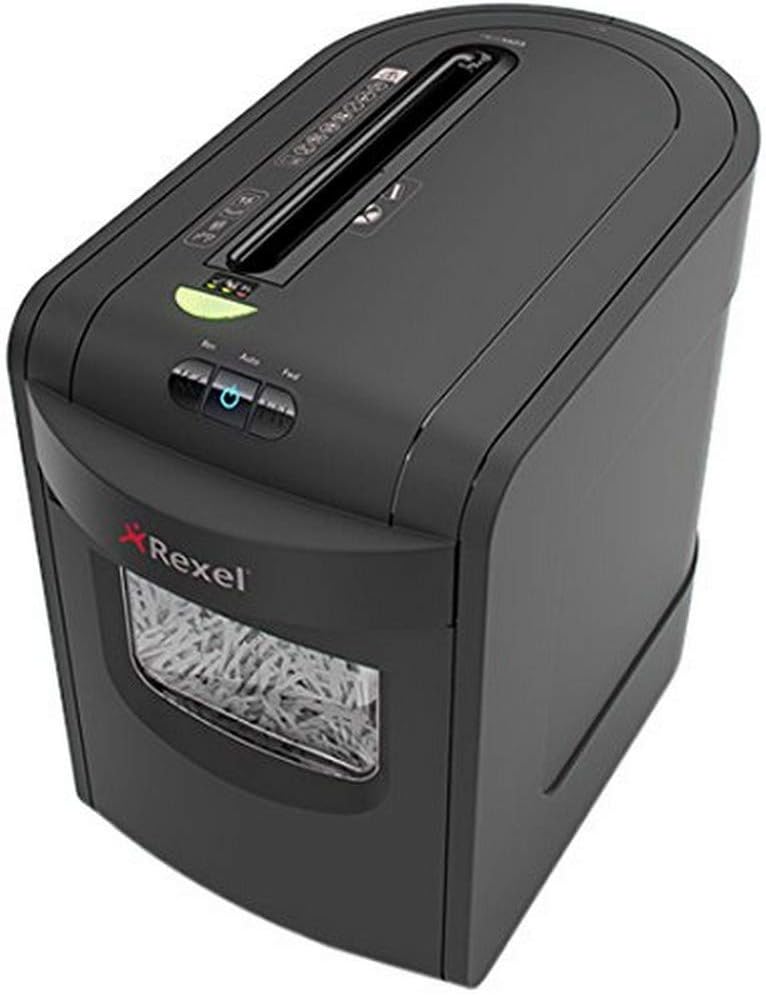
Immagine 1.1: anteriore view of the Rexel Mercury RES1523 Paper Shredder.
2. Informazioni sulla sicurezza
Please read all safety instructions carefully before using the shredder. Failure to follow these instructions may result in injury or damage to the shredder.
- Keep hands and fingers away: Never place hands or fingers near the paper entry slot.
- Loose clothing and hair: Keep loose clothing, ties, jewelry, and long hair away from the paper entry slot.
- Bambini e animali domestici: Keep children and pets away from the shredder at all times. This appliance is not intended for use by persons with reduced physical, sensory or mental capabilities, or lack of experience and knowledge, unless they have been given supervision or instruction concerning use of the appliance by a person responsible for their safety.
- Fonte di energia: Ensure the shredder is connected to a power outlet with the correct voltage (230-250 V).
- Solo per uso interno: This shredder is designed for indoor use only. Do not expose to rain or moisture.
- Materiali infiammabili: Do not shred materials containing flammable liquids or aerosols.
- Scollegare quando non in uso: Scollegare sempre il distruggidocumenti prima di spostarlo, pulirlo o svuotare il contenitore dei rifiuti.
- Danno: Do not operate the shredder if the power cord or plug is damaged. Contact qualified service personnel for repair.
3. Impostazione
Follow these steps to set up your Rexel Mercury RES1523 shredder:
- Disimballare: Estrarre con cautela il distruggidocumenti dall'imballaggio. Conservare l'imballaggio per un eventuale trasporto o stoccaggio futuro.
- Posizionamento: Posizionare il distruggidocumenti su una superficie piana e stabile. Assicurarsi che vi sia spazio sufficiente attorno all'unità per la ventilazione e l'accesso al contenitore dei rifiuti.
- Cestino dei rifiuti: Ensure the 23-liter waste bin is correctly inserted into the shredder housing. The shredder will not operate if the bin is not properly seated.
- Collegamento elettrico: Collegare il cavo di alimentazione a una presa elettrica idonea.
4. Istruzioni per l'uso
Your Rexel Mercury RES1523 shredder is equipped with user-friendly controls and features for efficient shredding.
4.1 Accensione/Spegnimento
- To turn on the shredder, press the power button (usually indicated by a circle with a vertical line). The shredder will enter standby mode.
- To turn off the shredder, press the power button again.
4.2 Triturazione della carta
The shredder can shred up to 15 sheets of 80gsm A4 paper at once, producing 5.8mm strip-cut particles (P-2 security level). It can also handle staples and paper clips.
- Ensure the shredder is powered on and in auto mode.
- Insert paper into the main paper entry slot. The shredder will automatically start and stop.
- Tecnologia anti-inceppamento: The shredder features a clear display next to the paper entry. A green light indicates it's safe to feed paper. A red light warns you if you are attempting to feed too much paper, preventing jams. Reduce the number of sheets if the red light appears.
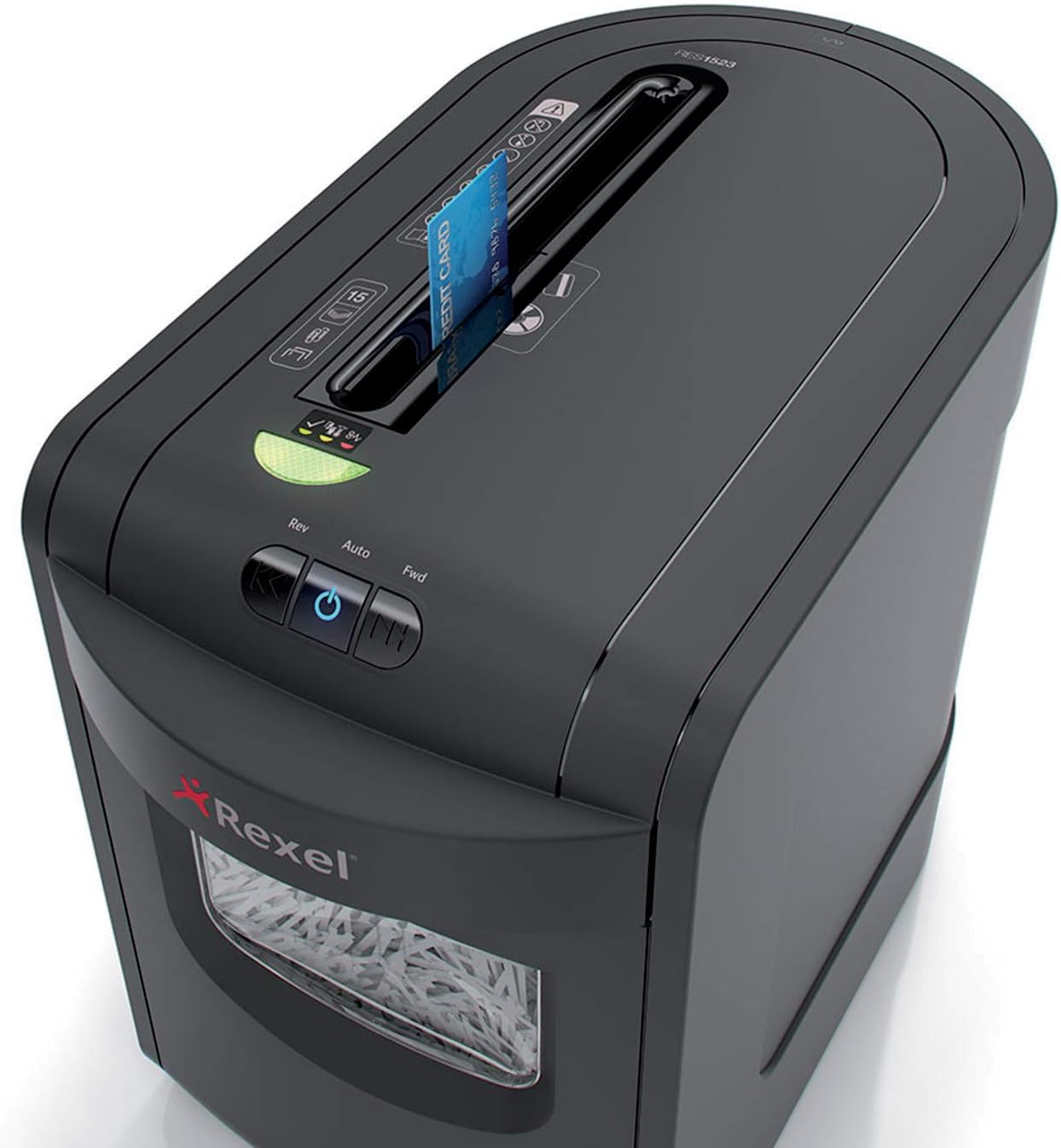
Image 4.1: Paper being fed into the shredder's main slot.
4.3 Distruzione di CD e carte di credito
The shredder has a dedicated slot for shredding CDs and credit cards.
- Insert one CD or credit card at a time into the dedicated slot.
- The shredder will automatically shred the item.

Image 4.2: A CD being inserted into the dedicated shredding slot.

Image 4.3: A credit card being inserted into the dedicated shredding slot.
4.4 Continuous Operation and Cool-down
The shredder can operate continuously for up to 8 minutes. After this period, it requires a cool-down phase to prevent overheating. Allow the shredder to cool down for approximately 30 minutes before resuming operation.
5. Manutenzione
Una manutenzione regolare garantisce la longevità e le prestazioni ottimali del vostro distruggidocumenti.
5.1 Svuotamento del cestino dei rifiuti
The 23-liter waste bin can hold up to 190 sheets of shredded paper. Empty the bin regularly to prevent paper jams and ensure efficient operation. The shredder has a sensor that indicates when the bin is full.
- Scollegare il distruggidocumenti dalla presa di corrente.
- Estrarre il contenitore dei rifiuti dalla parte anteriore del distruggidocumenti.
- Smaltire il materiale triturato.
- Slide the waste bin back into the shredder until it is securely in place.

Image 5.1: The waste bin pulled out for emptying.
5.2 Pulizia
Clean the exterior of the shredder with a soft, dry cloth. Do not use abrasive cleaners or solvents. The shredder features self-cleaning cutting blades for extended life and maximum performance.
5.3 Oliatura (consigliata)
To maintain optimal performance and extend the life of the cutting blades, it is recommended to oil the shredder regularly, especially after emptying the waste bin or after prolonged use. Use a shredder-specific oil.
- Applicare uno strato sottile di olio per distruggidocumenti sulla fessura di inserimento della carta.
- Run the shredder in reverse mode for a few seconds to distribute the oil.
6. Risoluzione Dei Problemi
Se riscontri problemi con il tuo distruggidocumenti, fai riferimento ai seguenti problemi comuni e alle relative soluzioni:
| Problema | Possibile causa | Soluzione |
|---|---|---|
| Il distruggidocumenti non si accende. | No power; Waste bin not properly inserted; Overheat protection activated. | Check power connection; Ensure waste bin is fully inserted; Allow shredder to cool down for 30 minutes. |
| Inceppamento della carta. | Too much paper inserted; Staples/paper clips not removed (for non-compatible models); Overload. | Press the reverse button to clear the jam; Reduce paper quantity; Ensure compatible items are shredded. |
| Il trituratore si ferma durante il funzionamento. | Overheat protection; Waste bin full; Motor overload. | Allow shredder to cool down; Empty waste bin; Reduce paper quantity. |
7. Specifiche
| Caratteristica | Dettaglio |
|---|---|
| Marca | Rexel |
| Numero di modello | 2105015EU (Mercury RES1523) |
| Tipo di brandello | Taglio a strisce |
| Dimensione delle particelle | Approx. 5.8 mm strips (P-2 security level) |
| Capacità del foglio | 15 sheets (80gsm A4 paper) |
| Capacità del cestino dei rifiuti | 23 liters (approx. 190 sheets) |
| brandelli | Carta, CD, carte di credito, punti metallici, graffette |
| Tempo di esecuzione continuo | 8 minuti |
| Tempo di raffreddamento | Circa 30 minuti |
| Dimensioni (L x P x A) | Dimensioni: 47.1 x 27 x 41.3 cm |
| Peso | 6.95 kg |
| Voltage | 230-250 V |
| Livello di rumore | 65 dB |
8. Garanzia e supporto
Your Rexel Mercury RES1523 Paper Shredder comes with a Garanzia di 2 anno dalla data di acquisto. Questa garanzia copre difetti di materiali e lavorazione in condizioni di normale utilizzo.

Image 8.1: Warranty information indicating 2 years.
For warranty claims, technical support, or further assistance, please contact Rexel customer service or visit the official Rexel website. Please have your model number (RES1523 / 2105015EU) and proof of purchase ready when contacting support.


