1. Introduzione
This manual provides instructions for the setup, operation, maintenance, and troubleshooting of your Rollei Designline 3080 Digital Photo Frame. Please read this manual carefully before using the device to ensure proper functionality and longevity.
The Rollei Designline 3080 is an 8-inch digital photo frame designed to display your digital photos, play videos, and audio files. It features an 800 x 600 pixel display with a 4:3 aspect ratio, integrated stereo speakers, and a lithium-ion battery for portable use.
2. Contenuto della confezione
- Rollei Designline 3080 Digital Photo Frame
- Power Adapter (100-240V, 50-60Hz, DC 5V/1.5A)
- Batteria agli ioni di litio (preinstallata o separata)
- Manuale dell'utente (questo documento)
3. Impostazione
3.1. Collegamento elettrico
Connect the provided power adapter to the DC 5V input port on the photo frame and then plug the adapter into a standard electrical outlet. The device will begin charging its internal lithium-ion battery. A full charge provides up to 2 hours of operation.
3.2. Inserimento di una scheda di memoria
The photo frame supports SD, SDHC, MS, and MMC memory cards. Locate the memory card slot on the side or back of the frame. Insert your memory card with the metal contacts facing the correct direction until it clicks into place. Do not force the card.

Figura 1: Davanti view of the Rollei Designline 3080 Digital Photo Frame displaying an image. This image illustrates the device's appearance and its primary function of displaying digital photographs.
3.3. Connessione tramite USB
You can connect the photo frame to a computer using a USB cable (not included) via the USB 2.0 or Mini-USB port. This allows you to transfer files directly to a connected memory card or the frame's internal memory (if available). The frame will appear as a removable disk drive on your computer.
4. Istruzioni per l'uso
4.1. Accensione/Spegnimento
Press and hold the power button (usually located on the back or side) for a few seconds to turn the device on or off.
4.2. Navigazione nel menu
Use the directional buttons (Up, Down, Left, Right) and the 'OK' or 'Enter' button on the frame or remote control to navigate through the on-screen menu. The 'Menu' or 'Exit' button typically returns you to the previous screen or the main menu.
4.3. Photo Playback
- From the main menu, select "Photo" or "Image".
- Choose the desired memory source (e.g., SD card, USB drive).
- Browse through your JPEG images.
- Seleziona un'immagine per view it individually or start a slideshow.
The frame supports JPEG image format. You can configure slideshow settings such as interval time and transition effects in the system settings.
4.4. Riproduzione video
- Dal menu principale, seleziona "Video".
- Choose the desired memory source.
- Seleziona un video file per iniziare la riproduzione.
Supported video formats include MPEG1, MPEG2, MPEG4 (Divx 4.0, Divx 5.0), M-JPEG, Xvid, and AVI.
4.5. Riproduzione audio
- Dal menu principale, seleziona "Musica" o "Audio".
- Choose the desired memory source.
- Seleziona un audio file to begin playback through the integrated stereo speakers.
Supported audio formats include MP3 and WMA. Audio can also be played during photo slideshows.
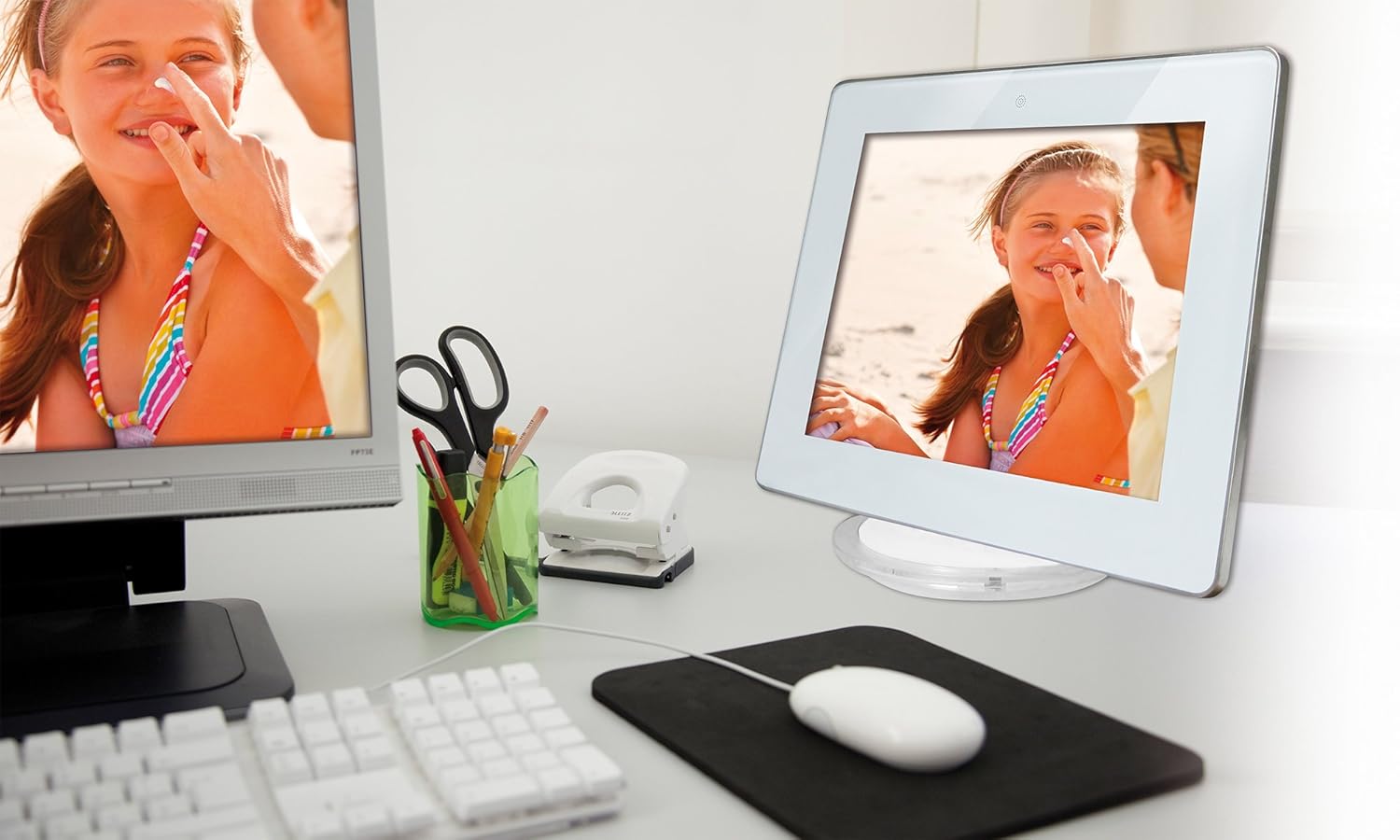
Figura 2: The Rollei Designline 3080 Digital Photo Frame positioned on a desk, demonstrating its integration into a typical home or office environment.
4.6. Funzione orologio e sveglia
The device includes an integrated clock and a programmable alarm function. Access these settings through the main menu to set the time and configure alarms as needed.
5. Manutenzione
5.1. Pulizia del dispositivo
- Assicurarsi che il dispositivo sia spento e scollegato prima della pulizia.
- Utilizzare un panno morbido, asciutto e privo di lanugine per pulire delicatamente lo schermo e la cornice.
- Per segni ostinati, leggermente dampLavare il panno con acqua; evitare prodotti chimici aggressivi o detergenti abrasivi.
5.2. Cura della batteria
- Per prolungare la durata della batteria, evitare di scaricarla completamente frequentemente.
- Se si conserva il dispositivo per un periodo prolungato, caricare la batteria a circa il 50% prima di riporlo.
- Conservare in luogo fresco e asciutto.
6. Risoluzione Dei Problemi
| Problema | Possibile causa | Soluzione |
|---|---|---|
| Il dispositivo non si accende. | Batteria scarica o adattatore di alimentazione non collegato. | Collegare l'adattatore di alimentazione e lasciare che la batteria si carichi. Assicurarsi che la presa di corrente sia funzionante. |
| No image/video displayed. | No memory card inserted, card not recognized, or unsupported file formato. | Insert a compatible memory card with supported fileS. Garantire files are in JPEG, MPEG, or AVI format. Reinsert the card. |
| Nessun suono da video/musica. | Volume too low or audio file formato non supportato. | Increase the volume using the controls. Ensure audio filesono MP3 o WMA. |
| Telecomando non funzionante. | Battery depleted or obstruction between remote and frame. | Replace the remote control battery. Ensure a clear line of sight to the frame's IR receiver. |
If you encounter issues not listed here or if the problem persists, please contact Rollei customer support.
7. Specifiche
| Numero di modello | 30149 |
| Marca | Rollei |
| Dimensioni dello schermo | 8.0 pollici (20.32 cm) |
| Risoluzione | 800 x 600 pixel |
| Proporzioni | 4:3 |
| Formati foto supportati | Formato JPEG |
| Formati audio supportati | Formato MP3, WMA |
| Formati video supportati | MPEG1, MPEG2, MPEG4 (Divx 4.0, Divx 5.0), M-JPEG, Xvid, AVI |
| Slot per schede di memoria | SD/SDHC/MS/MMC |
| Connettività | USB 2.0, Mini-USB |
| Alimentazione elettrica | Net adapter 100-240 V, 50-60 Hz, DC 5 V/1.5 A |
| Batteria | Lithium-ion (up to 2 hours runtime) |
| Dimensioni (L x A x P) | 21.69 cm x 17.3 cm x 2.54 cm (approx. 217 x 173 x 25.5 mm) |
| Peso | 199.58 grammi |
8. Garanzia e supporto
Your Rollei Designline 3080 Digital Photo Frame comes with a 24-month exchange service. For technical assistance, warranty claims, or any other inquiries, please contact the Rollei Service Hotline.
Please refer to your product packaging or the official Rollei website for the most current contact information for the service hotline in your region.