1. Introduzione
Thank you for choosing the Cabstone SoundBar Mini Speaker. This compact and versatile speaker is designed to enhance your audio experience, whether at home or on the go. It features a wired connection, dual 3-watt speakers, and flexible power options. Please read this manual carefully to ensure proper use and maintenance of your device.

The Cabstone SoundBar Mini Speaker, showcasinil suo elegante design nero e la griglia anteriore.
2. Caratteristiche del prodotto
- Wired Connectivity: Connects via 3.5mm Aux or Micro USB.
- Powerful Sound: Features 2 x 3 Watts (6 Watts total) output with an aluminium-cone speaker and passive subwoofer for rich audio.
- Dual Power Options: Can be powered by 4 AAA batteries for portability or via Micro USB.
- Compact and Portable: Lightweight design (350g) with dimensions of 212mm x 65mm x 50mm, ideal for travel.
- Intuitive Controls: Easy-to-use buttons for power and volume.
- Wide Compatibility: Works with various devices including computers (Windows, Mac), smartphones, tablets, and televisions.
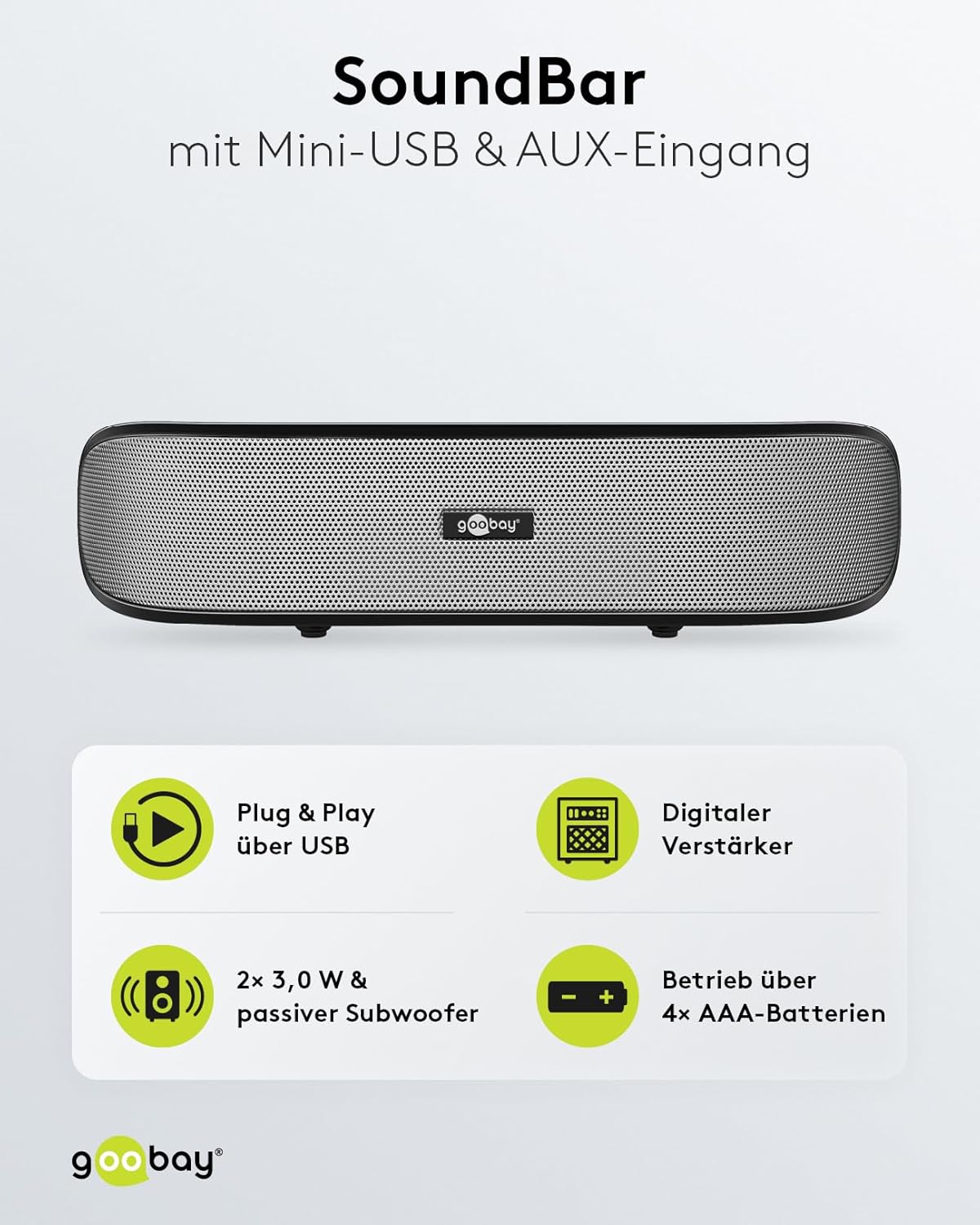
Key features of the SoundBar, including USB Plug & Play, digital amplifier, dual 3W speakers with passive subwoofer, and AAA battery operation.

The elegant design and compact dimensions of the SoundBar, highlighting its portability.

Detailed sound specifications, including the 2-way system, passive subwoofer, amplifier, and frequency response.
3. Cosa c'è nella scatola
All'apertura della confezione dovresti trovare i seguenti elementi:
- Cabstone SoundBar Mini Speaker
- Cavo micro USB
- Cavo audio da 3.5 mm a 3.5 mm
- Protective pouch for transport
- Guida rapida (non inclusa in questo manuale)

All included accessories: protective pouch, USB-A to Mini-USB cable, and 3.5mm audio cable.
4. Impostazione
4.1 Alimentazione dell'altoparlante
The SoundBar Mini Speaker offers two power options:
- Potenza della batteria: Insert 4 AAA batteries into the battery compartment located on the underside of the speaker. Ensure correct polarity. The speaker can operate for up to 6 hours on battery power.
- Alimentazione USB: Connect the supplied Micro USB cable from the speaker's Micro USB port to a USB power source (e.g., computer USB port, USB wall adapter).
4.2 Collegamento a una sorgente audio
The speaker supports two types of audio connections:
- Connessione Aux da 3.5 mm: Use the provided 3.5mm audio cable to connect the speaker's 3.5mm jack to the headphone jack or audio output of your device (e.g., smartphone, tablet, computer, MP3 player).
- Connessione audio USB: Connect the speaker to your computer via the Micro USB cable. For some systems, this connection may also transmit audio, functioning as a Plug & Play USB speaker.

Posteriore view of the SoundBar, highlighting the 3.5mm audio jack and Micro USB port for connections.

Sopraview of the speaker's controls and connection ports for easy setup and operation.
5. Istruzioni per l'uso
5.1 Accensione/spegnimento
Premere il tasto Pulsante di accensione located on the top of the speaker to turn the device on or off.
5.2 Regolazione del volume
Utilizzare il Alza il volume E Abbassa il volume buttons on the top of the speaker to adjust the audio output level.
5.3 Scenari di utilizzo
The SoundBar Mini Speaker is designed for flexible application across various devices and environments:
- Computer: Enhance audio for desktops and laptops (Windows, Mac).
- Dispositivi mobili: Improve sound from smartphones and tablets.
- Elettronica di consumo: Connect to televisions or other audio systems for better sound.

The SoundBar's Plug & Play capability and compatibility with various operating systems and mobile devices.

Examples of flexible application, demonstrating the SoundBar's use with computers, smartphones, and televisions.
6. Manutenzione
- Pulizia: Utilizzare un panno morbido e asciutto per pulire la superficie dell'altoparlante. Non utilizzare detergenti liquidi o materiali abrasivi.
- Magazzinaggio: When not in use, store the speaker in a cool, dry place, preferably in its protective pouch.
- Sostituzione della batteria: If using batteries, replace all 4 AAA batteries simultaneously when power is low to ensure optimal performance.
- Evitare l'umidità: L'altoparlante non è impermeabile. Tenerlo lontano dall'acqua e da umidità elevata.
7. Risoluzione Dei Problemi
- Nessun suono:
- Assicurarsi che l'altoparlante sia acceso.
- Check if the volume on both the speaker and the connected device is turned up.
- Verify that the audio cable is securely connected to both the speaker and the audio source.
- If using batteries, check if they are inserted correctly and have sufficient charge. Try connecting via USB power.
- If using USB audio, ensure your computer recognizes the speaker as an audio output device.
- Suono distorto:
- Abbassare il volume sia dell'altoparlante che del dispositivo collegato.
- Ensure the audio cable is not damaged.
- Verificare la presenza di interferenze da altri dispositivi elettronici.
- L'altoparlante non si accende:
- Se si utilizzano batterie, sostituirle con batterie nuove.
- Se si utilizza l'alimentazione USB, provare una porta USB o un adattatore di alimentazione diversi.
8. Specifiche
| Nome del modello | SoundBar Mini Speaker |
| Numero di modello | 95041 GB |
| Tipo di altoparlante | Barra audio |
| Tecnologia di connettività | USB, 3.5mm Aux |
| Modalità di uscita audio | Stereo (2.0 canali) |
| Potenza massima in uscita dell'altoparlante | 6 Watt (2 x 3 W) |
| Gamma di frequenza | 80 - 20000 Hz |
| Fonte di alimentazione | Battery Powered (4x AAA), USB Powered |
| Peso dell'articolo | 350 grammi (12.3 once) |
| Dimensioni del prodotto | 8.3 x 2 x 2.6 pollici (212 x 50 x 65 mm) |
| Colore | Nero |
| Produttore | Cabstone |
9. Garanzia e supporto
This Cabstone SoundBar Mini Speaker comes with a Limited Warranty. For specific details regarding warranty coverage and duration, please refer to the warranty card included with your product or contact the manufacturer directly.
For technical support or further inquiries, please visit the official Goobay website or contact their customer service department. Please have your product model number (95041-GB) and purchase information ready when seeking support.


