Inngangur
This manual provides detailed instructions for the setup, operation, and maintenance of your Inateck KB04002 Keyboard Case. Please read this manual thoroughly to ensure proper use and to maximize the product's functionality.
Samhæfni
The Inateck KB04002 Keyboard Case is compatible with the following iPad models:
- iPad 11th Gen (2025 A16)
- iPad 10th Gen (10.9")
- iPad Air 11 inch (M3/M2)
- iPad Air 5th Gen (10.9")
- iPad Air 4th Gen (10.9")
- iPad Pro 11 inch (1st, 2nd, 3rd, 4th Gen)
Note: Not compatible with iPad Pro 11" M4 (2024).

Image: Detailed compatibility chart for the Inateck KB04002 keyboard case.
Uppsetningarleiðbeiningar
1. Attaching the iPad to the Case
- Align your compatible iPad with the case.
- Gently press the iPad into the protective frame of the case until it is securely seated. Ensure all edges are properly covered.

Image: The Inateck KB04002 keyboard case with an iPad securely in place.
2. Connecting the Keyboard via Bluetooth
- Ensure the keyboard is charged (refer to the Charging section).
- Turn on the keyboard by sliding the ON/OFF switch to the 'ON' position. The indicator light will illuminate.
- Press the 'Connect' button on the keyboard. The Bluetooth indicator light will start blinking, indicating it is in pairing mode.
- Á iPad-inu þínu, farðu á Stillingar > Bluetooth.
- Kveiktu á Bluetooth. iPadinn þinn mun leita að tiltækum tækjum.
- Select "Inateck Keyboard" (or similar name) from the list of devices.
- Follow any on-screen prompts to complete the pairing process. Once connected, the Bluetooth indicator light on the keyboard will stop blinking.

Image: The magnetic detachable keyboard, illustrating its separation from the case.
Notkunarleiðbeiningar
1. Detachable Keyboard Functionality
The keyboard is magnetically attached to the case, allowing for easy removal and reattachment. This feature provides flexibility for various usage scenarios, such as typing with the keyboard or using the iPad as a standalone tablet.
2. Stillanlegt Viewí horn
The case features three grooves that allow you to adjust the iPad's viewing angle. Position the iPad in one of the grooves to achieve a comfortable angle for typing, viewing, or drawing.

Image: The keyboard case demonstrating its three adjustable viewing horn.
3. iOS Shortcut Keys
The keyboard includes dedicated shortcut keys for enhanced productivity and control over your iPad:
- Esc: Undo key
- Skjár birta: Adjusts brightness up or down
- leit: Brings up iOS search field
- Skjáskot: Captures the current screen information
- Tungumálaskipti: Switches the keyboard input language
- Miðlunarstýringar: Back, Play/Pause, Forward
- Hljóðstyrkstýringar: Mute, Volume up, Volume down
- Skjá slökkt: Locks the iPad screen

Image: A visual guide to the iOS shortcut keys on the Inateck keyboard.
4. Blýantshaldari
The integrated pen slot is designed to securely hold your Apple Pencil. It supports magnetic adsorption charging for the 2nd generation Apple Pencil and can store the 1st generation Apple Pencil.
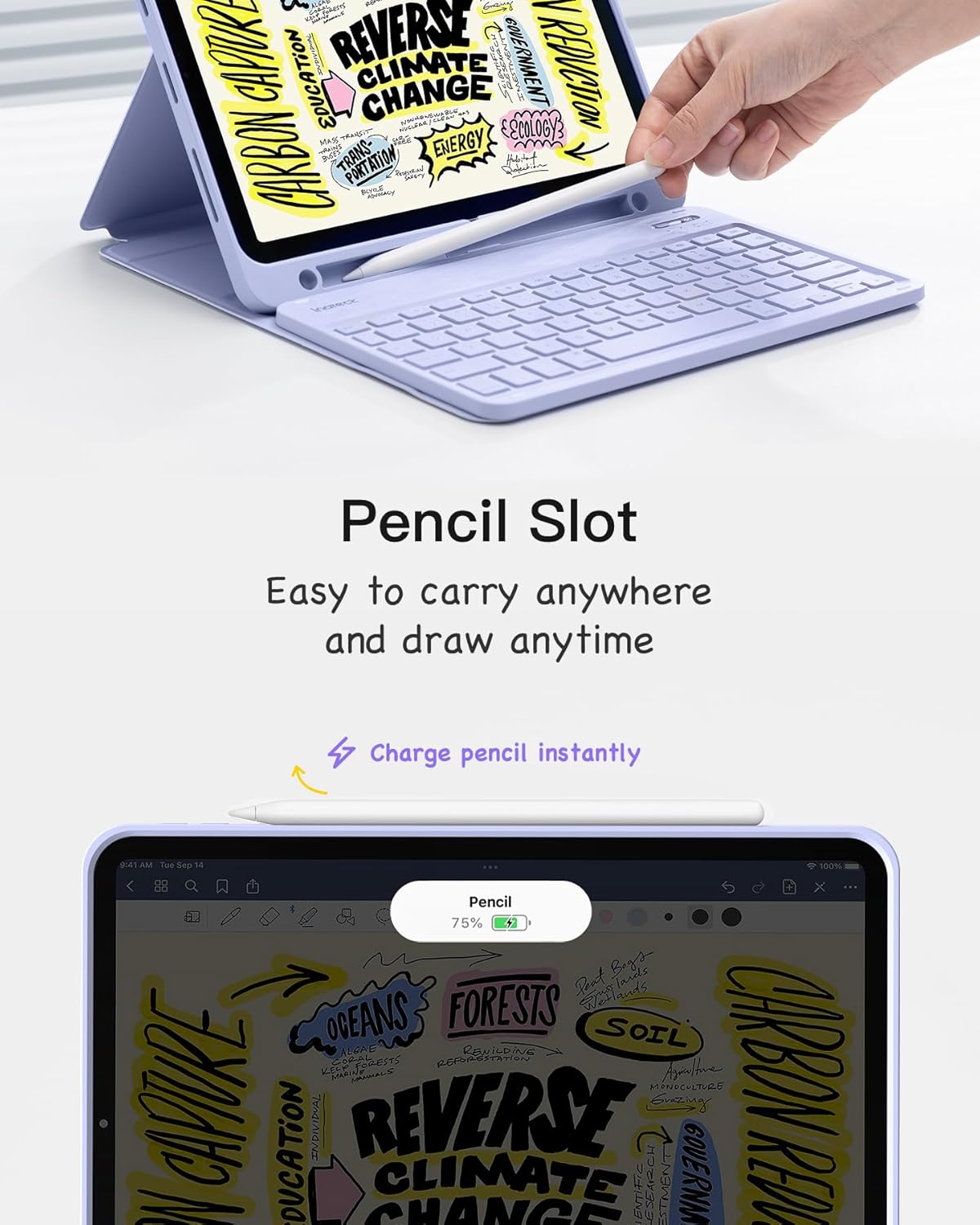
Image: The integrated pencil slot with an Apple Pencil, indicating charging capability.
5. Auto Sleep/Wake Function
Closing the case lid will automatically turn off the iPad screen, and opening the lid will light up the screen. This feature helps conserve iPad battery life.
Hleðsla lyklaborðsins
The keyboard is equipped with a Type-C charging port. Use the provided USB cable to connect the keyboard to a power source. A full charge provides up to 90 hours of usage.

Image: The Type-C charging port on the keyboard, indicating its charging capability.
Viðhald
1. Þrif og umhirða
- To clean the case, wipe it with a soft, damp klút. Forðist að nota sterk efni eða slípiefni.
- For the keyboard, use a soft, dry cloth. A can of compressed air can be used to remove debris from between the keys.
- Haldið vörunni frá miklum hita, beinu sólarljósi og vökvum.
2. General Protection
The case is designed to provide all-round protection for your iPad, securing it against scratches and minor impacts. Ensure the iPad is properly seated in the case for optimal protection.

Image: The Inateck keyboard case in a closed position, demonstrating full protection for the iPad.
Úrræðaleit
1. Lyklaborð tengist ekki
- Gakktu úr skugga um að lyklaborðið sé kveikt og fullhlaðið.
- Verify that Bluetooth is enabled on your iPad.
- Try re-pairing the keyboard: Go to iPad Settings > Bluetooth, forget the "Inateck Keyboard" device, then repeat the connection steps from the Setup section.
- Endurræstu bæði iPadinn þinn og lyklaborðið.
2. Takkar svara ekki
- Athugaðu hvort lyklaborðið sé rétt tengt í gegnum Bluetooth.
- Ensure the keyboard is charged. Low battery can affect performance.
- Endurræstu lyklaborðið og iPadinn.
3. Auto Sleep/Wake Not Working
- Ensure your iPad is correctly seated in the case.
- Check your iPad settings: Go to Stillingar > Skjár og birta > Læsa/opna og tryggja að það sé virkjað.
Vörulýsing
| Eiginleiki | Smáatriði |
|---|---|
| Vörumerki | Inateck |
| Gerðarnúmer | KB04002 |
| Tengitækni | Bluetooth |
| Stýrikerfi | iOS |
| Standandi skjástærð | 10.9 tommur |
| Þyngd hlutar | 1.5 pund |
| Vörumál | 10.2 x 6.7 x 0.5 tommur (hulstur) |
| Aflgjafi | Rafhlöðuknúið |
| Rafhlöður | 1 Lithium Ion rafhlaða (fylgir með) |
| Sérstakir eiginleikar | Detachable, Hotkeys, Media Keys, Magnetic, Portable, Rechargeable |
| Mælt er með notkun | Business, Education, Everyday Use, Office, Student |
Upplýsingar um ábyrgð
Inateck products typically come with a standard manufacturer's warranty. For specific details regarding the warranty period and terms for your KB04002 Keyboard Case, please refer to the warranty card included in your product packaging or visit the official Inateck webGeymið kaupkvittunina sem sönnun fyrir kaup vegna ábyrgðarkröfu.
Þjónustudeild
If you encounter any issues or have questions not covered in this manual, please contact Inateck customer support. You can usually find contact information (email, phone, or support portal) on the official Inateck websíða:


