Okwu mmalite
Daalụ maka ịzụrụasing the Philips TAX5000 Bluetooth Party Speaker. This manual provides essential information for setting up, operating, and maintaining your speaker to ensure optimal performance and longevity. Please read these instructions carefully before using the product.
Kedu ihe dị na Igbe ahụ
Chọpụta na akụrụngwa niile dị na nkwakọ ngwaahịa:
- Philips TAX5000 Bluetooth Party Speaker
- eriri USB
- Ntuziaka mmalite ngwa ngwa
- Akwụkwọ ikike
Ngwaahịa gafereview
The Philips TAX5000 is a portable party speaker designed for powerful audio output and dynamic lighting effects. It features dual 8-inch woofers and 2-inch tweeters, delivering 200W maximum sound output with Bass+ technology. The integrated RGB LED lightshow offers 13 modes. Connectivity options include Bluetooth, auxiliary input, and USB playback. For expanded audio, True Wireless Stereo (TWS) and Auracast multi-speaker connections are supported. The speaker also includes dual microphone inputs and a guitar input with independent volume and echo controls for karaoke and live performances. Its design incorporates wheels and a carry handle for portability, and it is IPX4 splash-resistant. A rechargeable battery provides up to 14 hours of playback.
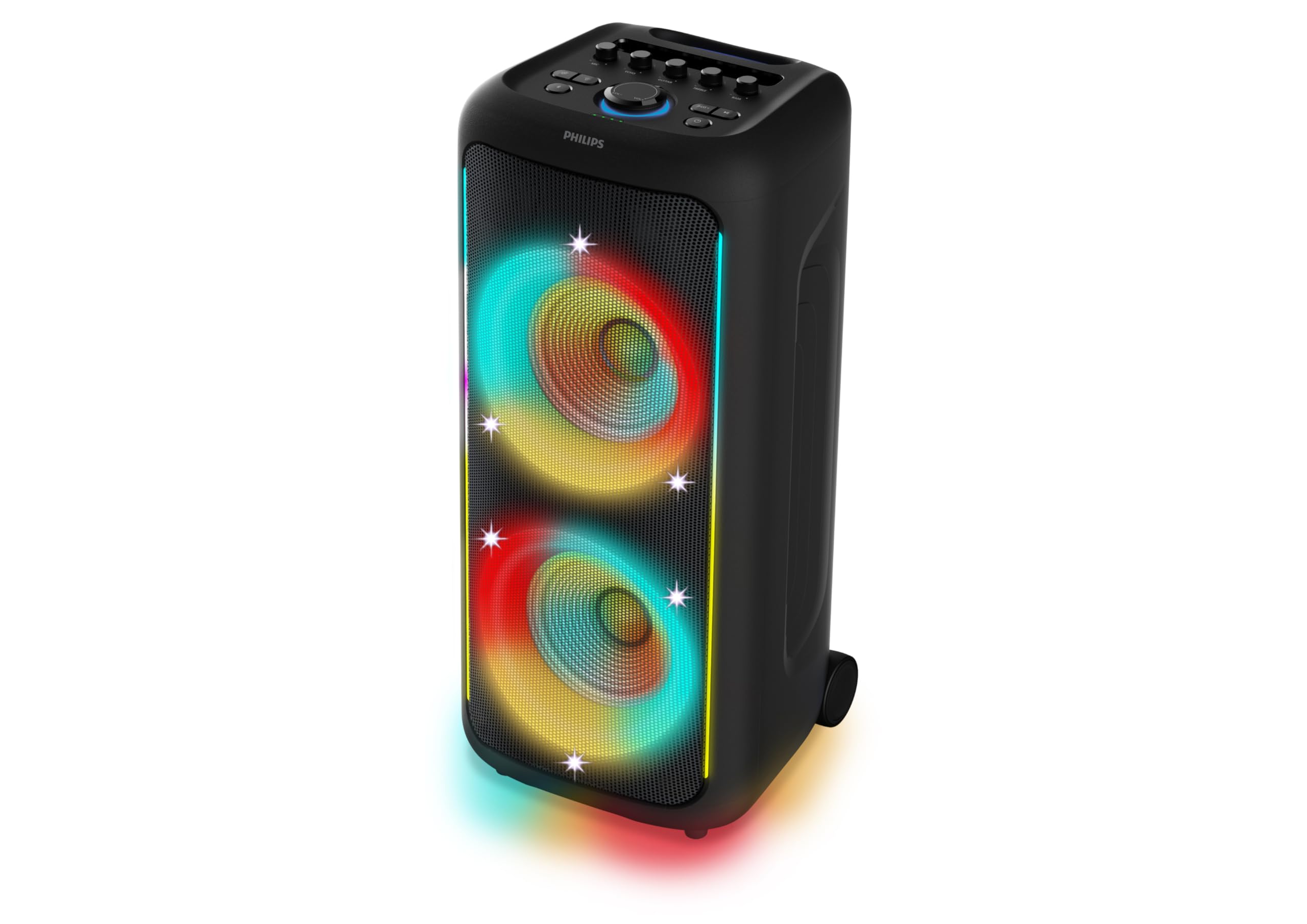
Foto 1: N'ihu view of the Philips TAX5000 speaker, showcasing the active RGB lightshow around the dual woofers.
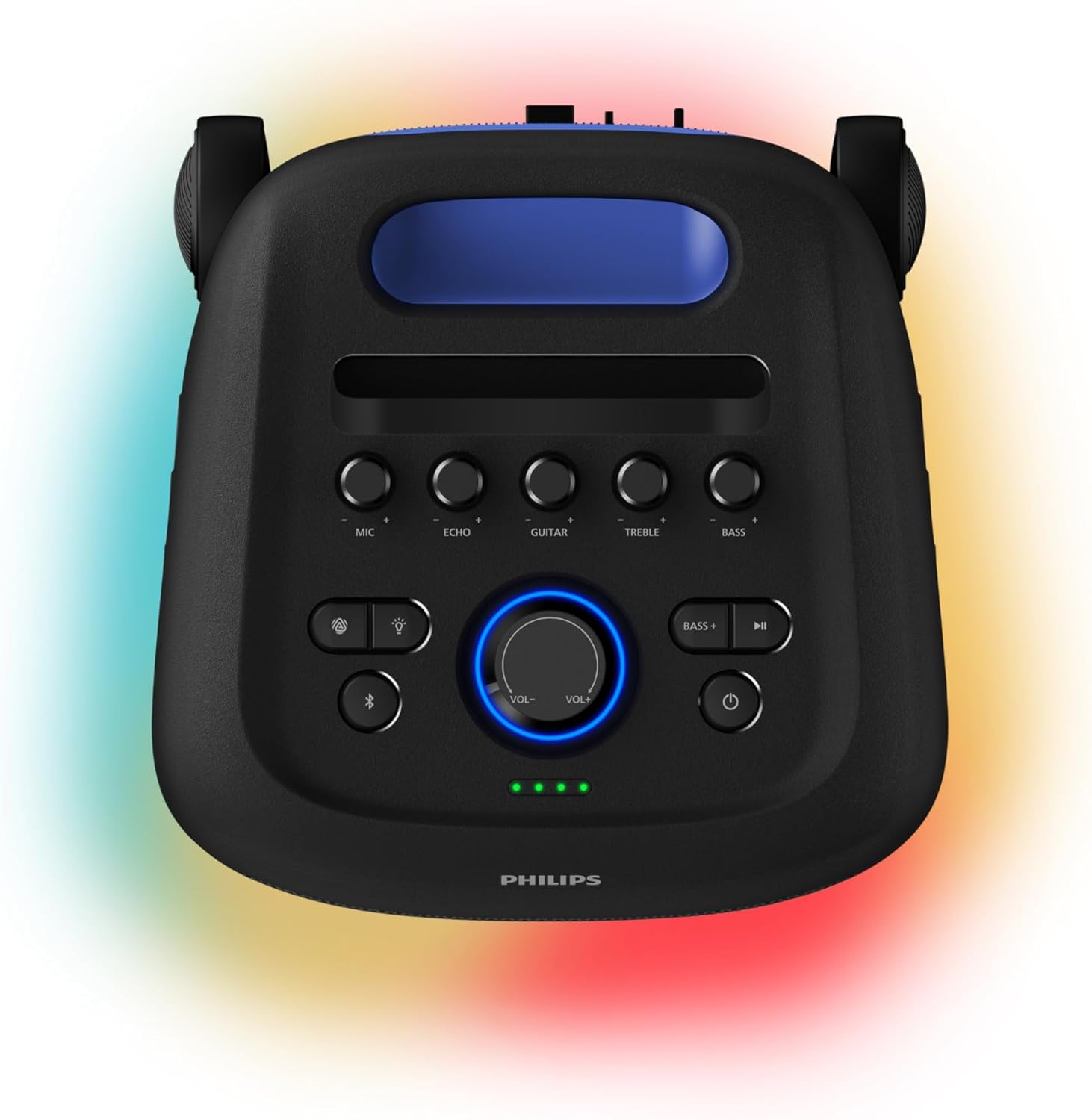
Figure 2: Top control panel of the speaker, showing buttons for microphone, echo, guitar, treble, bass, volume, light modes, Bluetooth, and power.
Melite
1. gingchaji Okwu Okwu
Before initial use, fully charge the speaker. Connect the provided USB cable to the speaker's charging port and a suitable power adapter (not included). A full charge takes approximately 4 hours and provides up to 14 hours of playback. The battery pack is replaceable.
2. Ịgbanye / gbanyụọ
- To power on: Press and hold the Power button on the control panel until the indicator lights illuminate.
- To power off: Press and hold the Power button again until the indicator lights turn off.
3. Njikọ Bluetooth
- Ensure the speaker is powered on and in Bluetooth pairing mode (the Bluetooth indicator light will flash).
- Na ekwentị mkpanaaka gị, gbanye Bluetooth wee chọọ ngwaọrụ dị.
- Select "Philips TAX5000" from the list of devices.
- Once paired, the Bluetooth indicator light on the speaker will become solid.
Ntuziaka ọrụ
1. Ngwugharị ọdịyo
- Bluetooth: After pairing, play audio from your connected device. Control volume and track selection via the speaker's controls or your device.
- USB playback: Fanye draịva USB nwere ọdịyo files banye n'ọdụ ụgbọ USB. Ọkà okwu ahụ ga-amalite ịkpọ egwu na akpaghị aka.
- Ntinye inyeaka: Connect an audio device using a 3.5mm auxiliary cable (not included) to the AUX input port.
2. Lightshow Control
The speaker features an RGB LED lightshow with 13 dynamic modes. Use the dedicated Light button on the control panel to cycle through modes or turn the lights off. Further customization is available via the Philips Entertainment App.
3. Karaoke and Guitar Inputs
The speaker is equipped with two microphone inputs and one 6.3mm guitar input. Connect your microphones and/or guitar. Use the dedicated MIC, ECHO, GUITAR, TREBLE, and BASS knobs on the control panel to adjust levels and apply echo effects.
4. Multi-Speaker Connection (TWS & Auracast)
- Ezi stereo ikuku ikuku (TWS): To pair two TAX5000 speakers for stereo sound, follow the instructions in the Quick Start Guide for TWS pairing.
- Auracast: For broadcasting audio to multiple compatible speakers, refer to the Philips Entertainment App or the full user manual for Auracast setup instructions.
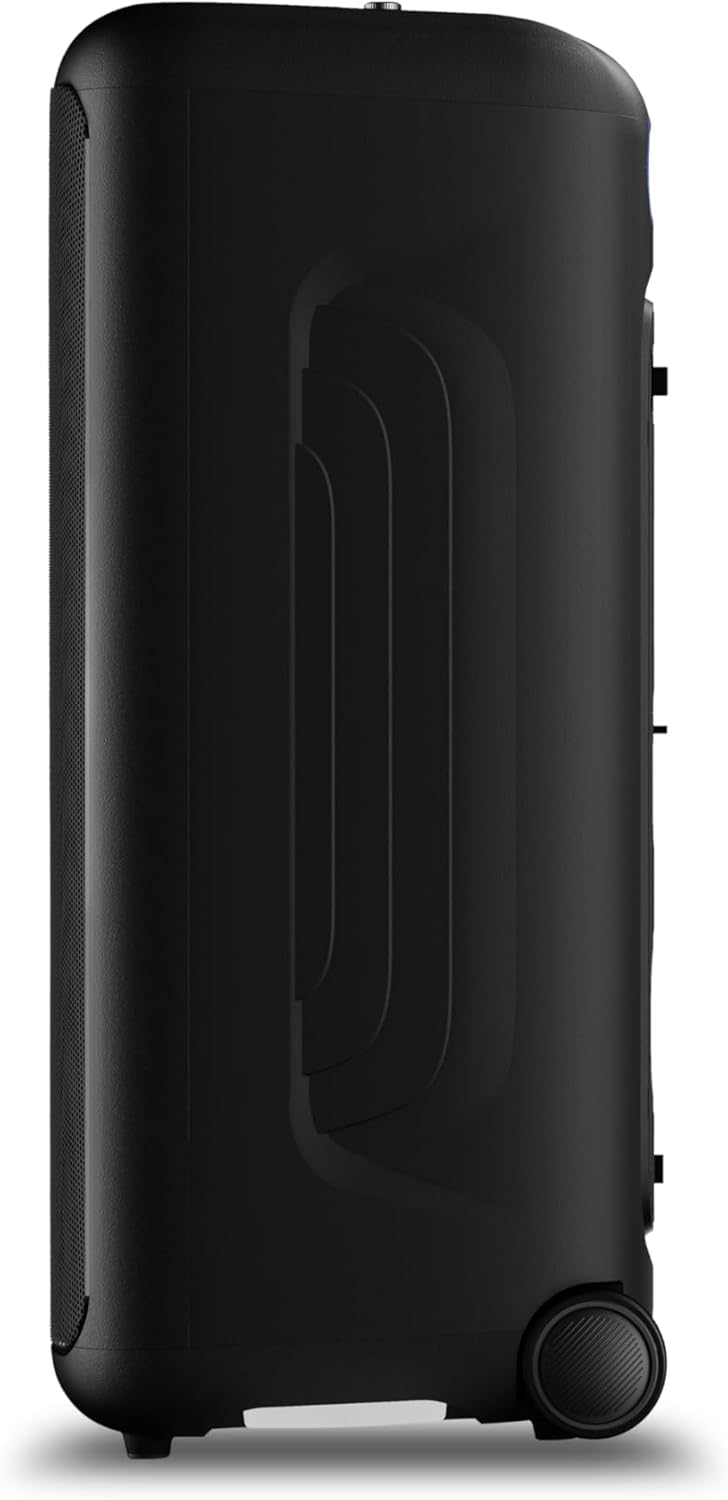
Foto 3: Akụkụ view of the speaker, highlighting the integrated wheels for easy transport.

Ọgụgụ 4: N'azụ view of the speaker, illustrating the pull-out handle for portability.
Nlekọta
To maintain your Philips TAX5000 speaker in optimal condition:
- Nhicha: Jiri ákwà dị nro ma kpọọ nkụ hichaa elu mpụta. Ejila ihe nhicha ma ọ bụ ihe mgbaze.
- Nchekwa: Chekwaa ọkà okwu n'ebe dị jụụ, kpọrọ nkụ na-adịghị na ìhè anyanwụ kpọmkwem na oke okpomọkụ.
- Mkpughe mmiri: While IPX4 splash-resistant, avoid submerging the speaker in water or exposing it to heavy rain. Ensure all port covers are securely closed when near liquids.
Nchọpụta nsogbu
Ọ bụrụ na ị hụ nsogbu na ọkà okwu gị, lee ihe ngwọta ndị a na-ahụkarị:
| Nsogbu | Ngwọta enwere ike |
|---|---|
| Ọkà okwu anaghị agba ọkụ | Ensure the battery is charged or the speaker is connected to AC power. Press and hold the Power button. |
| Enweghị mmepụta ụda | Check volume levels on both the speaker and the connected device. Ensure the correct input source is selected. Re-pair Bluetooth if necessary. |
| Njikọ Bluetooth ada ada | Ensure the speaker is in pairing mode. Move the speaker closer to your device. Turn off and on Bluetooth on your device. Clear previous pairings. |
| Microphone/Guitar not working | Check connections. Adjust MIC/GUITAR volume knobs. Ensure microphones are powered on if applicable. |
Nkọwapụta
| Njirimara | Nkọwa |
|---|---|
| Aha Nlereanya | TAX5000/37 |
| Ụdị Ọkà Okwu | Enwere ike ibugharị, n'èzí |
| Ike mmepụta okwu | 200 Watts Max / 100 Watts RMS |
| Dayameta Woofer | 8 sentimita asatọ (x2) |
| Dayameta Tweeter | 2 sentimita asatọ (x2) |
| Teknụzụ Njikọta | Bluetooth, inyeaka (3.5mm), USB |
| Nkwukọrịta ikuku | Bluetooth |
| Atụmatụ pụrụ iche | RGB Lightshow (13 modes), PA System, Portable with Wheels, Rechargeable Battery, TWS & Auracast Multi-Speaker, Dual Mic & Guitar Input, Karaoke |
| Ndụ batrị | Ruo awa iri abụọ |
| Oge nchaji batrị | Ihe dị ka awa 4 |
| Isi Iyi Ike | Plug In Electric (AC) / Rechargeable Battery |
| Usoro njikwa | App, Touch Controls |
| Ogo IP | IPX4 Splash-Proof |
| Akụkụ ngwaahịa (D x W x H) | 12.6" x 12.6" x 28.74" |
| Ibu Ibu | 39.7 pound |
Akwụkwọ ikike
This Philips TAX5000 Bluetooth Party Speaker comes with a limited warranty. Please refer to the included Warranty Certificate for detailed terms, conditions, and registration information. Keep your proof of purchase for warranty claims.
Nkwado
For further assistance, product updates, or detailed troubleshooting, please visit the official Philips support website or contact Philips customer service. Contact information can be found on the warranty certificate or the Philips websaịtị.
Vidiyo ngwaahịa
Philips TAX5000 Overview
Vidiyo a na-enye nkọwa zuru okeview of the Philips TAX5000 Bluetooth Party Speaker's features and capabilities.
Philips TAX5000 Features Highlight
A short video highlighting key features of the Philips TAX5000 speaker, such as its portability and lightshow.