Okwu mmalite
This manual provides detailed instructions for the setup, operation, maintenance, and troubleshooting of your KOSPET Tank T4 Smartwatch. Please read this manual thoroughly before using the device to ensure proper functionality and longevity.
Kedu ihe dị na Igbe ahụ
Upon opening the KOSPET Tank T4 Smartwatch package, you should find the following items:
- 1 x KOSPET Tank T4 Smartwatch
- 1 x chaja
- 1 x eriri silicone
- 1 x Akwụkwọ ntuziaka onye ọrụ
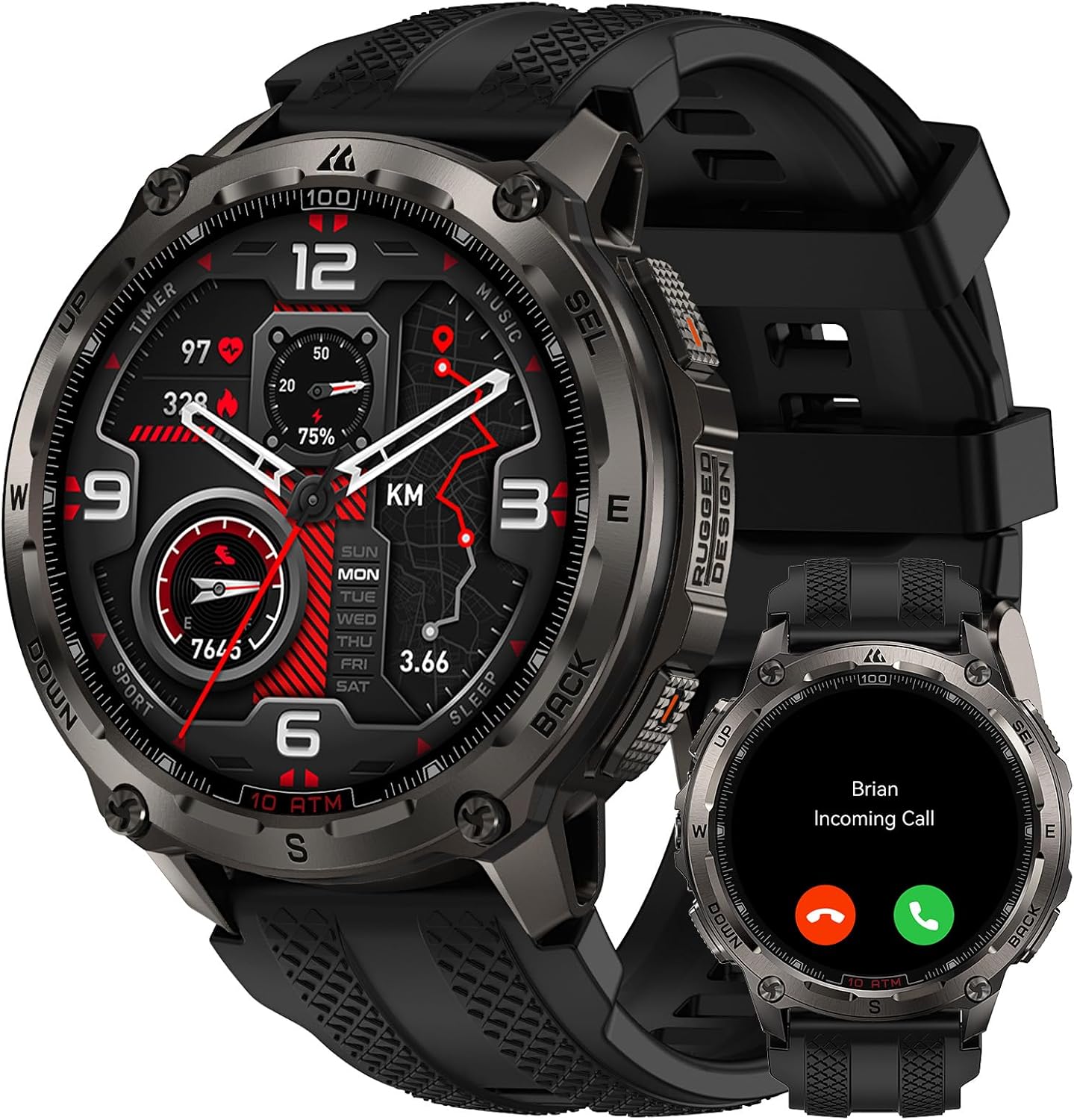
Image: KOSPET Tank T4 Smartwatch with its charger, silicone strap, and user manual.
Melite
1. Ịchaji smartwatch
Before initial use, fully charge your KOSPET Tank T4 Smartwatch. Connect the provided charger to a power source and attach the magnetic charging pins to the back of the smartwatch. The watch display will indicate charging status.

Image: The KOSPET Tank T4 Smartwatch connected to its magnetic charging base, illustrating the charging process and battery life infographic.
2. Ngwa nwụnye na ijikọ
To unlock the full functionality of your KOSPET Tank T4, you need to install the "APEXMOVE" app on your smartphone and pair the devices.
Maka ngwaọrụ iOS:
- Install the APEXMOVE app from the Apple App Store.
- Open the app and navigate to "My Device".
- Click on "My Device" and select the "+" icon to add a new device.
- Select "KOSPET TANK T4" from the list and connect.
- Tap "Pair" when prompted and grant the watch permission to receive notifications from your phone.
Video: Instructions on how to connect the KOSPET Tank T4 Smartwatch to an iOS smartphone, showing the steps within the APEXMOVE app.
Maka ngwaọrụ gam akporo:
- Install the APEXMOVE app from the Google Play Store.
- Open the app and navigate to "My Device".
- Click on "My Device" and select the "+" icon to add a new device.
- Select "KOSPET TANK T4" from the list and connect.
- Tap "Pair" when prompted and grant the watch permission to receive notifications from your phone.
Video: Instructions on how to connect the KOSPET Tank T4 Smartwatch to an Android smartphone, demonstrating the pairing process within the APEXMOVE app.
Ntuziaka ọrụ
1. Nsoro ụzọ
The KOSPET Tank T4 features a 1.43" AMOLED touchscreen display and physical buttons for navigation. Swipe across the screen to access different functions and menus. The side buttons provide quick access to specific features or can be customized.
Foto: A nso nso view of the KOSPET Tank T4 Smartwatch, highlighting its display and physical buttons for user interaction.
2. Ịkpọ na ịnata oku
The smartwatch supports Bluetooth calling. Once paired with your smartphone, you can answer incoming calls directly from your watch or dial numbers using the on-screen keypad.

Image: A person interacting with the KOSPET Tank T4 Smartwatch to answer an incoming call, demonstrating the call function.
3. Amamọkwa
Receive notifications from your smartphone apps directly on your KOSPET Tank T4. Ensure the APEXMOVE app has the necessary permissions enabled on your phone for notifications to function correctly.

Image: The KOSPET Tank T4 Smartwatch screen showing notifications from various social media and messaging applications.
4. Nlekọta ahụike
The KOSPET Tank T4 features an advanced 4PD sensor for 24/7 health monitoring, including heart rate, blood oxygen (SpO2), sleep patterns, and stress levels. Access these metrics through the watch interface or the APEXMOVE app for detailed analysis.
- Ọnụọgụgụ obi: Continuous monitoring of your heart rate.
- Oxygen ọbara (SpO2): Measures the oxygen saturation in your blood.
- Nchicha ụra: Na-enyocha ụratages (deep, light, awake) to provide insights into sleep quality.
- Nleba anya nrụgide: Na-enyere gị aka ịghọta ọkwa nrụgide gị n'ụbọchị niile.

Image: Displays the KOSPET Tank T4 Smartwatch showing heart rate, blood oxygen, and sleep tracking data on its screen.
5. Ụdị egwuregwu na GPS
The smartwatch offers 23 ApexMotion sports modes and over 160 free training modes. It features dual-band GNSS positioning with 6 satellite systems for accurate outdoor activity tracking and offline map support.
- Ndepụta mmemme: Records calories burned, heart rate, distance, and pace for various sports.
- Nsoro ụzọ GPS: Utilizes dual-band GNSS for precise location tracking.
- Maapụ ndị na-anọghị n'ịntanetị: Download maps to your watch for navigation without a network connection.
- Route Planning: Plan and follow routes directly from your watch.

Image: The KOSPET Tank T4 Smartwatch displaying an offline map with a planned route, demonstrating its navigation capabilities.
Video: Demonstrates the KOSPET Tank T4 Smartwatch's GPS and offline map features, showing route tracking during outdoor activities.
6. Walkie-Talkie Function
The integrated walkie-talkie function allows for instant communication with a simple touch-and-hold, useful for outdoor group activities.
Image: A person using the KOSPET Tank T4 Smartwatch's walkie-talkie feature in an outdoor setting.
7. Nhazi
Personalize your KOSPET Tank T4 with various watch faces, icon themes, and customizable quick-access cards through the APEXMOVE app.

Image: A collage of different watch faces and icon themes available for customization on the KOSPET Tank T4 Smartwatch.
Nlekọta
1. Nhicha
Regularly clean your smartwatch and strap with a soft, damp ákwà. Zere iji kemịkalụ siri ike ma ọ bụ ihe ndị na-emebi ihe nke nwere ike imebi ngwaọrụ ahụ.
2. Mmiri Nguzogide
The KOSPET Tank T4 is rated 10 ATM and IP69K, making it suitable for swimming, snorkeling, and free diving up to 45 meters. Rinse the watch with fresh water after exposure to salt water or chlorine and dry thoroughly.

Image: A diver wearing the KOSPET Tank T4 Smartwatch underwater, demonstrating its 10 ATM water resistance for diving activities.
Video: The KOSPET Tank T4 Smartwatch being exposed to water, illustrating its IP69K and 10 ATM water resistance.
3. Ndụ batrị
The KOSPET Tank T4 features a 500 mAh battery. Typical usage provides up to 18 days of battery life, while continuous GPS use offers up to 22 hours. Actual battery performance may vary based on settings and usage.

Image: An infographic detailing the battery life of the KOSPET Tank T4 Smartwatch under different usage scenarios, including typical use, continuous GPS, intense use, and Always-On Display mode.
Nchọpụta nsogbu
- Ngwa anaghị ejikọta: Ensure Bluetooth is enabled on your smartphone and the smartwatch is discoverable. Restart both devices and try pairing again.
- Anataghị ọkwa: Verify that the APEXMOVE app has notification permissions enabled in your phone's settings. Disable "Do Not Disturb" mode on your phone.
- Enweghị ike izi ezi nke GPS: Gbaa mbọ hụ na ịnọ n'ebe mepere emepe nwere oghere doro anya view of the sky for optimal GPS signal reception. Allow the watch sufficient time to acquire a GPS signal before starting an activity.
- Ihuenyo anaghị anabata: Try restarting the smartwatch. If the issue persists, ensure the screen is clean and dry.
- Batrị na-agbapụta ngwa ngwa: Review your usage patterns. Frequent use of GPS, Always-On Display, and continuous health monitoring can reduce battery life. Adjust settings as needed.
- Nsogbu ngwanrọ: Ensure your APEXMOVE app and smartwatch firmware are updated to the latest versions. Check the app for available updates.
Nkọwapụta
| Njirimara | Nkọwa |
|---|---|
| Ụdị | KOSPET |
| Nlereanya | TANK T4 |
| Ngosipụta | 1.43-inch AMOLED |
| Akụrụngwa ahụ | 360 igwe anaghị agba nchara |
| Igwe ihuenyo | Corning Gorilla Glass 3rd Generation 9H |
| Mmiri Nguzogide | 10 ATM, IP69K (up to 45m for free diving) |
| GPS | Dual-band GNSS (6 satellite systems), Offline Maps |
| Ike batrị | 500mAh Lithium Polymer |
| Ndụ batrị a na-ahụkarị | Ruo ụbọchị 18 |
| GPS Continuous Use | Ruo awa iri abụọ |
| Nlekọta ahụike | Heart Rate, Blood Oxygen (SpO2), Sleep, Stress (24/7) |
| Ụdị egwuregwu | 23 ApexMotion, 160+ Free Training Modes |
| Njikọta | Bluetooth |
| Ebe nchekwa | 32 GB (storage), 16 MB (RAM) |
| Sistemụ nrụọrụ | Dakọtara na gam akporo na iOS |
| Ibu | 80 grams |
| Military Standard Certification | 20 MIL-STD-810H tests passed, SGS Certified |
Akwụkwọ ikike na nkwado
Your KOSPET Tank T4 Smartwatch comes with a manufacturer's warranty. For specific warranty details, please refer to the warranty card included in your product packaging or visit the official KOSPET website. For technical support or further assistance, please contact KOSPET customer service or visit the KOSPET Brand Store.
Ozi nchekwa
- Anwala ịkwasa, rụkwaa ma ọ bụ gbanwee ngwaọrụ ahụ.
- Debe ngwaọrụ ahụ ka ọ ghara ịdị oke okpomọkụ, ìhè anyanwụ kpọmkwem, na ọkụ mepere emepe.
- Zere ikpughe ngwaọrụ ahụ na oghere magnetik siri ike.
- Do not use the device while driving or in situations where it could distract you from important tasks.
- Gakwuru ọkachamara ahụike tupu ịmalite usoro mmega ahụ ọhụrụ ọ bụla ma ọ bụ ọ bụrụ na ị nwere nsogbu ahụike ọ bụla.
- Tụfuo ngwaọrụ na batrị ya nke ọma dịka iwu mpaghara siri dị.


