1. Okwu mmalite
The IEE P1800 Portable Power Station is a versatile and high-capacity power solution designed for both home and outdoor use. Featuring a 1024Wh capacity and 1800W AC output (3600W surge), it utilizes advanced LiFePO4 battery technology for long-lasting performance and safety. This manual will guide you through its features, setup, operation, and maintenance.

Image 1.1: The IEE P1800 Portable Power Station, showcasing its robust design and user interface.
2. Ozi nchekwa
Please read and understand all safety instructions before operating the IEE P1800 Portable Power Station. Failure to follow these instructions may result in electric shock, fire, or serious injury.
- Azụkwala, rụkwaa, ma ọ bụ gbanwee otu.
- Debe ihe dị n'ime ya ka ọ ghara ịnọ n'ọkụ, mmiri, na oke okpomọkụ.
- Gbaa mbọ hụ na ikuku ikuku dị mma n'oge eji na ịchaji.
- Zere idobe ma ọ bụ idobe unit ahụ na mmetụta siri ike.
- Debe ebe ụmụaka na-apụghị iru.
2.1. LiFePO4 Battery Safety
The IEE P1800 uses high-quality LiFePO4 (Lithium Iron Phosphate) batteries, known for their safety and longevity. These batteries offer approximately 4000 charge/discharge cycles, maintaining over 80% capacity. The integrated Battery Management System (BMS) provides multiple protections:
- Nchekwa oke okpomọkụ
- Nchekwa okpomọkụ dị ala
- Nchedo nfefefefefe
- Nchekwa oke ibu
- Nchedo obere okirikiri
- N'elu voltage nchebe
- Nchekwa n'elu-ugbu a

Image 2.1: The internal structure highlighting the durable LiFePO4 battery cells, designed for safety and extended lifespan.
3. Ngwaahịa gafereview
3.1. Akụkụ na Ọdụ Ụgbọ Mmiri
The IEE P1800 is equipped with a variety of input and output ports to power multiple devices simultaneously. The intuitive display provides real-time information on battery status, input/output power, and remaining usage time.

Image 3.1: Detailed diagram illustrating the various ports and display elements of the P1800.
- Mmepụta AC: 2x AC outlets (100V/1800W Pure Sine Wave, 3600W surge)
- Mmepụta USB-A: 3x USB-A ports (30W each)
- Mbupute USB-C: 1x Type-C port (100W), 2x Type-C ports (30W each)
- Mmepụta DC: 1x Cigarette Lighter socket, 2x DC5521 ports
- Ọdụ mbata: AC input, Solar input (XT90), Car input
- Ngosipụta: Ultra-precise screen showing input/output wattage, pasent batrịtage, remaining hours, and Wi-Fi status.
- Ọkụ LED: Igwe ọkụ agbakwunyere maka ọkụ.
4. Nhazi
4.1. Nchaji mbụ
Before first use, fully charge the IEE P1800. It supports rapid charging, reaching 80% in approximately 40 minutes and a full charge in about 1 hour via AC input. You can also charge it using solar panels or a car charger.

Image 4.1: The P1800 connected for rapid AC charging, demonstrating its quick power replenishment capability.
4.2. App Connection (Wi-Fi/Bluetooth)
The IEE P1800 can be remotely controlled and monitored via the dedicated IEE app. This allows you to check charging/discharging status, schedule charging times (e.g., during off-peak hours for energy saving), and manage settings from your smartphone. The app supports both Bluetooth and Wi-Fi connections (2.4GHz Wi-Fi networks only).
- Download the IEE app from the App Store or Google Play.
- Ensure both Bluetooth and Wi-Fi are enabled on your smartphone and the P1800 unit.
- Press the DC button and LED button simultaneously on the P1800. The Wi-Fi icon on the display will start blinking.
- Open the IEE app, add a new device, and follow the on-screen instructions to connect to the P1800. You will need to enter your Wi-Fi network's SSID and password.
Video 4.1: Demonstrates the process of connecting the IEE P1800 to the mobile application for remote control and monitoring.
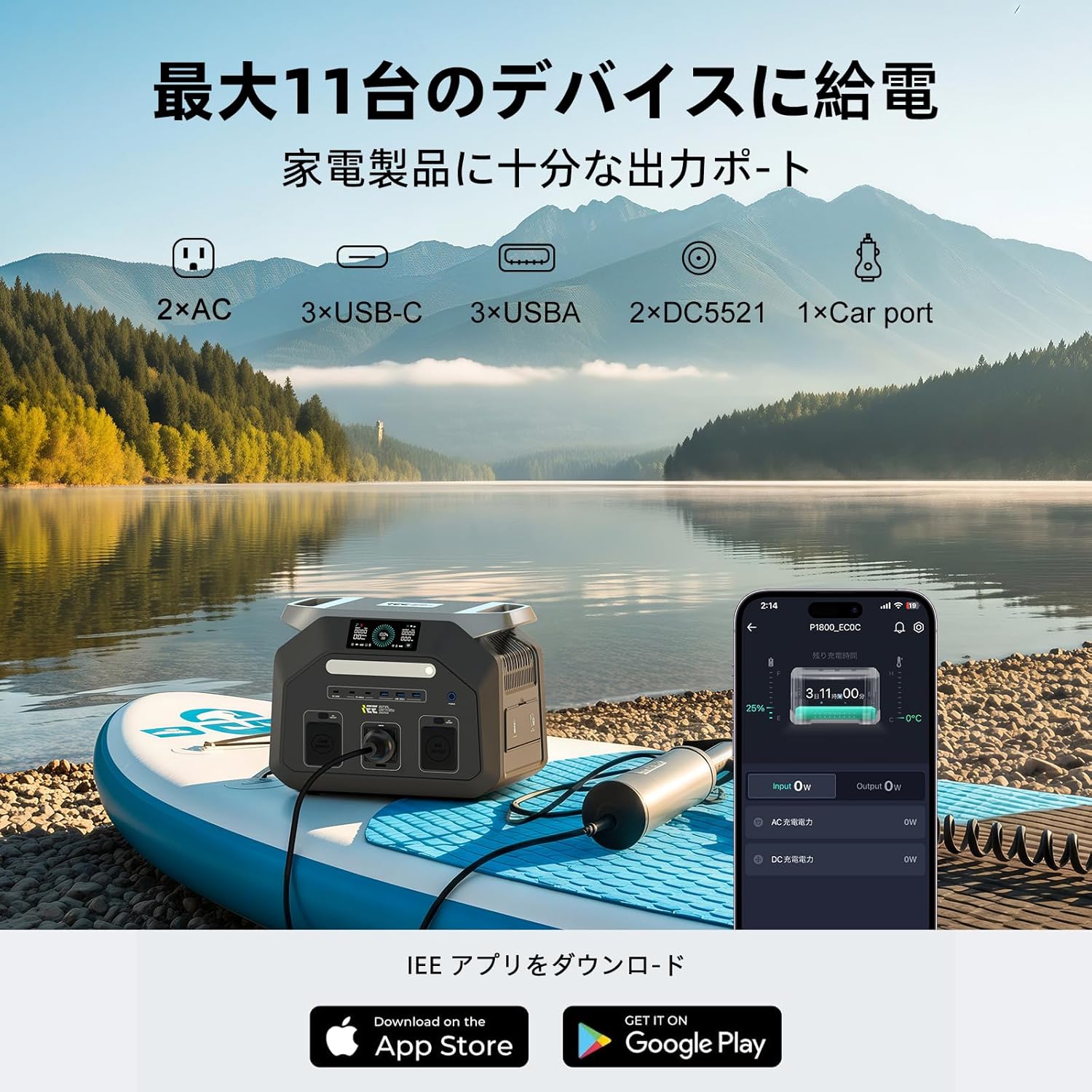
Image 4.2: The IEE app interface on a smartphone, showing real-time power status and control options for the P1800.
5. Ntuziaka ọrụ
5.1. Ngwaọrụ na-enye ike
The IEE P1800 can power up to 11 devices simultaneously through its various output ports. Simply plug your devices into the appropriate ports and ensure the corresponding output (AC, DC, USB) is turned on.

Image 5.1: The P1800 in an outdoor setting, providing power for a mini-fridge and charging a smartphone, ideal for camping na n'èzí eme.
5.2. EPS (Emergency Power Supply) Function
The P1800 features an EPS function that provides uninterrupted power to connected devices. In the event of a power outage, the unit automatically switches to battery power within 0.01 seconds, ensuring continuous operation for critical equipment like surveillance systems or office devices.
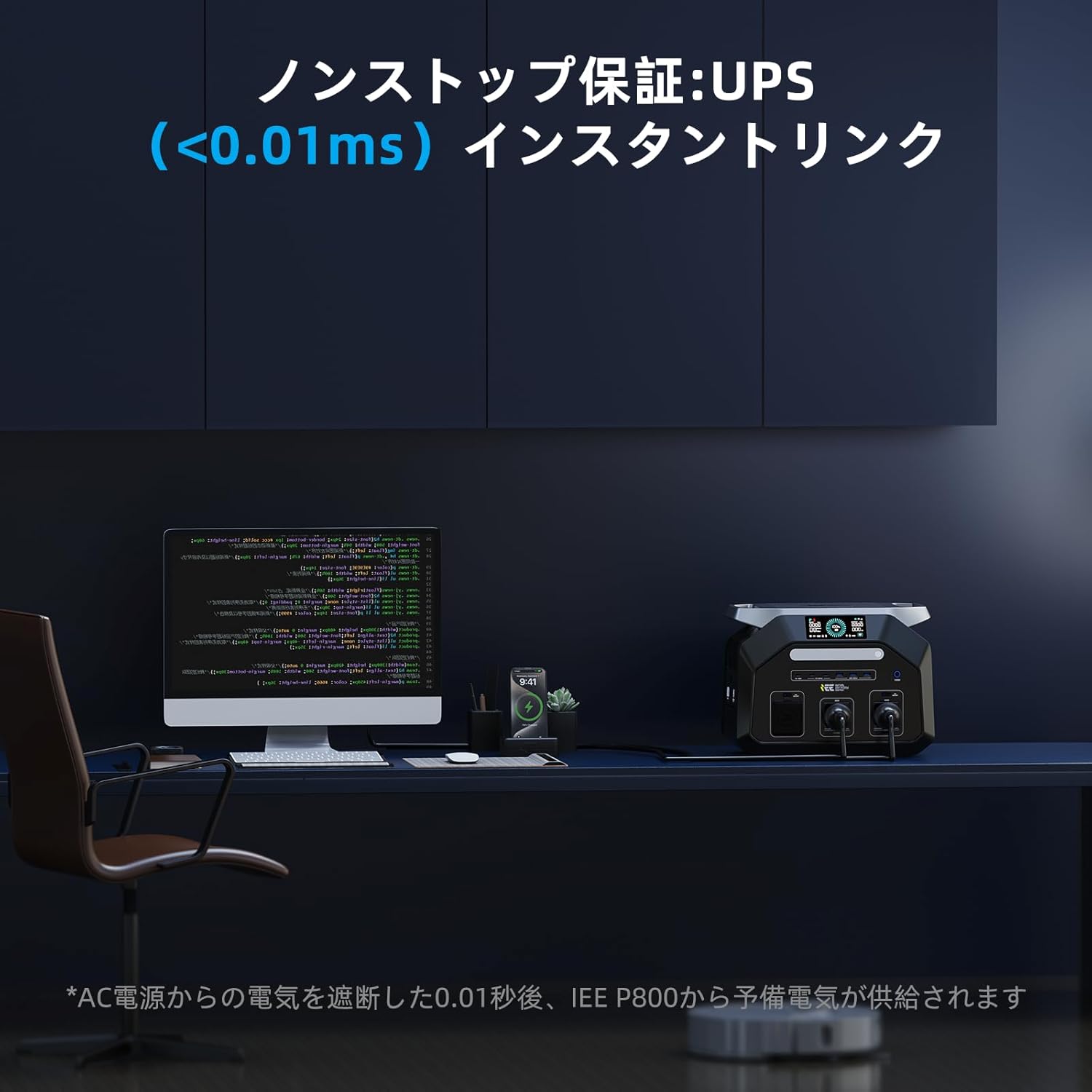
Image 5.2: The P1800 demonstrating its EPS function, seamlessly providing power to a desktop computer during a power interruption.
Video 5.3: A demonstration of the IEE P1800 powering various devices in a camping setting, including a fan and a hair dryer, highlighting its versatility.
5.3. Ụzọ Nchaji
The P1800 offers flexible charging options:
- Nchaji AC: Connect to a standard wall outlet using the provided AC charging cable.
- Ịchaji anyanwụ: Connect compatible solar panels (up to 500W) using the provided solar charging cable. This is ideal for outdoor use and off-grid power.
- Ịchaji ụgbọ ala: Charge the unit from your vehicle's 12V cigarette lighter socket.

Image 5.4: The P1800 being charged by solar panels in an outdoor environment, showcasing its renewable energy compatibility.
6. Nlekọta
6.1. Nhicha na Nchekwa
- Jiri akwa kpọrọ nkụ, dị nro hichaa otu ahụ. Ejila ihe nchacha abrasive ma ọ bụ ihe mgbaze.
- Store the unit in a cool, dry place, away from direct sunlight and moisture.
- For long-term storage, charge the unit to 50-80% every 3-6 months to prolong battery life.
6.2. Portability
Weighing only 12.7 kg, the IEE P1800 is designed for easy transport. It features a convenient carry handle, making it suitable for various outdoor activities.

Image 6.1: A user easily transporting the P1800, emphasizing its lightweight and portable design for outdoor adventures.
7. Nchọpụta nsogbu
If you encounter issues with your IEE P1800, please refer to the following common troubleshooting steps:
- Unit anaghị agbanwu: Ensure the power button is pressed firmly. Check if the battery is completely depleted and try charging it.
- Enweghị mmepụta sitere na ọdụ ụgbọ mmiri: Verify that the specific output (AC, DC, USB) is enabled. Check if the device you are trying to power exceeds the port's maximum output or the unit's total output.
- Nsogbu ịchaji: Ensure all charging cables are securely connected. Check the power source (wall outlet, solar panel, car charger) for proper function.
- App connection problems: Confirm your smartphone's Bluetooth and Wi-Fi are on. Ensure the P1800's Wi-Fi icon is blinking. Restart both the app and the power station. Remember the app only supports 2.4GHz Wi-Fi.
- Overload protection activated: If the unit shuts down due to overload, disconnect some devices and restart the unit.
Ọ bụrụ na nsogbu ahụ ka dị, biko kpọtụrụ nkwado ndị ahịa maka enyemaka.
8. Nkọwapụta
| Njirimara | Nkọwapụta |
|---|---|
| Nọmba nlereanya | P1800 |
| Ụdị batrị | LiFePO4 (Lithium Iron Phosphate) |
| Ike | 1024Wh (320000 mAh) |
| Mpụta AC (nke a kwadoro) | 1800W (Sine Wave dị ọcha) |
| AC Output (Surge) | 3600W |
| AC Voltage | 100V |
| Ugboro AC | 50Hz/60Hz (Switchable) |
| USB-A mmepụta | 3x 30W ports |
| USB-C mmepụta | 1x 100W port, 2x 30W ports |
| Mmepụta DC | 1x Cigarette Lighter, 2x DC5521 |
| Ntinye Max Solar | 500W |
| Oge Nchaji (AC) | Approx. 1 hour (full charge) |
| Ọrụ EPS | Automatic switchover within 0.01s |
| Ọkwa mkpọtụ | 25dB (Quiet Design) |
| Ibu | 12.7 n'arọ |
| Akụkụ | 46 x 41.4 x 32.6 cm |
| Njikọta | Wi-Fi, Bluetooth (2.4GHz only) |
9. Kedu ihe dị na Igbe ahụ
The IEE P1800 Portable Power Station package includes:
- 1x P1800 ọdụ ike nwere ike ibugharị
- 1 x AC eriri chaja
- 1x Flashlight
- 1x Solar Charging Cable
- 1x Akwụkwọ ntuziaka onye ọrụ
- 1 x kaadị ikike
- 1x 4-in-1 Data Cable

Image 9.1: All items included in the IEE P1800 product package, neatly arranged.
10. Akwụkwọ ikike na nkwado
The IEE P1800 Portable Power Station comes with a 5-year manufacturer's warranty. We maintain a domestic after-sales service department to ensure product quality. In the unlikely event of a defect, damage, or incorrect product delivery under normal use, free repair or exchange will be provided.
For any inquiries or support needs after purchase, please contact our customer support or email address. We are committed to providing prompt assistance.


