1. Okwu mmalite
Daalụ maka ịzụrụasing the AceGamer RGB Charging Dock for PlayStation Portal. This portable charging station is designed to provide a stable and efficient charging solution for your PlayStation Portal console, featuring customizable RGB lighting and essential protection features. Please read this manual carefully before use to ensure proper operation and maintenance.
2. Ihe ngwugwu
- AceGamer RGB Charging Dock (1 unit)
- Eriri Nchaji Ụdị-C (otu nkeji)
- Akwụkwọ ntuziaka onye ọrụ (Akwụkwọ a)
3. Akụrụngwa Ngwaahịa
- Dedicated Charging: Specifically designed for the PlayStation Portal console.
- RGB ọkụ: Features 7 distinct lighting modes for personalized aesthetics.
- Nchaji ngwa ngwa: Efficient power delivery for fast charging.
- Nchedo Nchedo: Wuru n'elu-ugbu a, n'elu-voltage, na n'okpuru-voltage nchedo.
- Nhazi Ergonomic: 30-degree comfortable viewing angle for the PlayStation Portal.
- Ntọala kwụsiri ike: Equipped with anti-slip mats for secure placement.
- Njikọta: USB Type-C input for power.
4. Nhazi ntuziaka
- Njikọ Ike: Insert the provided Type-C charging cable into the charging dock's input port and connect the other end to a suitable USB power adapter (not included).

Figure 4.1: Connecting the Type-C power cable to the charging dock.
- Place PlayStation Portal: Carefully align your PlayStation Portal console with the charging connector on the dock and gently place it into position. Ensure a secure connection for charging. The dock is designed to hold the Portal at a 30-degree angle for optimal viewing.

Figure 4.2: PlayStation Portal placed on the charging dock at a 30-degree angle.
- Anti-slip Stability: The base of the charging dock is equipped with anti-slip mats to prevent accidental movement. Ensure the dock is placed on a flat, stable surface.
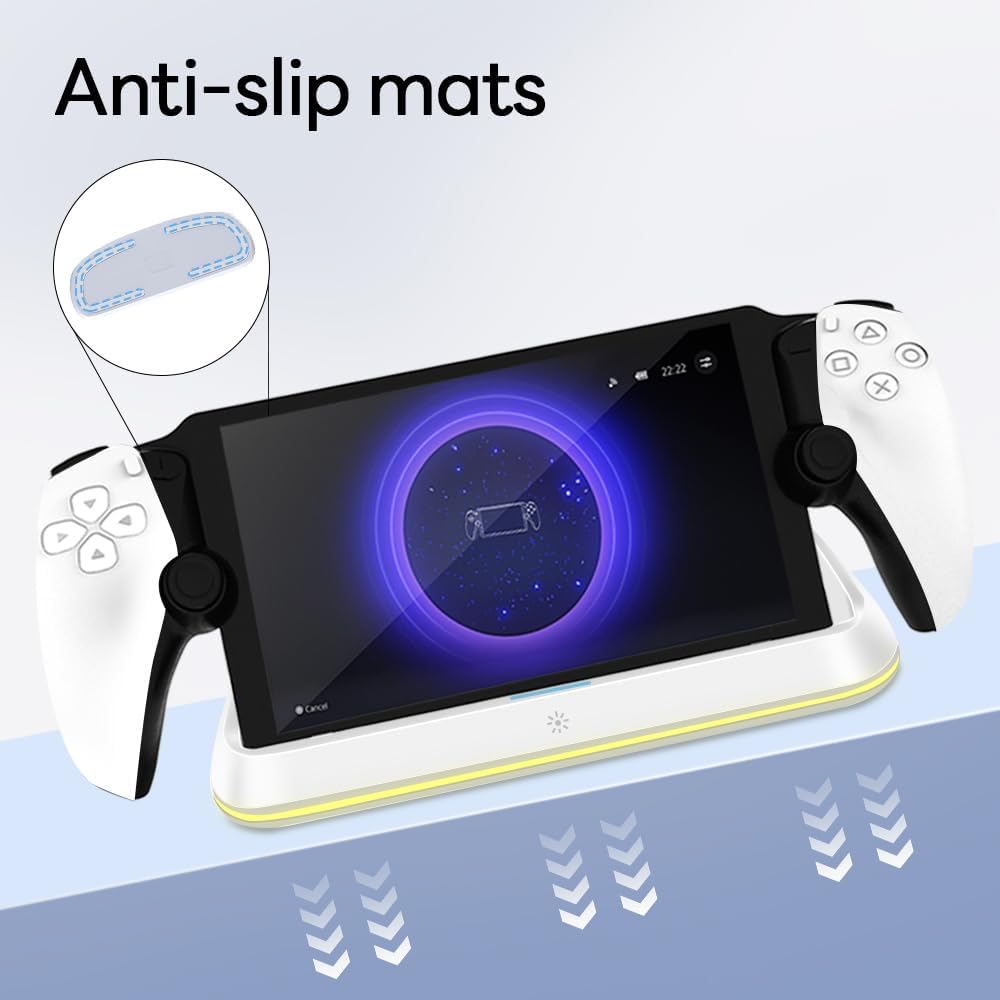
Figure 4.3: Anti-slip mats on the charging dock for enhanced stability.
- Ntuziaka anya: For a visual demonstration of the setup process, please refer to the video below.
Video 4.1: Demonstration of connecting the power supply and placing the PlayStation Portal onto the charging dock.
5. Ntuziaka ọrụ
- Charging the PlayStation Portal: Once the PlayStation Portal is correctly seated on the dock and the dock is powered, charging will begin automatically. A full charge typically takes approximately 3.5 hours. The dock includes protection against over-current, over-voltage, na n'okpuru-voltage to safeguard your device.

Figure 5.1: Charging indicators and safety protection features.
- Njikwa ọkụ RGB: The charging dock features a touch-sensitive button to control the RGB lighting. Press the button to cycle through 7 different lighting modes or to turn the lights off.

Figure 5.2: RGB lighting modes and touch control button.
6. Nlekọta
- Keep the charging dock clean and free from dust. Use a soft, dry cloth for cleaning.
- Zere ikpughe ngwaọrụ ahụ na oke okpomọkụ, iru mmiri, ma ọ bụ ìhè anyanwụ kpọmkwem.
- Do not use abrasive cleaners or solvents, as these may damage the surface.
- Ensure the charging port and connector are free of debris before placing the PlayStation Portal.
7. Nchọpụta nsogbu
- Ngwaọrụ anaghị akwụ ụgwọ:
- Ensure the Type-C cable is securely connected to both the dock and the power adapter.
- Verify that the power adapter is functioning correctly and plugged into a live outlet.
- Check if the PlayStation Portal is properly seated on the charging connector.
- Nwaa iji eriri Type-C ma ọ bụ ihe nkwụnye ike dị iche.
- Igwe ọkụ RGB anaghị arụ ọrụ:
- Ensure the charging dock is powered on.
- Press the touch light button to cycle through modes or turn the lights on.
- Unstable placement:
- Ensure the dock is placed on a flat, level surface.
- Check if the anti-slip mats are clean and intact.
8. Nkọwapụta
| Ụdị | AceGamer |
| Nọmba nlereanya | PS-P-White |
| Ngwa dakọtara | Portal PlayStation |
| Ntinye Voltage | 5 volts |
| Wattage | 7 Watt |
| Ụdị njikọ | USB Type-C (for power input) |
| Atụmatụ pụrụ iche | RGB Lighting, Fast Charging, Over-current Protection, Over-voltage Protection, Under-voltage Nchedo |
| Akụkụ | Ihe dịka 22.5 x 8.9 x 8.4 cm |
| Ibu | Ihe dịka 290 g |
9. Akwụkwọ ikike na nkwado
AceGamer products are designed and manufactured to the highest quality standards. For warranty information or technical support, please contact the retailer where you purchased the product or visit the official AceGamer websaịtị maka nkọwa kọntaktị ọrụ ndị ahịa. Biko debe ihe akaebe nke ịzụrụ ihe gị maka nkwupụta nkwa.


