Okwu mmalite
This manual provides comprehensive instructions for the CrossBeats Monarch Smartwatch. Please read this manual carefully before using the device to ensure proper operation and to maximize its features. Keep this manual for future reference.
Kedu ihe dị na Igbe ahụ
Upon unboxing your CrossBeats Monarch Smartwatch, verify that all components are present:
- CrossBeats Monarch Smartwatch
- Ịchaji eriri
- Additional Strap (Stainless Steel)

Image: The CrossBeats Monarch Smartwatch, showcasing the included additional stainless steel strap, a screen displaying quick reply options, and a battery indicator showing up to 7 days of battery life.
Ngwaahịa gafereview
The CrossBeats Monarch Smartwatch features a durable design and a vibrant display. Familiarize yourself with its key physical attributes:
- Ngosipụta: 1.43-inch UHD Infinite Display with 360x360 pixels resolution and 700 Nits brightness.
- Ahụ: Sleek full metal body with Gorilla Glass for enhanced durability.
- eriri: Comes with one silicone strap and one additional stainless steel strap.

Foto: nkọwa zuru ezu view of the CrossBeats Monarch Smartwatch, featuring a blue bezel and a silver stainless steel strap, highlighting its elegant design.
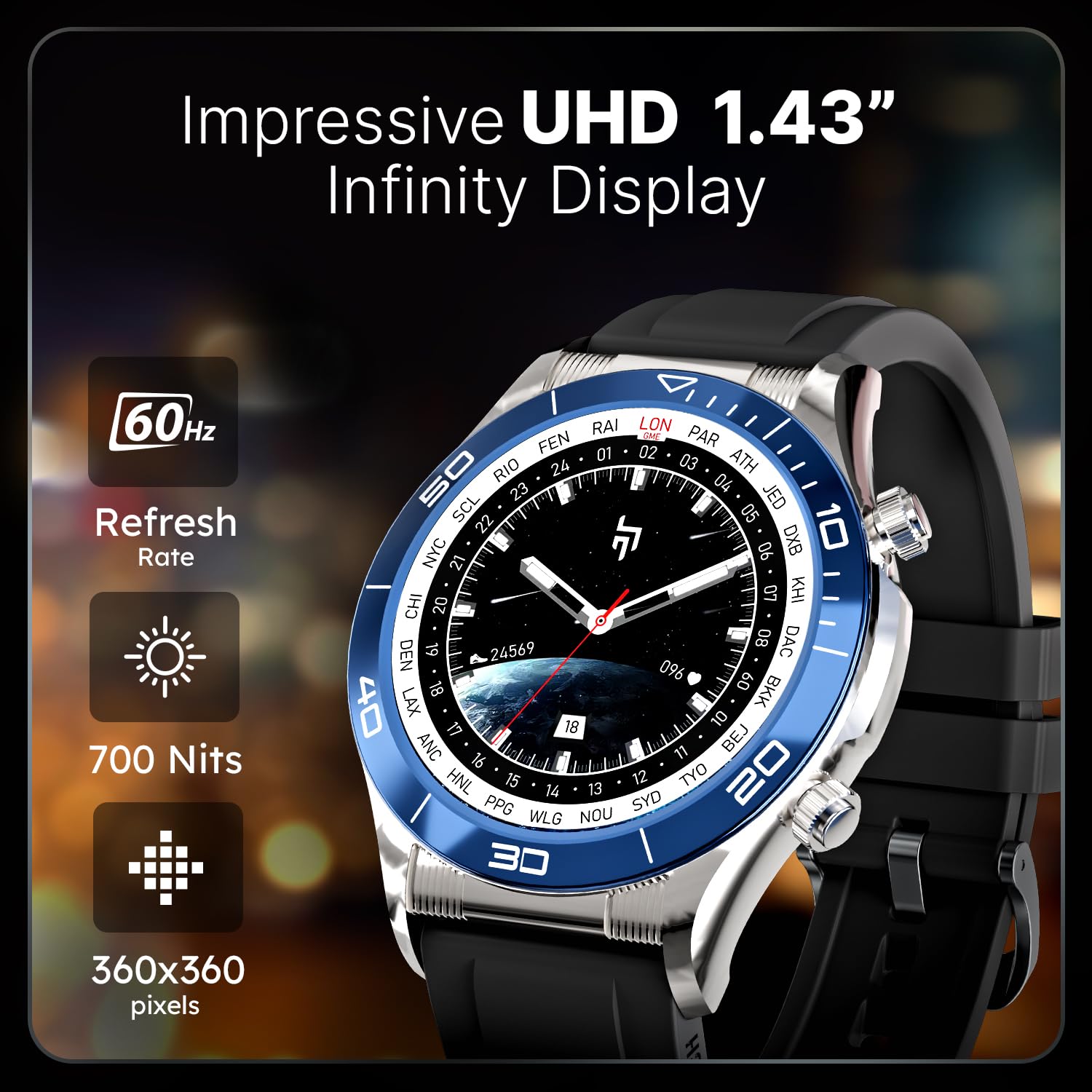
Image: A close-up of the CrossBeats Monarch Smartwatch display, emphasizing its 1.43-inch UHD Infinity Display with specifications like 60Hz refresh rate, 700 Nits brightness, and 360x360 pixels resolution.
Melite
1. Ịchaji smartwatch
Before initial use, fully charge your smartwatch. Connect the charging cable to the watch's charging port and a USB power adapter. The watch will display a charging indicator.
- Oge Nchaji Batrị: Ihe dị ka nkeji iri itoolu maka ịchaji zuru oke.
- Nkezi Ndụ batrị: Up to 15 days (typical usage).
2. Ngwa nwụnye na ijikọ
To unlock the full potential of your Monarch Smartwatch, download and install the companion app on your smartphone. The app is compatible with Android operating systems.
- Scan the QR code in the watch's initial setup screen or search for the "CrossBeats" app in your smartphone's app store.
- Wụnye ngwa ahụ wee mepụta akaụntụ ma ọ bụ banye.
- Kwado Bluetooth na ekwentị gị.
- Open the CrossBeats app and follow the on-screen instructions to pair your Monarch Smartwatch. This typically involves selecting your device from a list and confirming a pairing code on both the watch and phone.
- Ensure a stable Bluetooth connection for optimal performance.
Ntuziaka ọrụ
Nsoro ụzọ
- Sịchaa elu/ala: Nweta ntọala ma ọ bụ ọkwa ngwa ngwa.
- Sụgharịa akaekpe/aka nri: Navigate through widgets and features.
- Pịa bọtịnụ akụkụ: Laghachi na ihuenyo mbụ ma ọ bụ nweta menu ngwa ahụ.
Kpọọ Bluetooth
The Monarch Smartwatch supports advanced Bluetooth calling with a single-chip BT Calling system and AAC 3W speaker.
- Ensure your watch is paired with your smartphone via Bluetooth.
- To make a call, access the dial pad on your watch or select a contact from your synced phonebook.
- Incoming calls can be answered or rejected directly from the watch.

Image: The CrossBeats Monarch Smartwatch demonstrating Bluetooth calling features, including one-tap pairing and an in-built mic and speaker. The image also highlights the AI Health Monitoring capabilities on the watch's rear, covering BP, HR, SpO2, Breath Training, Sleep Monitoring, and AI Voice Assistance.
Nyocha ahụike
Monitor your health with the integrated biosensors:
- Nyochaa Ọnụọgụgụ Obi: Na-enyocha obi gị mgbe niile.
- Nsochi SpO2: Na-enyocha ọkwa oxygen dị n'ọbara.
- Nchicha ụra: Analyzes sleep patterns.
- Ọzụzụ iku ume: Omume iku ume na-eduzi.
Detailed health data can be viewed and analyzed within the CrossBeats companion app.
Ụdị egwuregwu
The smartwatch offers over 125 sports modes to track various physical activities. Select your desired activity from the sports mode menu to record your workout data.

Image: The CrossBeats Monarch Smartwatch interface displaying a selection of over 125 sports modes, including walking, basketball, football, and baseball. The image also highlights the NFC enabled feature and a variety of over 250 customizable watch faces.
Amamọkwa
Receive smart alerts for calls, messages, and app notifications directly on your watch. Manage notification settings through the companion app.
Ọrụ NFC
The Monarch Smartwatch is NFC enabled. Refer to the companion app for specific instructions on setting up and utilizing NFC features, such as contactless payments or access control, if supported by your region and service providers.
Nchedo koodu
Secure your personal data on the watch by setting a passcode. This feature helps protect your information if the watch is lost or stolen.
Nlekọta
Nhicha
Regularly clean your smartwatch and straps to maintain hygiene and appearance. Use a soft, damp cloth to wipe the display and body. For silicone straps, mild soap and water can be used. For stainless steel straps, a dry, soft cloth is recommended.

Image: The CrossBeats Monarch Smartwatch featuring a black silicone strap, illustrating one of the strap options.
Mmiri Nguzogide
The CrossBeats Monarch Smartwatch has an IP67 rating, indicating resistance to dust and water immersion up to 1 meter for 30 minutes. It is suitable for daily use and splashes but should not be used for swimming or diving.
Nchọpụta nsogbu
| Okwu | Ngwọta enwere ike |
|---|---|
| Lelee anaghị agbanwuo | Ensure the watch is fully charged. Connect to the charger and wait a few minutes. |
| Enweghị ike ijikọ na smartphone |
|
| Data ahụike ezighi ezi | Hụ na elekere ahụ dị mma n'aka gị, ọ bụghị nke siri ike ma ọ bụ nke na-adịghị oke ike. Hichaa ebe sensọ dị n'azụ elekere ahụ. |
| Anabataghị ọkwa |
|
Nkọwapụta
| Njirimara | Nkọwa |
|---|---|
| Ụdị | CrossBeats |
| Nọmba nlereanya | Monarch-Smartwatch |
| Ngosipụta nha | 1.43 sentimita asatọ |
| Ngosipụta mkpebi | 360 x 360 pikselụ |
| Icha ọkụ | Nits 700 |
| Njikọta .dị | Bluetooth |
| Sistemụ nrụọrụ | Android (dakọtara) |
| Ụdị batrị | Lithium ion |
| Ike batrị | 240 ndeamp Oge awa |
| Oge nchaji batrị | Nkeji 75 |
| Nkezi Ndụ batrị | Ụbọchị 15 |
| Ibu Ibu | 50 g |
| Akụkụ ngwaahịa | 7.2 x 9 x 9.1 cm |
| Mmiri Nguzogide | IP67 kwadoro |
| Atụmatụ pụrụ iche | Accelerometer, Bluetooth Calling, SpO2 Tracking, Heart Rate Monitor, Sleep Tracking, NFC Enabled, Passcode Protection, 125+ Sports Modes, AI Voice Assistance |
Akwụkwọ ikike na nkwado
CrossBeats products are designed for reliability and performance. For warranty information, please refer to the warranty card included with your product or visit the official CrossBeats websaịtị. Debe nnata nzụta gị ka ihe akaebe nke ịzụrụ.
For technical support, troubleshooting assistance, or service inquiries, please contact CrossBeats customer support through their official website or the contact information provided in the product packaging.
Onye nrụpụta: CrossBeats, Sellbrite Digital, Ground Floor, Brigade Tower, 135 Brigade Road, Bangalore 560025
Mba onye si: China


