1. N'eluview
This manual provides instructions for the Canon PowerShot ELPH 360 HS Digital Camera. It covers initial setup, basic operation, maintenance, and troubleshooting to help you get the most out of your camera.
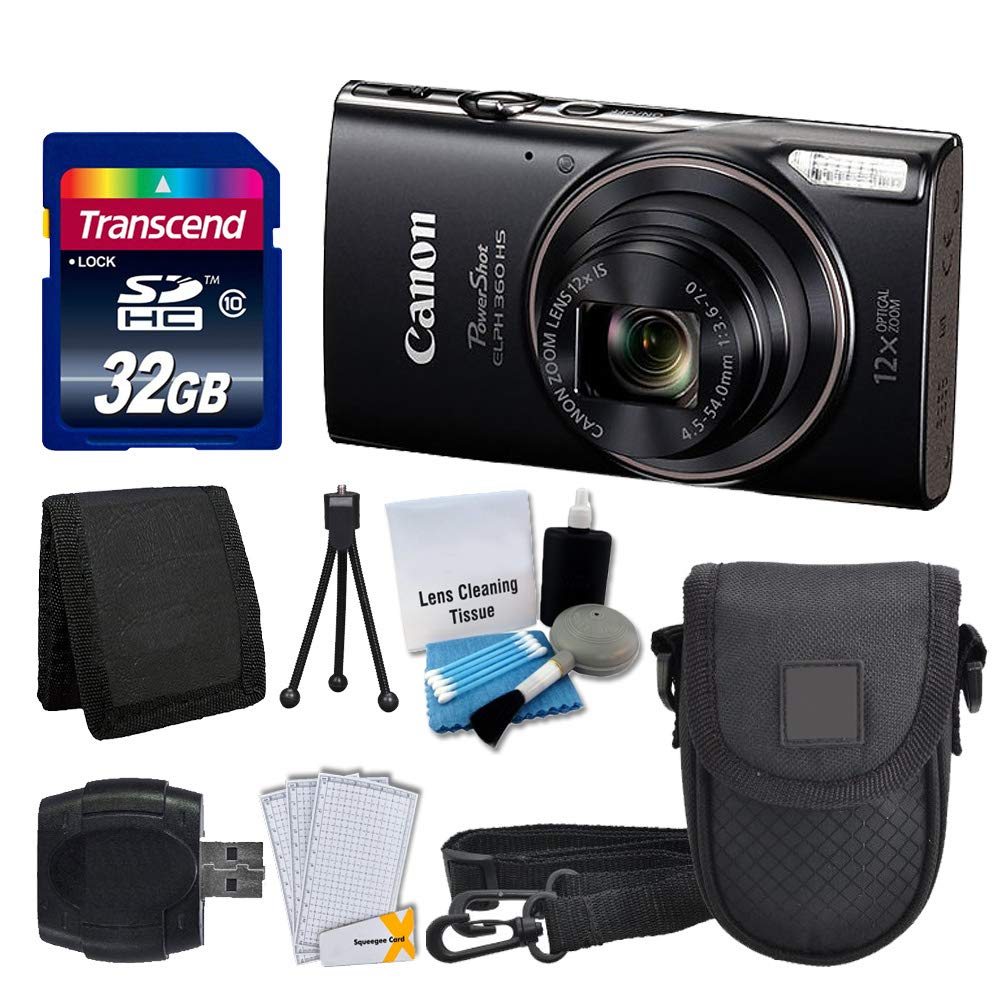
Foto 1.1: N'ihu view of the Canon PowerShot ELPH 360 HS Digital Camera.
2. Kedu ihe dị na Igbe ahụ
Biko lelee na etinyere ihe niile ndị a na ngwugwu gị:
- Canon PowerShot ELPH 360 HS Digital Camera (Black)
- Transcend 32GB Memory Card
- Akpa igwefoto
- Ihe na-agụ kaadị USB
- LCD Screen Protectors
- Obere akpa kaadị ebe nchekwa
- Mkpọ batrị na chaja
- Eriri aka
- Cleaning Kit (Lens Cleaning Tissue, Blower, Brush, Cotton Swabs)

Image 2.1: The Canon PowerShot ELPH 360 HS camera with its battery, charger, and wrist strap.
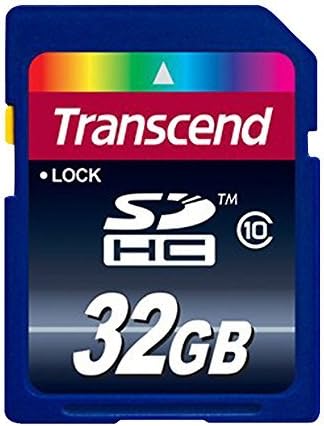
Image 2.2: A Transcend 32GB SDHC Memory Card, included for storage.
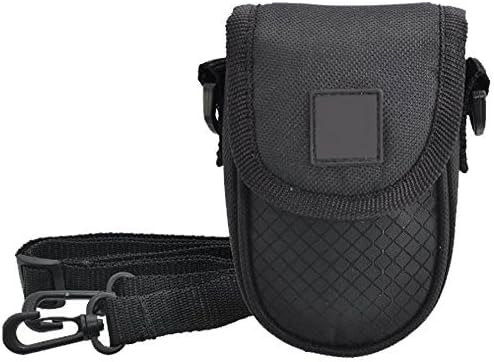
Image 2.3: A black camera case for protection and portability.

Image 2.4: The included cleaning kit for maintaining the camera's lens and body.
3. Nhazi
3.1. Ịchaji batrị
- Insert the battery pack into the battery charger. Ensure the battery is correctly oriented.
- Tinye chaja ahụ n'ime ebe a na-esi enweta ọkụ eletrik. Ọkụ ihe ngosi chaja ga-enwu.
- Charging is complete when the indicator light changes color or turns off (refer to charger specific indicators).
3.2. Ịtinye Batrị na Kaadị Ebe Nchekwa
- Mepee mkpuchi batrị/kaadị dị na igwefoto ahụ.
- Insert the charged battery pack into the compartment, ensuring the contacts align. Push until it clicks into place.
- Insert the Transcend 32GB SDHC memory card into the card slot with the label facing the correct direction. Push until it clicks.
- Mechie mkpuchi nkebi ahụ nke ọma.
3.3. Ịtinye eriri nkwojiaka
Thread the wrist strap through the strap mount on the camera body to prevent accidental drops.
4. Na-arụ ọrụ igwefoto
4.1. Gbanyụọ / gbanyụọ
Pịa [Ike] bọtịnụ ka ịgbanwuo ma ọ bụ gbanyụọ igwefoto.
4.2. Ise foto
- Gbanwuo igwefoto.
- Select your desired shooting mode (e.g., Automatic) using the mode dial or menu.
- Mepụta ihe onyonyo gị site na iji ihuenyo LCD.
- Press the shutter button halfway down to focus. The focus frame will appear.
- Pịa bọtịnụ mkpuchi ahụ gbadaa kpamkpam iji see foto ahụ.
4.3. Using the Zoom
Use the zoom lever around the shutter button to adjust the optical zoom (12x) for closer or wider shots.
4.4. Ndekọ vidiyo
- In a shooting mode, press the dedicated [MOVIE] bọtịnụ ịmalite ndekọ.
- Pịa [MOVIE] bọtịnụ ọzọ ka ịkwụsị ndekọ.
4.5. MkpuviewFoto na Vidiyo
Pịa [PLAYBACK] button to enter playback mode. Use the directional buttons to navigate through your photos and videos.
4.6. Jikọọ na kọmputa (USB)
Connect the camera to a computer using a USB cable to transfer photos and videos. The camera will appear as a removable drive.
4.7. Njikọ Wi-Fi na NFC
The camera supports Wi-Fi and NFC for wireless transfer of images to compatible devices or for remote control. Refer to the camera's on-screen menu for detailed setup instructions for these features.
5. Nlekọta
5.1. Na-ehicha igwefoto
- oghere: Use a lens brush or a soft, clean microfiber cloth with lens cleaning solution (from the included kit) to gently wipe the lens. Avoid touching the lens with your fingers.
- Ihuenyo LCD: Use a soft, dry cloth to clean the LCD screen. For stubborn smudges, use a screen protector cleaning solution.
- Igwe igwefoto: Wipe the camera body with a soft, dry cloth. Do not use organic solvents or strong cleaning agents.
5.2. Nlekọta batrị
- Chekwaa batrị n'ebe dị jụụ, kpọrọ nkụ mgbe anaghị eji ya.
- Zere ịchaji batrị ugboro ugboro ka ọ gbatịa ndụ ya.
- Ewepụla batrị na oke okpomọkụ.
5.3. Nchekwa
When storing the camera for extended periods, remove the battery and memory card. Store the camera in a dry, dust-free environment, preferably in its camera case.
6. Nchọpụta nsogbu
| Nsogbu | Ihe nwere ike ime | Ngwọta |
|---|---|---|
| Igwefoto anaghị agba ọkụ. | Batrị agwụla ma ọ bụ tinye ya n'ụzọ na-ezighi ezi. | Chajie batrị ahụ nke ọma ma hụ na etinyere ya nke ọma. |
| Enweghị ike ise foto. | Kaadị ebe nchekwa ejula, akpọchiri akpọchi, ma ọ bụ na etinyeghị ya. | Insert a memory card, unlock it, or delete unnecessary files. |
| Onyonyo na-agba agba. | Camera shake, incorrect focus, or dirty lens. | Hold the camera steady, ensure proper focus, and clean the lens. |
| Wi-Fi/NFC connection fails. | Incorrect settings or device incompatibility. | Check camera and device settings. Ensure devices are compatible and within range. |
7. Nkọwapụta
- Aha nlereanya: PowerShot ELPH 360 HS
- Akara: Canon
- Mkpebi ihe mmetụta foto: 20.2 MP
- Mbugharị anya: 12x
- Ndozi onyonyo: Ngwa anya
- Ụdị oghere: Zoom (25-300 mm equivalent)
- Nha ihuenyo: 3 inch LCD
- Njikọta: Wi-Fi, NFC, USB
- Akwadoro File Usoro: JPEG, RAW
- Mkpebi vidiyo: 1080p
- Ụdị Kaadị ebe nchekwa: SD, SDHC (32GB included)
- Ụdị batrị: Lithium ion
- Agba: Nwa
8. Akwụkwọ ikike na nkwado
8.1. Akwụkwọ ikike Ozi
This Canon PowerShot ELPH 360 HS Digital Camera comes with a Akwụkwọ ikike nwere oke ụbọchị 90. Biko dowe ihe akaebe nke ịzụrụ ihe maka akwụkwọ ikike.
8.2. Nkwado ndị ahịa
For further assistance, technical support, or service inquiries, please refer to the official Canon support websaịtị ma ọ bụ kpọtụrụ ndị ọrụ ndị ahịa ha. Enwere ike ịchọta ozi kọntaktị na nke onye nrụpụta websaịtị ma ọ bụ na nkwakọ ngwaahịa mbụ.


