Ịtọ oge
Use the time setting knob located on the back of the clock to adjust the hour and minute hands. Rotate the knob clockwise or counter-clockwise until the correct time is displayed.
Model: B09JKWDFTT | Brand: ROTH
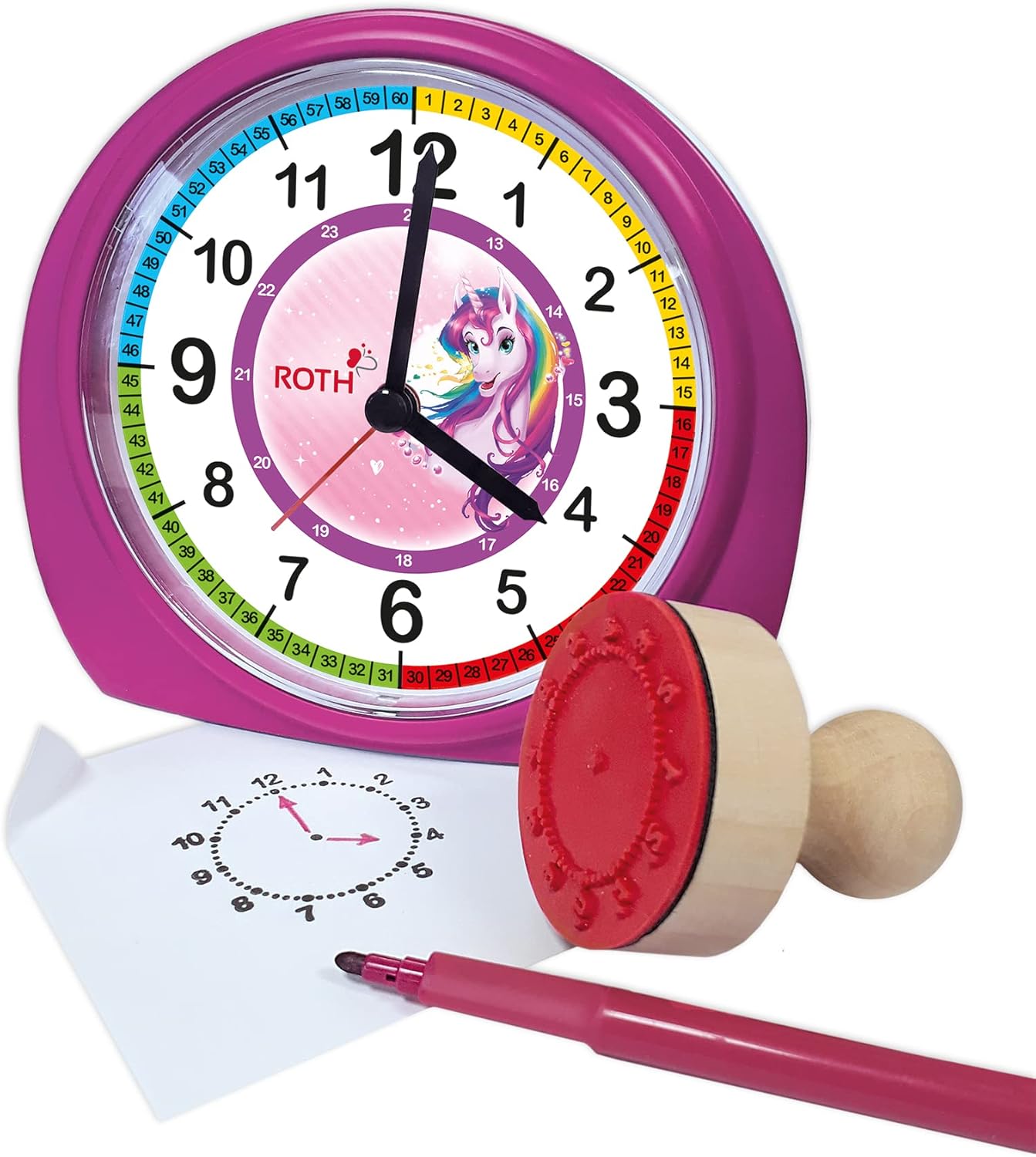
This manual provides comprehensive instructions for the ROTH Educational Alarm Clock and Stamp Set. Designed to assist children in learning to tell time, this set includes an alarm clock with various features and a complementary stamp set for practice. Please read this manual thoroughly before use to ensure proper operation and safety.

WARNING: CHOKING HAZARD – Small parts. Not suitable for children under 3 years.
Biko lelee ngwungwu ka ị hụ na ihe niile dị:

The alarm clock requires 1x AA battery (not included).

Use the time setting knob located on the back of the clock to adjust the hour and minute hands. Rotate the knob clockwise or counter-clockwise until the correct time is displayed.
Use the alarm setting knob, also on the back, to set the desired alarm time. The alarm will sound a beep when the set time is reached. To activate or deactivate the alarm, use the ON/OFF switch located on the side of the clock.

When the alarm sounds, press the large button on the top of the clock to activate the snooze function. The alarm will temporarily stop and sound again after a short interval.
The clock features a backlight for visibility in low-light conditions. Press the backlight button, typically located on the top or side, to illuminate the clock face.
The included wooden stamp and ink pad are designed to help children practice telling time. The stamp creates a clock face outline on paper, allowing children to draw in the hands for various times.

| Nsogbu | Ihe nwere ike ime | Ngwọta |
|---|---|---|
| Elekere anaghị arụ ọrụ | Batrị anwụọla ma ọ bụ tinye na ezighi ezi. | Replace battery (1x AA) or check polarity. |
| Oti mkpu anaghị ada ụda | A naghị arụ ọrụ mkpu ma ọ bụ ahazighị ya nke ọma. | Ensure alarm ON/OFF switch is in the 'ON' position and alarm time is set correctly. |
| Ìhè azụ anaghị arụ ọrụ | Battery low or backlight button not pressed. | Replace battery or press the backlight button firmly. |
| Stamp not making clear impression | Ink pad is dry or stamp not evenly inked. | Ensure ink pad is moist; re-ink stamp evenly. Replace ink pad if necessary. |
| Njirimara | Nkọwa |
|---|---|
| Akụkụ ngwaahịa (LxWxH) | 20 x 21.1 x 7.3 cm |
| Ibu Ibu | 350 grams |
| Atụmatụ pụrụ iche | Snooze, Alarm, Backlight |
| Ụdị | ROTH |
| Ogologo afọ (Nkọwa) | Ụmụaka |
| Ihe onwunwe | Wood (Stamp), Plastic (Clock) |
| Agba | Pink |
| Isi Iyi Ike | Akwanyere batrị |
| Ụdị batrị | 1 x AA (anaghị etinye ya) |
This product comes with a standard manufacturer's warranty. For specific warranty details, including duration and coverage, please refer to the product packaging or contact ROTH customer support directly. If you encounter any issues or have questions not covered in this manual, please reach out to the retailer or manufacturer for assistance.
For further support, please visit the official ROTH websaịtị ma ọ bụ kpọtụrụ ngalaba ọrụ ndị ahịa ha.
 |
Nduzi Ngwa Ngwa nke Modulu Valve Roth Touchline SL: Ntinye na Ntọlite Nduzi dị nkenke maka ịwụnye na ịtọlite modulu Roth Touchline SL Valve maka sistemụ kpo oku, nke nwere ụdị 'Okpomọkụ na ọchịchọ'. Gụnyere nkọwa njikọ na nhazi njikọ. |
 |
Ntuziaka Nwụnye Roth Touchline® SL Thermostat Ntuziaka ntinye zuru oke maka sistemụ okpomọkụ ụlọ Roth Touchline® SL na sistemụ okpomọkụ dị n'okpuru ala. Mụta otu esi ejikọ, debanye aha, na hazie thermostat gị na ihe mmetụta ala na ndị njikwa. |
 |
Roth Touchline SL Thermostat Installation Guide Comprehensive installation and setup guide for the Roth Touchline SL and SL Plus thermostats. Covers wall mounting, wiring, sensor connection, pairing with controllers, floor sensor configuration, and advanced functions. |
 |
Ntuziaka maka ntinye nke sistemụ ọkpọkọ Roth MultiPex® PEX This installation guide provides detailed instructions for Roth MultiPex® PEX piping systems. It covers essential steps such as pipe cutting, bending, and fixing, along with warnings about solvent use. The document also includes comprehensive technical data and a list of compatible accessories, presented in English for clarity. Suitable for drinking water and central heating applications. |
 |
Ntuziaka Nwụnye Roth MultiPex®: Paịpụ na Ngwakọta Ntuziaka ntinye zuru oke maka sistemụ paịpụ Roth MultiPex®, nke na-ekpuchi ịkpụ, ịgbagọ, idozi, njikọta, nkọwapụta teknụzụ, na ngwa ndị ọzọ. Mụta otu esi etinye ngwọta plọmbing Roth n'enweghị nsogbu na nke ọma. |
 |
Ntuziaka maka ntinye na ọrụ nke Roth Touchline® PL Room Thermostat This guide provides comprehensive instructions for installing and operating the Roth Touchline® PL wireless room thermostat. It covers setup, pairing with the controller, and detailed explanations of the thermostat's functions and settings. |