1. Okwu mmalite
Thank you for choosing the Commax Doorbell and Intercom Set. This manual provides detailed instructions for the proper installation, operation, and maintenance of your new intercom system. Please read this manual thoroughly before installation and use to ensure optimal performance and safety.
2. Ozi nchekwa
- This product operates on electrical power and does not require batteries.
- Ensure all wiring is performed by a qualified electrician in accordance with local electrical codes.
- Do not expose the outdoor unit to direct water spray or extreme weather conditions beyond its intended design.
- This product is not classified as hazardous material.
- Gbanyụọ ike tupu ị rụnye ya, rụzie ya, ma ọ bụ dozie nsogbu ọ bụla.
3. Ihe ngwugwu
Mgbe ịmepechara ngwugwu ahụ, chọpụta na akụrụngwa niile dị na enweghị mmebi:
- Indoor Intercom Unit
- Outdoor Doorbell Unit
- Ihe mgbakwasị ụkwụ na arịlịka
- Akwụkwọ ntuziaka (akwụkwọ a)
4. Ntọala na nwụnye
Proper installation is critical for the functionality of your Commax Doorbell and Intercom Set. Follow these steps carefully.
4.1 njirimara akụrụngwa
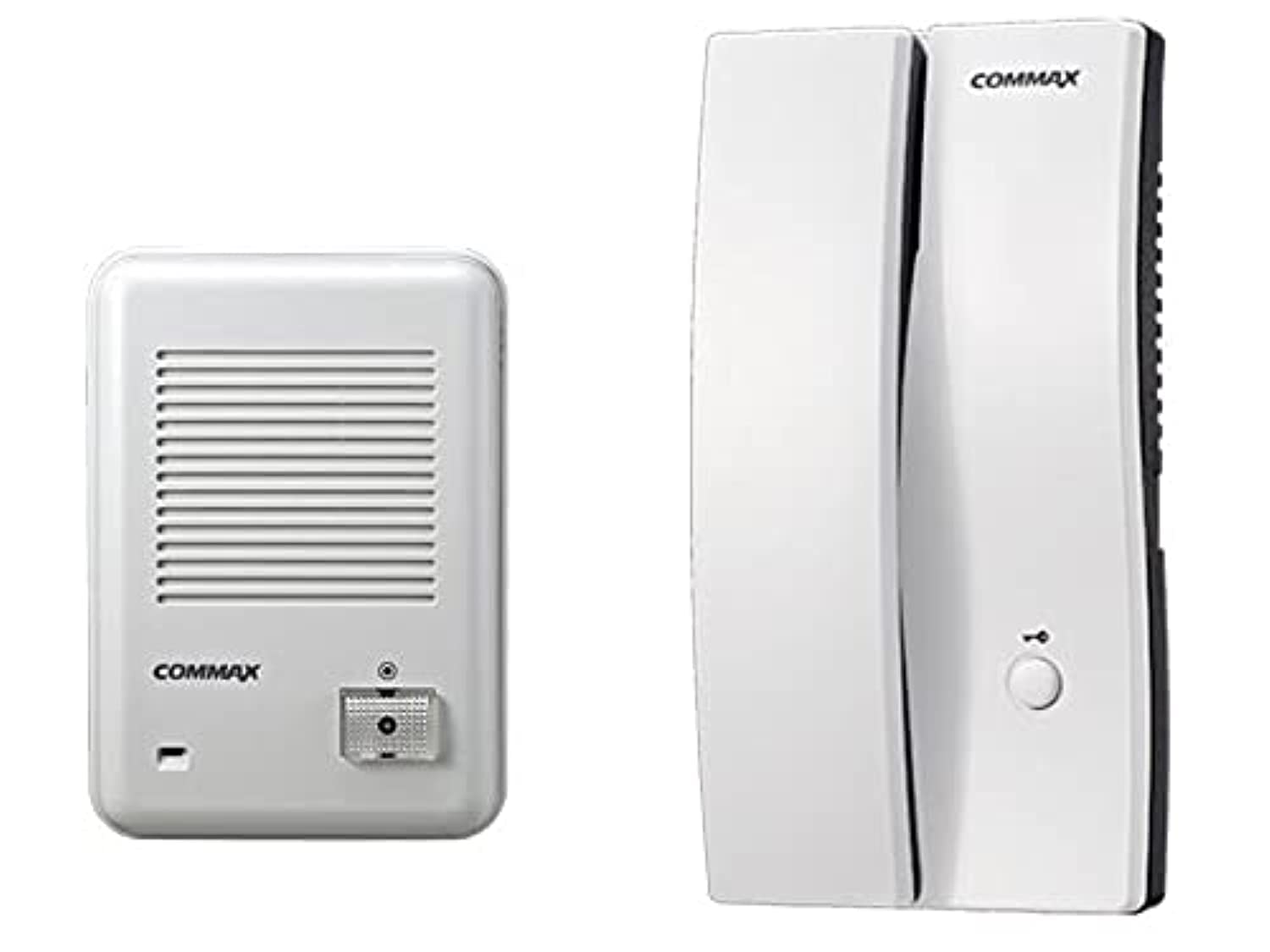
Foto 1: Commax Indoor Intercom Unit. This unit is typically mounted inside the building and features a handset for communication and a button for door release (if connected).
Foto 2: Commax Outdoor Doorbell Unit. This unit is installed outside the door and includes a call button and a speaker/microphone for two-way communication.
4.2 eserese waya
Refer to the following diagram for connecting the indoor and outdoor units. Ensure power is disconnected before wiring.

Foto 3: Wiring Diagram. This diagram illustrates the connections between the outdoor unit (left), the indoor unit (right), and an optional electric door strike with its power source. The green line (labeled '2') represents the communication and power line between the outdoor and indoor units. The blue and black lines connect the indoor unit to the optional electric door strike and its power source.
- Nzọụkwụ 1: Mount the outdoor unit at a suitable height near the entrance.
- Nzọụkwụ 2: Mount the indoor unit in a convenient location inside the building.
- Nzọụkwụ 3: Connect the outdoor unit to the indoor unit using the appropriate wiring (represented by the green line in Figure 3). This typically carries both power and audio signals.
- Nzọụkwụ 4 (Nhọrọ): If using an electric door strike, connect it to the indoor unit and its dedicated power source as shown by the blue and black lines in Figure 3.
- Nzọụkwụ 5: Once all connections are secure, restore power to the system.
5. Ntuziaka ọrụ
5.1 Making a Call from Outdoor Unit
- A visitor presses the call button on the outdoor doorbell unit (refer to Figure 2).
- The indoor intercom unit will ring, indicating an incoming call.
5.2 Answering a Call and Communication
- When the indoor unit rings, lift the handset (refer to Figure 1).
- You can now speak with the visitor at the outdoor unit.
- To end the conversation, replace the handset.
5.3 Door Release (Optional)
If an electric door strike is connected and powered:
- During a conversation, press the door release button on the indoor intercom unit (refer to Figure 1).
- This will momentarily unlock the connected electric door strike, allowing the visitor to enter.
6. Nlekọta
- Nhicha: Use a soft, dry cloth to clean the surfaces of both units. Do not use abrasive cleaners or solvents.
- Nyocha: Periodically check wiring connections for any signs of wear or damage.
- N'èzí: Ensure the outdoor unit's speaker/microphone grille is free from obstructions like dirt or spiderwebs.
7. Nchọpụta nsogbu
| Nsogbu | Ihe nwere ike ime | Ngwọta |
|---|---|---|
| No sound from indoor unit when doorbell is pressed. | No power to the system; Loose wiring connection; Faulty outdoor unit. | Check power supply; Verify all wiring connections are secure (refer to Figure 3); Contact customer support if problem persists. |
| Cannot hear visitor or visitor cannot hear me. | Loose wiring connection; Obstruction in speaker/microphone; Volume too low (if adjustable). | Check wiring; Clear any obstructions from speaker/microphone grilles; Ensure handset is properly lifted. |
| Door release not working. | Electric door strike not connected; No power to door strike; Faulty door strike or indoor unit. | Verify door strike is correctly wired and powered (refer to Figure 3); Test door strike independently if possible; Contact customer support. |
8. Nkọwapụta
- Akara: Commax
- Ụdị: Doorbell and Intercom Set
- Agba: Ọcha
- Ihe: Plastic
- Ibu ihe: 850 g
- Akụkụ Mbupu: 34 x 19.2 x 7 cm
- ASIN: B09238JPML
- Ụbọchị mbụ enwere: Eprel 8, 2021
9. Akwụkwọ ikike na nkwado
Specific warranty information for this product is not provided in the available data. Please refer to your purchase documentation or contact your retailer for details regarding warranty coverage.
For technical support or further assistance, please contact Commax customer service or your local distributor. Contact information can typically be found on the product packaging or the official Commax websaịtị.


