1. Ngwaahịa gafereview
The JBL LIVE 100 In-Ear Headphones are designed to deliver high-quality audio with enhanced bass performance. Featuring an inline remote with a microphone, these headphones allow for hands-free calls and voice assistant interaction. The premium aluminum housing and tangle-free fabric cable ensure durability and ease of use. Multiple ear-tip sizes are included for a comfortable and secure fit.
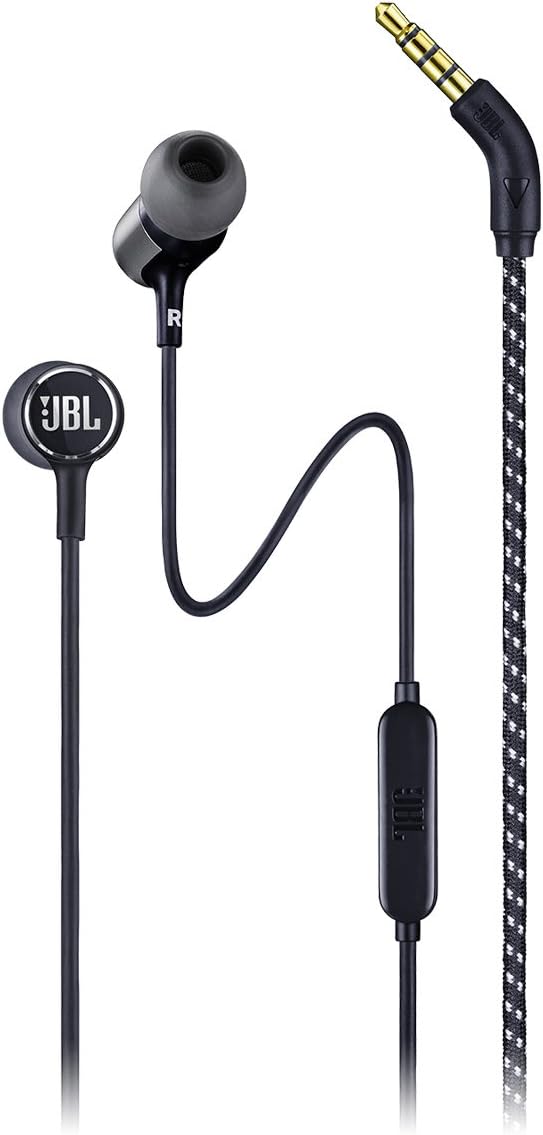
Foto nke 1.1: Jupụtara view of the JBL LIVE 100 In-Ear Headphones, showcasing the earbuds, inline remote, and 3.5mm audio jack.
2. Kedu ihe dị na Igbe ahụ
Upon unboxing your JBL LIVE 100 In-Ear Headphones, you should find the following items:
- JBL LIVE 100 In-Ear Headphones
- Obere akpa
- Multiple Sized Ear-tips (S, M, L)
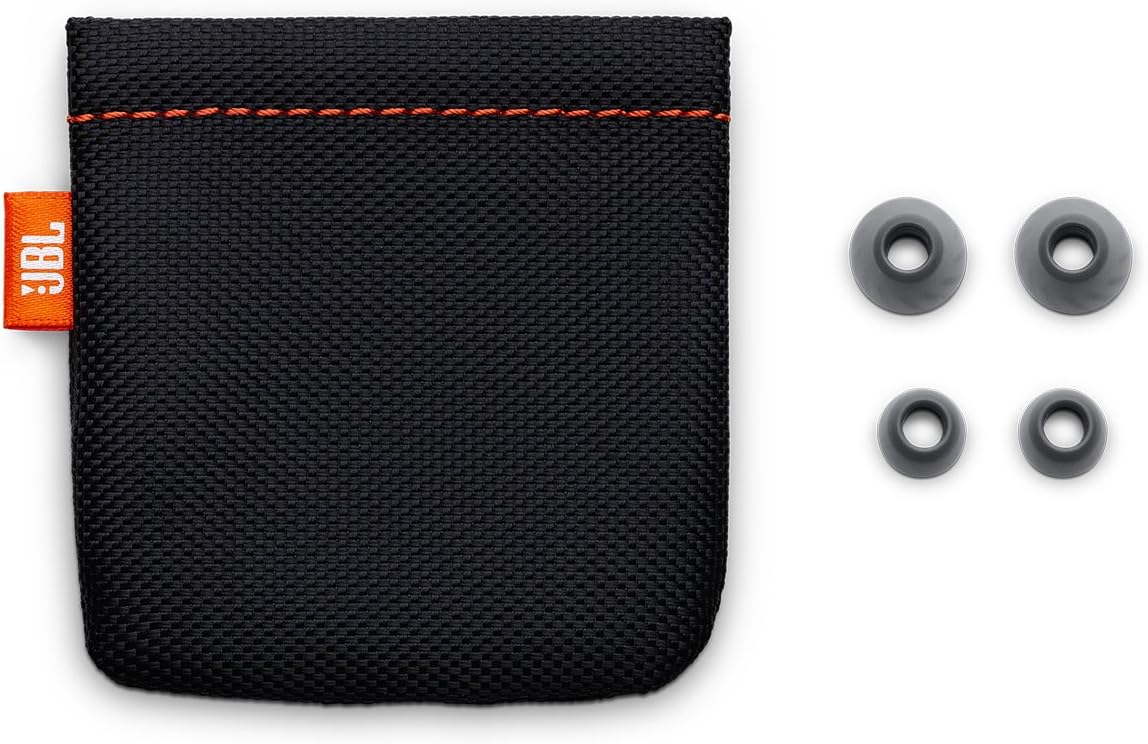
Image 2.1: The included carrying pouch and various sizes of ear tips for a customized fit.
3. Nhazi ntuziaka
- Select the Correct Ear-tips: Choose the ear-tip size that provides the most comfortable and secure fit in your ears. A good seal is essential for optimal sound quality and noise isolation.
- Tinye ekweisi: Gently insert the earbuds into your ears. The 'L' marking indicates the left earbud, and 'R' indicates the right earbud. Adjust them until they feel snug and comfortable.
- Jikọọ na ngwaọrụ: Plug the 3.5mm stereo jack into the audio output port of your smartphone, laptop, tablet, or other compatible audio device.
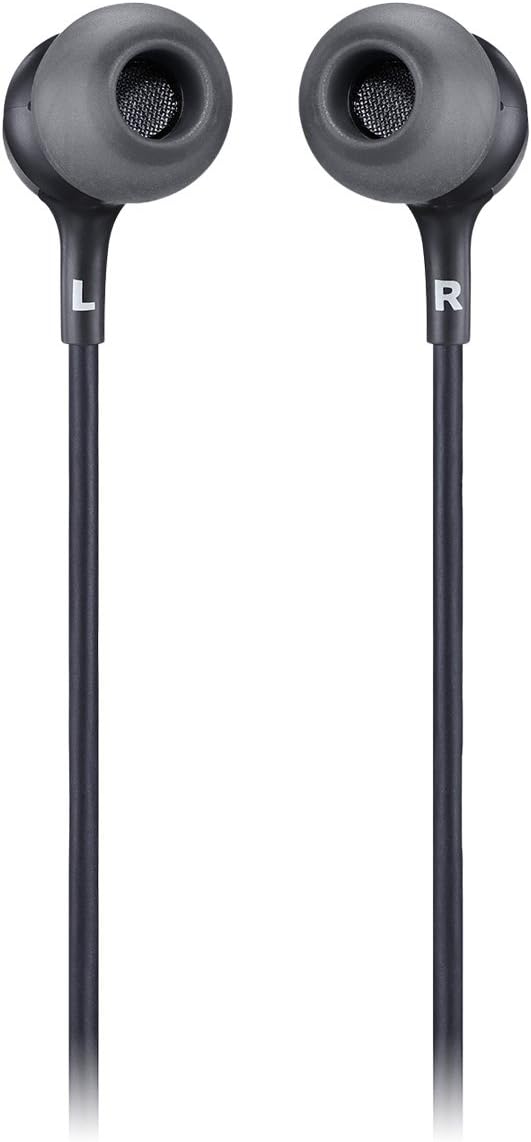
Image 3.1: Close-up of the JBL LIVE 100 earbuds, highlighting the left (L) and right (R) indicators for proper placement.
4. Ntuziaka ọrụ
The JBL LIVE 100 In-Ear Headphones feature an inline remote for convenient control of your audio and calls.
- Nkpọghachi ọdịyo: Once connected, your device's audio will play through the headphones. Use your device's volume controls to adjust the listening level.
- Oku na-anaghị aka: The integrated microphone allows you to make and receive calls without removing your headphones. Press the button on the inline remote to answer or end a call.
- Enyemaka Olu: The inline remote supports voice assistant functionality. Press and hold the button to activate your device's voice assistant (e.g., Siri, Google Assistant).

Image 4.1: Detail of the inline remote control, which includes a microphone for hands-free communication.
Video 4.1: An official product video demonstrating the features and usage of the JBL LIVE 100 In-Ear Headphones.
5. Nlekọta
To ensure the longevity and optimal performance of your JBL LIVE 100 In-Ear Headphones, follow these maintenance guidelines:
- Nhicha: Regularly clean the ear-tips with a soft, damp cloth. Ensure they are completely dry before reattaching them to the earbuds. Do not use harsh chemicals or abrasive materials.
- Nlekọta USB: The tangle-free fabric cable is designed for durability, but avoid excessive pulling or sharp bends to prevent damage.
- Nchekwa: When not in use, store the headphones in the provided carrying pouch to protect them from dust, dirt, and physical damage.
- Zere mmiri mmiri: These headphones are not water-resistant. Avoid exposure to liquids, high humidity, or extreme temperatures.
6. Nchọpụta nsogbu
If you encounter issues with your JBL LIVE 100 In-Ear Headphones, refer to the following common solutions:
- Enweghị ụda:
- Hụ na etinyere jakị 3.5mm nke ọma n'ime ọdụ ọdịyo nke ngwaọrụ gị.
- Lelee ntọala olu ngwaọrụ gị.
- Test the headphones with another audio device to rule out a device-specific issue.
- Ogo ụda adịghị mma:
- Verify that the ear-tips are correctly sized and form a good seal in your ears.
- Hichaa ihe ọ bụla dị n'ime ihe e ji esi nri ntị.
- Hụ na isi iyi ọdịyo ahụ dị mma.
- Igwe okwu anaghị arụ ọrụ:
- Ensure the 3.5mm jack is fully inserted. Some older devices may not fully support inline microphone functionality.
- Check your device's microphone input settings.
- Headphones Fall Out:
- Try different sizes of ear-tips to find the most secure fit.
- Ensure the headphones are inserted correctly into your ear canal.
7. Nkọwapụta
| Njirimara | Nkọwapụta |
|---|---|
| Aha Nlereanya | JBL LIVE 100 |
| Teknụzụ Njikọta | Ekwenyere |
| Ụdị njikọ | 3.5mm stereo Jack |
| Nha ọkwọ ụgbọ ala ọdịyo | 8 millimeters |
| Nzaghachi ugboro ugboro | 20 Hz - 20 kHz |
| Mgbochi | 31 ohms |
| Njikwa mkpọtụ | Mwepu ụda |
| Ụdị njikwa | Remote, Voice Assistant |
| Njirimara USB | Tangle Free Fabric Cable |
| Ihe onwunwe | Aluminom |
| Ibu Ibu | 3.17 ounce (gram 90) |
| Akụkụ ngwaahịa | 3.94 x 1.26 x 6.3 sentimita asatọ |
| Ọkwa Nguzogide mmiri | Ọ bụghị mmiri na-eguzogide |
8. Akwụkwọ ikike na nkwado
JBL products are manufactured to the highest standards and are designed for reliable performance. For detailed warranty information, please refer to the warranty card included with your product or visit the official JBL websaịtị. Maka nkwado teknụzụ, ndebanye aha ngwaahịa, ma ọ bụ enyemaka ọzọ, biko gaa na ibe nkwado JBL ma ọ bụ kpọtụrụ ọrụ ndị ahịa ha ozugbo.
Nkwado n'ịntanetị: www.jbl.com/support


