Okwu mmalite
This manual provides detailed instructions for the setup, operation, and maintenance of your Shure UA844+SWB/LC Five-way Active Antenna Splitter and Power Distribution System. This system is designed to enhance the performance of QLX-D, ULX, ULX-D, SLX, and BLX (BLX4R only) wireless receivers by providing efficient antenna signal splitting and power distribution. Please read this manual thoroughly before using the product to ensure optimal performance and safety.
Ozi nchekwa
- Ensure the device is connected to a power source that matches the specified voltage na ugbu a chọrọ.
- Ewepụla akụkụ ahụ na mmiri ma ọ bụ oke mmiri.
- Zere igbochi oghere ikuku iji gbochie ikpo oke ọkụ.
- Jiri naanị ihe mgbakwunye na ihe mgbakwunye nke onye nrụpụta akọwapụtara.
- Tụtụ aka n'aka ndị ọrụ ruru eru.
Ihe ngwugwu
- Shure UA844+SWB/LC Five-way Active Antenna Splitter and Power Distribution System
- Front-mounting antenna hardware
- Akụrụngwa na-ebunye ogbe
- Power supply (15V, 2.5A max)
- Note: Antenna cables and locking power cables are excluded.
Ngwaahịa gafereview
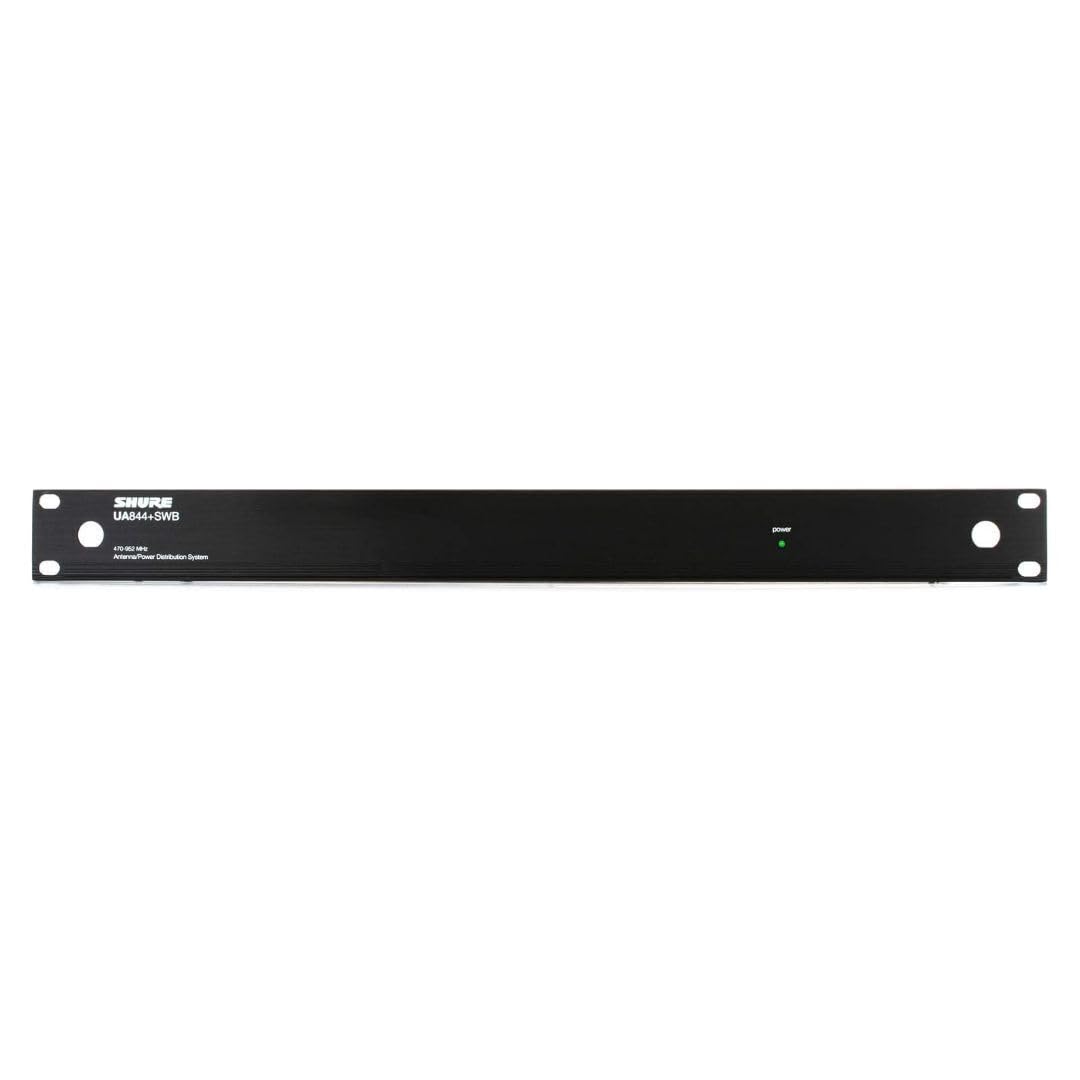
The Shure UA844+SWB/LC is a central unit for managing antenna signals and power for multiple wireless receivers. It features inputs for external antennas and multiple outputs to connect to your wireless receiver units.

Melite
1. Connecting Antennas
Connect your external antennas to the BNC connectors on the Shure UA844+SWB/LC unit. Ensure connections are secure to maintain signal integrity. The system supports active antennas for boosted signal reception.
2. Jikọọ ike ọkọnọ
Connect the provided power supply to the UA844+SWB/LC unit and then to a suitable power source. The unit also provides 4 DC power feeds for your receivers (15V, 2.5A max), eliminating the need for individual power bricks for each receiver.
3. Connecting Receivers
Connect your QLX-D, ULX, ULX-D, SLX, or BLX4R receivers to the antenna outputs and DC power feeds on the UA844+SWB/LC. Use appropriate coaxial cables for antenna connections and locking power cables if available for secure power delivery.
4. Network Setup for QLX-D Systems
For QLX-D systems, network your receivers together using Cat 5e or Cat 6 Ethernet cables connected from the back of each receiver to a network switch. This enables features like Network Scan for coordinated frequency management. Ensure your network uses a DHCP-enabled router for automatic IP address assignment. Manual IP address setup is also possible. Receivers must be on the same subnet.
Na-arụ ọrụ
1. Finding an Open Channel (QLX-D)
On your QLX-D receiver, press the 'menu' button to access the scan function. Press 'enter' to initiate a scan for available frequencies. The group and channel will appear on the display once the scan is complete.
2. Syncing Transmitters (QLX-D)
Install batteries into your transmitter and turn it on. Press the 'sync' button on the receiver and align the transmitter's IR window about 6 inches away from the receiver's IR port. 'Good' will display on the receiver when sync is complete, and the blue RF LED will illuminate.
3. Checking Levels (QLX-D)
During a sound check, monitor the audio meter and LED on the receiver. The meter should display at least three bars, and the LED should be green. Adjust the gain using the arrow buttons on the front of the receiver if necessary to achieve optimal audio levels without clipping.
4. Using Network Scan (QLX-D)
Once receivers are networked, select a group or custom group on the receiver to initiate the Network Scan. Press the 'menu' button until 'Network Scan' appears and is flashing, then press 'enter'. The front panel LEDs of all receivers will blink when frequencies have been assigned. If full deployment does not occur due to insufficient open frequencies, select another group and re-scan. Consult the Shure online Wireless Frequency Finder tool if you are unsure which group is best to use.
Nlekọta
- Debe ihe dị n'ime ya ọcha ma ghara ịta uzuzu. Jiri ákwà kpọrọ nkụ ma dị nro hichaa ya.
- Regularly check all cable connections for wear and tear.
- Chekwaa unit ahụ n'ebe dị jụụ, kpọrọ nkụ mgbe ọ naghị eji ya.
Nchọpụta nsogbu
- Enweghị akara: Check all antenna connections and ensure receivers are powered on and synced. Verify that the antennas are positioned correctly and unobstructed.
- Mgbaàmà na-akwụsị akwụsị: Re-scan for open frequencies, especially in environments with high RF interference. Ensure all components are securely connected.
- Okwu ike: Confirm the power supply is correctly connected and functioning. Check all DC power feeds to receivers.
- Network Scan Not Appearing: Ensure all QLX-D receivers are properly networked together and recognized by the system.
Nkọwapụta
| Njirimara | Nkọwa |
|---|---|
| Ibu Ibu | 8.51 pound |
| Akụkụ ngwaahịa | 23.2 x 16.4 x 4 sentimita asatọ |
| Nọmba Nlereanya ihe | UA844+ SWB/LC |
| Agba | Nwa |
| Ụdị antenna | Redio |
| Ọnụọgụ nke ọwa | 5 |
| UPC | 042406461535 |
| Onye nrụpụta | Shure |
Akwụkwọ ikike na nkwado
For warranty information, technical support, or further assistance, please visit the official Shure websaịtị ma ọ bụ kpọtụrụ ndị ahịa ha ọrụ. Debe akwụkwọ nnata ịzụrụ maka akwụkwọ ikike.
Official Shure Websaịtị: Visit the Shure Store


