1. Okwu mmalite
Thank you for choosing the Arregui Activa Electronic Surface-Mounted Safe. This manual provides essential information for the correct installation, operation, and maintenance of your safe. Please read these instructions carefully before using the product to ensure optimal performance and security.
The Arregui Activa safe is designed to provide secure storage for your valuables, featuring an electronic locking system and a robust construction for surface mounting.
2. Nhazi
2.1 Nwepu
- Carefully remove the safe from its packaging.
- Check that all components are present: safe unit, emergency keys, instruction manual, and mounting hardware.
- Jikwaa nkwakọ ngwaahịa maka njem ma ọ bụ nchekwa n'ọdịnihu.
2.2 Ntinye batrị
- Locate the battery compartment, typically on the inside of the safe door.
- Mepee mkpuchi batrị.
- Insert four (4) AA 1.5V alkaline batteries, ensuring correct polarity (+/-).
- Close the battery cover securely. The safe will emit a beep, indicating successful battery installation.
2.3 Ịkwalite Nchekwa
The Arregui Activa safe is designed for surface mounting to a wall or floor. Choose a secure and discreet location.
- Position the safe in the desired location and mark the drilling points through the pre-drilled holes in the back or bottom of the safe.
- Drill holes in the wall or floor using an appropriate drill bit for the mounting surface.
- Insert the provided wall anchors (if applicable) into the drilled holes.
- Align the safe with the holes and secure it using the provided screws or bolts. Tighten all fasteners firmly.
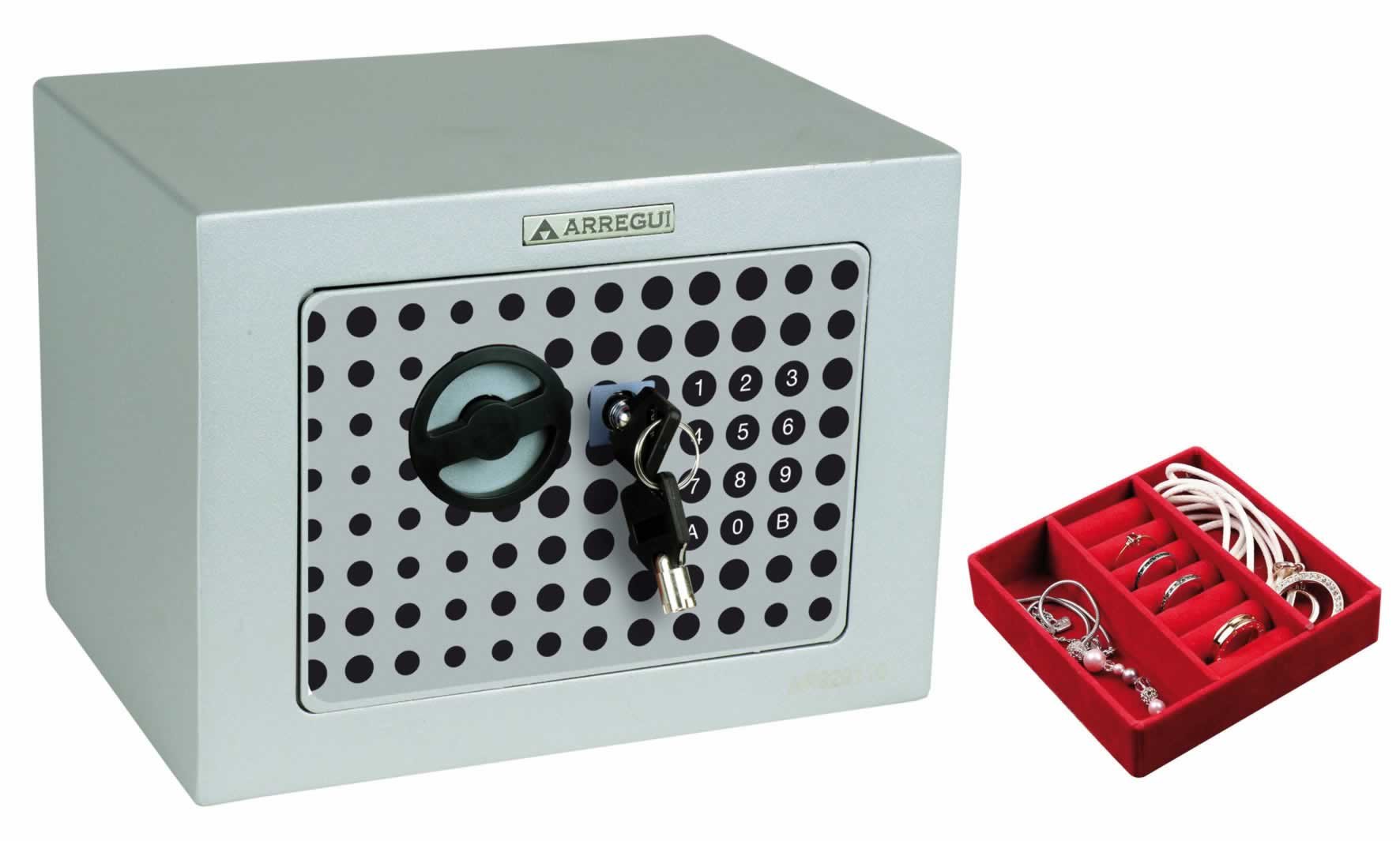
Image 1: Arregui Activa Electronic Safe, illustrating its compact design suitable for surface mounting.
3. Ntuziaka ọrụ
3.1 Initial Code Setting
Upon first use, you will need to set your personal access code.
- With the safe door open, press the red reset button located on the inside of the door (usually near the hinge). The yellow indicator light on the keypad will illuminate.
- Enter a new personal code (3-8 digits) on the keypad.
- Confirm the code by pressing the 'A' or '#' button. The safe will beep, and the yellow light will turn off, indicating the code has been successfully set.
- Nwalee koodu ọhụrụ ahụ wee mepee ụzọ tupu imechi ya.
3.2 Imepe Nchekwa ahụ
- Enter your personal code on the keypad.
- Press the 'A' or '#' button. The green indicator light will illuminate, and you will hear a click.
- Within 5 seconds, turn the knob or handle clockwise to open the door.
3.3 Closing the Safe
- Mechie ọnụ ụzọ nchekwa ahụ nke ọma.
- Turn the knob or handle counter-clockwise to engage the locking bolts. The safe is now secured.
3.4 Ịgbanwe koodu njirimara
- Open the safe using your current code.
- Press the red reset button on the inside of the door. The yellow indicator light will illuminate.
- Enter your new personal code (3-8 digits).
- Confirm the new code by pressing the 'A' or '#' button. The safe will beep, and the yellow light will turn off.
- Nwalee koodu ọhụrụ ahụ wee mepee ụzọ tupu imechi ya.
3.5 Emergency Opening (with Key)
In case of battery failure or forgotten code, you can use the emergency key.
- Locate the emergency keyhole, usually hidden behind a small cover on the keypad panel.
- Wepu mkpuchi.
- Insert the emergency key and turn it clockwise while simultaneously turning the handle to open the safe.
- Once open, replace the batteries if necessary and reset your code. Keep emergency keys in a secure location away from the safe.
4. Nlekọta
4.1 nnọchi batrị
When the batteries are low, the red indicator light will flash or the safe will emit a warning sound when you attempt to open it. Replace all four batteries promptly to ensure continued operation.
- Follow the steps in section 2.2 for battery installation.
- Always use new, high-quality alkaline batteries. Do not mix old and new batteries or different battery types.
4.2 Nhicha
- Jiri nwayọ hichaa mpụta nke nchekwa ahụ, damp akwa .
- Do not use abrasive cleaners or solvents, as these can damage the finish or electronic components.
5. Nchọpụta nsogbu
| Nsogbu | Ihe nwere ike ime | Ngwọta |
|---|---|---|
| Safe does not open with code. | Incorrect code entered; Low batteries; Keypad malfunction. | Re-enter code carefully; Replace batteries (Section 4.1); Use emergency key (Section 3.5). |
| Ahụigodo anaghị aza. | Batrị nwụrụ anwụ; Njikọ batrị tọhapụrụ. | Replace batteries (Section 4.1); Ensure batteries are correctly inserted. |
| Red light flashes or beeps continuously. | Ịdọ aka ná ntị batrị dị ala. | Replace batteries immediately (Section 4.1). |
| Ọnụ ụzọ anaghị emechi nke ọma. | Obstruction; Misalignment. | Check for items blocking the door or bolts; Ensure safe is mounted level. |
6. Nkọwapụta
| Nọmba nlereanya: | 1832D80 |
| Akụkụ Mpụga (HxWxD): | 230 x 170 x 170 mm |
| Usoro mkpọchi: | Electronic keypad with emergency key override |
| Isi mmalite ike: | 4 x AA 1.5V batrị |
| Ụdị nkwụnye: | Surface-mounted (wall or floor) |
7. Akwụkwọ ikike Ozi
Arregui products are manufactured to high-quality standards and are guaranteed against manufacturing defects for a period specified by local consumer protection laws from the date of purchase. This warranty does not cover damage caused by improper installation, misuse, unauthorized modifications, or normal wear and tear. Please retain your proof of purchase for warranty claims.
8. Nkwado
For technical assistance, spare parts, or warranty inquiries, please contact your retailer or the Arregui customer service department. Refer to the contact information provided with your purchase documentation or visit the official Arregui websaịtị maka nkọwa nkwado.
Websaịtị: www.arregui.es


