Ozi nchekwa dị mkpa
Please read and understand all instructions before using the laminator. Keep this manual for future reference.
- Do not operate the laminator if the power cord or plug is damaged.
- Keep the laminator away from water or other liquids.
- Do not insert metal objects into the laminator.
- Hụ na ikuku na-efegharị nke ọma n'ime igwe ahụ mgbe ị na-arụ ọrụ.
- Kwupuo laminator mgbe ejighị ya ma ọ bụ tupu ihicha ya.
- Ezubere ngwa a maka iji ndị mmadụ (gụnyere ụmụaka) nwere ike anụ ahụ, mmetụta uche ma ọ bụ nke uche, ma ọ bụ enweghị ahụmịhe na ihe ọmụma, ma ọ bụrụ na enyereghị ha nlekọta ma ọ bụ ntụziaka gbasara iji ngwa ahụ site n'aka onye na-ahụ maka nchekwa ha.
Ngwaahịa gafereview
The Amazon Basics 9-Inch Thermal Laminator is designed for home, office, or classroom use, providing high-quality lamination for various document sizes.
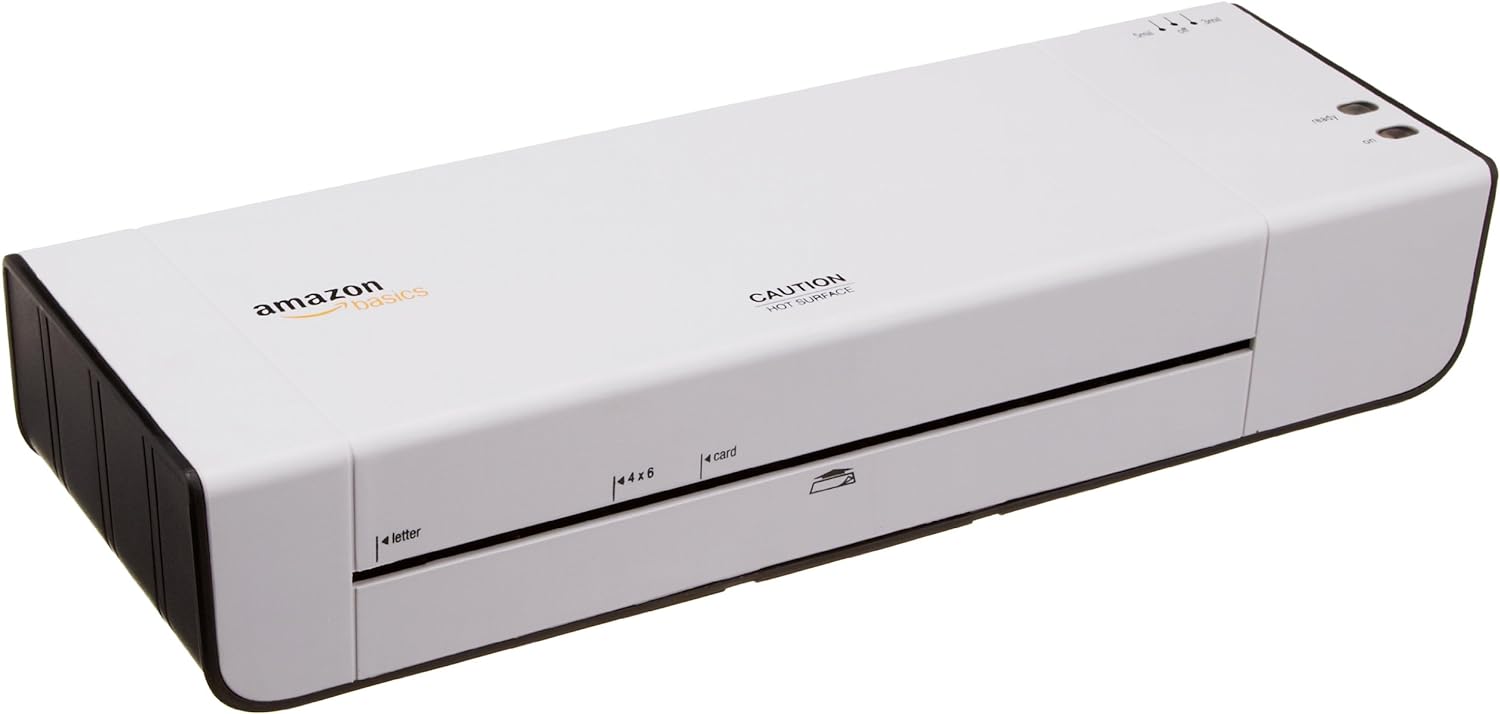
Foto 1: N'ihu view of the Amazon Basics 9-Inch Thermal Laminator Machine, showing the feed slot and branding.
Akụkụ ndị bụ isi:
- Laminates documents up to 9 inches wide.
- Two heat settings: 3 mil and 5 mil.
- Quick 4-minute warm-up time.
- Jam release lever for easy clearing.
- Kọmpat imewe.
Melite
Iwepu:
Carefully remove the laminator from its packaging. Retain the packaging for future storage or transport.
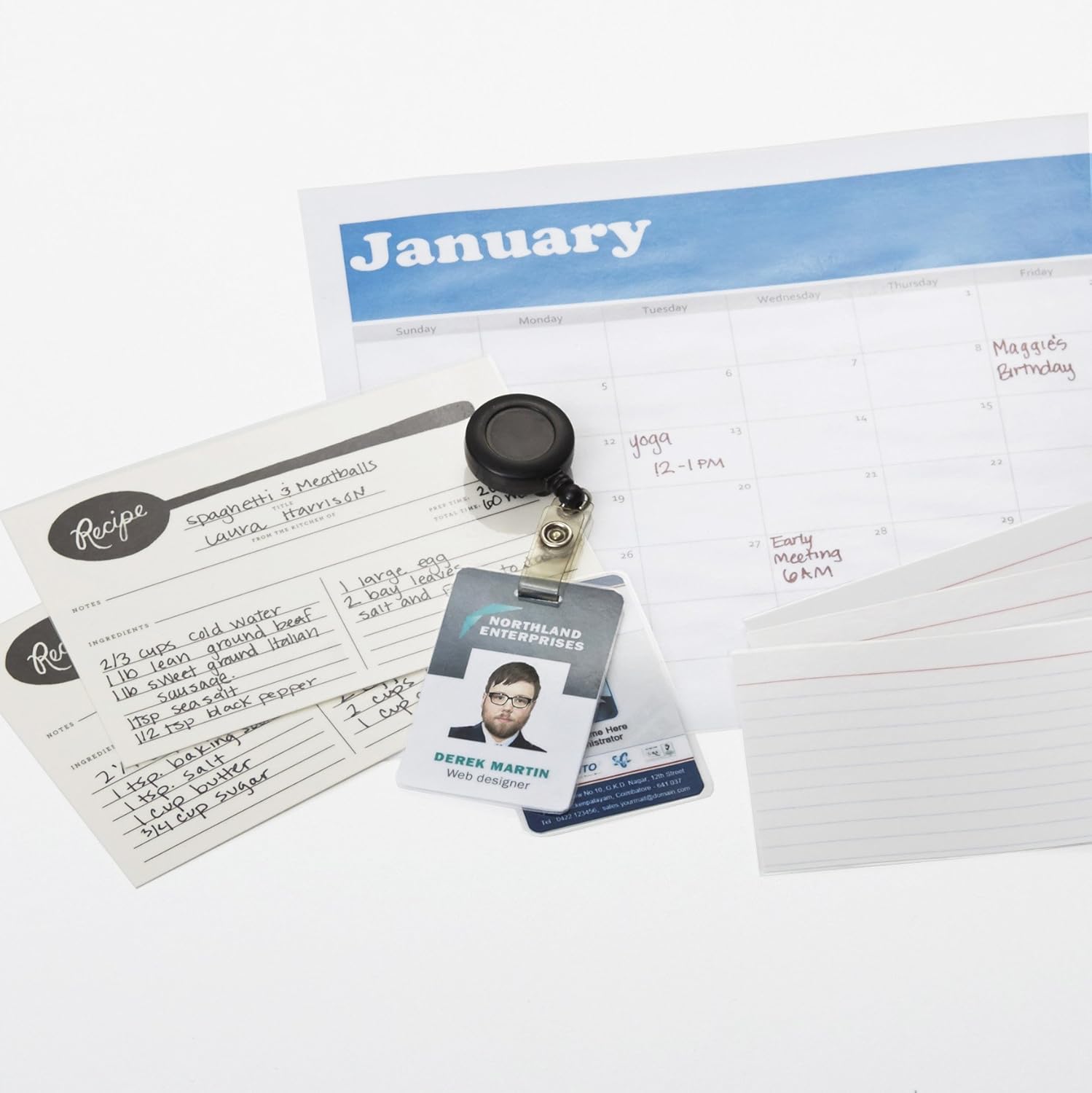
Figure 2: The laminator machine as it appears inside its frustration-free packaging.
Nkwanye:
Place the laminator on a flat, stable, and heat-resistant surface. Ensure there is adequate space around the machine for proper ventilation and for documents to exit the rear.
Njikọ ike:
Plug the power cord into a standard electrical outlet. The power switch is located on the side of the unit.

Ọgụgụ 3: nso nso view of the power switch, 3mil/5mil heat settings, and release lever on the side of the laminator.
Ntuziaka ọrụ
Laminating a Document:
Ike na Ịkpọ ọkụ:
Turn the power switch to the "On" position. The "Ready" indicator light will illuminate once the machine has warmed up (approximately 4 minutes).
Họrọ Ntọala okpomọkụ:
Choose the appropriate heat setting based on the laminating pouch thickness:
- 3 mil: For normal documents, photos, and card stock.
- 5 mil: For thinner papers.
Kwadebe Akwụkwọ:
Place the document inside a laminating pouch, ensuring it is centered and there is an even border around the edges. Use the included 3 mil thick, 8.9 by 11.4 inch laminating pouches or any compatible 3 mil or 5 mil pouch.

Ọgụgụ 4: Ọpụample of laminating recipe cards, showing the document being fed into the laminator.
Tinye akpa:
Carefully insert the sealed edge of the laminating pouch into the laminator's feed slot. The machine will automatically pull the pouch through.

Figure 5: A calendar page being laminated, demonstrating the machine's ability to handle various document types.
Retrieve Laminated Document:
Once the pouch exits the rear of the machine, allow it to cool on a flat surface before handling to ensure proper sealing.

Figure 6: A collection of laminated items, including recipe cards, ID badges, and a calendar, showcasing the versatility of the laminator.
Nlekọta
Nhicha:
Ensure the laminator is unplugged and completely cool before cleaning. Wipe the exterior with a soft, damp akwa . Ejila ihe nchacha abrasive ma ọ bụ ihe mgbaze.
Roller Cleaning (Optional):
Periodically, you may run a cleaning sheet (available separately) through the laminator to remove any adhesive residue from the rollers.
Nchekwa:
Store the laminator in a cool, dry place when not in use. Ensure the power cord is neatly wrapped and not kinked.
Nchọpụta nsogbu
| Nsogbu | Ihe nwere ike ime | Ngwọta |
|---|---|---|
| Laminator does not turn on. | Not plugged in; power switch off; no power at outlet. | Check power cord connection; ensure power switch is "On"; test outlet with another device. |
| Pouch jams in the machine. | Pouch inserted incorrectly; pouch too thick; foreign object. | Pịa ntọhapụ lever to clear the jam. Ensure pouch is inserted sealed edge first and is within specified thickness (3 or 5 mil). |
| Lamination ahụ na-acha ígwé ojii ma ọ bụ na-acha ọkụ. | Incorrect heat setting; machine not fully warmed up; low-quality pouch. | Ensure correct heat setting (3 mil for normal, 5 mil for thinner); wait for "Ready" light; use high-quality laminating pouches. |
| Lamination is not sealed properly. | Incorrect heat setting; machine not fully warmed up; document too thick for pouch. | Verify heat setting; wait for "Ready" light; ensure document fits pouch with adequate border. |
Nkọwapụta
| Njirimara | Nkọwa |
|---|---|
| Nọmba nlereanya | PL9-US |
| Obosara Laminating | Ruo 9 sentimita asatọ |
| Ntọala okpomọkụ | 3 mil, 5 mil |
| Oge ikpo ọkụ | Ihe dị ka nkeji iri |
| Ọnụọgụ nke Rollers | 2 |
| Ibu | 1.2 n'arọ |
| Ịnye ọkụ | Standard AC |
Akwụkwọ ikike na nkwado
For warranty information and customer support, please visit the official Amazon Basics websaịtị ma ọ bụ kpọtụrụ ọrụ ndị ahịa Amazon ozugbo.
Nkwado n'ịntanetị: Amazon Basics Store
Note: Reading the full user manual is recommended prior to the first use of this product.


