1. Okwu mmalite
This manual provides essential information for the safe and effective use of your Sony Cyber-shot DSC-W300 digital camera. Please read this manual thoroughly before operating the camera and retain it for future reference. The DSC-W300 is a 13.6-megapixel digital camera featuring a 3x optical zoom lens, Super Steady Shot optical image stabilization, and a durable titanium body.

Foto 1.1: N'ihu view of the Sony Cyber-shot DSC-W300 digital camera, showing the lens, flash, and viewonye nchọta.
2. Ihe ndị dị na igwefoto
Familiarize yourself with the various parts of your camera to ensure proper operation.
2.1 Ihu na azụ Views
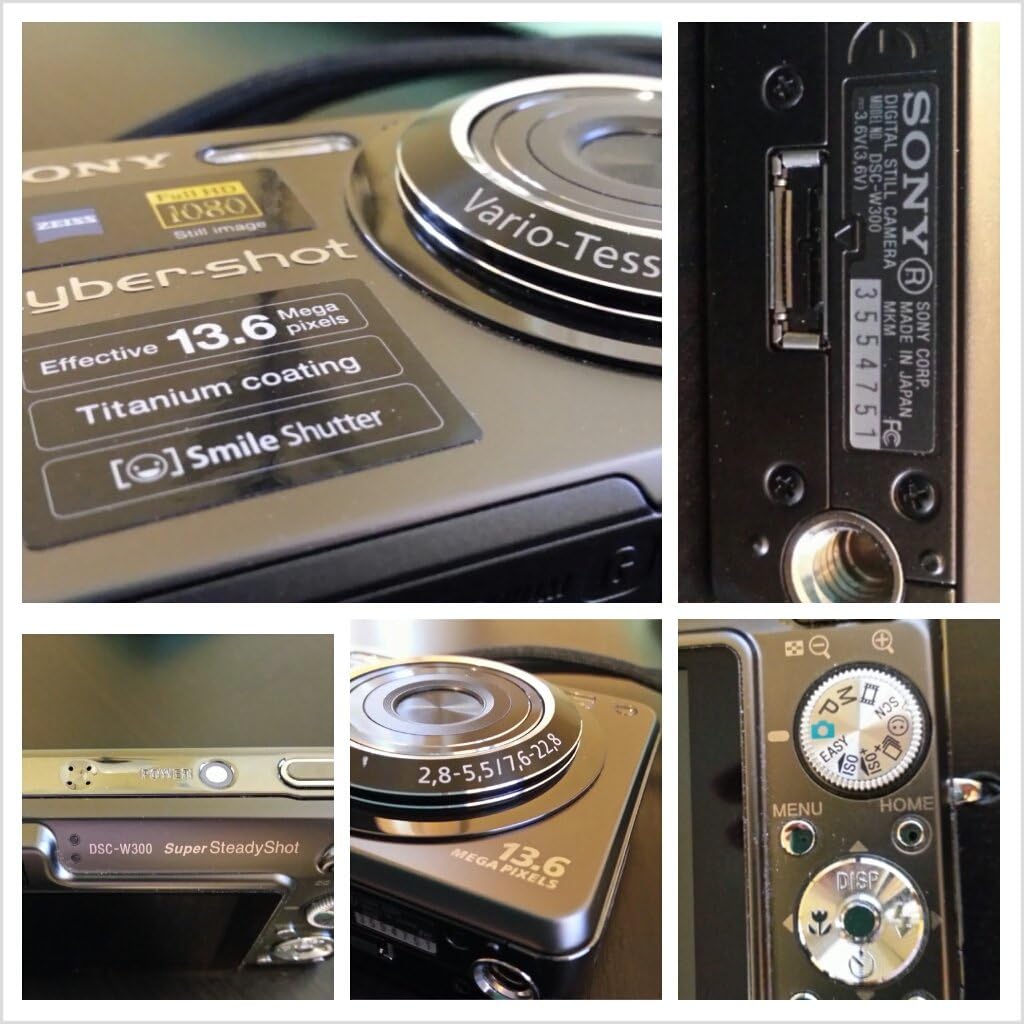
Ọgụgụ 2.1: N'azụ view of the camera, displaying the LCD screen, control buttons, and mode dial.

Ọgụgụ 2.2: Zuru ezu views including the Carl Zeiss Vario-Tessar lens, model number, and mode dial.
2.2 Control Buttons and Dials
- Bọtịnụ mkpuchi: Press halfway to focus, fully to capture an image.
- Bọtịnụ ike: Gbanyụọ ma ọ bụ gbanyụọ igwefoto.
- Ọkpọ oku ụdị: Selects shooting modes (e.g., Auto, Program, Scene, Movie).
- Ọkụ mbugharị: Na-achịkwa mbugharị anya na dijitalụ.
- Mpempe akwụkwọ ntuziaka (D-Pad): Navigates menus and adjusts settings.
- Bọtịnụ MENU: Accesses camera settings and options.
- Bọtịnụ ụlọ: Returns to the main menu screen.
- Bọtịnụ DISP: Changes information displayed on the LCD.
3. Nhazi
Before using your camera, perform the following setup procedures.
3.1 Ntinye batrị na Nchaji
- Open the battery/Memory Stick compartment cover on the bottom of the camera.
- Insert the supplied NP-BG1 Lithium-Ion battery with the correct orientation, ensuring it clicks into place.
- Mechie mkpuchi nkebi ahụ nke ọma.
- Connect the battery charger to a power outlet and insert the battery into the charger. The charge lamp will illuminate during charging and turn off when complete.

Figure 3.1: The NP-BG1 Lithium-Ion battery and its dedicated charger.
3.2 Ntinye kaadị ebe nchekwa
The camera uses Memory Stick PRO Duo media for storing images and videos.
- Open the battery/Memory Stick compartment cover.
- Insert the Memory Stick PRO Duo into the slot with the label facing the front of the camera until it clicks.
- Mechie mkpuchi nkebi ahụ nke ọma.

Figure 3.2: A Sony Memory Stick PRO Duo, used for image and video storage.
3.3 Ntọala mbụ
When you turn on the camera for the first time, you will be prompted to set the date, time, and time zone. Follow the on-screen instructions to complete these settings.
4. Na-arụ ọrụ igwefoto
Learn how to capture photos and videos with your DSC-W300.
4.1 Gbanyụọ/ gbanyụọ
Pịa IKE bọtịnụ dị n'elu igwefoto iji gbanye ma ọ bụ gbanyụọ ya.
4.2 Basic Photography (Auto Mode)
- Turn the mode dial to the AUTO ọnọdụ.
- Frame your subject using the LCD screen.
- Pịa bọtịnụ ihe mkpuchi ahụ ọkara ala iji lekwasị anya. Ihe ngosi lekwasị anya ga-agbanwe akwụkwọ ndụ akwụkwọ ndụ mgbe emechara lekwasị anya.
- Pịa bọtịnụ mkpuchi ahụ gbadaa kpamkpam iji see foto ahụ.
4.3 Advanced Shooting Modes
The mode dial offers various shooting options:
- Mmemme akpaaka (P): Allows more control over settings like ISO and white balance while the camera sets exposure.
- Scene Selection (SCN): Choose from preset scenes (e.g., Portrait, Landscape, Night Scene) for optimized settings.
- Ọnọdụ ihe nkiri: Records video clips.
- ISO: Adjusts sensitivity to light. Higher ISO allows shooting in darker conditions but may introduce noise.
4.4 Ọrụ Mbugharị
Use the zoom lever around the shutter button to adjust the focal length. Push it towards W for wide-angle and T for telephoto (zoom in).
4.5 Flash Settings
Press the left side of the directional pad to cycle through flash modes: Auto, Fill-flash, Slow Sync, and Flash Off.
4.6 Reviewna Foto
Pịa Ngwughachi button (usually indicated by a play icon) to view your captured images and videos. Use the directional pad to navigate through them.
4.7 Connecting to a Computer or TV
You can connect your camera to a computer to transfer images or to a TV to view them on a larger screen.
- For Computer: Use the supplied USB cable to connect the camera to your computer. The camera will appear as a removable disk.
- Maka TV: Use the supplied AV cable to connect the camera to your TV's video input.
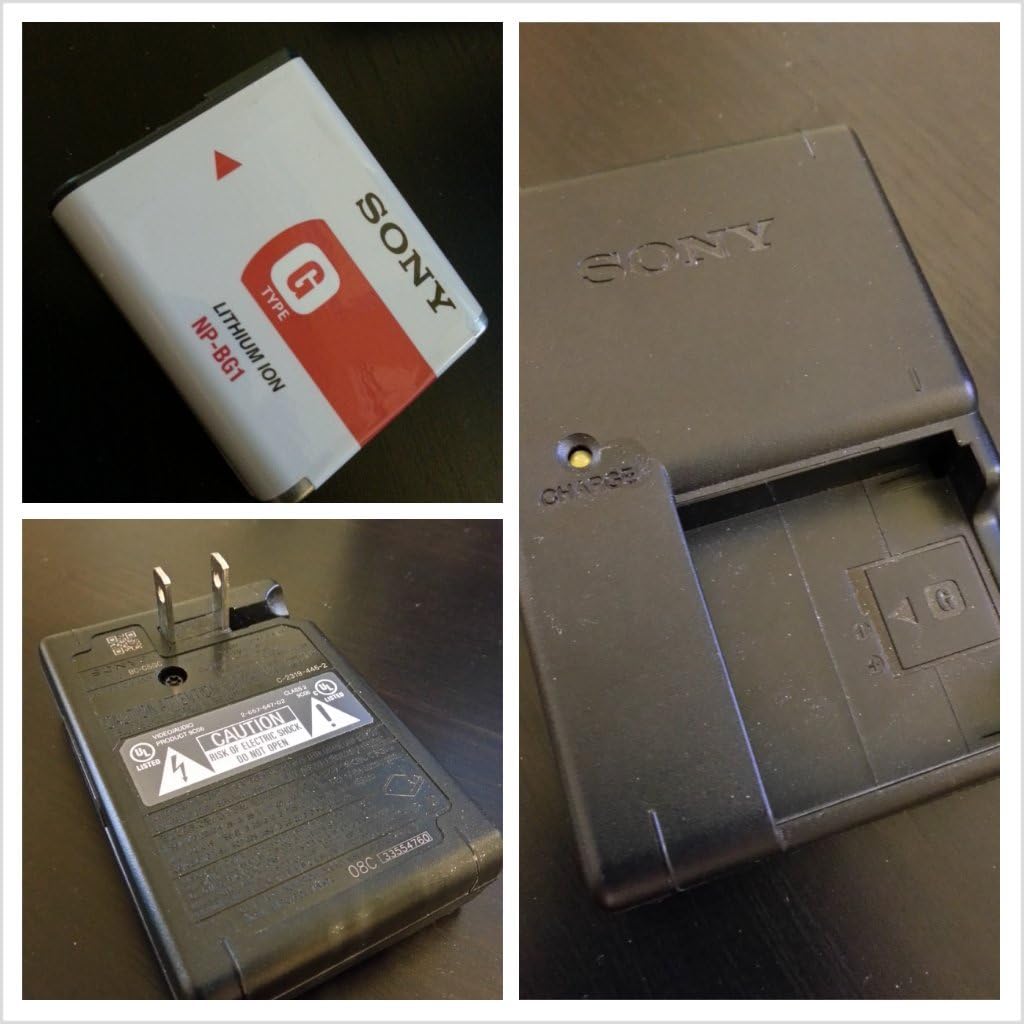
Figure 4.1: The USB and AV cables used for connecting the camera to external devices.
5. Nlekọta
Proper care ensures the longevity and performance of your camera.
5.1 Ihicha igwefoto
- Igwe igwefoto: Jiri ákwà dị nro ma kpọọ nkụ hichaa ya. Maka unyi siri ike, jiri ákwà dị nro.ampjiri mmiri ma ọ bụ ihe nhicha dị nro mee ya, wee hichaa ya.
- oghere: Use a lens brush to remove dust, then gently wipe with a lens cleaning cloth. Avoid touching the lens with your fingers.
- Ihuenyo LCD: Gently wipe with a soft, dry cloth.
5.2 Nlekọta batrị
- Chajịa batrị zuru oke tupu ojiji mbụ.
- Chekwaa batrị n'ebe dị jụụ, kpọrọ nkụ mgbe anaghị eji ya.
- Ọ bụrụ na a gaghị eji igwefoto ahụ ruo ogologo oge, wepụ batrị ahụ.
5.3 Nchekwa
Store the camera in a dry, well-ventilated area, away from direct sunlight, high temperatures, and humidity. Use a camera case for protection during transport.
6. Nchọpụta nsogbu
Rụtụ aka na ngalaba a maka azịza maka okwu nkịtị.
| Nsogbu | Ihe nwere ike ime | Ngwọta |
|---|---|---|
| Igwefoto anaghị agbanwu. | Batrị agwụla ma ọ bụ tinye ya n'ụzọ na-ezighi ezi. | Chajie batrị ahụ. Tinyeghachi batrị ahụ nke ọma. |
| Enweghị ike ise foto. | Memory Stick is full or not inserted. | Delete unnecessary images or insert a new Memory Stick. Ensure Memory Stick is inserted correctly. |
| Onyonyo na-agba agba. | Ịma jijiji igwefoto, mmegharị isiokwu, ma ọ bụ ilekwasị anya na-ezighi ezi. | Hold the camera steady. Use Super Steady Shot. Ensure proper focus before shooting. Increase ISO in low light. |
| Flash anaghị agba ọkụ. | Flash is set to 'Flash Off' or battery is low. | Gbanwee ọnọdụ ọkụ. Chaji batrị ahụ. |
| Enweghị ike jikọọ na kọmputa. | Incorrect cable, driver issue, or camera setting. | Use the supplied USB cable. Ensure camera is in USB Connect mode (check settings). Try a different USB port. |
7. Nkọwapụta
- Ụdị: DSC-W300
- Ihe mmetụta onyonyo: 13.6-megapixel Super HAD CCD
- oghere: 3x Optical Zoom (35mm-105mm equivalent)
- Ndozi onyonyo: Optical (Super Steady Shot)
- Ngosipụta LCD: 2.7-inch Clear Photo LCD
- Mgbasa ozi nchekwa: Ebe nchekwa nchekwa PRO Duo
- Batrị: NP-BG1 Lithium-Ion
- Akụkụ (W x H x D): 3.7 x 2.32 x 1.06 inch (ihe dị ka)
- Arọ: 6.6 ounces (approx., with battery and Memory Stick)
- Akwadoro File Ụdị: JPEG, RAW
- Akụkụ akụkụ: 4:3
- Onye nrụpụta: Sony
8. Akwụkwọ ikike & Nkwado
For detailed warranty information, please refer to the warranty card included with your product or visit the official Sony support website. Sony provides customer support for product inquiries, technical assistance, and service requests.
Nkwado n'ịntanetị: Gaa na nkwado Sony websaịtị maka FAQs, nbudata ngwanrọ, na ozi kọntaktị.
Nkwado ekwentị: Refer to your product packaging or the Sony website for regional customer service numbers.


