1. Pendahuluan
Terima kasih sudah membeliasing the ZEBRONICS Zeb Vigor 100 Tower Speaker. This manual provides essential information for the safe and efficient operation of your device. Please read it thoroughly before use and retain it for future reference.
2. Petunjuk Keselamatan
- Jangan biarkan speaker terkena air atau kelembapan.
- Jangan membuka speaker casing; serahkan semua servis kepada personel yang berkualifikasi.
- Keep the speaker away from direct sunlight, heat sources, and open flames.
- Pastikan ventilasi yang tepat di sekitar speaker untuk mencegah panas berlebih.
- Use only the power cord supplied with the device.
- Hindari mendengarkan dengan tingkat volume tinggi dalam waktu lama untuk mencegah kerusakan pendengaran.
3. Isi Paket
Verifikasi bahwa semua item ada dalam paket:
- Trolley DJ Speaker: 1 Unit
- Kontrol Jarak Jauh: 1 Unit
- Wireless Microphone: 1 Unit
- Kabel Daya: 1 Unit
- Input Cable (3.5mm): 1 Unit
- QR Code Guide: 1 Unit
4. Produk Lebihview
The ZEBRONICS Zeb Vigor 100 is a versatile tower speaker designed for various audio applications, featuring multiple connectivity options and a robust sound output.
Fitur Utama:
- Triple Full Range 20.32cm Drivers for comprehensive sound.
- 100W RMS Output for powerful audio delivery.
- TWS (True Wireless Stereo) Function for connecting two speakers.
- Karaoke & Mic Recording Function with included Wireless MIC.
- Multiconnectivity: Bluetooth v5.0, USB, mSD, AUX, FM.
- LED Display for easy navigation.
- Remote control untuk pengoperasian yang mudah.
- Carry Handle & Wheels for portability.
- RGB Lights for visual effects.
- Dual 6.3mm Microphone input.
- Baterai Isi Ulang bawaan.
- Dedicated Control Buttons for intuitive use.
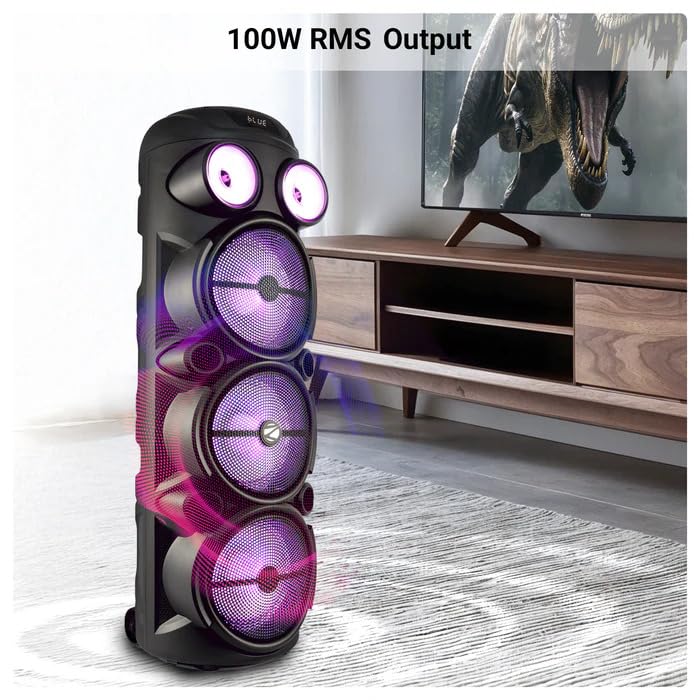
Image: The ZEBRONICS Zeb Vigor 100 Tower Speaker showcasing its 100W RMS output, positioned next to a television.
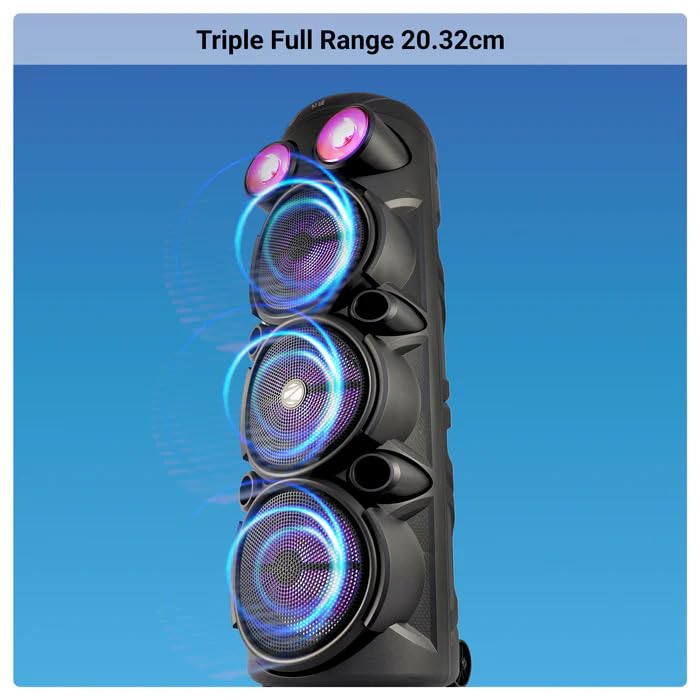
Gambar: Close-up view of the ZEBRONICS Zeb Vigor 100 highlighting its triple full-range 20.32cm drivers.
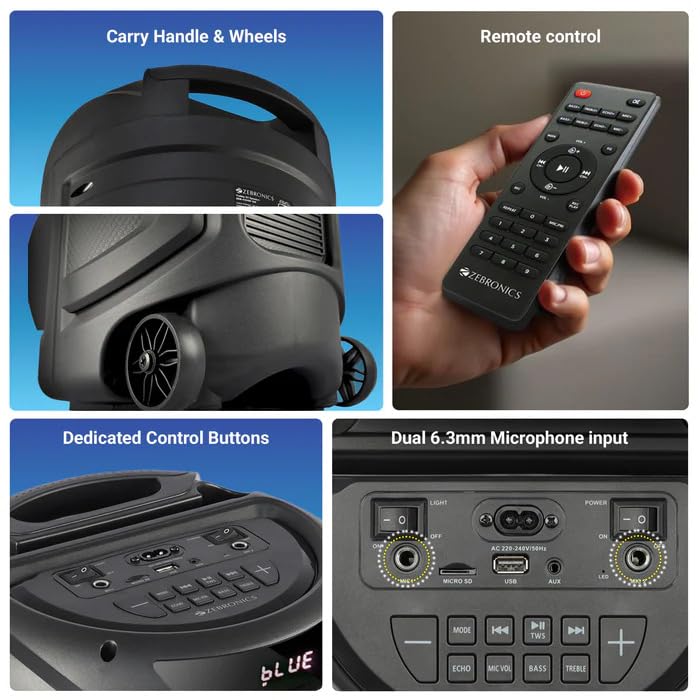
Image: A collage showing the speaker's carry handle and wheels for portability, the included remote control, the dedicated control buttons on the top panel, and the dual 6.3mm microphone inputs on the rear panel.
5. Pengaturan
5.1 Mengisi Daya Speaker
Before initial use, fully charge the speaker. Connect the provided power cord to the speaker's AC input and a suitable power outlet. The charging time is approximately 9.8 hours. A full charge provides up to 5 hours of playback at 50% volume with LED lights off.
5.2 Menghidupkan/Mematikan
Locate the power switch on the speaker's control panel. Toggle the switch to the 'ON' position to power on the speaker. Toggle to 'OFF' to power off.
6. Petunjuk Pengoperasian
6.1 Bluetooth Connection (BT v5.0)
- Power on the speaker. The speaker will automatically enter Bluetooth mode or you can select it using the 'MODE' button.
- Aktifkan Bluetooth di perangkat seluler atau komputer Anda.
- Pencarian untuk available devices and select "ZEB-VIGOR 100" from the list.
- Setelah berhasil dipasangkan, speaker akan menunjukkan koneksi yang berhasil, dan Anda dapat mulai memutar audio.
6.2 USB/mSD Playback
- Insert a USB flash drive or mSD card (up to 32GB) containing MP3 audio fileke port yang bersangkutan.
- The speaker will automatically detect the storage device and begin playback. If not, press the 'MODE' button to select USB or mSD mode.
- Use the control buttons or remote to play, pause, skip tracks, or adjust volume.
6.3 Masukan AUX
- Connect one end of the 3.5mm input cable to the AUX port on the speaker.
- Hubungkan ujung lainnya ke jack output audio perangkat eksternal Anda (misalnya, ponsel pintar, pemutar MP3).
- Press the 'MODE' button to select AUX input.
- Control playback and volume from your external device or the speaker.
6.4 Radio FM
- Tekan tombol 'MODE' untuk memilih mode radio FM.
- Press the Play/Pause button to auto-scan and save available FM stations (frequency range 87.5 MHz - 108 MHz).
- Gunakan tombol Trek Sebelumnya/Berikutnya untuk berpindah antar stasiun yang tersimpan.
6.5 Karaoke & Mic Recording Function
- Connect the wireless microphone or a wired microphone (not included) to one of the dual 6.3mm microphone inputs.
- Adjust the microphone volume and echo using the dedicated controls.
- To record, ensure a USB drive or mSD card is inserted. Press the 'REC' button (if available on the control panel/remote) to start recording. Press again to stop.
6.6 Fungsi TWS (True Wireless Stereo)
To connect two Zeb Vigor 100 speakers for a stereo experience:
- Pastikan kedua speaker menyala dan dalam mode Bluetooth.
- On one speaker (this will be the master), press and hold the 'TWS' button. The speaker will indicate it is searching for another TWS device.
- The two speakers will automatically pair. Once connected, they will function as a stereo pair.
- Connect your mobile device to the master speaker via Bluetooth as described in section 6.1.
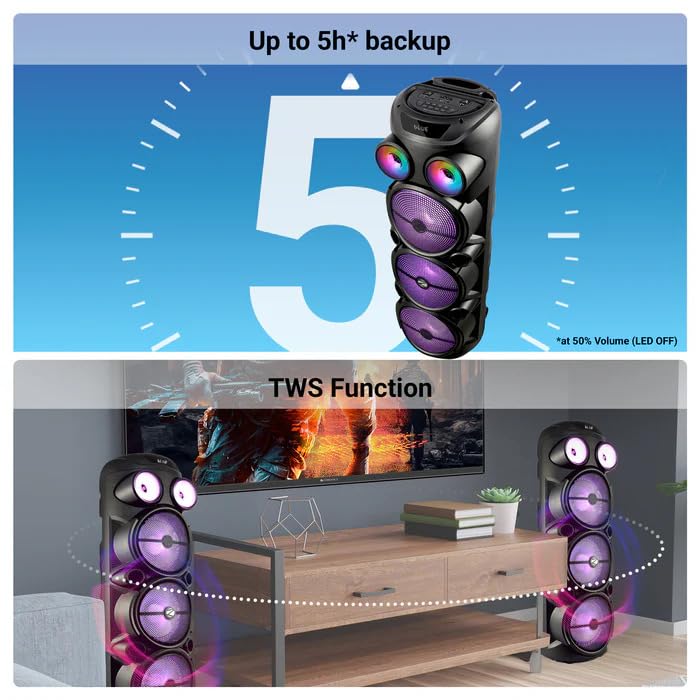
Image: The ZEBRONICS Zeb Vigor 100 speaker highlighting its up to 5-hour battery backup and the True Wireless Stereo (TWS) function, showing two speakers connected wirelessly.
6.7 Lampu RGB
The speaker features dynamic RGB lights. Use the dedicated 'LIGHT' switch or button on the control panel or remote to cycle through different light modes or turn them off.
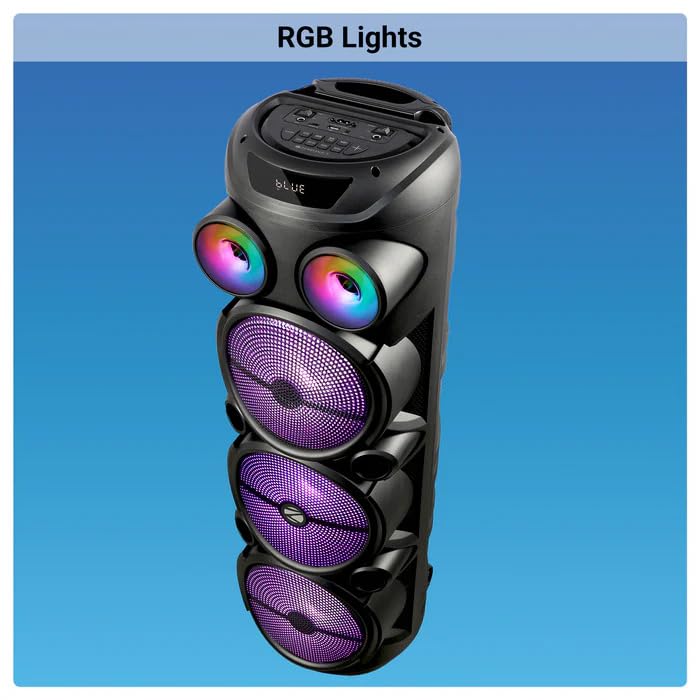
Image: The ZEBRONICS Zeb Vigor 100 Tower Speaker with its vibrant RGB lights illuminated.
6.8 Panel Kontrol dan Kontrol Jarak Jauh
The speaker features a top-mounted control panel with buttons for mode selection, playback control, volume adjustment, microphone controls, and light control. A remote control is also provided for convenient operation from a distance.
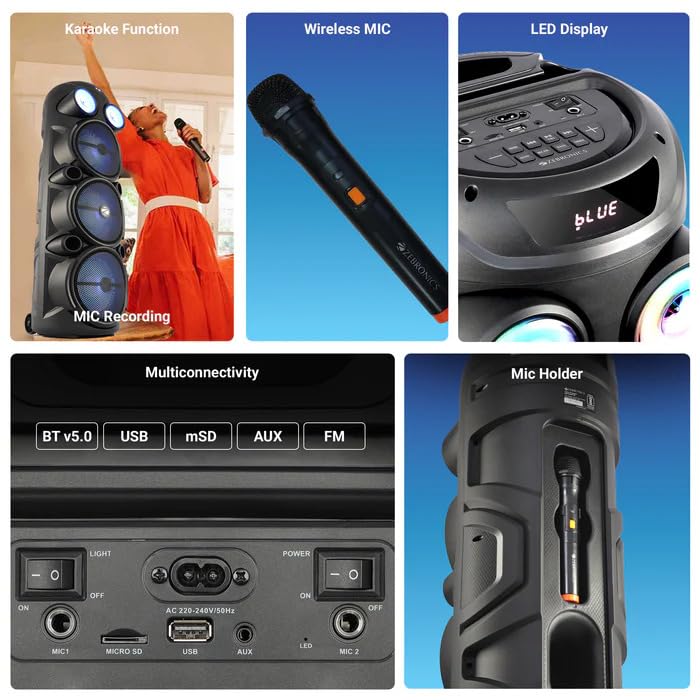
Gambar: Detail view of the ZEBRONICS Zeb Vigor 100's control panel, showing options for Bluetooth v5.0, USB, mSD, AUX, and FM connectivity, along with various control buttons.
7. Pemeliharaan
- Pembersihan: Gunakan kain lembut dan kering untuk membersihkan bagian luar speaker. Jangan gunakan pembersih abrasif atau pelarut.
- Penyimpanan: Bila tidak digunakan dalam jangka waktu lama, simpan speaker di tempat sejuk dan kering, terhindar dari sinar matahari langsung dan suhu ekstrem.
- Perawatan Baterai: Untuk memperpanjang masa pakai baterai, hindari sering-sering menguras baterai sepenuhnya. Isi daya speaker secara teratur, meskipun tidak sedang digunakan.
8. Penyelesaian masalah
| Masalah | Kemungkinan Penyebab | Larutan |
|---|---|---|
| Speaker tidak menyala. | Battery is depleted or power cord is not connected. | Isi daya speaker atau pastikan kabel daya terhubung dengan aman. |
| Tidak ada keluaran suara. | Volume is too low, incorrect mode selected, or device not properly connected. | Increase volume, select the correct input mode (BT, USB, AUX, FM), or re-establish connection. |
| Pemasangan Bluetooth gagal. | Speaker is not in pairing mode, or device is too far. | Ensure speaker is in Bluetooth mode, move device closer, or clear previous pairings on your device. |
| Mikrofon tidak berfungsi. | Microphone not powered on, or volume too low. | Ensure wireless mic has batteries and is powered on. Adjust mic volume. |
9. Spesifikasi
| Fitur | Spesifikasi |
|---|---|
| Daya Keluaran (RMS) | 100W |
| Ukuran Pengemudi | Full range 20.32cm x 3, Tweeter 3.8cm |
| Impedansi | Full range 4Ω x 1, 8Ω x 2; Tweeter 8Ω |
| Respon Frekuensi | Frekuensi 65Hz-18kHz |
| Rasio S/N | ≥60dB |
| File Format Support (USB/SD) | MP3 |
| Masukan Baris | ukuran 3.5mm |
| Max Supported USB/SD Memory Size | 32 GB |
| Rentang Frekuensi FM | 87.5 MHz - 108 MHz |
| Waktu Pengisian Daya | 9.8 jam |
| Waktu Pemutaran Ulang | 5 hours* (at 50% Volume, LED OFF) |
| Nama Bluetooth | ZEB VIGOR 100 |
| Versi Bluetooth | Bahasa Inggris v5.0 |
| Dimensi Produk (P x L x T) | Ukuran 28.6x28.5x90 cm |
| Berat Bersih | 6.4 kg |
| Jenis Konektor | Aux, USB |
| Jumlah Saluran | 2 |
| Masukan Audio | Wired Microphone, Wireless Microphone, Line-Level Input |
| Warna | Hitam |
| Perangkat yang Kompatibel | Audio Player, DJ Mixer, DVD Player, Drum, Guitar, Headphone, Headset, Karaoke System, Keyboard, Laptop, MP3 Player, Microphone, Piano, Smartphone, Tablet, Television |
10. Garansi dan Dukungan
10.1 Informasi Garansi
The ZEBRONICS Zeb Vigor 100 Tower Speaker comes with a Garansi 1 Tahun terhitung sejak tanggal pembelian. Harap simpan bukti pembelian Anda untuk klaim garansi. Garansi mencakup cacat produksi dalam kondisi penggunaan normal.
10.2 Produsen
Zebronics India Pvt Ltd.
13/7 Smith Road, Royapettah, Chennai, Tamil Nadu - 600 002, India
10.3 Dukungan Pelanggan
For technical assistance, service, or warranty inquiries, please contact Zebronics customer support through their official website or the contact information provided in the QR code guide included in your package.


