Perkenalan
This manual provides essential information for the installation, operation, and maintenance of your AMD Ryzen 5 2400G Processor with Radeon RX Vega 11 Graphics. Please read these instructions carefully before proceeding with installation to ensure proper function and longevity of your product.
Isi Paket
Your AMD Ryzen 5 2400G Processor package should contain the following items:
- Prosesor AMD Ryzen 5 2400G
- Pendingin AMD Wraith Stealth

Image: The AMD Ryzen 5 2400G processor, a square chip with the AMD Ryzen logo on its metallic heat spreader.
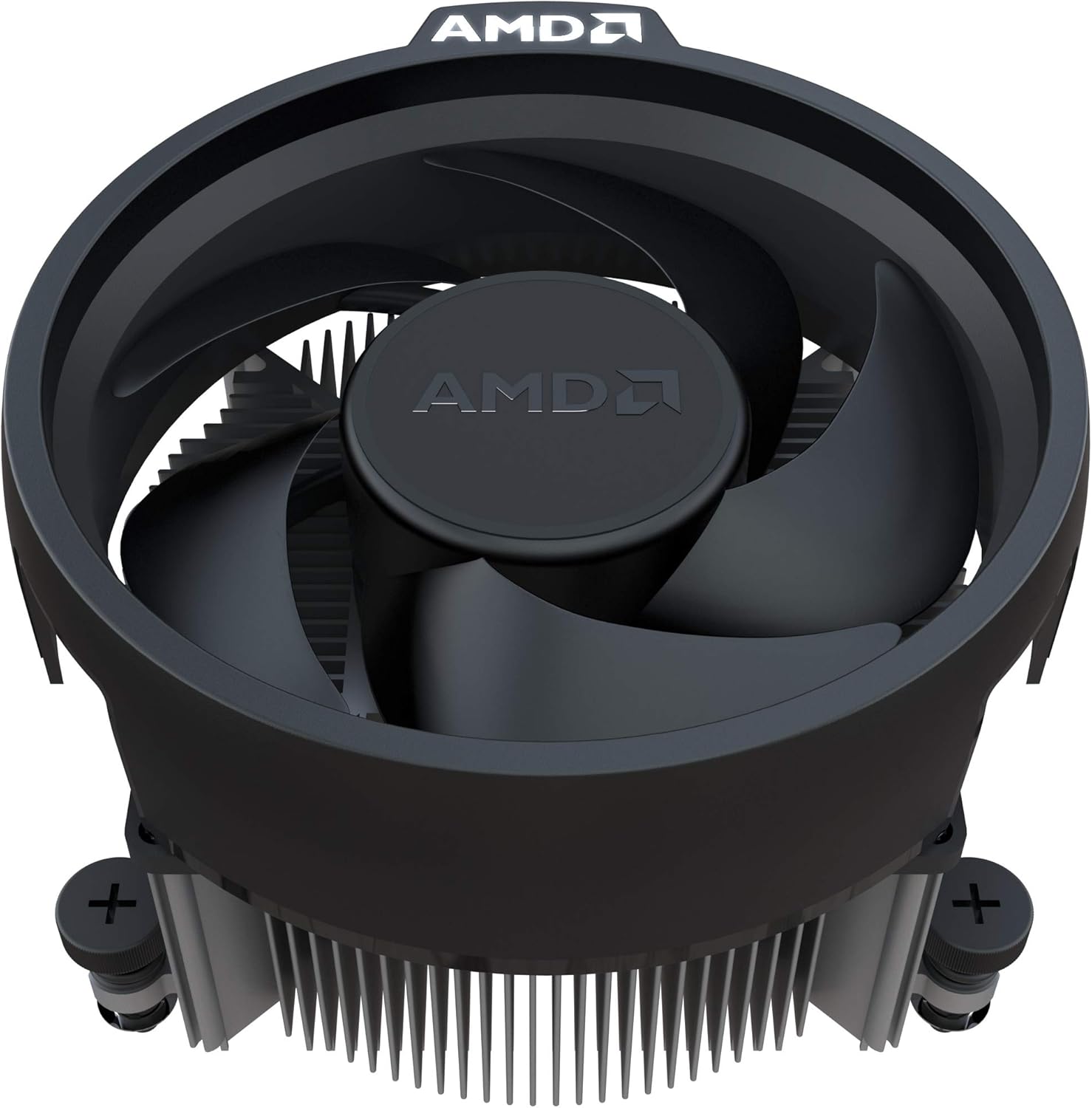
Image: The AMD Wraith Stealth cooler, a compact CPU fan and heatsink assembly with the AMD logo on the fan hub.
Produk Selesaiview
The AMD Ryzen 5 2400G is a powerful desktop processor featuring 4 cores and 8 threads, designed for the AM4 socket. It integrates Radeon RX Vega 11 Graphics, providing capable visual performance without the need for a discrete graphics card. This processor is suitable for a range of computing tasks, from everyday use to gaming and content creation.
Fitur Utama:
- Integrated Radeon RX Vega 11 Graphics
- 4 Cores / 8 Threads (Unlocked)
- Base Frequency: 3.6 GHz, Max Boost Frequency: 3.9 GHz
- Tipe Soket: AM4
- TDP default: 65W
- Includes Wraith Stealth cooler
- Supports AMD SenseMI technology, AMD Ryzen Master Utility, and Radeon FreeSync technology

Gambar: Sudut view of the AMD Ryzen 5 2400G processor, highlighting its metallic heat spreader and green PCB.
Panduan Instalasi
Proper installation is crucial for the performance and stability of your system. Always handle the processor with care, touching only the edges to avoid damaging the pins or integrated components.
Sebelum Anda Memulai:
- Ensure your motherboard supports the AM4 socket and is compatible with Ryzen 5 2400G processors. Check your motherboard manufacturer's website for the latest BIOS updates and CPU compatibility list.
- Siapkan alat-alat yang dibutuhkan: obeng Phillips, pasta termal (jika belum terpasang pada pendingin), dan tali pergelangan tangan anti-statis.
- Putuskan aliran listrik ke komputer Anda dan hilangkan semua listrik statis sebelum menangani komponen.
Processor Installation Steps:
- Siapkan Motherboard: Buka lengan penahan soket CPU pada motherboard AM4 Anda.
- Sejajarkan Prosesor: Carefully align the triangular arrow on the corner of the Ryzen processor with the corresponding arrow on the AM4 socket. Gently lower the processor straight down into the socket. Do not force it. If it does not seat easily, re-check alignment.
- Amankan Prosesor: Once the processor is seated, close the socket retention arm to lock it in place.
- Oleskan pasta termal (jika perlu): If your Wraith Stealth cooler does not have pre-applied thermal paste, apply a small pea-sized amount to the center of the CPU's heat spreader.
- Pasang Pendingin: Position the Wraith Stealth cooler over the CPU, aligning the mounting clips or screws with the motherboard's retention bracket or screw holes. Secure the cooler firmly, ensuring even pressure. Connect the cooler's fan cable to the CPU_FAN header on your motherboard.

Gambar: Bagian bawah view of the AMD Ryzen 5 2400G processor, showing the array of pins (PGA) that connect to the motherboard socket.
Petunjuk Pengoperasian
After successful installation, your system is ready for operation. The AMD Ryzen 5 2400G features integrated Radeon RX Vega 11 Graphics, which will be utilized automatically by your operating system.
Instalasi Driver:
- For optimal performance, especially for the integrated Radeon graphics, download and install the latest chipset and graphics drivers from the official AMD weblokasi (www.amd.com/en/support).
- Pastikan sistem operasi Anda selalu terbaru.
Konfigurasi BIOS/UEFI:
- Access your motherboard's BIOS/UEFI settings during boot-up (usually by pressing DEL or F2).
- Verify that the CPU is recognized correctly.
- Adjust RAM frequency to its rated speed using XMP/DOCP profiles for best integrated graphics performance.
- Allocate sufficient system memory (RAM) to the integrated graphics processor (iGPU) if your motherboard allows. A minimum of 2GB is recommended for general use, more for gaming.
Pemantauan Kinerja:
- Utilize AMD Ryzen Master Utility (downloadable from AMD's website) to monitor CPU temperatures, frequencies, and other parameters.
- Maintain good airflow within your PC case to prevent overheating.
Pemeliharaan
Regular maintenance helps ensure the longevity and optimal performance of your processor and cooling solution.
- Penghilangan Debu: Periodically clean the CPU cooler's heatsink and fan to prevent dust buildup, which can impede airflow and cooling efficiency. Use compressed air for this purpose, holding the fan blades to prevent over-spinning.
- Pasta Termal: The thermal paste between the CPU and cooler may degrade over several years. If you notice increased temperatures, consider reapplying fresh thermal paste after carefully cleaning the old paste from both surfaces.
- Pembaruan Perangkat Lunak: Keep your operating system, motherboard BIOS/UEFI, and AMD drivers updated to benefit from performance improvements and bug fixes.
Penyelesaian Masalah
Jika Anda mengalami masalah, ikuti langkah-langkah pemecahan masalah umum berikut:
- Tidak Ada Output Tampilan:
- Ensure your monitor cable is connected to the motherboard's video output ports (HDMI, DisplayPort, DVI) if you are using the integrated graphics.
- Verify that the CPU is correctly seated in the socket and the cooler is properly installed and powered.
- Check RAM modules are correctly seated.
- Ensure your motherboard BIOS is updated to support the Ryzen 5 2400G.
- Ketidakstabilan/Kerusakan Sistem:
- Monitor CPU temperatures. High temperatures can cause instability. Ensure adequate cooling and proper thermal paste application.
- Test RAM stability. Incorrect RAM settings (e.g., XMP profiles) can cause issues. Try running RAM at default speeds.
- Ensure all power connections to the motherboard and CPU are secure.
- Poor Graphics Performance:
- Install the latest AMD Radeon graphics drivers.
- Verify that sufficient system RAM is allocated to the integrated graphics in the BIOS/UEFI settings.
- Ensure your system RAM is running at its optimal speed (e.g., 3000MHz or higher with XMP/DOCP enabled).
For further assistance, consult your motherboard manual or the AMD support weblokasi.
Spesifikasi Teknis
| Model Prosesor | Prosesor AMD Ryzen 5 2400G |
| Hitungan Inti | 4 |
| Jumlah Benang | 8 |
| Kecepatan Jam Dasar | 3.6 GHz |
| Kecepatan Clock Boost Maksimum | 3.9 GHz |
| Cache L2 (Tembolok LXNUMX) | 2MB |
| Cache L3 (Tembolok LXNUMX) | 4MB |
| Jenis Soket | AM4 |
| TDP standar | 65W |
| Grafik Terpadu | Radeon RX Vega 11 Graphics |
| Graphics Frequency | Frekuensi 1250 MHz |
| Graphics Core Count | 11 |
| Termasuk Pendingin | Hantu Siluman |
| Dimensi Produk | 1.6x1.6x0.1 inci |
| Berat Barang | 1 pon |
Garansi dan Dukungan
AMD products are manufactured to the highest quality standards. For information regarding your product's warranty, please refer to the warranty documentation included with your purchase or visit the official AMD weblokasi.
For technical support, driver downloads, and additional resources, please visit the AMD Support page:
When contacting support, please have your product model (Ryzen 5 2400G) and any relevant system information ready.


