Ներածություն
This manual provides essential instructions for the safe and efficient use of your Philips TAT5000 True Wireless Bluetooth Earbuds. Please read this guide thoroughly before operating the device and retain it for future reference. These earbuds feature Adaptive Noise Canceling Pro, 6-mic call technology, and Bluetooth 5.4 multipoint connectivity, designed for a superior audio experience.
Ինչ կա տուփի մեջ
- Philips TAT5000 True Wireless Earbuds (Left and Right)
- Լիցքավորման պատյան
- USB-C լիցքավորման մալուխ
- Ականջակալների ծայրակալներ (փոքր, միջին, մեծ)
- Օգտագործողի ձեռնարկ

Image: Philips TAT5000 True Wireless Earbuds shown inside their open charging case, ready for use.
Կարգավորում
1. Ականջակալների և պատյանի լիցքավորում
Before first use, fully charge the earbuds and charging case. Connect the USB-C charging cable to the charging port on the case and to a power source. The charging indicators on the case will show the charging status. A full charge provides up to 40 hours of total playtime (10 hours from earbuds + 30 hours from case with ANC off). A 15-minute quick charge provides approximately 3 hours of playtime.

Image: The Philips TAT5000 charging case, closed, displaying its USB-C charging port on the front.
2. Ձեր սարքի հետ զուգակցում
- Համոզվեք, որ ականջակալները լիցքավորված են և տեղադրված են լիցքավորման պատյանի մեջ։
- Բացեք լիցքավորման պատյանը։ Ականջակալները ավտոմատ կերպով կմտնեն զուգավորման ռեժիմ։
- Ձեր սարքի վրա (սմարթֆոն, պլանշետ, նոութբուք) միացրեք Bluetooth-ը և որոնեք նոր սարքեր։
- Select "Philips TAT5000" from the list of available devices to connect.
- For Android devices, Google Fast Pair allows for instant connection. For Windows devices, Microsoft Swift Pair offers quick pairing.
- The earbuds support Bluetooth 5.4 multipoint connectivity, allowing connection to two devices simultaneously.
3. Ականջակալների ճիշտ ծայրակալների ընտրություն
Choose the soft silicone eartips (S/M/L) that provide the most comfortable and secure fit for optimal sound quality and noise cancellation performance.
Գործառնական հրահանգներ
1. Միացնել/անջատել
- Միացում՝ Բացեք լիցքավորման տուփը, և ականջակալներն ավտոմատ կմիանան:
- Անջատել: Ականջակալները դրեք լիցքավորման պատյանի մեջ և փակեք կափարիչը։ Դրանք ավտոմատ կերպով կանջատվեն։
2. Music Playback (Touch Controls)
- Նվագարկել/Դադար. Մեկ անգամ հպեք ականջակալներից մեկի սենսորային վահանակին։
- Հաջորդ հետքերը. Կրկնակի հպեք աջ ականջակալի սենսորային վահանակին։
- Նախորդ ուղի ՝ Կրկնակի հպեք ձախ ականջակալի սենսորային վահանակին։
3. Call Management (Touch Controls)
- Պատասխանել/Ավարտել զանգը. Մեկ անգամ հպեք ականջակալներից մեկի սենսորային վահանակին։
- Մերժել զանգը. Սեղմեք և 2 վայրկյան պահեք ականջակալներից մեկի սենսորային վահանակը։
4. Աղմուկի կառավարման ռեժիմներ
The earbuds feature Adaptive Noise Canceling Pro. Tap the touch panel (specific earbud/pattern may vary, refer to app for customization) to cycle through modes:
- Adaptive Noise Canceling (ANC): Նվազեցնում է շրջակա միջավայրի աղմուկը:
- Իրազեկման ռեժիմ. Թույլ է տալիս լսել շրջապատի ձայնը։
- Quick Awareness: Amplifies voices for quick conversations without removing earbuds.
5. Philips Headphones App
Ներբեռնեք Philips Headphones հավելվածը՝ լրացուցիչ հնարավորություններ ստանալու համար, ներառյալ՝
- Սենսորային կառավարման հարմարեցում։
- Adjusting Equalizer (EQ) settings.
- Managing ANC levels and modes.
- Որոնվածի թարմացումների ստացում:
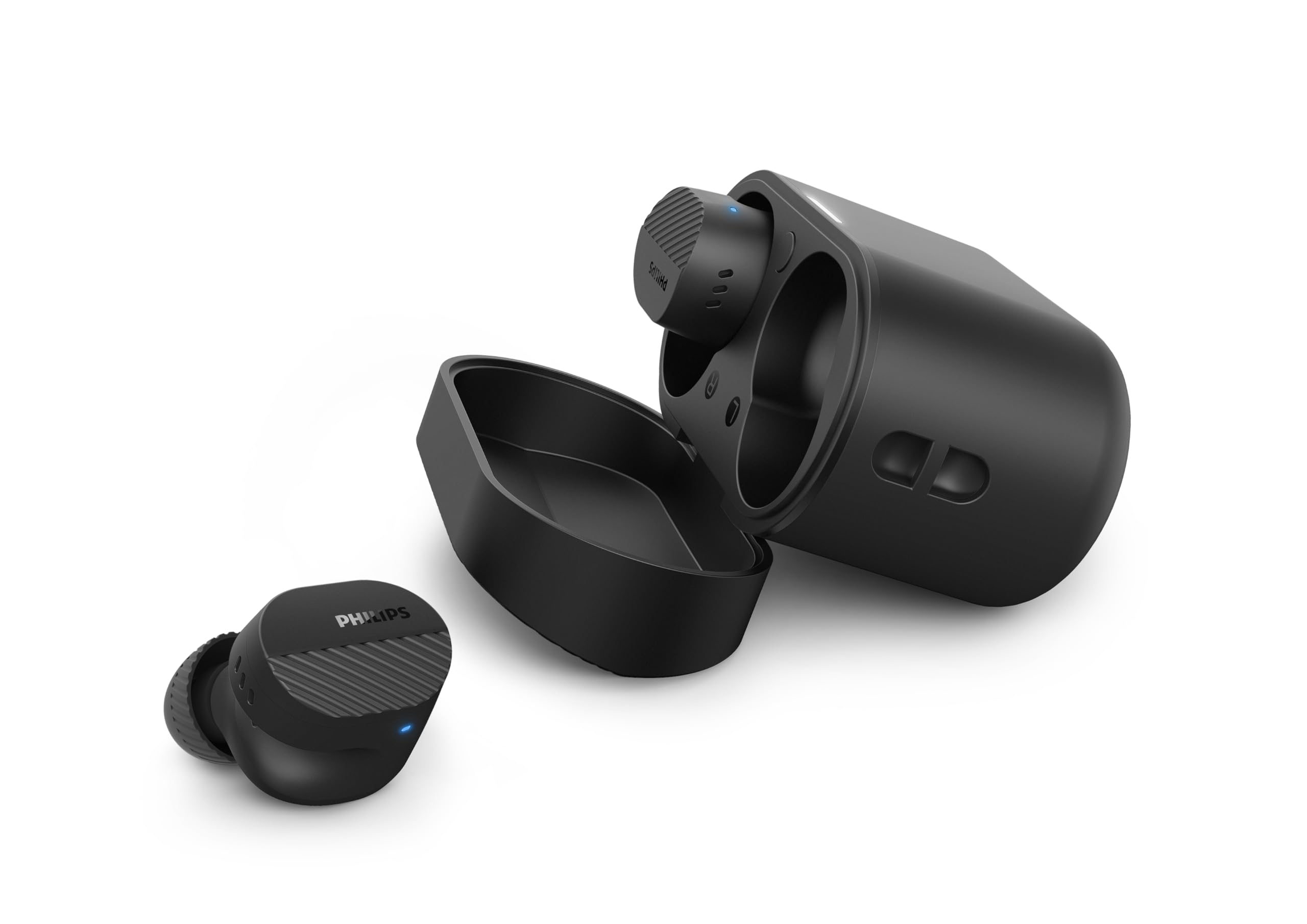
Image: A person holds the Philips TAT5000 earbuds in their charging case in one hand and a smartphone displaying the Philips Headphones app settings in the other, demonstrating app control.
Տեխնիկական սպասարկում
Մաքրում
- Զգուշորեն սրբեք ականջակալները և լիցքավորման պատյանը փափուկ, չոր, թել չթողնող կտորով։
- Հանեք ականջակալների ծայրակալները և մաքրեք դրանք մեղմ օճառով և ջրով, ապա լավ չորացրեք դրանք՝ դրանք կրկին ամրացնելուց առաջ։
- Մի օգտագործեք հղկող մաքրող միջոցներ, սպիրտ կամ քիմիական լուծիչներ։
Ջրակայունություն
The earbuds are IPX5 water resistant, meaning they are protected against sweat and splashes of water. They are not designed for submersion in water. Ensure the charging port is dry before charging.
Պահպանում
Store the earbuds in their charging case when not in use to protect them and conserve battery life. Avoid extreme temperatures.
Անսարքությունների վերացում
| Խնդիր | Հնարավոր պատճառ | Լուծում |
|---|---|---|
| Ականջակալները չեն միանում | Ցածր մարտկոց | Տեղադրեք ականջակալները լիցքավորման պատյանի մեջ և ամբողջությամբ լիցքավորեք։ |
| Հնարավոր չէ զուգակցել սարքի հետ | Bluetooth off, earbuds not in pairing mode, or device too far | Ensure Bluetooth is enabled on your device. Open the charging case to activate pairing mode. Move device closer to earbuds. Try forgetting the device in Bluetooth settings and re-pairing. |
| Ձայն չկա կամ ձայնի վատ որակ | Incorrect eartip size, low volume, or connection issue | Adjust eartips for a secure fit. Increase volume on your device. Reconnect earbuds to your device. |
| ՀԱԿ-ը արդյունավետ չի գործում | Improper fit, or ANC mode not active | Ensure earbuds are properly seated in your ears with the correct eartip size. Verify ANC is enabled via touch controls or the Philips Headphones App. |
| Լիցքավորման պատյան չի լիցքավորվում | Սխալ մալուխ կամ հոսանքի աղբյուր | Try a different USB-C cable and power adapter. Ensure the charging port is clean and dry. |
If issues persist, refer to the Philips Headphones App for further assistance or contact customer support.
Տեխնիկական պայմաններ
- Մոդելի անվանումը: TAT5000BK/00
- Միացում: Bluetooth 5.4
- Աուդիո վարորդներ. 8mm Graphene-Coated Dynamic Driver
- Մարտկոցի կյանք. Up to 40 Hours Total (10 hours earbuds + 30 hours case, ANC off)
- Արագ լիցքավորում. 15 րոպե 3 ժամ խաղաժամանակի համար
- Ջրի դիմադրություն: IPX5 (քրտինքի և ջրի դեմ պաշտպանված)
- Վերահսկման մեթոդ. Հպեք
- Աղմուկի վերահսկում. Adaptive Noise Canceling Pro
- Քաշը: Approximately 4.16 ounces (earbuds and case)
- Ներառված բաղադրիչներ. Earbuds, Charging Case, USB-C Cable, Eartips, User Manual
Երաշխիք և աջակցություն
Your Philips TAT5000 True Wireless Bluetooth Earbuds are covered by a limited warranty. Please refer to the warranty card included in your product packaging or visit the official Philips webկայքը՝ ձեր տարածաշրջանին բնորոշ երաշխիքի մանրամասն պայմաններն ու դրույթները տեսնելու համար։
For technical support, product registration, or frequently asked questions, please visit the Philips support webկայքում կամ ուղղակիորեն կապվեք Philips-ի հաճախորդների սպասարկման հետ: Կոնտակտային տեղեկությունները սովորաբար կարելի է գտնել Philips-ի կայքում: webկայքում կամ ձեր ապրանքի փաստաթղթերում։


