
Creating a Note
1. Open  Notepad.
2. Touch  and enter your note.
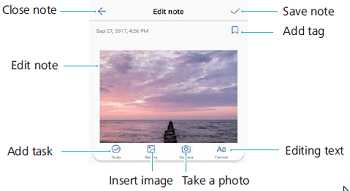
3. Touch  to save the note.
Questions about your Huawei Mate 10? Post in the comments!
Huawei Mate 10 Manual [PDF]
References
- User Manualmanual.tools
Published: May 23, 2018
Updated: February 9, 2023