1. Bevezetés
This manual provides essential instructions for the safe and effective use of your Nikon Coolpix S3000 digital camera. The Coolpix S3000 is a compact 12.0-megapixel camera featuring a 4x wide-angle Zoom-NIKKOR glass lens, a bright 2.7-inch LCD, and a 4-way VR Image Stabilization System, designed for capturing high-quality photos and 640 x 480 movies with sound.
Kérjük, a fényképezőgép használata előtt figyelmesen olvassa el ezt a kézikönyvet a megfelelő működés biztosítása és a fotózási élmény maximalizálása érdekében.
2. Beállítás
2.1 Kicsomagolás és első ellenőrzés
Carefully unpack all items from the box. Ensure all components are present and undamaged. If any items are missing or damaged, contact your retailer.
2.2 Az akkumulátor behelyezése
- Keresse meg az akkumulátorrekesz fedelét a kamera alján.
- Slide the cover latch to open the battery chamber.
- Insert the supplied rechargeable battery, ensuring the correct orientation as indicated inside the chamber.
- Close the battery chamber cover until it clicks securely into place.

2.2.1. ábra: Elöl view of the Nikon Coolpix S3000 digital camera in green. This image shows the lens, flash, and the Nikon Coolpix branding.
2.3 Memóriakártya behelyezése
The camera supports SD and SDHC memory cards. A memory card is required to store photos and videos.
- Open the battery/memory card chamber cover.
- Insert the memory card into the slot with the label facing the correct direction (usually towards the front of the camera) until it clicks into place.
- Biztonságosan zárja le a fedelet.
2.4 Az akkumulátor töltése
Connect the camera to the supplied AC adapter using the USB cable. The charging indicator will illuminate. Charging is complete when the indicator turns off.
2.5 Initial Power On and Date/Time Settings
Nyomja meg a BE/KI button to power on the camera. The first time you power on, you will be prompted to set the date, time, and time zone. Use the multi-selector to navigate and the OK gombot a megerősítéshez.
3. A kamera kezelése
3.1 Kameravezérlésview
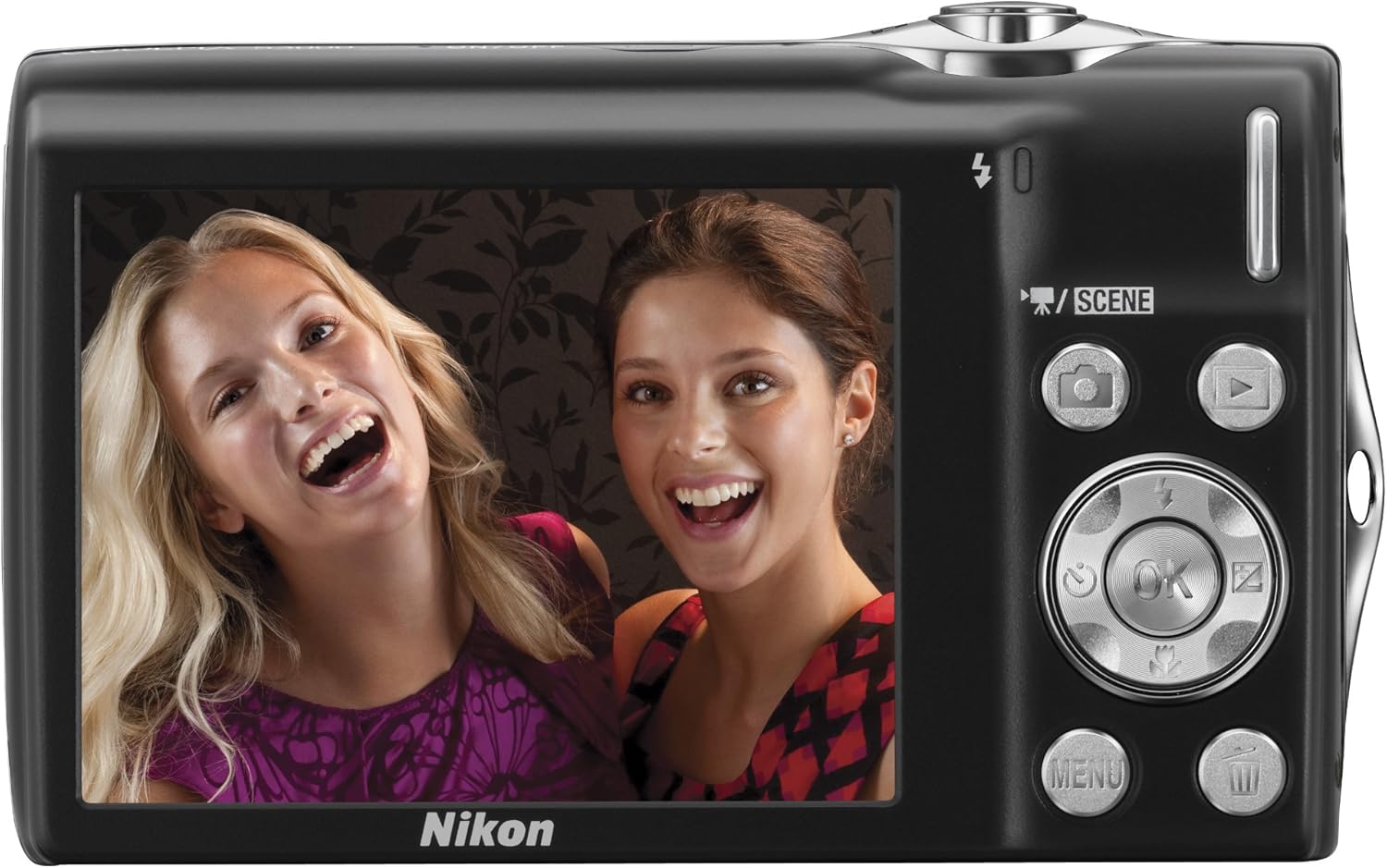
3.1.1. ábra: Hátsó view of the Nikon Coolpix S3000, showing the 2.7-inch LCD screen, multi-selector, and various control buttons like the camera, playback, menu, and OK buttons.
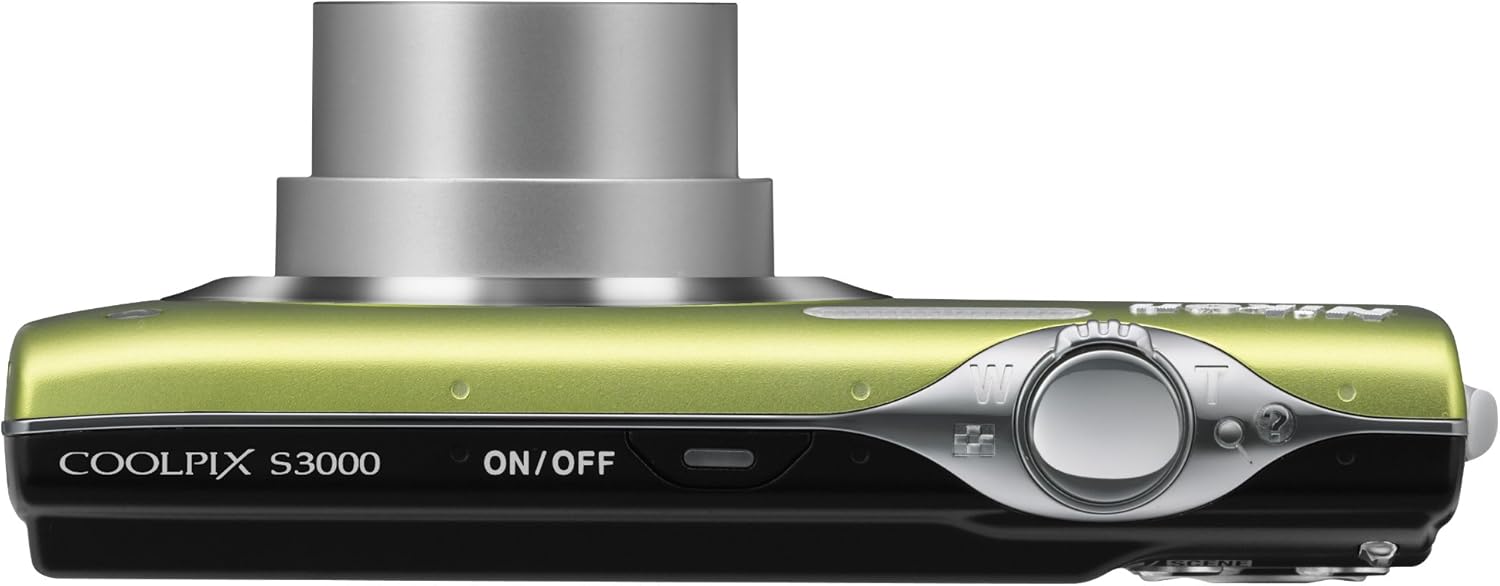
3.1.2. ábra: Felül view of the Nikon Coolpix S3000, highlighting the ON/OFF button and the shutter release button with zoom control.
3.2 Fényképek készítése
- Bekapcsolás: Nyomja meg a BE/KI gomb.
- Mód kiválasztása: Használja a SZÍNHELY button or navigate through the menu to select a shooting mode (e.g., Auto, Scene modes like Portrait, Landscape, Night Portrait).
- Állítsa be a felvételét: Az LCD monitor segítségével komponáld meg a képet.
- Zoomolás: Use the zoom lever around the shutter button to adjust the optical zoom (4x).
- Fókusz: A fókuszáláshoz nyomja le félig az exponálógombot. A fókusz elérésekor a fókuszjelző kigyullad.
- Elfog: A kép elkészítéséhez nyomja le teljesen az exponálógombot.

3.2.1. ábra: Elöl view of the Nikon Coolpix S3000 with its 4x optical zoom lens extended, ready for shooting.
3.3 Videók rögzítése
The Coolpix S3000 can record videos at 640 x 480 resolution at 30 frames per second with sound.
- Switch to video recording mode (refer to the camera's menu or dedicated video button if available).
- Nyomja meg az exponáló gombot a felvétel elindításához.
- A felvétel leállításához nyomja meg ismét az exponáló gombot.
3.4 Lejátszási mód
Nyomja meg a Lejátszás button (often indicated by a triangle icon) to view your captured photos and videos. Use the multi-selector to scroll through images. Press the zoom buttons to zoom in on photos or view több kép egyszerre.
3.5 Navigáció a menüben
Nyomja meg a MENÜ button to access camera settings. Use the multi-selector to navigate through options and the OK button to confirm selections. Settings include image quality, white balance, ISO sensitivity, and more.
4. Karbantartás
4.1 A kamera tisztítása
- Lencse: Használjon kifejezetten kameraobjektívekhez tervezett puha, szöszmentes kendőt. Körkörös mozdulatokkal finoman törölje át. Kerülje az objektív ujjaival való érintését.
- LCD monitor: Wipe gently with a soft, dry cloth. Do not apply pressure.
- Kamera test: Use a soft, dry cloth to wipe away dust and smudges. For stubborn dirt, slightly dampen the cloth with water and wipe, then dry thoroughly.
- Avoid using organic solvents like alcohol or benzene.
4.2 Az akkumulátor gondozása
- Always use the genuine Nikon battery and charger.
- Ne tegye ki az akkumulátort szélsőséges hőmérsékletnek.
- Ha a fényképezőgépet hosszabb ideig nem fogja használni, vegye ki az akkumulátort.
4.3 Tárolás
Store the camera in a cool, dry, well-ventilated area, away from direct sunlight, high humidity, and strong electromagnetic fields. Use a camera case for protection during transport.
5. Hibaelhárítás
| Probléma | Lehetséges ok/megoldás |
|---|---|
| A kamera nem kapcsol be. | Battery is depleted or incorrectly inserted. Ensure battery is charged and inserted correctly. |
| A képek homályosak. | Camera shake: Hold the camera steady or use a tripod. Subject movement: Use a faster shutter speed. Lens is dirty: Clean the lens. |
| „Memóriakártya hiba” üzenet. | Memory card is damaged, full, or incorrectly inserted. Reinsert the card, try a different card, or format the card (this will erase all data). |
| A vaku nem villan. | Flash is set to "Off" or "Red-eye reduction" mode. Ensure flash is set to "Auto" or "Fill-flash". Subject may be too far away. |
| Nem lehet videót rögzíteni. | Insufficient memory card space. Camera may be in photo mode. |
If the problem persists after trying these solutions, please contact Nikon customer support.
6. Műszaki adatok
| Funkció | Részlet |
|---|---|
| Modell neve | Nikon Coolpix S3000 |
| Fotóérzékelő felbontása | 12 MP |
| Optikai zoom | 4x |
| Digitális zoom | 2x |
| Képernyőméret | 2.7 hüvelyk |
| Képstabilizálás | 4-way VR Image Stabilization System |
| Videó felbontás | 640 x 480 (30 képkocka/másodperc) |
| Támogatott File Formátum | JPEG |
| Memória típusa | SD/SDHC memory cards, Internal |
| Csatlakozási technológia | USB |
| Tétel súlya | 4.16 uncia |
7. Garancia és támogatás
7.1 Jótállási információk
Your Nikon Coolpix S3000 camera is covered by a limited warranty. Please refer to the warranty card included with your product for specific terms and conditions, including warranty period and coverage details. Keep your proof of purchase for warranty claims.
7.2 Ügyfélszolgálat
Technikai segítségért, szervizért vagy további információkért kérjük, látogassa meg a Nikon hivatalos támogatási weboldalát. website or contact their customer service department. You can find contact details and FAQs on the Nikon áruház az Amazonon or the official Nikon global webtelek.


