Entwodiksyon
This manual provides essential information for setting up, operating, maintaining, and troubleshooting your Nokia C300 TA-1515 smartphone. Please read this guide carefully to ensure optimal performance and longevity of your device.
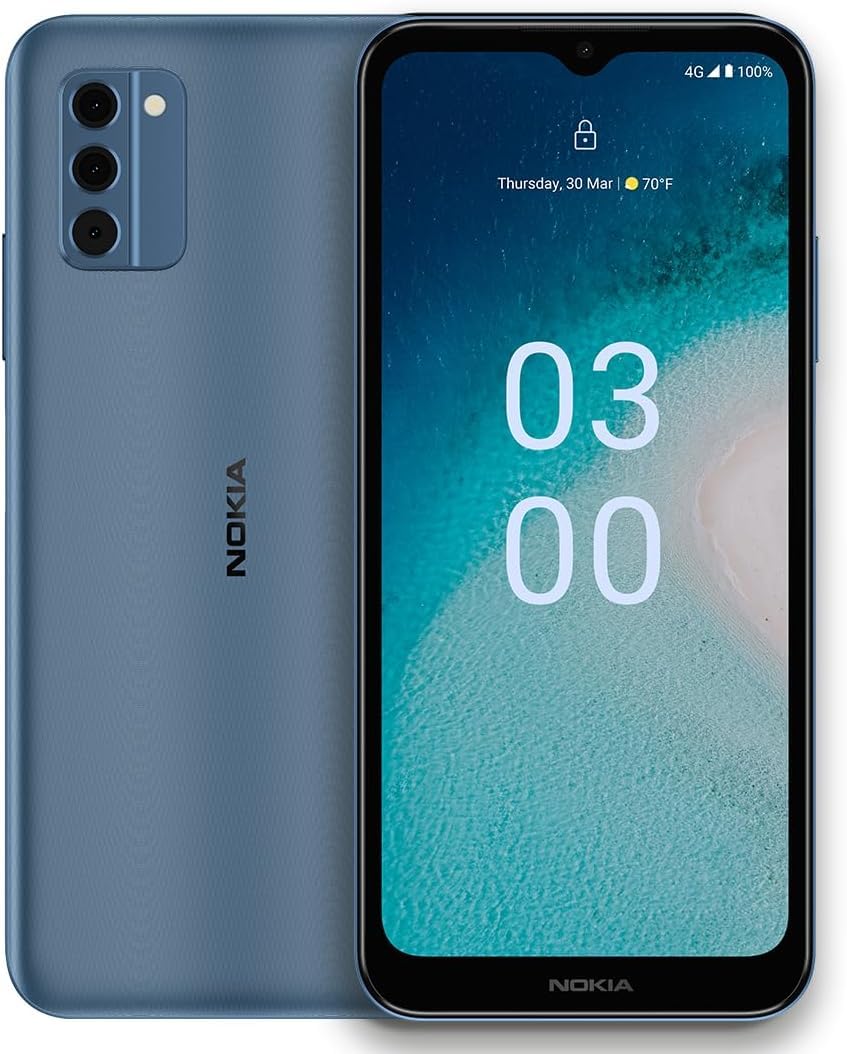
Image: Nokia C300 TA-1515 Smartphone, front view. This image displays the device's sleek design and screen.
Enstalasyon
1. Unboxing ak Inisyal Enspeksyon
Retire tout bagay yo nan anbalaj la avèk prekosyon. Verifye ke konpozan sa yo prezan:
- Nokia C300 TA-1515 Smartphone
- USB-C kab
- Zouti èkstrè SIM
Inspect the device for any visible damage. If any components are missing or damaged, contact customer support.
2. Mete kat SIM lan ak kat microSD la (Si ou vle)
- Jwenn plato kat SIM lan sou bò telefòn nan.
- Mete zouti pou retire kat SIM lan nan ti twou ki akote plato a epi peze dousman jiskaske plato a soti.
- Mete kat Nano-SIM ou yo ak/oswa kat microSD ou yo (si sa aplikab) nan fant ki deziyen pou yo sou plato a. Asire w ke kontak lò yo fè fas anba.
- Pouse plato a tounen nan telefòn nan ak anpil atansyon jiskaske li fè yon klik.
3. Chaje batri a
Before first use, fully charge the phone's battery. The Nokia C300 TA-1515 is equipped with a 4000 mAh battery.
- Konekte kab USB-C a nan pò chaje telefòn nan.
- Connect the other end of the USB-C cable to a compatible USB power adapter (not included) and plug it into a wall outlet.
- Endikatè chaj la ap parèt sou ekran an. Kite telefòn nan chaje jiskaske ikòn batri a montre li plen.
4. Limen ak Inisyal Konfigirasyon
- Press and hold the Power button (usually on the right side) until the Nokia logo appears.
- Swiv enstriksyon ki parèt sou ekran an pou w konplete konfigirasyon inisyal la, tankou seleksyon lang lan, koneksyon Wi-Fi a, konfigirasyon kont Google la, ak paramèt sekirite yo.
Opere aparèy ou an
1. Navigasyon debaz
- Jès ekran taktil: Tape pou chwazi, glise pou defile, pense pou agrandi.
- Ekran Kay: Jwenn aksè a aplikasyon, widjèt, ak notifikasyon.
- Panèl Notifikasyon: Glise desann soti nan tèt ekran an pou view notifikasyon ak paramèt rapid.
- Tiwa aplikasyon: Glise anlè soti anba ekran an pou jwenn aksè a tout aplikasyon ki enstale yo.
2. Fè apèl epi voye mesaj
- Apèl: Louvri a Telefòn aplikasyon an, antre nimewo a, epi tape ikòn apèl la.
- Mesaj: Louvri a Mesaj app, tap "Start chat," enter recipient and message, then send.
3. Konekte ak Wi-Fi ak Done Mobil
- Wi-Fi: Ale nan Anviwònman > Rezo ak entènèt > Wi-Fi. Turn Wi-Fi on, select your network, and enter the password.
- Done mobil: Ale nan Anviwònman > Rezo ak entènèt > Rezo mobil. Ensure "Mobile data" is enabled.
4. Itilizasyon kamera
Louvri a Kamera app. Tap the shutter button to take photos or the video icon to record videos. Explore different modes and settings within the app.
Antretyen
1. Mizajou lojisyèl
Kenbe lojisyèl aparèy ou a ajou pou pi bon pèfòmans ak sekirite. Ale nan Anviwònman > Sistèm > Mizajou sistèm pou tcheke epi enstale mizajou yo.
2. Netwaye Aparèy Ou a
Use a soft, lint-free cloth to clean the screen and body of your phone. Avoid abrasive materials or harsh chemicals. Do not expose the device to excessive moisture.
3. Swen batri
- Evite tanperati ekstrèm.
- Pa kite batri a dechaje nèt regilyèman.
- Sèvi ak sèlman chajè ak kab ki apwouve.
4. Jesyon Depo
Regilyèman review epi efase sa ki pa nesesè files, apps, and media to free up storage space. You can check storage usage in Anviwònman > Depo.
Depanaj
| Pwoblèm | Solisyon posib |
|---|---|
| Aparèy pa limen | Asire w batri a chaje. Peze epi kenbe bouton Pouvwa a pou omwen 10 segonn pou fòse yon rekòmanse. |
| Aplikasyon yo ap plante oswa bloke | Fèmen epi relouvri aplikasyon an. Vide kach aplikasyon an (Anviwònman > Aplikasyon > [Non aplikasyon an] > Depo ak kach > Efase kach). Rekòmanse telefòn nan. |
| Pòv lavi batri | Reduce screen brightness, disable unused features (Wi-Fi, Bluetooth, GPS), close background apps. Check battery usage in Anviwònman> Batri. |
| Pa ka konekte ak Wi-Fi | Asire w ke Wi-Fi a aktive. Rekòmanse routeur ou a. Bliye rezo a epi rekonekte li. |
| No mobile data | Ensure mobile data is enabled in settings. Check your SIM card is correctly inserted. Contact your carrier to verify your plan. |
If issues persist, consider performing a factory reset (backup your data first) or contact Nokia support.
Espesifikasyon
| Karakteristik | Detay |
|---|---|
| Non modèl | Nokia C300 |
| Nimewo Modèl | TA-1515 |
| Sistèm operasyon | Android 12.0 |
| Gwosè ekspozisyon | 6.5 pous HD+ |
| Rezolisyon | 1520 x 720 |
| RAM | 3 GB |
| Depo Entèn | 32 GB (ou ka elaji li atravè yon kat microSD) |
| Kapasite batri | 4000 mAh |
| Koneksyon | 4G LTE, GSM, HSPA, Wi-Fi, Bluetooth, GPS |
| Ki sa ki nan bwat la | Telefòn, Kab USB-C, Zouti pou retire kat SIM |
Garanti ak sipò
Your Nokia C300 TA-1515 comes with a standard manufacturer's warranty. For detailed warranty terms and conditions, please refer to the warranty card included with your purchase or visit the official Nokia support websit.
For technical assistance, troubleshooting, or to find service centers, please visit the official Nokia support portal:
You can also contact your retailer or service provider (e.g., Consumer Cellular) for support related to your specific plan or device purchase.


