Manyèl Itilizatè Kas Ekoutè San Fil Zebronics ZEB-PARADISE
Model: ZEB-PARADISE
1. Pwodwi souview
The Zebronics ZEB-PARADISE is a versatile wireless headphone designed for an immersive audio experience. It features Bluetooth connectivity, an AUX input, Micro SD card support, and an FM radio function, providing multiple ways to enjoy your music and manage calls.

Image 1: Zebronics ZEB-PARADISE Wireless Headphone. This image displays the over-ear design of the headphone, highlighting its sleek appearance and comfortable earcups.
2. Pake kontni
Tanpri tcheke kare a pou atik sa yo:
- 1 Unit Headphone
- 1 Unit Charging Cable
- 1 Unit Aux Cable
- 1 Unit User Manual
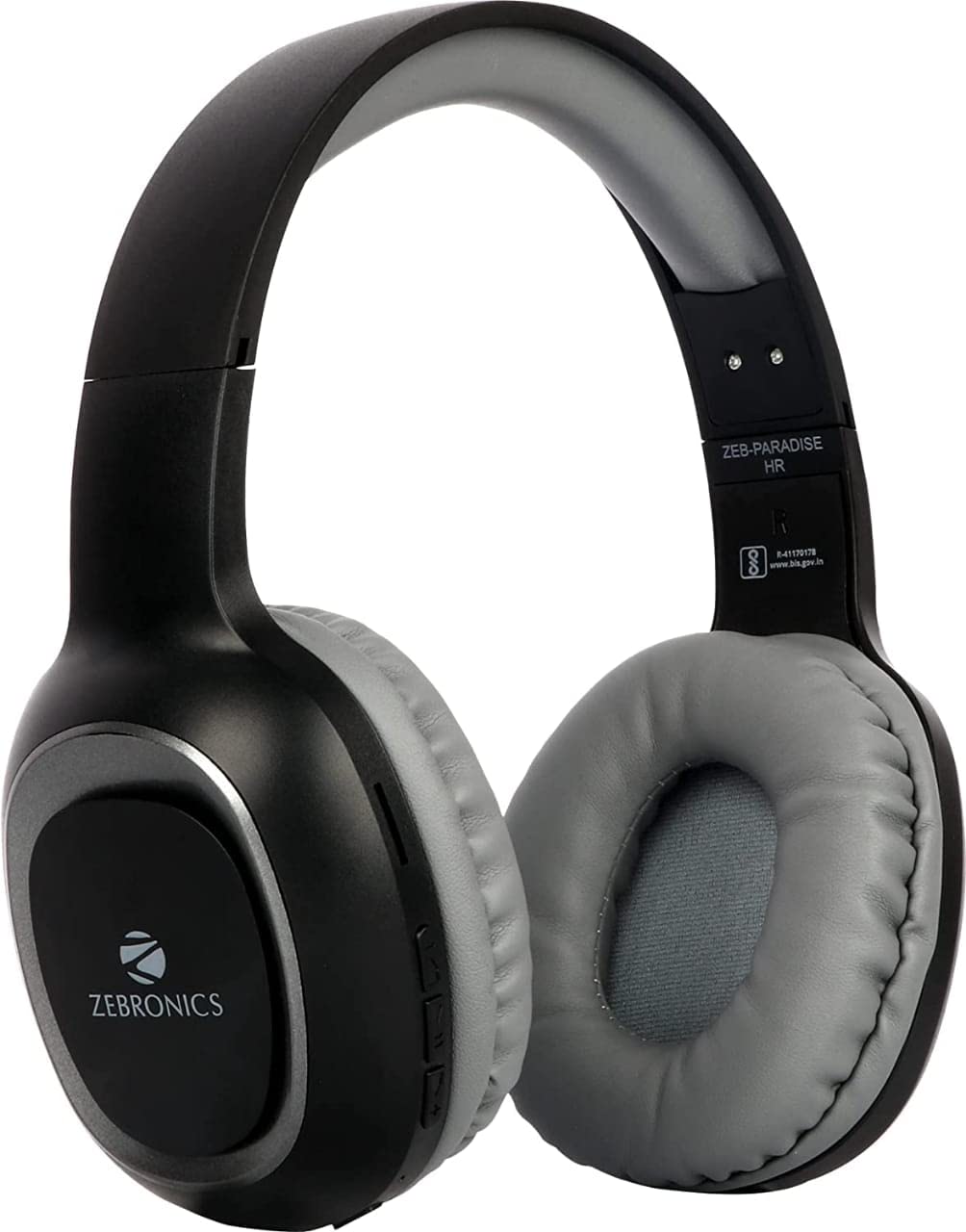
Image 2: Packaging of the Zebronics ZEB-PARADISE Wireless Headphone. This image shows the product box, detailing the package contents and key features printed on the packaging.
3. Enfòmasyon sou Sekirite
Atansyon:
Please be aware of your surroundings while using the headphone. Constant exposure to high volume may damage your hearing. Please use the headphone at moderate volume to protect your ears.
4. Karakteristik kle
- Bluetooth v4.2 Connectivity
- AUX Input for Wired Connection
- Micro SD Card Support for MP3 Playback
- Fonksyon Radyo FM
- Call Function with Built-in Microphone
- Media Volume Control
- Dual Pairing Capability
- 40mm Audio Drivers
- Batri Rechargeable Batri
- Sipò pou chaje rapid
5. Enstalasyon
5.1 Chaje kas ekoutè a
- Connect the provided USB charging cable to the charging port on the headphone.
- Konekte lòt bout kab USB a nan yon adaptè kouran USB (pa enkli) oubyen nan yon pò USB òdinatè.
- The LED indicator will illuminate to show charging status. It will typically turn off or change color once fully charged.
5.2 Bluetooth Pairing
- Ensure the headphone is fully charged.
- Peze epi kenbe bouton Power (Power) sou kas ekoutè a jiskaske endikatè LED la flache ble ak wouj, sa ki endike mòd koneksyon.
- Sou telefòn entelijan ou oswa aparèy ki gen Bluetooth, ale nan paramèt Bluetooth yo epi chèche aparèy ki disponib yo.
- Select "ZEB-PARADISE" from the list of found devices.
- Yon fwa li konekte, endikatè LED la ap flache ble dousman oswa rete ble fiks.
5.3 Using the AUX Cable
- Connect one end of the provided 3.5mm AUX cable to the AUX input port on the headphone.
- Connect the other end of the AUX cable to the 3.5mm audio output jack of your audio device.
- The headphone will automatically switch to AUX mode.
6. Operasyon Enstriksyon
6.1 Kontwòl debaz yo
- Limen/Etenyen: Peze epi kenbe bouton pouvwa a.
- Jwe/Poz: Peze bouton Jwe/Paz la yon fwa.
- Volim Up / Next Track: Press the Volume Up (+) button to increase volume. Press and hold to skip to the next track.
- Volim Dawonn / Previous Track: Press the Volume Down (-) button to decrease volume. Press and hold to go to the previous track.
- Chanjman mòd: Press the 'M' button to switch between Bluetooth, FM Radio, and Micro SD modes.
6.2 Fonksyon Rele
- Reponn apèl: Peze bouton Jwe/Pòz la yon fwa lè yon apèl antre.
- Fini apèl: Peze bouton Jwe/Pòz la yon fwa pandan yon apèl.
- Rejte apèl: Peze epi kenbe bouton Jwe/Pòz la pandan 2 segonn lè yon apèl antre.
- Recomposition Dènye Nimewo: Doub peze bouton jwe/poz la.
6.3 FM Radio Mode
- Chanje nan mòd Radyo FM avèk bouton 'M' lan.
- Press the Play/Pause button once to auto-scan and save available FM channels.
- Use the Volume Up (+) and Volume Down (-) buttons to navigate between saved channels.
6.4 Lekti Kat Mikwo SD
- Mete yon kat Micro SD (ak MP3 files) into the designated slot on the headphone.
- Switch to Micro SD mode using the 'M' button.
- Music playback will start automatically. Use the control buttons for play/pause, next/previous track, and volume adjustment.
7. Antretyen
- Clean the headphone with a soft, dry cloth. Do not use harsh chemicals or abrasive materials.
- Avoid exposing the headphone to extreme temperatures, humidity, or direct sunlight.
- Store the headphone in a cool, dry place when not in use.
- Do not attempt to disassemble or repair the headphone yourself, as this will void the warranty.
NAN. Depanaj
- Pa gen pouvwa: Ensure the headphone is fully charged. Connect it to a power source using the charging cable.
- Pa ka konekte atravè Bluetooth: Make sure the headphone is in pairing mode (flashing blue and red LED). Ensure Bluetooth is enabled on your device and it is within range. Try restarting both devices.
- Pa gen son: Check the volume level on both the headphone and your connected device. Ensure the correct mode (Bluetooth, AUX, SD) is selected. If using AUX, ensure the cable is fully inserted.
- Radyo FM pa travay: Ensure you are in an area with good FM signal. Perform an auto-scan to save channels.
- Micro SD Card Not Playing: Ensure the Micro SD card is inserted correctly and contains compatible audio files (pa egzanp, MP3).
9. Espesifikasyon teknik
| Karakteristik | Spesifikasyon |
|---|---|
| Modèl | ZEB-PARADI |
| Koneksyon | San fil (Bluetooth v4.2) |
| Konpozan ki enkli | Headphone, Charging Cable, Aux Cable, User Manual |
| Chofè yo | 40mm |
| Batri | Bati-an Rechargeable |
| Karakteristik espesyal | FM Radio, Micro SD Card Support, Call Function, Media Volume Control, Dual Pairing, Fast Charging |
| Jack kas ekoutè | 3.5mm Jack |
| Faktè fòm | Sou Zòrèy |
| Koulè | Nwa |
| Manifakti | Zebronics peyi Zend Prive Limite |
10. Garanti ak sipò
10.1 Enfòmasyon sou Garanti
This product comes with a standard manufacturer's warranty. Please refer to the warranty card included in your package or contact customer support for detailed warranty terms and conditions.
10.2 Sipò pou Kliyan
For any complaints, feedback, or support inquiries, please contact:
Consumer Care Executive
Adrès: ZEBRONICS INDIA PRIVATE LIMITED, NO. 118, POONAMALLEE HIGH ROAD, CHENNAI-600084.
Telefòn: 044-4000 0004
Imèl: ENQUIRY@ZEBRONICS.COM
Ou kapab tou vizite ofisyèl la websit: www.zebronics.com


