1. Uvod
This manual provides essential information for the safe and efficient use of your HP 140W USB-C AC Adapter (Model TPN-LA29). Please read this manual thoroughly before using the product and retain it for future reference.
The HP 140W USB-C AC Adapter is designed to provide reliable power to compatible HP laptops, including the HP Spectre 2-in-1 Laptop 16-aa0023dx, HP OMEN Transcend Laptop 14-fb0000 RTX 4050 4060, and HP Spectre x360 16-aa0000 Ultra 7 RTX 4050 models. It features a USB-C connector for versatile compatibility and fast charging capabilities.
2. Sigurnosne informacije
Observe the following safety precautions to prevent injury or damage to your device:
- Koristite samo s kompatibilnim uređajima kako je navedeno u ovom priručniku.
- Ne izlažite adapter vodi, vlazi ili ekstremnim temperaturama.
- Izbjegavajte ispuštanje ili izlaganje adaptera jakim udarcima.
- Ne pokušavajte rastavljati ili modificirati adapter. To će poništiti jamstvo i može uzrokovati strujni udar ili požar.
- Osigurajte da je utičnica lako dostupna i pravilno uzemljena.
- Disconnect the adapter from the power outlet during lightning storms or when unused for extended periods.
- Adapter držite podalje od djece.
- If the adapter or cable is damaged, discontinue use immediately and seek professional assistance.
3. Sadržaj paketa
Provjerite jesu li svi artikli prisutni u vašem paketu:
- HP 140W USB-C AC Adapter (Model TPN-LA29)
- Kabel za napajanje
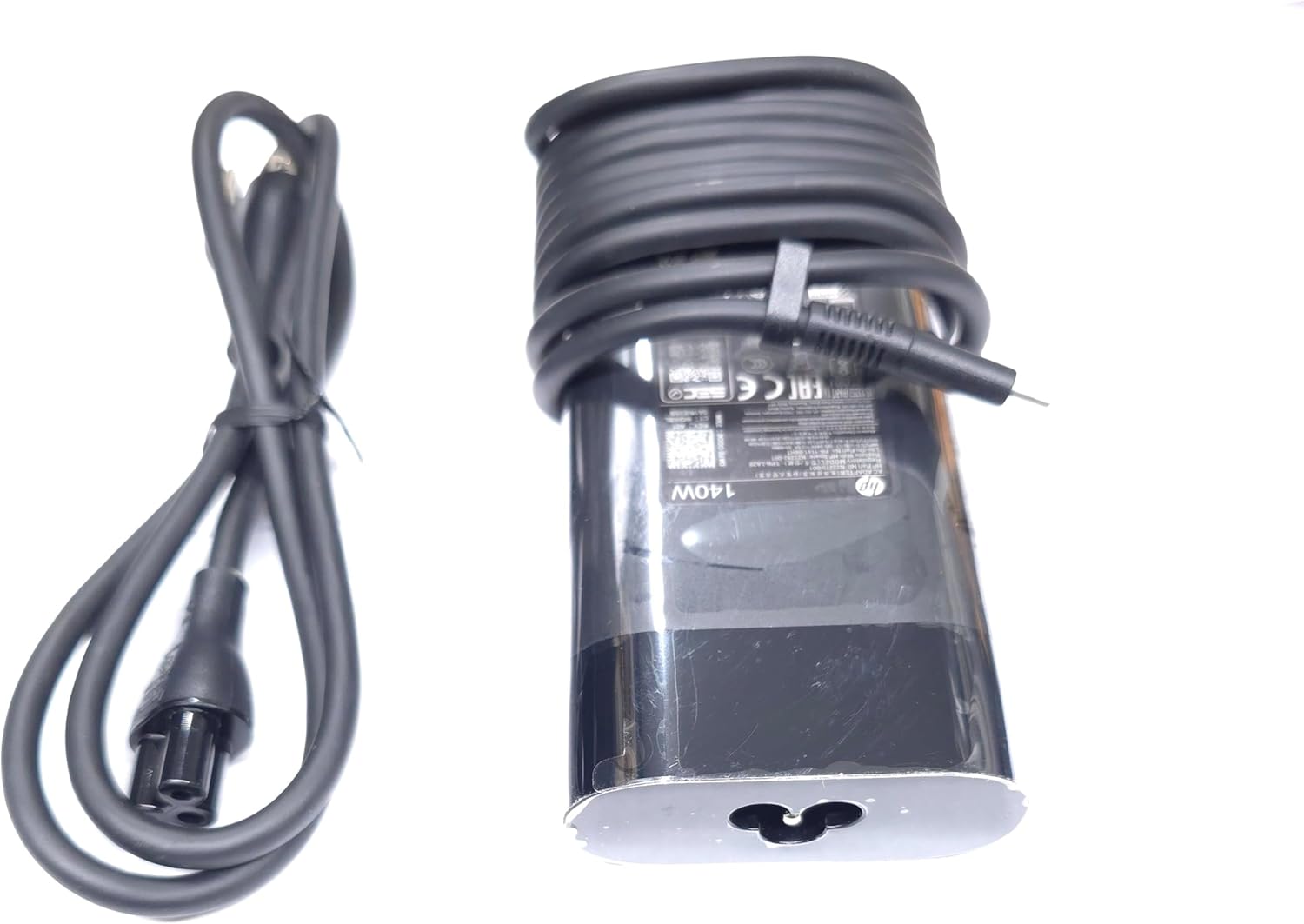
Image: The HP 140W USB-C AC Adapter and its accompanying power cord, as typically found in the product packaging.
4. Upute za postavljanje
Follow these steps to set up your HP 140W USB-C AC Adapter:
- Spojite kabel za napajanje: Insert the power cord into the AC input port on the HP 140W USB-C AC Adapter. Ensure a firm connection.
- Spojite na utičnicu: Drugi kraj kabela za napajanje uključite u standardnu zidnu utičnicu.
- Spajanje na prijenosno računalo: Insert the USB-C connector of the adapter into the USB-C charging port on your compatible HP laptop.
- Provjerite vezu: Confirm that your laptop indicates it is receiving power or charging.

Image: The USB-C end of the adapter cable, ready to be connected to a compatible laptop's charging port.
5. Upute za rad
The HP 140W USB-C AC Adapter is designed for automatic operation. Once connected, it will provide power to your laptop and charge its battery.
- Indikator punjenja: Your laptop's operating system or physical indicator light will show the charging status.
- Optimalna izvedba: For best performance, ensure the adapter is placed in a well-ventilated area to prevent overheating.
- Prekid veze: To disconnect, first unplug the USB-C connector from your laptop, then unplug the power cord from the wall outlet.
6. Održavanje i njega
Proper care ensures the longevity and optimal performance of your adapter:
- Čišćenje: Use a soft, dry cloth to clean the adapter. Do not use liquid cleaners or solvents.
- Skladištenje: When not in use, store the adapter in a cool, dry place. Avoid tightly wrapping the cables to prevent damage.
- Inspekcija: Periodically inspect the adapter and cables for any signs of wear, cuts, or damage. If damage is found, replace the adapter.
7. Rješavanje problema
If you encounter issues with your HP 140W USB-C AC Adapter, refer to the following common problems and solutions:
| Problem | Mogući uzrok | Otopina |
|---|---|---|
| Laptop se ne puni. | Loose connection, faulty outlet, incompatible device. |
|
| Adapter is hot to the touch. | Normalan rad, slaba ventilacija, prekomjerno opterećenje. |
|
| Sparking at outlet when plugging in. | Normal inrush current, faulty outlet. |
|
8. Specifikacije
Detailed technical specifications for the HP 140W USB-C AC Adapter:
- Broj modela: TPN-LA29
- Ulazni: AC 100V - 240V, 2.5A, 50-60Hz (Worldwide Use)
- Izlaz:
- 5.0V / 3.0A (15.0W)
- 9.0 V / 3.0 A
- 12.0 V / 5.0 A
- 15.0 V / 5.0 A
- 20.0 V / 5.0 A
- 28.0 V / 5.0 A
- Ukupna izlazna snaga: 140 W
- Vrsta priključka: USB-C (tip-C)
- Boja: Crna
- Težina artikla: Otprilike 1 funta (0.45 kg)
- Dimenzije paketa: 7.83 x 6.93 x 1.26 inča (19.89 x 17.60 x 3.20 cm)
- Compatible P/N: TPN-LA29, N22270-001, N22282-001, PA-1141-08HT
- Proizvođač: Lite-On Technology Corp.
- Posebna značajka: Brzo punjenje
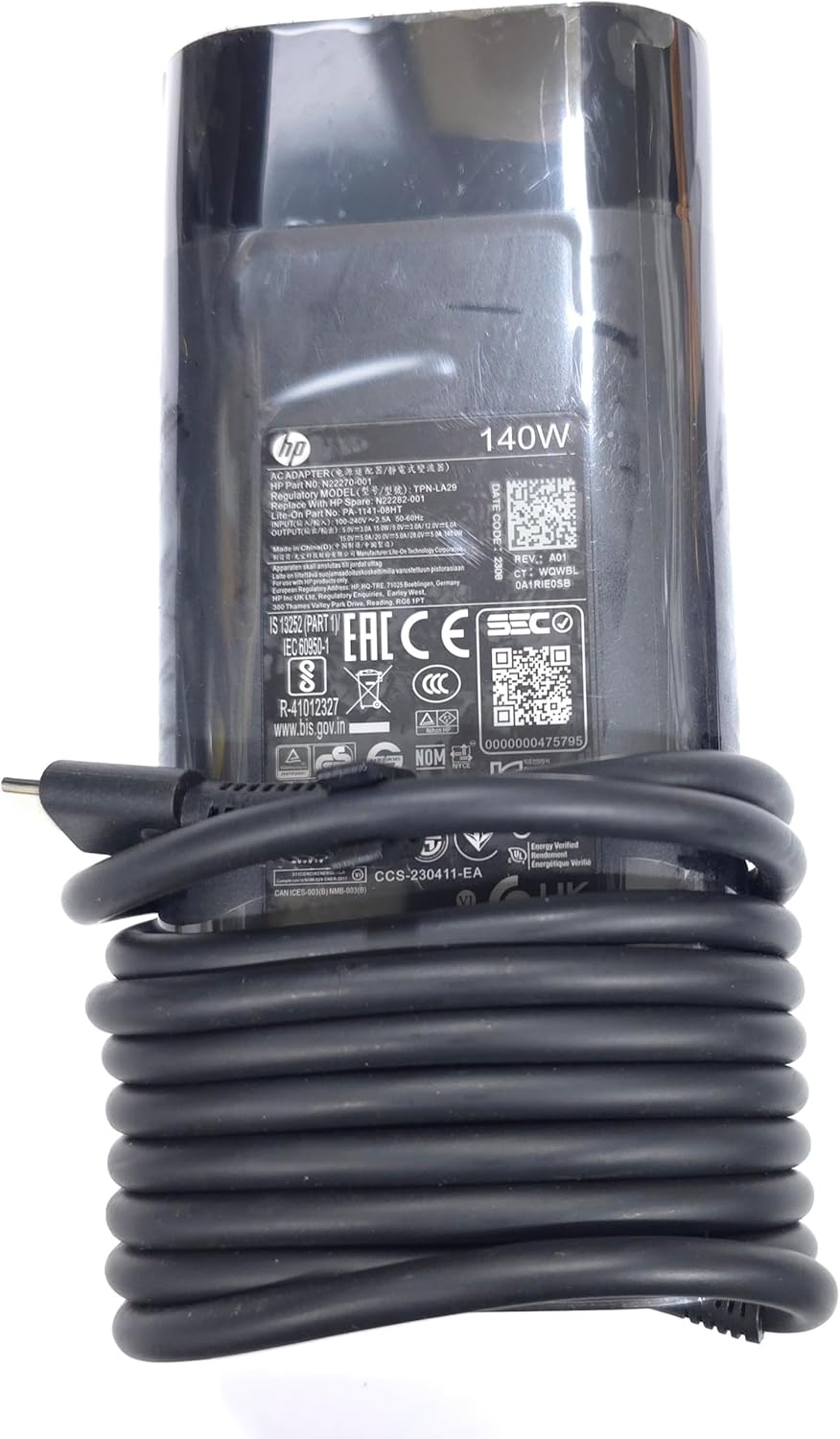
Slika: Krupni plan view of the adapter's label, displaying detailed electrical specifications and model information.
9. Jamstvo i podrška
For warranty information and technical support, please refer to the documentation provided with your original HP laptop or visit the official HP support website. The manufacturer, Lite-On Technology Corp., provides the adapter under HP's quality standards.
Mrežna podrška: For the latest drivers, troubleshooting guides, and product information, visit www.hp.com/support.
Kontaktirajte podršku: Refer to your region-specific HP support contact details for phone or chat assistance.