1. Uvod
Thank you for choosing the Taurus Lento Cuina Digital Slow Cooker. This appliance is designed to simplify your cooking process, allowing you to prepare delicious, slow-cooked meals with minimal effort. Featuring a generous 6.5L capacity, digital controls, and a durable stainless steel body, it is perfect for family-sized meals. Please read this manual thoroughly before first use to ensure safe and optimal operation.

Image: The Taurus Lento Cuina Digital Slow Cooker alongside a cooked chicken, illustrating its capacity for large meals.
2. Važne sigurnosne upute
Uvijek slijedite osnovne sigurnosne mjere pri korištenju električnih uređaja kako biste smanjili rizik od požara, strujnog udara i/ili ozljeda osoba, uključujući sljedeće:
- Prije upotrebe sporog kuhala pročitajte sve upute.
- Ne dodirujte vruće površine. Koristite ručke ili gumbe.
- Radi zaštite od strujnog udara, nemojte uranjati baznu jedinicu, kabel ili utikač u vodu ili drugu tekućinu.
- Neophodan je strogi nadzor kada bilo koji uređaj koriste djeca ili u blizini djece.
- Isključite utikač iz utičnice kada nije u upotrebi i prije čišćenja. Ostavite da se ohladi prije stavljanja ili skidanja dijelova.
- Nemojte koristiti uređaj s oštećenim kabelom ili utikačem, ili nakon što uređaj ne radi ispravno ili je na bilo koji način oštećen.
- Korištenje dodataka koje nije preporučio proizvođač uređaja može uzrokovati ozljede.
- Ne koristiti na otvorenom.
- Nemojte dopustiti da kabel visi preko ruba stola ili pulta ili da dodiruje vruće površine.
- Ne stavljajte na ili blizu vrućeg plinskog ili električnog plamenika ili u zagrijanu pećnicu.
- Prilikom premještanja uređaja koji sadrži vruće ulje ili druge vruće tekućine potreban je izniman oprez.
- Uvijek prvo priključite utikač na uređaj, a zatim uključite kabel u zidnu utičnicu. Za isključivanje, isključite bilo koju kontrolu, a zatim izvucite utikač iz zidne utičnice.
- Nemojte koristiti uređaj za druge namjene osim namijenjene.
- Izbjegavajte nagle promjene temperature, kao što je dodavanje ohlađene hrane u zagrijani lonac.
- The ceramic pot is designed for use with this appliance only. It must not be used on a gas or electric stovetop or in a heated oven.
3. Komponente proizvoda
Familiarize yourself with the parts of your Taurus Lento Cuina Digital Slow Cooker:
- Toughened Glass Lid: Omogućuje vam praćenje napretka kuhanja bez potrebeasing topline.
- Uklonjiva keramička posuda: The main cooking vessel, easy to clean and serve from.
- Kućište od nehrđajućeg čelika: The outer body of the slow cooker, containing the heating element and control panel.
- Digitalna upravljačka ploča: Features a 4-digit LED display, Mode, Timer, Up, Down, and On/Off buttons.
- Ručke: For safe transportation of the unit.
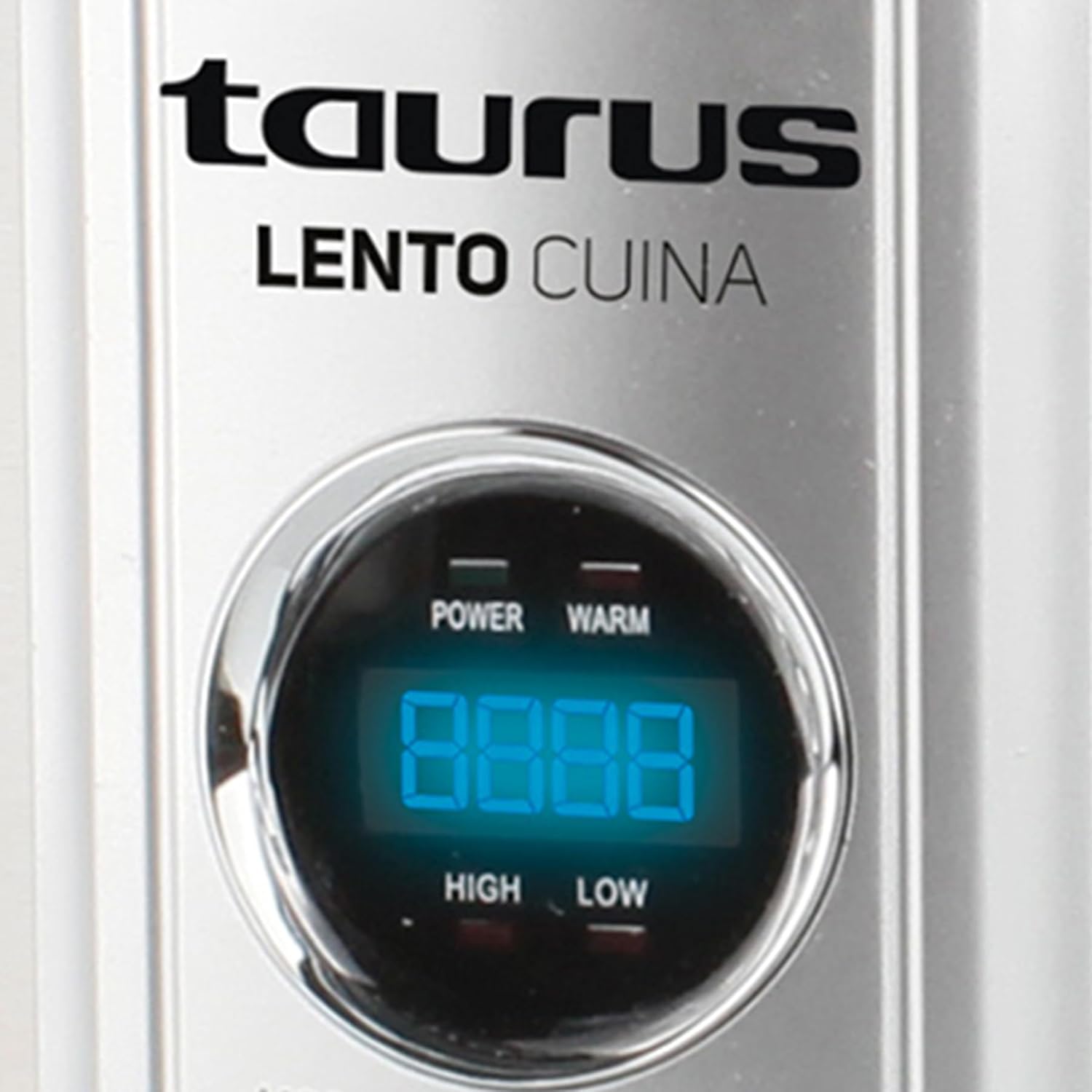
Slika: Detaljan prednji dio view of the Taurus Lento Cuina Digital Slow Cooker, highlighting the digital control panel and stainless steel finish.

Image: The Taurus Lento Cuina Digital Slow Cooker with its removable ceramic pot placed next to it, demonstrating ease of cleaning and serving.
4. Postavljanje i prva upotreba
Before using your slow cooker for the first time:
- Raspakirajte sporo kuhalo i uklonite sav materijal za pakiranje.
- Wash the ceramic pot and glass lid in warm, soapy water. Rinse thoroughly and dry completely.
- Wipe the exterior of the stainless steel housing with a damp tkanina. Nemojte uranjati baznu jedinicu u vodu.
- Place the ceramic pot into the stainless steel housing.
- Place the slow cooker on a flat, stable, heat-resistant surface, away from walls or cabinets to allow for proper ventilation.
- Ensure the power cord is not tangled and is placed where it will not be tripped over.
5. Upute za rad
The Taurus Lento Cuina Digital Slow Cooker offers simple digital controls for precise cooking.
5.1 Kontrolna ploča prekoview

Slika: Krupni plan view of the digital control panel, showing the LED display and buttons for Mode, Timer, Up, Down, and On/Off.
- LED zaslon: Shows cooking time and temperature settings.
- Gumb MODE: Cycles through cooking modes (High, Low, Keep Warm).
- Tipka TIMER: Activates the timer setting function.
- Gumbi GORE/DOLJE: Podesite vrijeme kuhanja.
- Tipka ON/OFF: Uključuje ili isključuje jedinicu.
5.2 Postupak kuhanja
- Prepare your ingredients and place them into the ceramic pot.
- Place the ceramic pot into the stainless steel housing and cover with the glass lid.
- Plug the slow cooker into a grounded electrical outlet. The LED display will illuminate.
- Pritisnite tipku UKLJUČENO/ISKLJUČENO gumb za uključivanje jedinice.
- Pritisnite tipku NAČIN RADA button to select your desired cooking setting:
- VISOKO: Za brže kuhanje, obično 2-4 sata.
- NISKO: Za sporije kuhanje, obično 6-8 sati.
- ZAGRIJTE: Automatically activates after cooking is complete, or can be selected manually to keep food at serving temperature.
- Pritisnite tipku TIMER gumb. Zaslon će treptati. Koristite UP i DOLJE buttons to set the desired cooking time in hours. The timer can be set for up to 20 hours.
- Once the time is set, the display will stop flashing, and the cooking process will begin. The timer will count down.
- When the cooking time expires, the slow cooker will automatically switch to the "KEEP WARM" setting.
- To turn off the slow cooker at any time, press the UKLJUČENO/ISKLJUČENO button. Unplug the unit from the wall outlet after use.

Image: A hand pressing the ON/OFF button on the slow cooker's control panel, demonstrating the ease of operation.

Image: The Taurus Lento Cuina Digital Slow Cooker with a meal cooking inside, visible through the clear glass lid.
6. Održavanje i čišćenje
Proper cleaning and maintenance will extend the life of your slow cooker.
- Uvijek isključite sporo kuhalo iz električne utičnice i pustite da se potpuno ohladi prije čišćenja.
- Keramička posuda i stakleni poklopac: These parts are dishwasher safe or can be washed by hand with warm, soapy water. Avoid abrasive cleaners or scouring pads that may scratch the surface. Rinse thoroughly and dry.
- Kućište od nehrđajućeg čelika: Obrišite vanjštinu mekom, damp krpom. Nemojte koristiti abrazivna sredstva za čišćenje niti uranjati baznu jedinicu u vodu ili bilo koju drugu tekućinu.
- For stubborn food residue on the ceramic pot, fill it with warm, soapy water and let it soak for a few hours before cleaning.
- Provjerite jesu li svi dijelovi potpuno suhi prije pohranjivanja.
7. Rješavanje problema
Ako naiđete na probleme sa svojim sporim kuhalom, pogledajte sljedeće uobičajene probleme i rješenja:
| Problem | Mogući uzrok | Otopina |
|---|---|---|
| Sporo kuhalo se ne uključuje. | Nije uključeno; utičnica ne radi; uređaj nije uključen. | Ensure plug is securely in a working outlet. Press the ON/OFF button. Check household circuit breaker. |
| Hrana se ne kuha kako treba. | Incorrect heat setting; lid not sealed properly; insufficient cooking time. | Verify correct heat setting (HIGH/LOW). Ensure lid is seated firmly. Adjust cooking time as needed for recipe. Avoid lifting lid frequently. |
| Hrana gori na dnu. | Premalo tekućine; predugo kuhanje na VISOKOJ temperaturi. | Add more liquid to the recipe. Consider using the LOW setting for longer cooking times. |
| Lid does not fit tightly. | Food obstruction; lid not aligned correctly. | Ensure no food is preventing the lid from seating properly. Realign the lid. |
8. Specifikacije
Technical details for the Taurus Lento Cuina Digital Slow Cooker:
- Broj modela: 3997
- Kapacitet: 6.5 litara
- Snaga / Wattage: 320 vata
- Materijal: Stainless Steel (housing), Ceramic (pot)
- Boja: Srebro
- Metoda kontrole: Dodir (digitalni)
- Posebne karakteristike: Timer, Digital Controls, High/Low/Keep Warm Functions
- Težina artikla: 6.5 kg
- Dimenzije proizvoda: 39.8 D x 37.3 Š x 26 V centimetara
9. Jamstvo i podrška
Your Taurus Lento Cuina Digital Slow Cooker comes with a standard 1-year retail warranty, with an additional 1-year extended warranty. For warranty claims, technical support, or spare parts information, please contact Taurus customer service. Refer to the contact information provided with your purchase documentation or visit the official Taurus webmjesto.
Note: Spare part information is not available or provided directly in this manual.


