परिचय
This manual provides essential information for setting up, operating, maintaining, and troubleshooting your HP Victus 15 Gaming Laptop. Please read these instructions carefully to ensure optimal performance and longevity of your device.
उत्पाद खत्मview
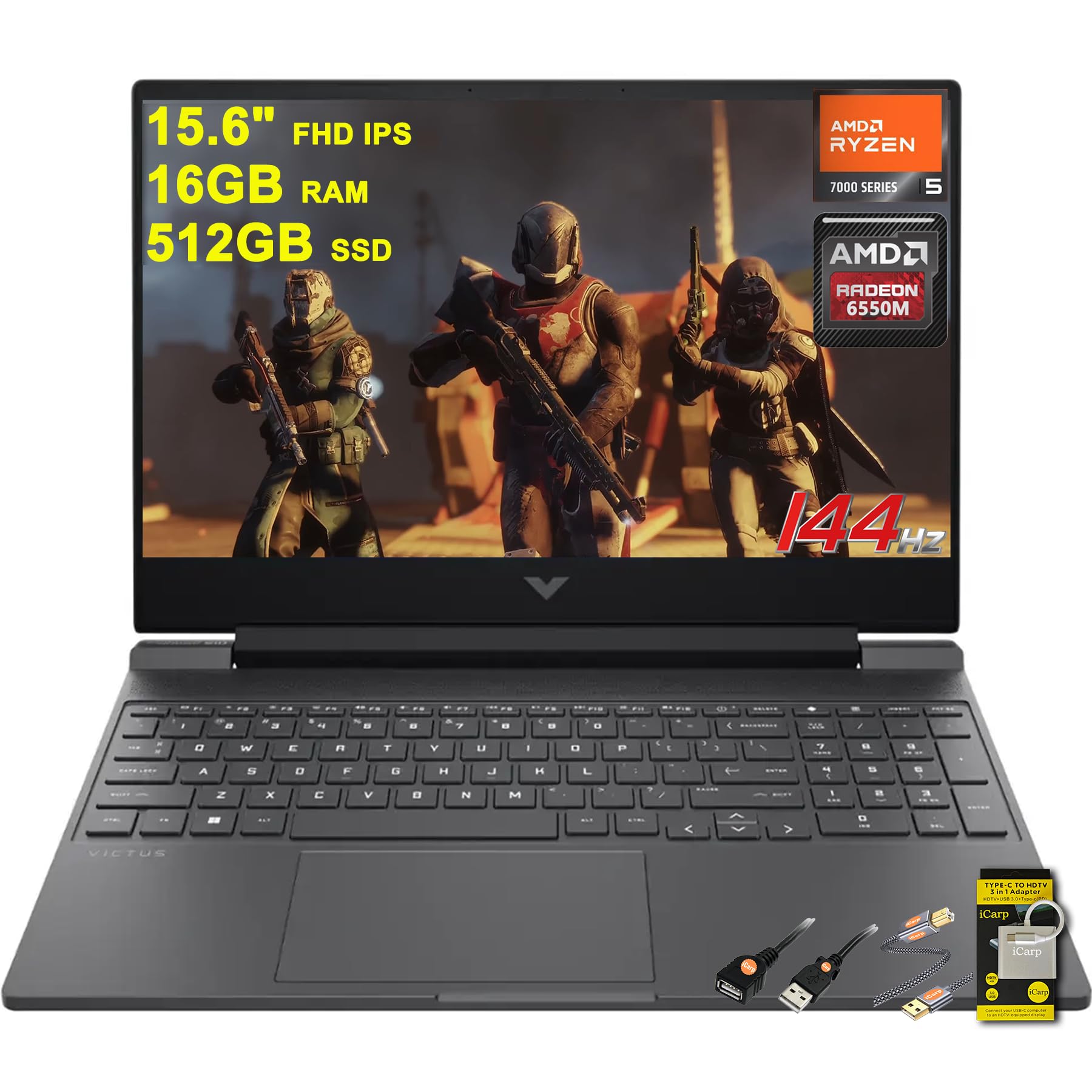
Figure 1: HP Victus 15 Gaming Laptop, showcasinइसकी आकर्षक डिजाइन और जीवंत डिस्प्ले के कारण यह काफी लोकप्रिय है।
प्रमुख विशेषताऐं
- प्रोसेसर: Equipped with the powerful AMD Hexa-Core Ryzen 5 7535HS Processor.
- याद: सुचारू मल्टीटास्किंग के लिए 16GB DDR5 RAM।
- भंडारण: 512GB SSD for fast boot times and ampले भंडारण।
- प्रदर्शन: 15.6" FHD (1920x1080) IPS 144Hz Anti-glare display with AMD FreeSync Premium.
- ग्राफिक्स: Dedicated AMD Radeon RX 6550M Graphic.
- ऑपरेटिंग सिस्टम: Microsoft Windows 11 Home.
- कीबोर्ड: Backlit Keyboard for enhanced visibility in low-light conditions.
- ऑडियो: DTS:X Ultra for immersive sound.
- कनेक्टिविटी: Multiple ports including SuperSpeed USB-C, SuperSpeed USB-A, HDMI 2.1, Ethernet RJ45, and Multi-format SD Media Card Reader.
- चार्जिंग: Fast Charge capability.
विस्तृत विनिर्देशों
| विशेषता | विनिर्देश |
|---|---|
| स्थायी स्क्रीन डिस्प्ले आकार | 15.6 इंच |
| स्क्रीन संकल्प | 1920 x 1080 पिक्सेल |
| अधिकतम स्क्रीन रिज़ॉल्यूशन | 1920x1080 |
| प्रोसेसर | 3.3 GHz Ryzen 5 7535HS |
| टक्कर मारना | 16 जीबी डीडीआर5 |
| हार्ड ड्राइव | 512 जीबी एसएसडी |
| ग्राफ़िक्स कोप्रोसेसर | एएमडी रेडियन आरएक्स 6550एम |
| ग्राफिक्स कार्ड रैम आकार | 4 जीबी |
| ऑपरेटिंग सिस्टम | विंडोज 11 होम |
| आइटम का वजन | 5.06 पाउंड |
| उत्पाद आयाम | 10.04 x 14.09 x 0.93 इंच |
| रंग | काला |
बॉक्स में क्या है?
- HP Victus 15 Gaming Laptop
- अभियोक्ता
- USB- सी हब
- यूएसबी एक्सटेंशन
- प्रिंटर केबल
स्थापित करना
- लैपटॉप को अनपैक करें: लैपटॉप और सभी सहायक उपकरणों को सावधानीपूर्वक पैकेजिंग से बाहर निकालें।
- पावर कनेक्ट करें: Plug the charger into the laptop's power port and then into a wall outlet.
- प्रारंभिक बूट: Open the laptop lid and press the power button. The laptop will guide you through the initial Windows 11 setup process. Follow the on-screen instructions to configure your language, region, network, and user account.
- परिधीय कनेक्ट करें: Connect any external devices such as a mouse, keyboard, or external monitor using the available USB or HDMI ports.
- सॉफ्टवेयर अपडेट: Once Windows is set up, connect to the internet and check for any available system and driver updates to ensure optimal performance and security.
ऑपरेटिंग निर्देश

Figure 2: HP Victus 15 Gaming Laptop, open view.
प्रदर्शन और ग्राफिक्स
The HP Victus 15 features a 15.6-inch Full HD (1920x1080) IPS display with a 144Hz refresh rate and AMD FreeSync Premium technology. This combination provides smooth visuals and reduces screen tearing, crucial for an immersive gaming experience. The dedicated AMD Radeon RX 6550M graphics card handles demanding games and applications with efficiency.
प्रोसेसर और मेमोरी
Powered by an AMD Hexa-core Ryzen 5 7535HS processor and 16GB of DDR5 RAM, the laptop delivers robust performance for gaming, multitasking, and content creation. The 512GB SSD ensures quick application loading and system responsiveness.
कीबोर्ड और टचपैड
The full-size backlit keyboard offers comfortable typing and gaming, even in dimly lit environments. The integrated touchpad supports multi-touch gestures for intuitive navigation.
बंदरगाह और कनेक्टिविटी
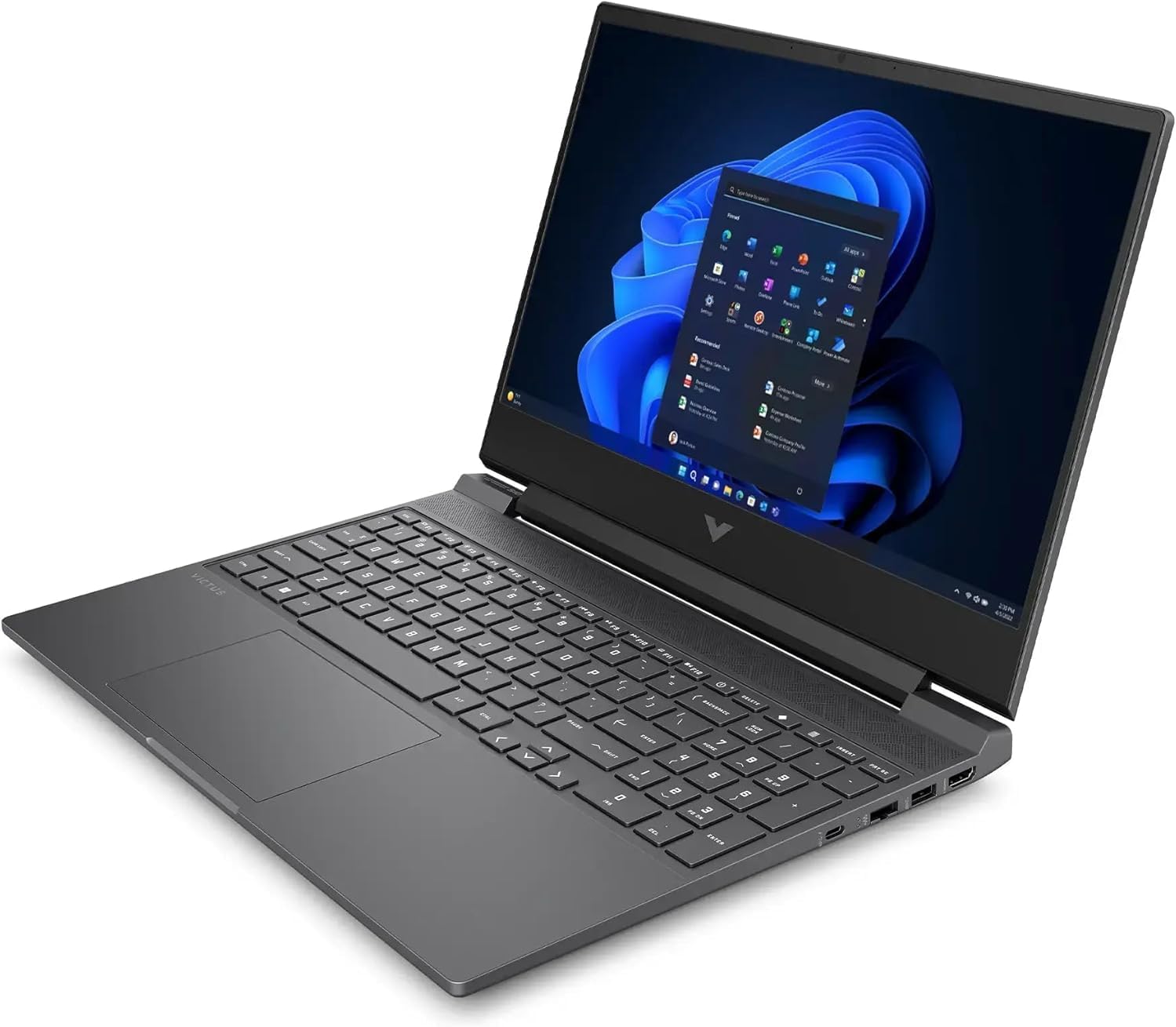
चित्र 3: पार्श्व view of the HP Victus 15, highlighting its connectivity ports.
The laptop is equipped with a variety of ports for all your peripheral needs:
- 1 x SuperSpeed USB Type-C
- 2 x SuperSpeed USB-A
- 1 x HDMI 2.1 (for external displays)
- 1 x Ethernet RJ45 (for wired network connection)
- 1 x Multi-format SD Media Card Reader
- 1 x Headphone/Microphone combo jack
रखरखाव
- सफाई: Regularly clean the screen with a soft, lint-free cloth and a screen-safe cleaner. Use compressed air to clear dust from keyboard keys and ventilation grilles.
- सॉफ्टवेयर अपडेट: Keep your Windows operating system, drivers, and applications updated to ensure optimal performance, security, and compatibility.
- बैटरी की देखभाल: बैटरी की लाइफ बढ़ाने के लिए, इसे बार-बार पूरी तरह से डिस्चार्ज होने से बचाएं। संभव हो तो, बैटरी को 20% से 80% के बीच चार्ज रखना उचित है।
- वेंटिलेशन: Ensure that the laptop's ventilation openings are not obstructed to prevent overheating, especially during intensive tasks like gaming.
- Upgradability: The HP Victus 15 is designed for easy access to internal components, allowing for potential RAM or storage upgrades. Refer to HP's official service guides for detailed instructions on component replacement or upgrades.
समस्या निवारण
- शक्ति नही हैं: Ensure the power adapter is securely connected to both the laptop and a working power outlet. Try a different outlet if necessary.
- प्रदर्शन संबंधी समस्याएं: If the screen is blank or flickering, try restarting the laptop. If using an external monitor, ensure the HDMI cable is properly connected and the correct display input is selected on the monitor.
- प्रदर्शन में मंदी: Close unnecessary applications running in the background. Check Task Manager for high CPU, RAM, or disk usage. Ensure drivers are up to date.
- नेटवर्क कनेक्टिविटी: If you cannot connect to Wi-Fi or Ethernet, check your router and modem. Ensure Wi-Fi is enabled in Windows settings and try restarting your network adapter.
- ऑडियो समस्याएँ: Verify that the volume is not muted and that the correct audio output device is selected in Windows sound settings.
वारंटी और समर्थन
Your HP Victus 15 Gaming Laptop comes with a standard manufacturer's warranty. For detailed information regarding warranty terms, coverage, and duration, please refer to the warranty documentation included with your product or visit the official HP support webसाइट।
Additional protection plans are available for purchase, including 2-Year and 4-Year Protection Plans, and a Complete Protect plan. For technical assistance, driver downloads, and troubleshooting resources, please visit the एचपी समर्थन Webसाइट.