1. Gabatarwa
This manual provides essential information for the safe and efficient operation of your JVC TiVo LT-40VF5355 40-inch Full HD Smart TV. Please read these instructions thoroughly before using the television and retain them for future reference.
The JVC TiVo LT-40VF5355 offers a vibrant Full HD display, HDR10 support for enhanced contrast, and an integrated triple tuner for versatile reception options (DVB-C, DVB-T2, DVB-S2). Powered by the TiVo Smart TV operating system, it provides access to a wide range of streaming services and smart features.
2. Bayanin Tsaro
Koyaushe kiyaye matakan tsaro masu zuwa don hana girgiza wutar lantarki, wuta, ko rauni:
- Kada a bijirar da talabijin ga ruwan sama ko danshi.
- Kar a bude TV casing; mayar da duk hidima ga ƙwararrun ma'aikata.
- Tabbatar da samun iska mai kyau a kusa da TV.
- Guji sanya TV akan filaye marasa ƙarfi.
- Cire na'urar TV a lokacin guguwar walƙiya ko lokacin da ba a yi amfani da ita na dogon lokaci ba.
- Ajiye ƙananan sassa da batura waɗanda yara ba za su iya isa ba.
3. Abubuwan Kunshin
Tabbatar cewa duk abubuwa suna nan a cikin marufi:
- JVC TiVo LT-40VF5355 40-inch Full HD Smart TV
- Ikon nesa (tare da batura 2 AAA sun haɗa)
- TV Stand (feet)
- Jagorar mai amfani (wannan takaddar)
4. Saita
4.1 Saitin Jiki
Haɗe Tsaya: Carefully place the TV face down on a soft, flat surface. Align the stand feet with the screw holes on the bottom of the TV and secure them with the provided screws. Ensure the stand is firmly attached before placing the TV upright.
Hawan bango (Na zaɓi): This TV supports VESA wall mounts. Refer to the wall mount manufacturer's instructions for installation. The VESA mounting pattern for this model is M4 100x100.

Hoto: Na baya view of the JVC TiVo LT-40VF5355 TV showing dimensions (Width 90.9 cm, Height with stand 57.9 cm, Depth with stand 23.5 cm, 40 inches / 102 cm diagonal) and VESA M4 100x100 mounting points.
4.2 Haɗi
Connect external devices to your TV using the available ports:
- HDMI (x2): For high-definition audio and video from devices like Blu-ray players, game consoles, or set-top boxes. HDMI 1 supports ARC (Audio Return Channel) for simplified audio connections to soundbars or AV receivers.
- USB (x1): Don haɗa na'urorin ajiya na USB don kunna mai jarida files.
- Fitar Audio na Dijital: Don haɗi zuwa tsarin sauti na waje.
- Eriya (RF/F): For connecting a terrestrial (DVB-T2) or cable (DVB-C) antenna.
- Satellite (LNB): For connecting a satellite dish (DVB-S2).
- Wayoyin kunne: Don haɗa belun kunne.
- Ramin CI: Don saka Module Samun Yanayi (CAM) da katin wayo don samun damar rufaffen tashoshi.
- LAN: Don haɗin Intanet mai waya.
- Wi-Fi: Don haɗin Intanet mara waya.

Hoto: Rufewa view of the TV's rear panel showing various connection ports including 2x HDMI, 1x USB, Digital Audio Output, Antenna (RF/F), Headphones, Bluetooth, CI Slot, and LAN.
4.3 Shigarwa na Farko
After connecting the power cable and turning on the TV for the first time, follow the on-screen instructions to:
- Zaɓi harshen ku.
- Connect to your Wi-Fi network or use a wired LAN connection.
- Scan for available TV channels (DVB-C, DVB-T2, DVB-S2).
- Log in to your TiVo account or create a new one to access Smart TV features.
5. Aiki
5.1 Ikon Nesa
The included remote control allows you to navigate the TV's functions. It features dedicated buttons for popular streaming services like Netflix, YouTube, Prime Video, and Disney+ for quick access.
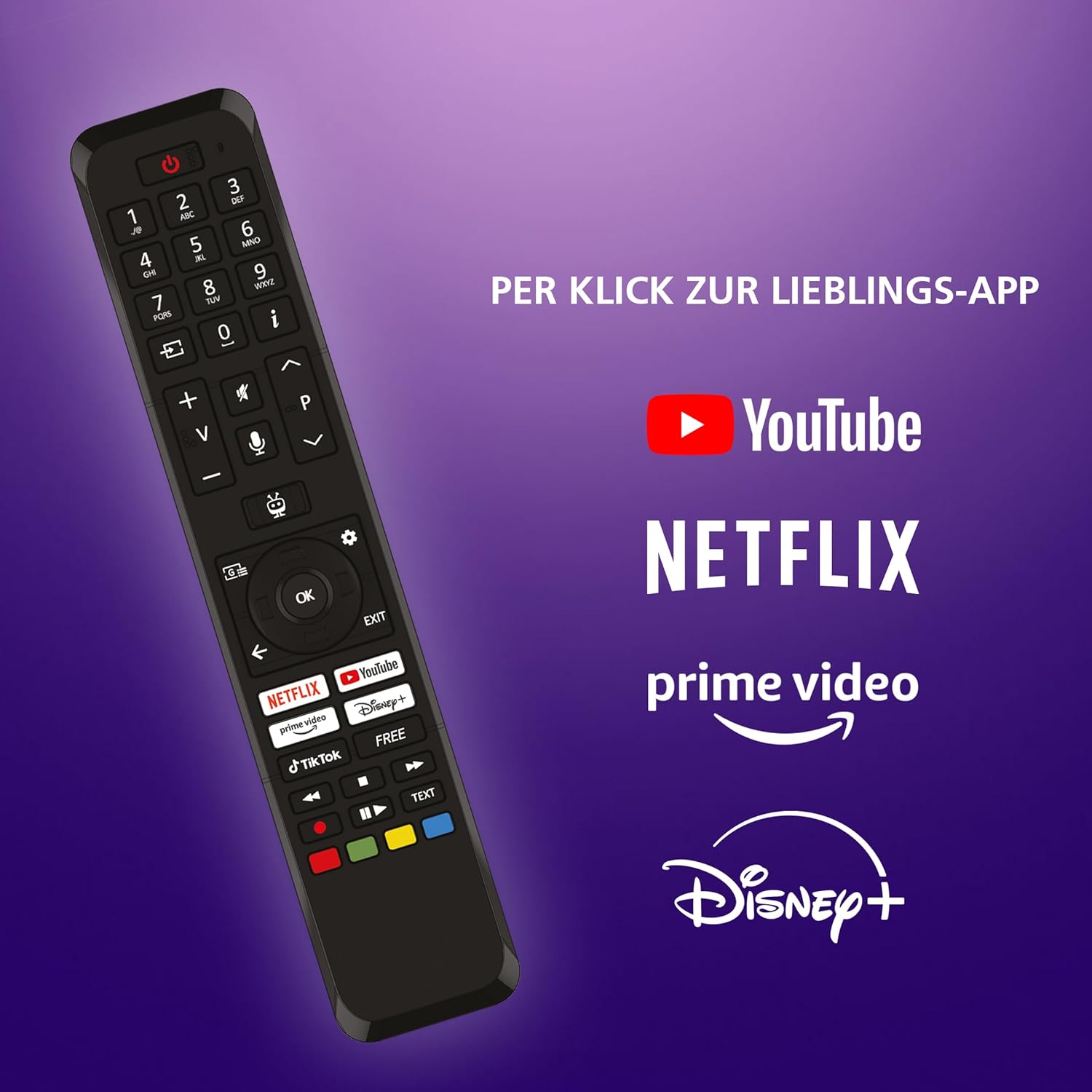
Image: The TV remote control, highlighting dedicated buttons for YouTube, Netflix, Prime Video, and Disney+.
5.2 TiVo Smart TV Features
Your JVC TV is powered by the TiVo Smart TV operating system, offering a personalized and intuitive user experience.
- Kewayawa mai hankali: Search across streaming apps and live TV to find content.
- Shawarwari na Musamman: TiVo learns your viewing habits to suggest content you might enjoy.
- Ikon murya: Use voice commands to change channels, adjust volume, open apps, and more.
- Shiga App: Enjoy a wide range of applications including Netflix, Prime Video, Disney+, YouTube, DAZN, and many others.
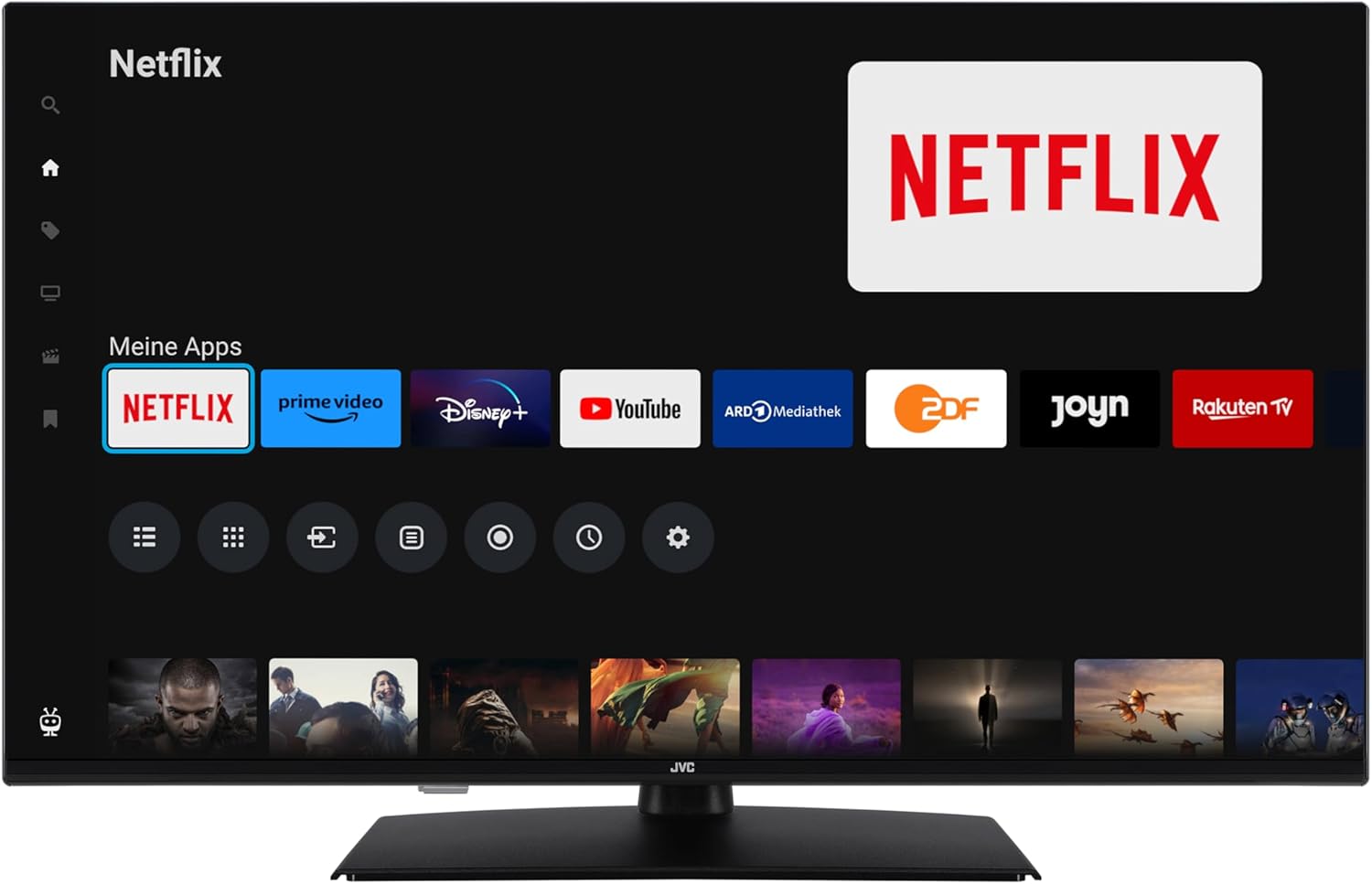
Image: The TiVo Smart TV home screen displaying various applications such as Netflix, Prime Video, Disney+, YouTube, ARD Mediathek, ZDF, Joyn, and Rakuten TV.

Image: Infographic explaining the benefits of TiVo Smart TVs, including intelligent navigation, simple user experience, intelligent recommendations, and continuous improvements.
5.3 Saitunan Hoto da Sauti
Your TV supports advanced picture technologies for an optimal viewgwaninta:
- HDR10: High Dynamic Range provides greater contrast and a wider range of colors for more realistic images.
- Babban ƙuduri: Yana ƙara haske da cikakkun bayanai game da hoto.
- Micro Dimming: Improves contrast by analyzing and adjusting brightness in different areas of the screen.
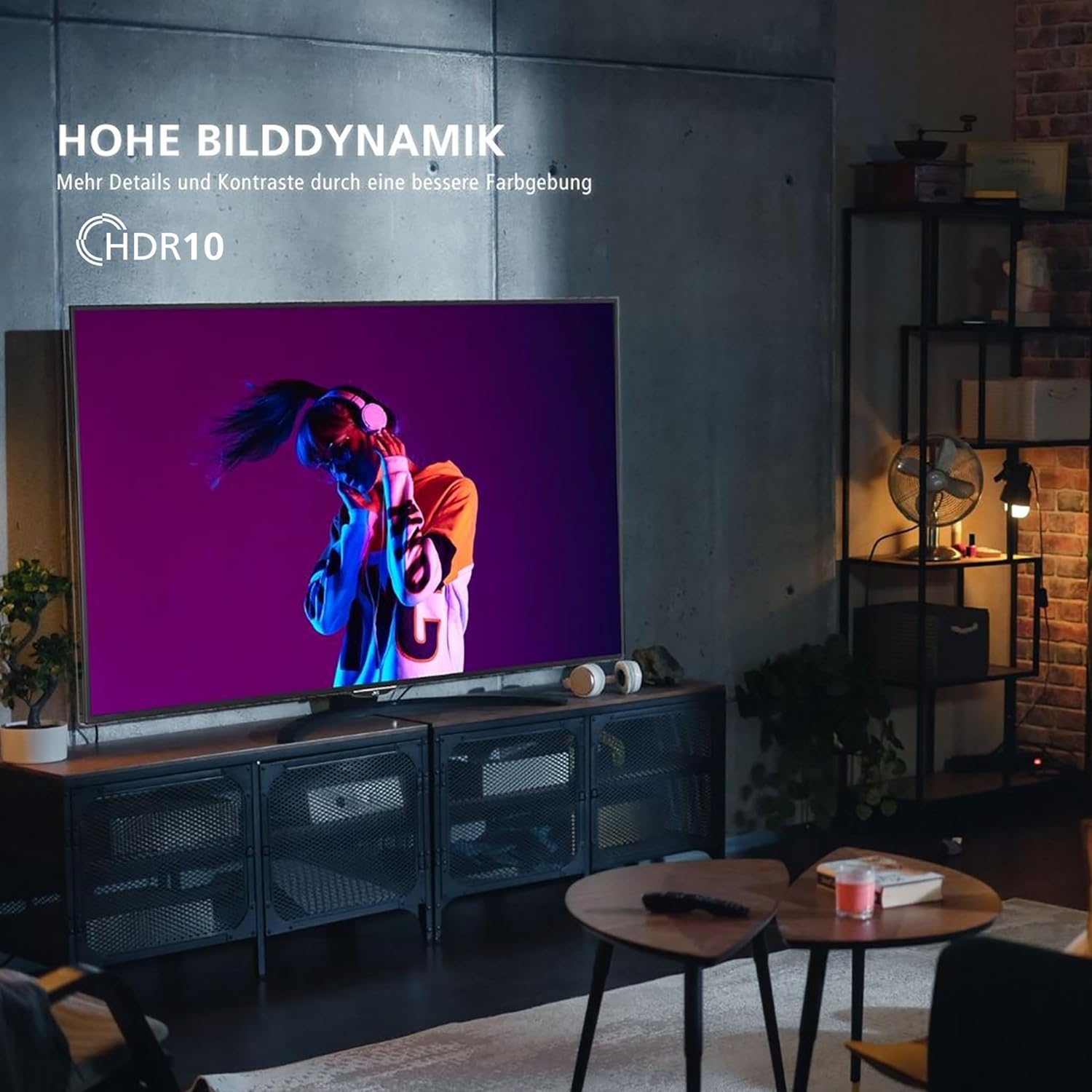
Image: A television screen displaying a vibrant image, illustrating the "High Dynamic Range" (HDR10) feature for more details and contrast.

Image: A television screen displaying a detailed underwater scene, highlighting "Super Resolution" and "Micro Dimming" for breathtaking picture quality.
You can select various picture modes to optimize the display for different content types:
- Cinema: Optimized for movies.
- Wasanni: Enhanced for fast-paced sports.
- Wasan kwaikwayo: Reduced input lag for gaming.
- Mai ƙarfi: Vivid and bright picture.

Image: A TV screen divided into four sections, each showing a different picture mode: Cinema, Sport, Gaming, and Dynamic.
5.4 Aikin Mai Gyara
The integrated triple tuner allows reception via antenna (DVB-T2), cable (DVB-C), or satellite (DVB-S2) without an additional receiver. Use the TV's menu to perform channel scans and manage your channel list.
The TV also supports the HD+ TV App, which may offer additional HD channels (availability depends on region and subscription).
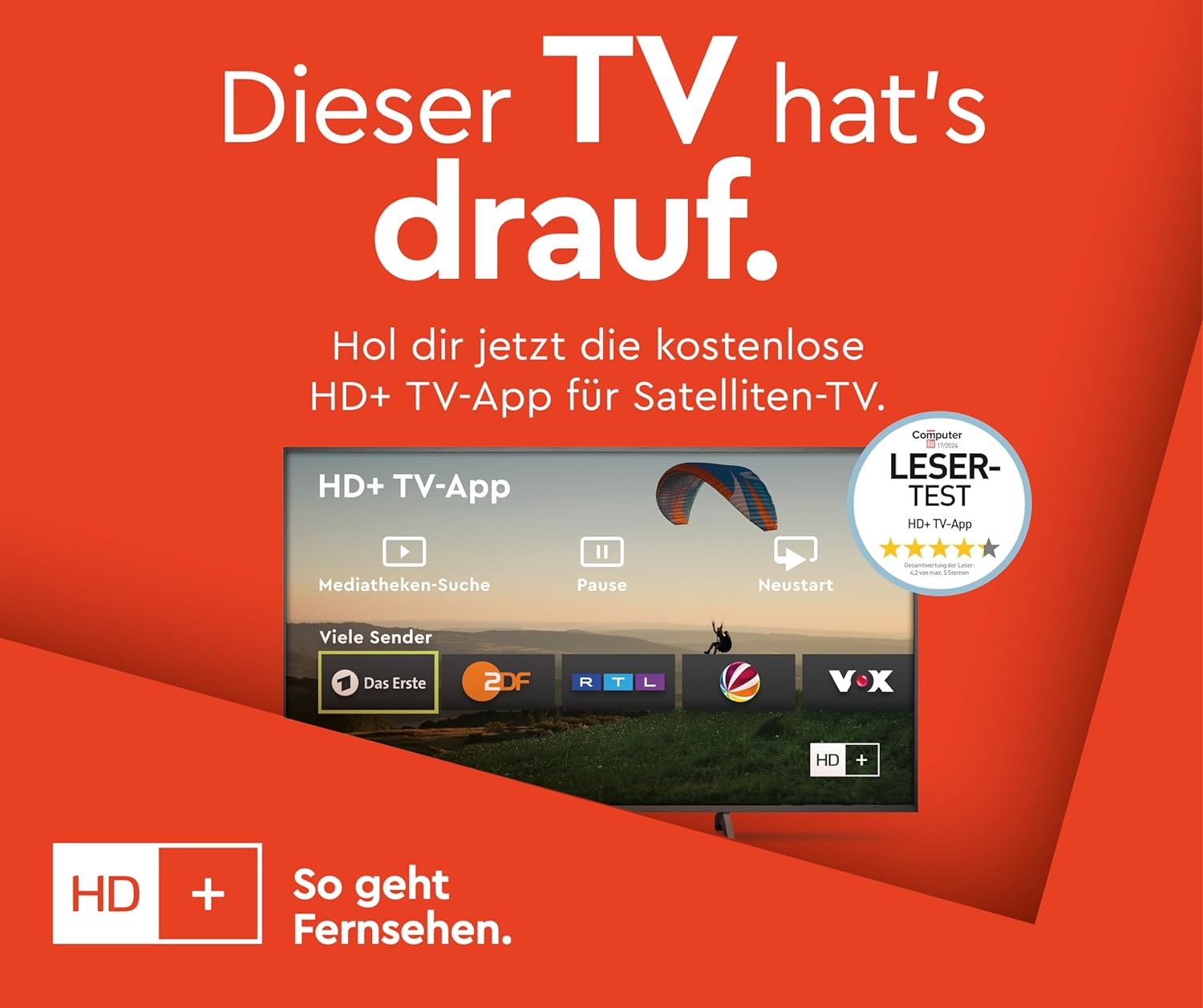
Image: Information about the HD+ TV App, showing features like private HD/UHD channels, restart, media libraries, and a 6-month test period.
5.5 Maida sake kunnawa
Connect a USB storage device to the USB port to play compatible media files (photos, music, videos) directly on your TV using the built-in media player.
6. Kulawa
6.1 Tsaftacewa
Always unplug the TV before cleaning. Use a soft, dry cloth to wipe the screen and cabinet. Do not use liquid cleaners or aerosol sprays directly on the TV.
6.2 Sabunta software
The TV may receive regular software updates to improve performance and add new features. Ensure your TV is connected to the internet to receive these updates. You can usually check for updates in the TV's settings menu.
7. Shirya matsala
Idan kun ci karo da al'amura tare da TV ɗin ku, koma zuwa mafita gama gari masu zuwa:
- Babu Ƙarfi: Ensure the power cable is securely connected and the wall outlet is functioning.
- Babu Hoto/Sauti: Duba duk haɗin kebul (HDMI, eriya). Tabbatar an zaɓi madaidaicin tushen shigarwa.
- Ikon nesa Baya Aiki: Sauya batura. Tabbatar cewa babu cikas tsakanin ramut da TV.
- TV Shuts Down Automatically: Check the power saving settings in the TV menu. Disable any automatic shutdown timers.
- App Issues (e.g., Netflix not loading): Try restarting the TV by unplugging it from the power outlet for a few minutes, then plugging it back in. Ensure your internet connection is stable.
- "Cannot find HD channels" error: This message may appear even after successful channel installation. Ensure your tuner settings are correct and try rescanning channels. If the message persists but channels are available, it might be a minor software notification.
For persistent issues, consult the online support resources or contact customer service.
8. Ƙayyadaddun bayanai
| Alamar | JVC |
| Lambar Samfura | Saukewa: LT-40VF5355 |
| Girman allo | 40 Inci (diagonal 102 cm) |
| Nunin Fasaha | LED-LCD |
| Ƙaddamarwa | 1080p (Full HD, 1920x1080 pixels) |
| Matsakaicin Sassauta | 120 Hz |
| Tsarin Aiki | TiVo Smart TV |
| Siffofin Musamman | HDR10, Micro Dimming, Super Resolution, 6 months HD+ included (via SAT in Germany) |
| Haɗuwa | 2x HDMI (CEC + ARC), 1x USB, Wi-Fi, LAN, Digital Audio Output, Headphones, CI Slot |
| Girma (tare da tsayawa) | 23.5D x 90.9W x 57.9 cm |
| Ajin Inganta Makamashi (SDR) | E |
| Ajin Inganta Makamashi (HDR) | G |
| Amfani da Wutar Lantarki (SDR) | 37.0 W |
| Amfanin Wutar Lantarki (HDR) | 67.0 W |
| Samuwar kayan gyara | Shekaru 7 |

Image: Table illustrating recommended viewing distances for different TV sizes (24" to 70") and resolutions (4K, Full HD, HD).
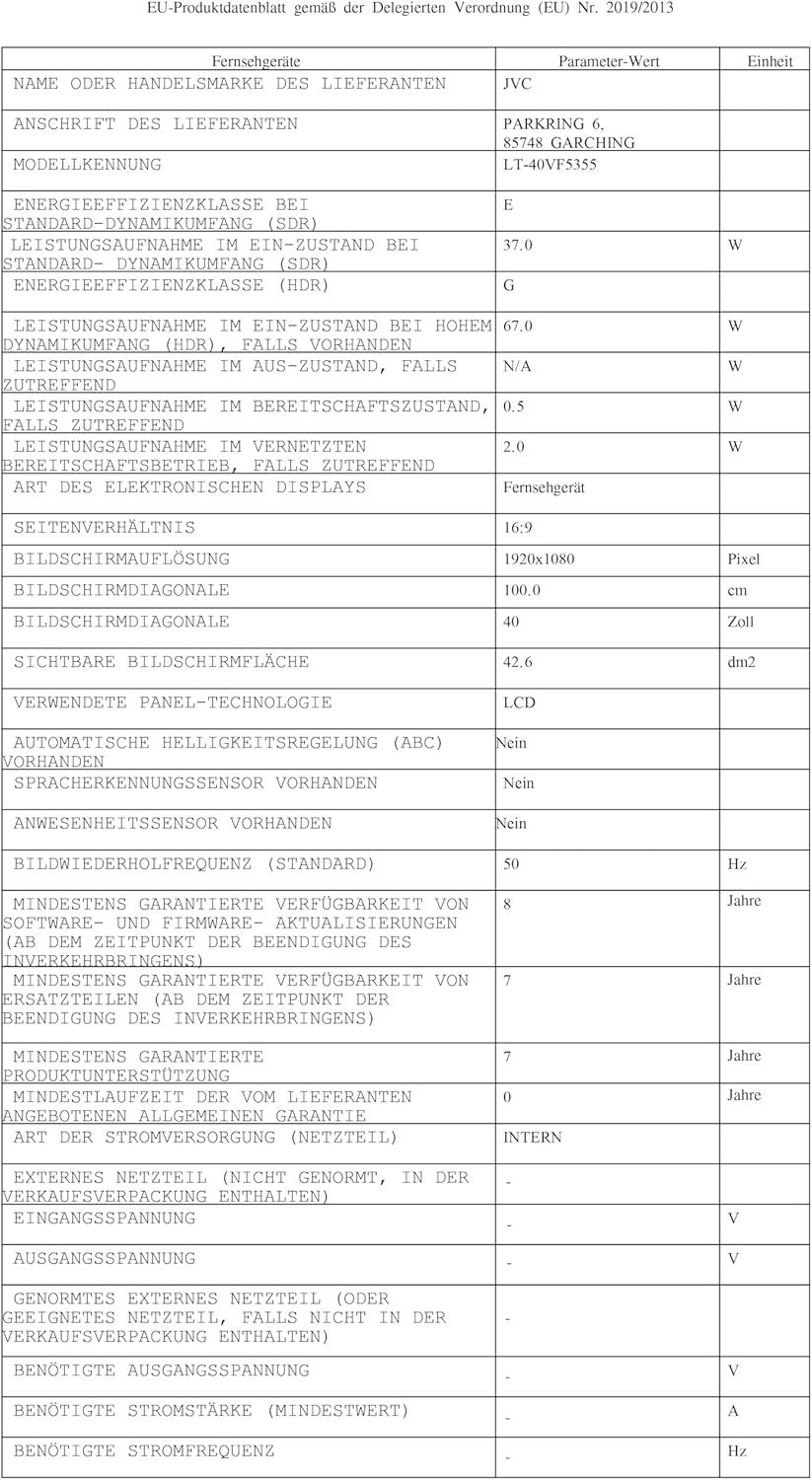
Image: EU Delegated Regulation product data sheet for the JVC LT-40VF5355, detailing technical specifications and energy consumption. For more details, visit eprel.ec.europa.eu/qr/1880376.

Image: EU Energy Label for the JVC LT-40VF5355, showing energy efficiency class E (SDR) and G (HDR), and power consumption values.
9. Garanti
JVC products are manufactured with high-quality components and are subject to rigorous quality control. For detailed warranty information, please refer to the warranty card included with your product or visit the official JVC website for your region. Spare parts are guaranteed to be available for 7 years from the date of placing the product on the market.
10. Taimako
For further assistance, technical support, or service inquiries, please visit the official JVC support website or contact your local JVC customer service center. Keep your model number (LT-40VF5355) and serial number ready when contacting support.
Online resources may include FAQs, software downloads, and additional troubleshooting guides.


