1. પરિચય
This manual provides essential information for the setup, operation, and maintenance of your HP Z2 G1i Workstation. Designed for technical and creative professionals, this workstation delivers high performance for demanding workloads. Please read this manual thoroughly before using your device.
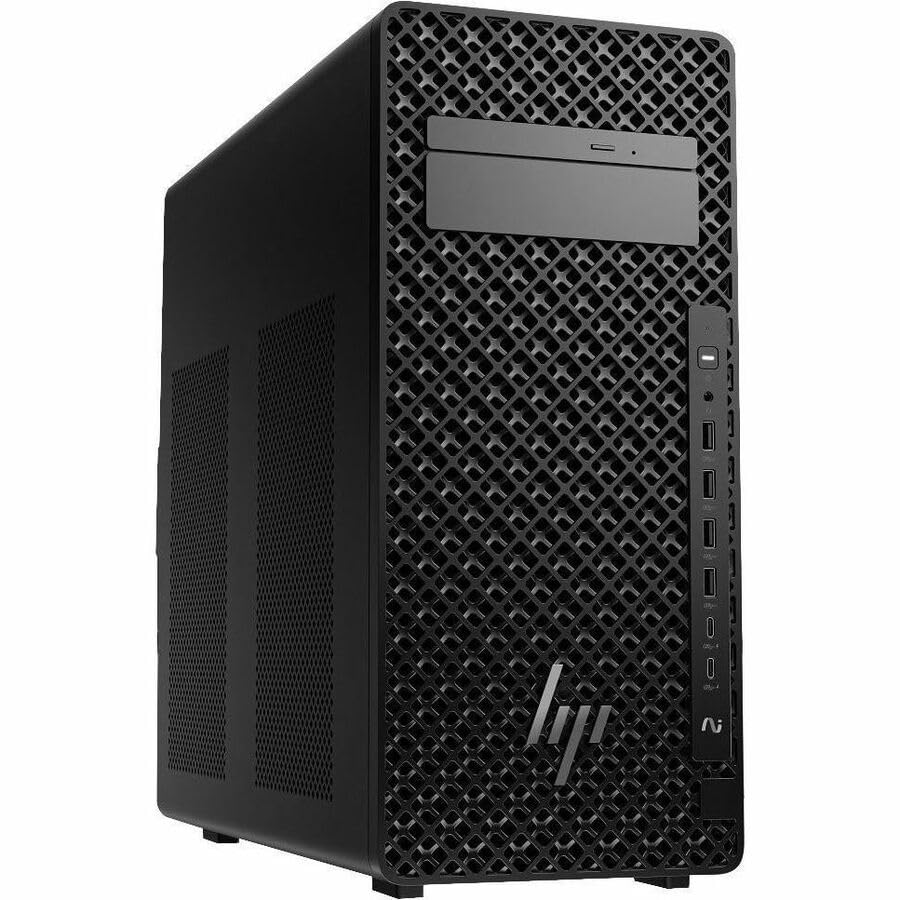
Figure 1.1: HP Z2 G1i Workstation in a professional setting, demonstrating its use for demanding tasks.
2. બોક્સમાં શું છે
ખાતરી કરો કે બધા ઘટકો પેકેજિંગમાં હાજર છે:
- Z2 Tower G1i Workstation Desktop PC Wolf Pro Security Edition
- HP 320K Wired Keyboard
- HP વાયર્ડ 320M માઉસ
3. સેટઅપ સૂચનાઓ
3.1 અનપેકિંગ અને પ્લેસમેન્ટ
Carefully remove the workstation and its accessories from the packaging. Place the workstation on a stable, flat surface with adequate ventilation to prevent overheating. Ensure no vents are obstructed.
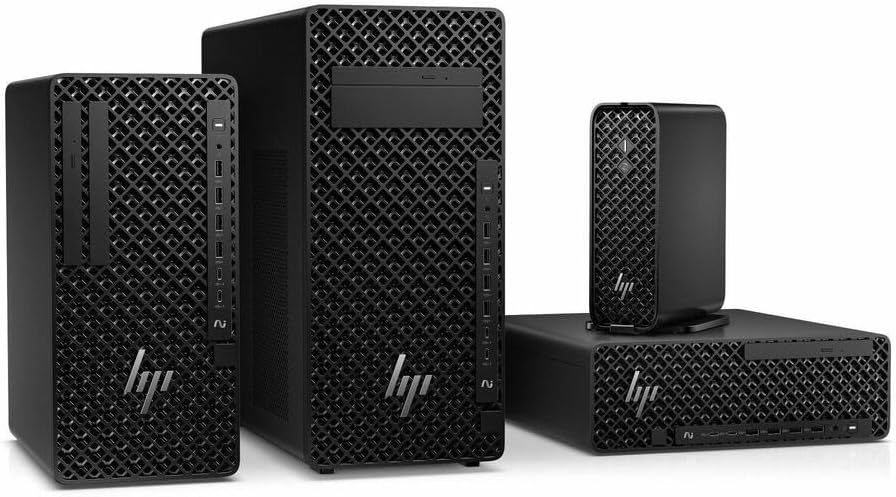
આકૃતિ 3.1: ફ્રન્ટ view of the HP Z2 G1i Workstation tower, showing its design and front panel ports.
3.2 કનેક્ટિંગ પેરિફેરલ્સ
- મોનિટર: Connect your monitor(s) to the appropriate video output ports (e.g., DisplayPort, HDMI) on the rear of the workstation.
- કીબોર્ડ અને માઉસ: Connect the supplied HP 320K Wired Keyboard and HP Wired 320M Mouse to the available USB ports.
- નેટવર્ક: Connect an Ethernet cable to the RJ-45 port for wired network access, or configure Wi-Fi after initial setup.
- શક્તિ: Connect the power cord to the workstation's power input and then to a grounded electrical outlet.

આકૃતિ 3.2: પાછળ view of the workstation, highlighting the various connectivity ports for peripherals and power.
3.3 પ્રારંભિક પાવર ચાલુ
Press the power button on the front of the workstation. The system will boot into Windows 11 Pro. Follow the on-screen instructions to complete the initial operating system setup, including user account creation and network configuration.
૩. વર્કસ્ટેશનનું સંચાલન
4.1 મૂળભૂત કામગીરી
Your HP Z2 G1i Workstation comes pre-installed with Windows 11 Pro. Utilize the familiar Windows interface for launching applications, managing files, and accessing system settings. The Intel Core Ultra 5 processor and NVIDIA RTX A400 graphics card provide robust performance for demanding software.
4.2 સૉફ્ટવેર ઇન્સ્ટોલેશન
Install necessary software applications for your professional tasks. Ensure that all software is compatible with Windows 11 Pro and meets the system requirements for optimal performance. Always download software from trusted sources.
4.3 સિસ્ટમ પ્રદર્શન
For optimal performance, regularly check for and install updates for Windows, drivers (especially graphics drivers), and your professional applications. Close unnecessary programs to free up system resources when running intensive tasks.
5. જાળવણી
5.1 સફાઈ
To maintain proper airflow and prevent dust buildup, regularly clean the exterior of the workstation with a soft, dry cloth. Use compressed air to gently clear dust from vents and fan openings. ના કરો use liquid cleaners directly on the components.
5.2 સોફ્ટવેર અપડેટ્સ
Keep your operating system and all installed software up to date. This ensures security patches, performance improvements, and compatibility with new applications. Windows Update can be accessed via the Settings menu.
5.3 ડેટા બેકઅપ
Regularly back up your important data to an external drive or cloud storage. This protects against data loss due to hardware failure, software corruption, or other unforeseen events.
6. મુશ્કેલીનિવારણ
This section addresses common issues you might encounter with your HP Z2 G1i Workstation.
૭.૧ પાવર નથી
- Ensure the power cord is securely connected to both the workstation and a working electrical outlet.
- બીજા ઉપકરણને પ્લગ ઇન કરીને પાવર આઉટલેટ કાર્યરત છે કે નહીં તેની ખાતરી કરો.
- Check the power supply unit (PSU) indicator light, if available.
૫.૨ મોનિટર પર કોઈ ડિસ્પ્લે નહીં
- Confirm the monitor is powered on and its video cable is securely connected to the workstation.
- Try connecting the monitor to a different video port on the workstation, if available.
- Test the monitor with another computer or device to rule out monitor issues.
૫.૪ સિસ્ટમ સ્લોડાઉન
- બેકગ્રાઉન્ડમાં ચાલતી બિનજરૂરી એપ્લિકેશનો બંધ કરો.
- Check Task Manager (Ctrl+Shift+Esc) for processes consuming high CPU, RAM, or disk resources.
- ખાતરી કરો કે તમારી ઓપરેટિંગ સિસ્ટમ અને ડ્રાઇવરો અપ ટુ ડેટ છે.
- Run a system scan for malware or viruses.
વધુ જટિલ સમસ્યાઓ માટે, HP સપોર્ટનો સંદર્ભ લો. webસાઇટ અથવા ગ્રાહક સેવાનો સંપર્ક કરો.
7. સ્પષ્ટીકરણો
Detailed technical specifications for the HP Z2 G1i Workstation (Model: BN5J2UT#ABA).
| લક્ષણ | સ્પષ્ટીકરણ |
|---|---|
| પ્રોસેસર ઉત્પાદક | ઇન્ટેલ |
| પ્રોસેસરનો પ્રકાર | Core Ultra 5 |
| પ્રોસેસર મોડેલ | 235 |
| પ્રોસેસર કોર | Tetradeca-core (14 Core) |
| પ્રોસેસરની ઝડપ | 4.4 GHz |
| રેમ | 16 GB DDR5 |
| હાર્ડ ડ્રાઈવ | 512 GB SSD |
| ગ્રાફિક્સ કોપ્રોસેસર | NVIDIA RTX A400 |
| ગ્રાફિક્સ કાર્ડ રેમનું કદ | 4 જીબી |
| ઓપરેટિંગ સિસ્ટમ | વિન્ડોઝ 11 પ્રો |
| વસ્તુનું વજન | 15 પાઉન્ડ |
| ઉત્પાદનના પરિમાણો (LxWxH) | 12 x 23.23 x 20 ઇંચ |
| રંગ | કાળો |
| AI સંચાલિત | હા |
8. વોરંટી અને સપોર્ટ
૧.૨ પ્રોડક્ટની વોરંટી
Your HP Z2 G1i Workstation is covered by a standard manufacturer's warranty. For specific terms and conditions, please refer to the warranty documentation included with your product or visit the official HP support webસાઇટ. વોરંટી દાવાઓ માટે તમારી ખરીદીનો પુરાવો રાખો.
8.2 ટેકનિકલ સપોર્ટ
For technical assistance, driver downloads, and additional resources, please visit the official એચપી સપોર્ટ Webસાઇટ. You can also find contact information for customer service and support channels there.