1. પરિચય
The Miuzei NA-KMS32 Electronics Starter Kit is designed for enthusiasts and learners interested in Arduino and Raspberry Pi projects. This comprehensive kit includes over 235 components and offers 58 detailed lessons, providing a robust platform for hands-on learning in electronics and programming. It is ideal for developing practical skills in circuit building, sensor integration, and microcontroller programming.

2. કીટ સમાવિષ્ટો
This kit provides a wide array of components essential for various electronics projects. All modules are pre-soldered for ease of use, allowing for quick assembly via pin headers. Additionally, three double-sided PCBs are included for projects requiring soldering.
Key Components Included:
- એલસીડી ડિસ્પ્લે
- રેઝિસ્ટર (વિવિધ મૂલ્યો)
- LEDs (various colors)
- Sensors (e.g., DHT11 temperature/humidity, ultrasonic, PIR motion)
- રિલે મોડ્યુલ
- બ્રેડબોર્ડ
- પાવર સપ્લાય મોડ્યુલ
- GPIO Extension Board
- Stepper Motor and Servo Motor
- જોયસ્ટિક મોડ્યુલ
- RFID મોડ્યુલ
- કીપેડ મોડ્યુલ
- જમ્પર વાયર
- And many more discrete components.


3. સેટઅપ
To begin using your Miuzei NA-KMS32 kit, you will need an Arduino board or a Raspberry Pi (not included). The kit is designed for easy, solder-free prototyping using the included breadboard and jumper wires. For detailed instructions on specific projects and component connections, refer to the comprehensive online lessons provided.
શરૂઆત કરવી:
- Access Tutorials: The kit includes 58 lessons for both Arduino and Raspberry Pi. These tutorials are available online and cover a wide range of projects from basic circuits to advanced sensor applications. You can find the tutorials by visiting the URL provided in the kit documentation or on the product page.
- Connect Microcontroller: Connect your Arduino board or Raspberry Pi to your computer. Ensure you have the necessary software (Arduino IDE for Arduino, Python/C environment for Raspberry Pi) installed.
- Breadboard Wiring: Use the breadboard to assemble your circuits. Components can be easily inserted into the breadboard holes, and jumper wires are used to make connections between components and to your microcontroller.
- પાવર સપ્લાય: Ensure your circuit receives appropriate power. The kit includes a power supply module for the breadboard, or you can power components directly from your microcontroller's GPIO pins as specified in the lessons.
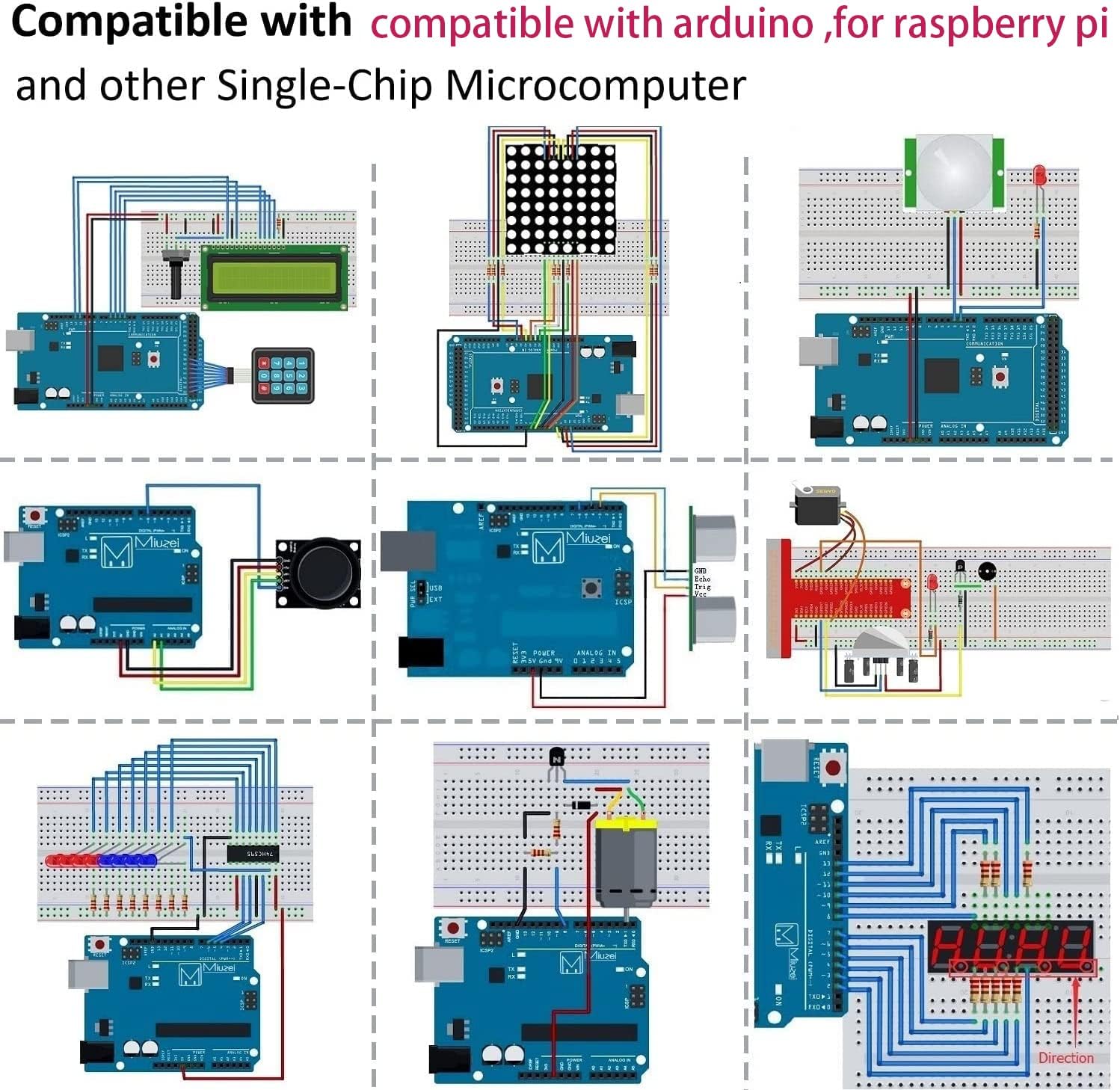

4. સંચાલન સિદ્ધાંતો
The Miuzei NA-KMS32 kit is designed to teach fundamental electronics and programming concepts through practical application. Each lesson guides you through building a circuit and writing code to control components or read sensor data. You will learn about digital and analog inputs/outputs, communication protocols, and basic control logic.
Examples of Learning Modules:
- એલઇડી નિયંત્રણ: Learn to blink LEDs, create light patterns, and control brightness using Pulse Width Modulation (PWM).
- સેન્સર રીડિંગ્સ: Interface with various sensors (e.g., temperature, humidity, ultrasonic distance) to collect environmental data.
- ડિસ્પ્લે આઉટપુટ: Utilize the LCD display and 7-segment displays to show text and numerical information.
- મોટર નિયંત્રણ: Experiment with stepper and servo motors for precise movement control.
- ઇનપુટ ઉપકરણો: Work with buttons, joysticks, and keypads to provide user input to your projects.
- RFID Applications: Explore basic RFID technology for identification and access control.


5. જાળવણી
Proper care and storage of your electronics kit will ensure its longevity and continued functionality.
- સંગ્રહ: Always store components in the provided transparent box. The individual compartments help keep parts organized and prevent damage.
- Anti-static Protection: Sensitive electronic components should be stored in anti-static bags (if provided) to prevent damage from electrostatic discharge.
- સ્વચ્છતા: Keep components free from dust and moisture. Use a soft, dry cloth for cleaning if necessary. Avoid using liquids or abrasive cleaners.
- હેન્ડલિંગ: Handle components by their edges or body whenever possible, avoiding direct contact with pins or sensitive surfaces.
6. મુશ્કેલીનિવારણ
If you encounter issues while working on your projects, consider the following troubleshooting steps:
- કનેક્શન્સ તપાસો: Ensure all jumper wires are securely connected to the correct pins on both the breadboard and the microcontroller. Loose connections are a common cause of problems.
- પાવર સપ્લાય: Verify that your microcontroller and components are receiving adequate power. Check battery levels or USB power connections.
- કોડ રીview: કાળજીપૂર્વક પુનઃview your code for any syntax errors, logical flaws, or incorrect pin assignments. Use the debugging features of your IDE.
- ઘટક દિશા: Some components, like LEDs and diodes, are polarity-sensitive. Ensure they are inserted in the correct orientation.
- Refer to Lessons: Consult the specific lesson for the project you are working on. The tutorials often include common troubleshooting tips for that particular circuit.
- સમસ્યાને અલગ કરો: If a complex circuit isn't working, try to break it down into smaller, simpler parts to identify the faulty section or component.
7. સ્પષ્ટીકરણો
| લક્ષણ | વિગત |
|---|---|
| બ્રાન્ડ | મિયુઝેઇ |
| મોડલ નંબર | NA-KMS32 |
| સુસંગત ઉપકરણો | Arduino, રાસ્પબેરી Pi |
| જોડાણો | USB (for microcontroller) |
| કુલ યુએસબી પોર્ટ્સ | 1 (on power module) |
| ઓપરેટિંગ સિસ્ટમ સુસંગતતા | Linux (for Raspberry Pi), various (for Arduino IDE) |
| ઘટકોની સંખ્યા | 235+ |
| Number of Lessons | 58 (26 for Arduino, 32 for Raspberry Pi) |
| પાવર જરૂરિયાત | 1 x 9V battery (not included) or USB power |
8. આધાર
For further assistance, detailed tutorials, or specific project guidance, please refer to the official Miuzei support resources. The online lessons are your primary resource for learning and project development.
- ઓનલાઇન ટ્યુટોરિયલ્સ: Access the comprehensive lessons via the URL provided in your kit or on the product page.
- ઉત્પાદક Webસાઇટ: Visit the Miuzei official website for product updates, FAQs, and contact information.
- સમુદાય મંચો: Engage with online communities dedicated to Arduino and Raspberry Pi for peer support and project ideas.
9. વોરંટી માહિતી
Specific warranty details for the Miuzei NA-KMS32 Electronics Starter Kit are not explicitly provided in the product information. For warranty claims or inquiries, please retain your proof of purchase and contact the retailer from whom you purchased the kit or the Miuzei customer support directly. They will be able to provide the most accurate and up-to-date warranty terms and conditions.


