Introdución
The OSCAL Marine 2 is a rugged smartphone designed for demanding environments and extended use. Featuring a massive 11000mAh battery, IP68/IP69K and MIL-STD-810H certifications for extreme durability, and powered by Android 15 with Gemini AI 2.0, this device offers robust performance and smart functionality. This manual provides essential information for setting up, operating, maintaining, and troubleshooting your device.
O que hai na caixa
Upon unboxing your OSCAL Marine 2, please ensure all the following items are present:
- 1 x OSCAL Marine 2 Rugged Phone
- 1 x USB C Charger
- 1 x cable USB C
- 1 correa para teléfono
- 1 x Card Pin
- 1 x Manual de usuario (este documento)

Image: All items included in the OSCAL Marine 2 product packaging.
Configuración
1. Inserción da tarxeta SIM/SD
- Locate the SIM card tray on the side of your OSCAL Marine 2.
- Use the provided card pin to gently eject the tray.
- Place your Nano SIM card(s) and/or Micro SD card into the designated slots on the tray. The device supports Dual SIM Nano slots and 1 Micro slot.
- Volva inserir a bandexa con coidado no teléfono ata que encaixe no seu lugar.
2. Initial Power On & Basic Setup
- Press and hold the Power button (located on the right side) until the OSCAL logo appears.
- Sigue as instrucións na pantalla para seleccionar o teu idioma, conectarte a unha rede wifi e iniciar sesión coa túa conta de Google.
- Complete any additional setup steps as guided by the Android 15 operating system.
Video: An unboxing video of the 2025 Marine 2 Rugged Phone, demonstrating the initial setup and contents.
Operando o seu dispositivo
Navigation & User Interface
- Pantalla de inicio: Access your main applications and widgets.
- Caixón de aplicacións: Pasa o dedo cara arriba dende a pantalla de inicio ata view todas as aplicacións instaladas.
- Notificacións e configuración rápida: Desliza o dedo cara abaixo desde a parte superior da pantalla para acceder ás notificacións e aos axustes rápidos.
Características da cámara
The OSCAL Marine 2 is equipped with a 16MP AI main camera (ISOCELL JN1 sensor) and an 8MP front camera with AI Beauty 2.0 mode. Utilize AI Smart Google Lens for visual searches, image text translation, and object recognition.

Image: Features of the 16MP AI Rear Camera, including Pro mode, Panorama, and Time Lapse.

Image: Features of the 8MP AI Front Camera, including Beauty Mode and Portrait Mode.

Imaxe: Examples of AI-enhanced photography features like Portrait Blur, Portrait Light, Color Focus, and 1080P Video Recording.

Image: Demonstrates the Smart Google Lens feature for scanning, searching, and exploring objects.
Gemini AI 2.0
The Marine 2 integrates Gemini AI 2.0, a useful AI assistant. Interact with Gemini for navigation, content generation, app access, and email management. Simply use voice commands like "Hey Google" to activate.
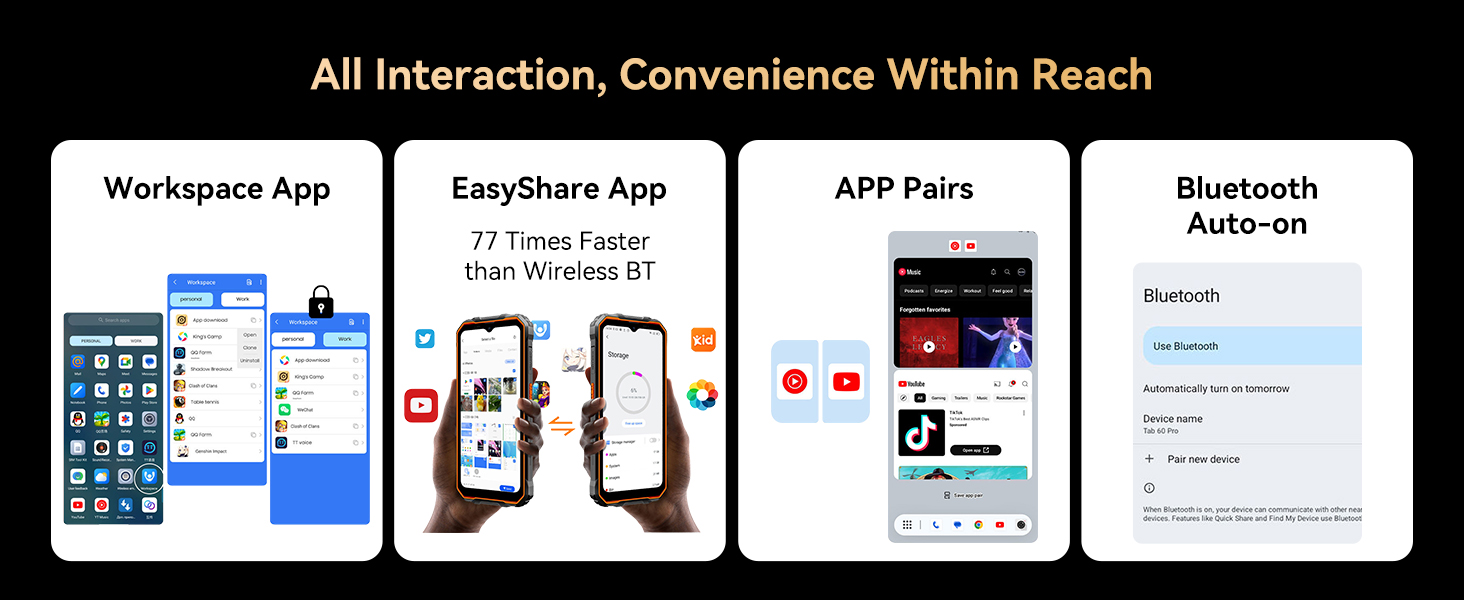
Imaxe: Máis deview of Gemini AI 2.0 Flash capabilities, including smart control, voice Q&A, voice wake-up, real-time conversation, multi-scenario empowerment, and text-to-image generation.
Video: Demonstrates the OSCAL Marine 2's AI features, including voice interaction and smart global control.
Display & Durability
The 6.56-inch IPS Ultra-HD display with a 90Hz refresh rate and 450 nits brightness provides an immersive visual experience. The Panda screen offers military-grade protection. Activate "Glove Mode" for screen operation while wearing gloves.

Image: The 6.56-inch IPS Ultra-HD Display with 90Hz Refresh Rate, showcasing its visual quality.

Image: Highlights the IP68/IP69K and MIL-STD-810H certifications, showing the phone's suitability for winter commuting, extreme weather, glove mode, and underwater photography.
Video: Demonstrates the rugged features of the phone, including its super-bright torch, water submersion, and drop-proof capabilities.
Batería e carga
The 11000mAh battery provides up to 1104 hours of standby time. It supports 18W fast charging and 5W reverse charging to power other devices.

Image: Illustrates the 11000mAh Mega Battery with 18W Fast Charging, detailing usage hours for various activities and standby time.
Video: Highlights the 15000 mAh ultra-long battery life of the Oscal Pilot 1, showcasing its endurance.
Connectivity & Performance
Enjoy fast 4G connectivity (T-Mobile only), Bluetooth 5.2, NFC for payments and data transfer, and quadruple navigation (GPS + GLONASS + Galileo + Beidou). The Unisoc T615 octa-core processor and 24GB RAM (8GB+16GB expansion) ensure smooth multitasking and gaming. Storage is 256GB ROM, expandable up to 2TB via TF card.

Image: Details the Lightning Fast 5G WiFi and Advanced Bluetooth 5.2 for quicker downloads and faster data transfer.

Image: Highlights the Octa-core Unisoc T615 processor and 2TB expandable storage, along with 24GB RAM (8GB+16GB Expansion) for smooth operation.
Seguridade
The Marine 2 supports both facial recognition and fingerprint identification for enhanced privacy and quick access.

Image: Demonstrates the Face Unlock and Fingerprint Unlock security features of the phone.
Mantemento
Atención Xeral
- Limpa a pantalla e a carcasa cun pano suave e sen fiapos. Evita materiais abrasivos ou produtos químicos agresivos.
- Asegúrate de que todas as tapas dos portos estean ben pechadas para manter a resistencia á auga e ao po.
- Avoid exposing the device to extreme temperatures outside its operational range (-20°C to +60°C) for prolonged periods.
Actualizacións de software
Your OSCAL Marine 2 will receive free software updates. Ensure your device is connected to Wi-Fi and has sufficient battery life before initiating any updates. Navigate to Configuración > Sistema > Actualización do sistema para comprobar e instalar actualizacións.
Resolución de problemas
Problemas comúns e solucións
- O dispositivo non responde: Mantén premido o botón de acendido/apagado durante uns 10-15 segundos para forzar un reinicio.
- A batería esgotando rapidamente: Check for background apps, reduce screen brightness, or enable battery saver mode.
- Problemas de conectividade de rede: Toggle airplane mode on/off, restart the device, or check with your service provider.
- Fallos da aplicación: Limpar a caché da aplicación (Configuración > Aplicacións > [Nome da aplicación] > Almacenamento > Borrar caché) ou reinstala a aplicación.
Contacte con Soporte
If you encounter issues not resolved by the above steps, please contact OSCAL customer service. Our professional team is available 24/7 to provide personalized support.
Especificacións
| Característica | Especificación |
|---|---|
| Nome do modelo | OSCAL Marine 2 |
| Sistema Operativo | Android 15 (DokeOS 4.1) |
| Modelo CPU | MediaTek Helio T615 Octa-core (2.2 GHz) |
| RAM | 24 GB (8GB + 16GB Expansion) |
| Almacenamento interno | 256 GB (Expandable up to 2 TB via TF card) |
| Tamaño de visualización | 6.56 Inches IPS Ultra-HD |
| Resolución | 720 x 1600 |
| Taxa de actualización | 90 Hz |
| Cámara traseira | 16 MP AI (ISOCELL JN1 sensor) |
| Cámara frontal | 8 MP AI Beauty 2.0 |
| Capacidade da batería | 11000 mAh |
| Cargando | Carga rápida de 18 W, carga inversa de 5 W |
| Durabilidade | IP68/IP69K, MIL-STD-810H, Panda Screen |
| Conectividade | 4G (T-Mobile only), Bluetooth 5.2, NFC, Wi-Fi |
| Navegación | GPS + GLONASS + Galileo + Beidou |
| Dimensións | 7.09 x 2.76 x 0.51 polgadas |
| Peso | 13.9 onzas (395 gramos) |
Garantía e soporte
The OSCAL Marine 2 comes with a 2 ano de garantía and free software updates. For any issues or inquiries, our professional customer service team is available 24/7 to provide high-quality support. Please refer to the contact information provided in your product packaging or visit the official OSCAL websitio de asistencia.
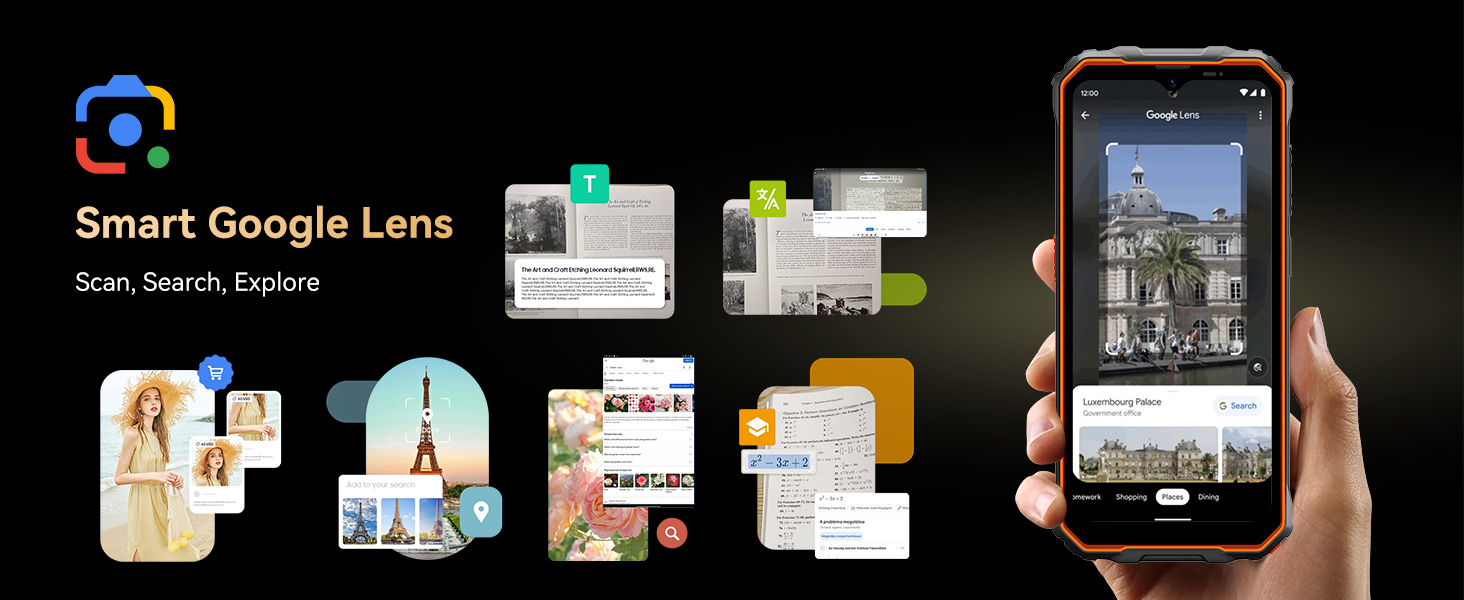
Image: Highlights OSCAL's customer support, including 24/7 online call support and 2-year repair support.


