1. Introdución
This manual provides essential information for the safe and efficient operation of your Xiaomi L1 Pro Portable Projector. Please read it thoroughly before using the device and retain it for future reference.

The Xiaomi L1 Pro Portable Projector, showcasinpolo seu deseño compacto e a súa lente frontal.
2. Características clave
- Google TV & Voice Control: Integrated Google TV for seamless content access and Google Assistant for voice commands.
- 400 ISO Lumens Brightness: Certified brightness for clear visuals in various lighting conditions.
- Resolución Full HD 1080p: Delivers crisp and detailed images, supporting up to 120-inch projection.
- 4 Automatic Correction Functions: Includes auto vertical/horizontal trapezoid correction, focusing adjustment, screen fit, and obstacle detection.
- Conectividade: Features USB 2.0, HDMI 2.1 (ARC), and a 3.5mm headphone jack.

Un máisview of the Xiaomi L1 Pro Projector's key features, including Google TV, optical engine, brightness, auto-focus, and keystone correction.
3. Configuración
3.1 Desembalaxe e inspección inicial
Carefully remove all components from the packaging. Verify that all items listed in the packing list are present and undamaged. The package typically includes the projector unit, remote control, power adapter, and user manual.
Este vídeo ofrece un sobreview of the Xiaomi Smart Projector L1 Pro, including its unboxing, physical features, and demonstrations of projected content.
3.2 Conexión de alimentación
- Connect the power adapter to the 'DC IN' port on the projector.
- Plug the 3-pin power cord into a grounded electrical outlet.
3.3 Colocación inicial
Place the projector on a stable, flat surface. Ensure there are no obstructions in front of the lens or around the ventilation areas. The projector will automatically adjust the image for optimal viewing.
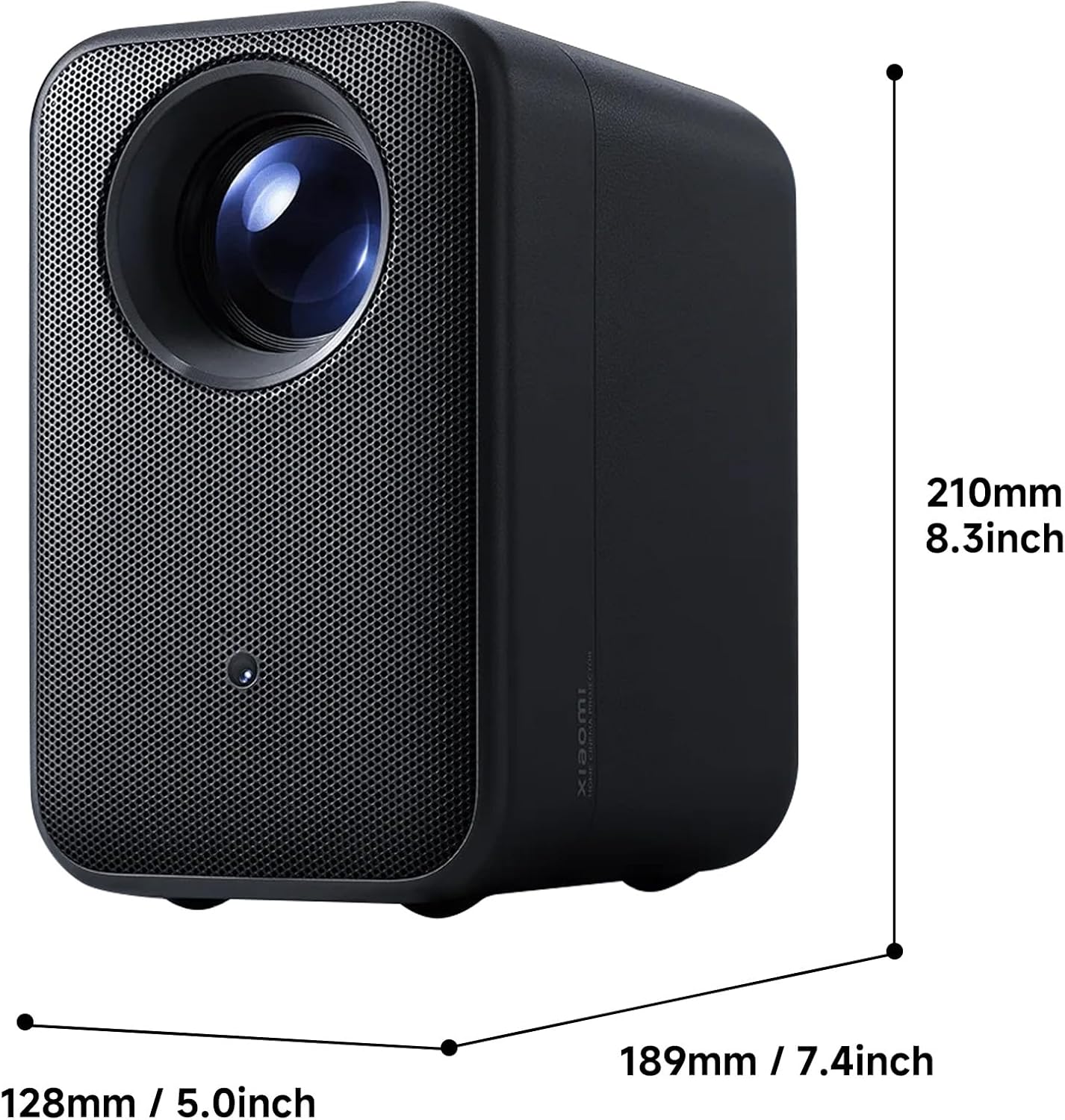
The Xiaomi L1 Pro Portable Projector with its physical dimensions indicated, showing its compact size.
4. Instrucións de funcionamento
4.1 Acendido/Apagado
Prema o botón de acendido do proxector ou do control remoto para acender ou apagar o dispositivo.
4.2 Navegando por Google TV
Use the directional pad and select button on the remote control to navigate the Google TV interface. Access your favorite streaming apps, movies, and shows directly from the home screen.

A screenshot of the Google TV interface, showing various streaming apps and content recommendations.
4.3 Voice Control with Google Assistant
Press the Google Assistant button on your remote control and speak your commands. You can search for content, control playback, adjust settings, and more, all hands-free.

The Xiaomi L1 Pro Projector alongside its remote control, displaying the Google TV interface on a projected screen.
5. Image Quality and Projection
5.1 Resolution and Brightness
The projector features Full HD 1080p native resolution, delivering sharp and clear images. With 400 ISO lumens of brightness, it provides vibrant visuals suitable for dimly lit rooms and can be enjoyed in moderately lit spaces.
A visual comparison demonstrating the clear image quality of the Xiaomi L1 Pro Projector, contrasting 720p and 1080p resolutions.

A visual representation of the 400 ISO lumens brightness, ensuring accurate brightness representation and visible details.
5.2 Optical Engine
The projector incorporates a fully-sealed optical engine with a high-definition optical lens. This design protects against dust and ensures excellent light transmission, resulting in clearer images with high color accuracy.

Unha interna view diagram of the Xiaomi L1 Pro's fully-sealed optical engine, illustrating its high-definition optical lens for superior picture quality.
5.3 Automatic Correction Functions
The Xiaomi L1 Pro features advanced automatic correction capabilities:
- Omnidirectional Auto Keystone Correction: Automatically adjusts the image to a perfect rectangle, even when projected at an angle.
- Auto-Focusing: Ensures the projected image is instantly clear and sharp without manual adjustment.
- Evitación automática de obstáculos: Detects objects in the projection path and adjusts the image to avoid them, maintaining an uninterrupted viewexperiencia ing.

A projected image demonstrating the automatic keystone correction feature of the Xiaomi L1 Pro, showing a perfectly rectangular image despite an angled projection.

A projected image illustrating the auto-focusing capability of the Xiaomi L1 Pro, ensuring instantly clear images.
6.Audio
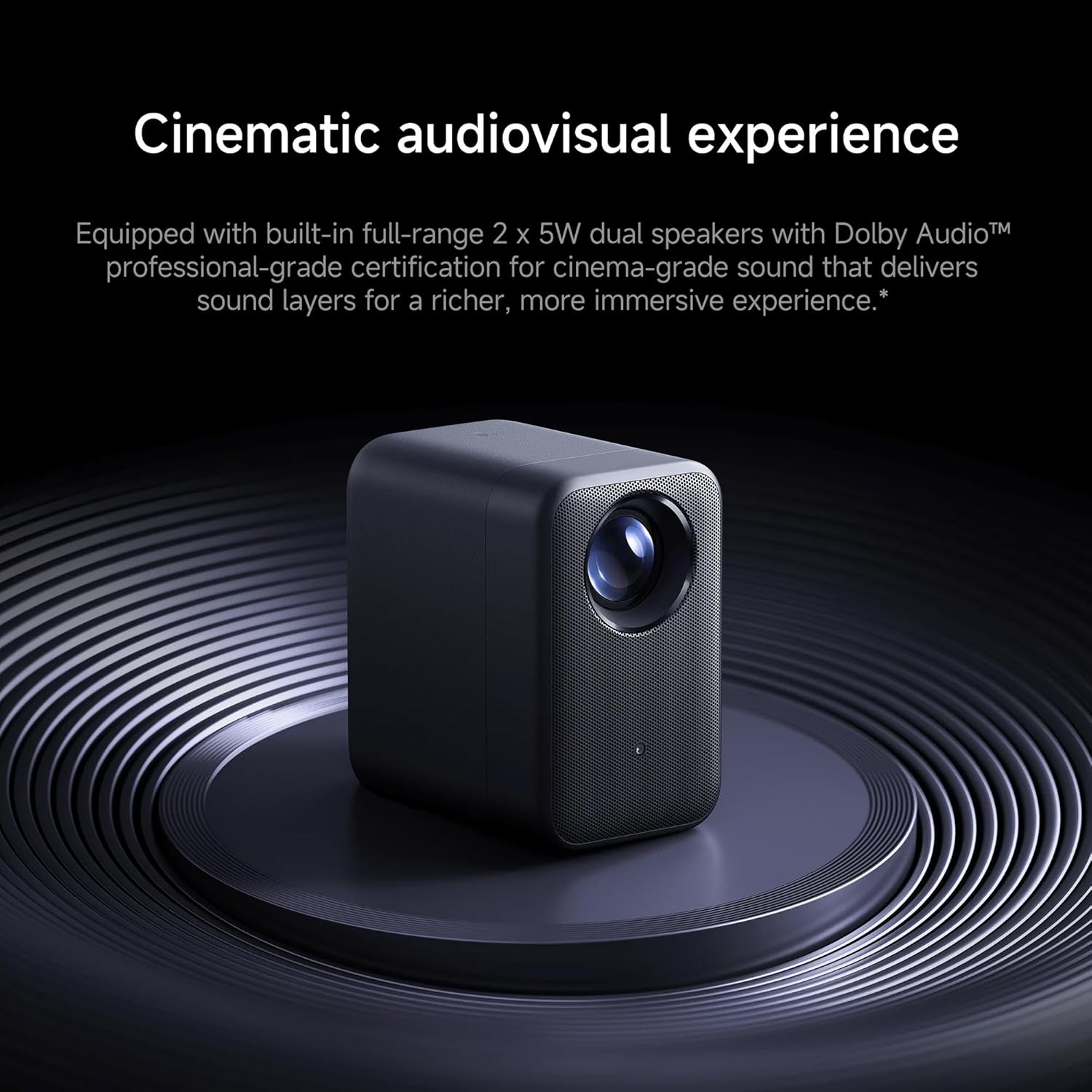
The Xiaomi L1 Pro is equipped with built-in full-range 2 x 5W dual speakers. It supports Dolby Audio, providing clear and immersive sound to complement the high-definition visuals. For private listening, a 3.5mm headphone jack is available.

The Xiaomi L1 Pro Projector positioned on a circular stand, emphasizing its cinematic audio-visual experience with Dolby Audio.
7. Conectividade
O proxector ofrece varias opcións de conectividade:
- USB 2.0: Para conectar dispositivos de almacenamento externos.
- HDMI 2.1 (ARC): For connecting laptops, gaming consoles, and other HDMI-enabled devices. ARC (Audio Return Channel) allows audio to be sent back to an audio receiver or soundbar.
- Conector para auriculares de 3.5 mm: Para conectar auriculares ou altofalantes externos.
- Bluetooth: For wireless connection to headphones, speakers, or game controllers.

Un lado view of the Xiaomi L1 Pro Portable Projector, highlighting its textured casing and ventilation, with ports visible.
8. Practical Applications
The Xiaomi L1 Pro is designed for versatile use:
- Teatro na casa: Transform any room into a cinematic experience with a large 120-inch projection.
- Entretemento ao aire libre: Enjoy movies or sports outdoors under the night sky.
- Xogos: Connect your gaming console for an immersive, larger-than-life gaming experience.
- Presentations & Study: Ideal for group presentations, study sessions, or professional meetings.
9. Especificacións
| Característica | Especificación |
|---|---|
| Marca | XIAOMI |
| Modelo | L1Pro |
| Resolución de visualización | 1920 x 1080 (Full HD) |
| Brillo | 400 lúmenes ISO |
| Max Projection Size | 120 polgadas |
| Tecnoloxía de conectividade | Bluetooth, USB 2.0, HDMI 2.1 (ARC), 3.5mm Headphone Jack |
| Características especiais | 3D-Ready, Built-In 3D, Internet Ready, Speakers, Automatic Obstacle Avoidance, Omnidirectional Auto Keystone Correction, Auto-Focusing |
| Sistema Operativo | Google TV co Asistente de Google |
| Dimensións do produto | 10.87 x 9.69 x 10.24 polgadas |
| Peso do elemento | 7.09 libras |
10. Mantemento
Para garantir a lonxevidade e o rendemento óptimo do seu proxector, siga estas pautas de mantemento:
- Limpeza da lente: Usa un pano suave e sen fiapos deseñado especificamente para lentes ópticas. Evita materiais abrasivos ou produtos químicos agresivos.
- Ventilación: Keep the projector's ventilation openings clear of dust and debris to prevent overheating. Do not block the air vents during operation.
- Almacenamento: Cando non o use durante períodos prolongados, garde o proxector nun lugar fresco e seco, lonxe da luz solar directa e de temperaturas extremas.
- Actualizacións de software: Regularly check for and install software updates to ensure your Google TV system and projector firmware are up-to-date.
11 Solución de problemas
If you encounter issues with your projector, refer to the following common troubleshooting steps:
- Sen imaxe: Ensure the projector is powered on and the input source (HDMI, USB, or internal Google TV) is correctly selected. Check all cable connections.
- Imaxe borrosa: Allow the automatic focus to complete. If the image remains blurry, gently move the projector slightly to trigger re-focusing or check for any obstructions near the lens.
- Distorted Image (Trapezoid Effect): The projector features automatic keystone correction. If the image appears distorted, ensure the projector is placed on a stable surface and allow the automatic correction to adjust. Avoid placing the projector at extreme angles.
- Sen son: Check the volume level on the projector and any connected external audio devices. Ensure the correct audio output is selected in the projector's settings. If using external speakers, verify their connection and power.
- O control remoto non responde: Replace the batteries in the remote control. Ensure there is a clear line of sight between the remote and the projector.
- Obstacles in Projection Path: The automatic obstacle avoidance feature should adjust the image. If an object is still interfering, manually reposition the projector or remove the obstacle.
12. Garantía e soporte
Your Xiaomi L1 Pro Portable Projector is covered by a manufacturer's warranty. For detailed information regarding warranty terms, conditions, and duration, please refer to the warranty card included in your product packaging or visit the official Xiaomi support website. For technical assistance, product registration, or service inquiries, please contact Xiaomi customer support.
Soporte en liña: Visita o Xiaomi oficial websitio para preguntas frecuentes, guías de solución de problemas e información de contacto.
Atención ao cliente: Refer to your product documentation for regional customer service contact details.


