Introdución
Thank you for choosing the OSCAL Hibuds 6 Wireless Earbuds. This manual provides detailed instructions for setting up, operating, and maintaining your earbuds to ensure optimal performance and longevity. Please read this manual thoroughly before use.
O que hai na caixa
Verifica que todos os elementos estean presentes no teu paquete:
- OSCAL Hibuds 6 Wireless Earbuds (Left and Right)
- Estuche de carga sen fíos
- Cable de carga USB-C
- Manual de usuario
- Two Extra Pairs of Eartips (Small, Medium, Large)

Image: Contents of the OSCAL Hibuds 6 package, showing the earbuds, charging case, USB-C cable, user manual, and additional eartips.
Produto rematadoview
The OSCAL Hibuds 6 are designed for comfort and high-fidelity audio. Key features include 13mm dynamic drivers, Bluetooth 5.4 connectivity, and an IPX7 water-resistant rating.
Auriculares e estuche de carga

Image: The OSCAL Hibuds 6 wireless earbuds resting in their charging case. The case features an LED display indicating the battery percentage for both the case and individual earbuds.
Deseño lixeiro

Image: A person wearing the OSCAL Hibuds 6 earbuds, demonstrating their lightweight and comfortable fit. The image also shows the compact charging case, emphasizing portability.
Dynamic Driver and Noise Cancelling Mic

Imaxe: Unha explosión view diagram of an earbud, highlighting the 13mm dynamic driver responsible for rich bass and crisp mids. Text also indicates the use of DNS algorithms for clearer calls.
Consellos para orellas de silicona

Image: A visual representation of an earbud with three different sizes of silicone ear tips (Small, Medium, Large) to ensure a comfortable and secure fit for various ear shapes.
Configuración
1. Carga dos auriculares e da funda
Before first use, fully charge the earbuds and the charging case. Connect the USB-C charging cable to the charging port on the case and to a power source. The LED display on the case will show the charging status and battery levels.
- A full charge provides up to 8 hours of playtime for the earbuds and a total of 40 hours with the charging case.
- A 10-minute quick charge can provide approximately 50 minutes of listening time.

Image: The OSCAL Hibuds 6 charging case with its LED display showing a full charge (100%), illustrating the extended 40-hour total playtime capability.
2. Emparejamento cun dispositivo
The OSCAL Hibuds 6 utilize Bluetooth 5.4 for stable and fast connections.
- Abre a caixa de carga. Os auriculares entrarán automaticamente no modo de emparellamento.
- No teu dispositivo (teléfono intelixente, tableta, portátil), activa o Bluetooth e busca os dispositivos dispoñibles.
- Select "OSCAL Hibuds 6" from the list of found devices to connect.
- Unha vez emparellados, os auriculares conectaranse automaticamente ao teu dispositivo ao retiralos da funda.

Image: The OSCAL Hibuds 6 earbuds and charging case shown connecting to both a tablet and a smartphone, demonstrating the multipoint connection feature.
Instrucións de funcionamento
Smart Tap Control
The earbuds feature touch controls for easy management of audio playback and calls:
- Reproducir/Pausa: Toca un só auricular en calquera dos auriculares.
- Próxima pista: Toca dúas veces no auricular dereito.
- Pista anterior: Toca dúas veces no auricular esquerdo.
- Responder/Finalizar chamada: Toca un só auricular en calquera dos auriculares.
- Rexeitar a chamada: Mantén premido calquera dos auriculares durante 2 segundos.
- Activar o asistente de voz: Press and hold the right earbud for 2 seconds (in standby or music mode).
Funcionalidade de chamada
The integrated AI-enhanced ENC microphones suppress ambient noise, ensuring clear voice transmission during calls, gaming chats, or voice recordings.
Conexión multipunto
The Hibuds 6 can connect to two devices simultaneously, allowing for seamless switching between them without manual re-pairing.

Image: A visual representation of the OSCAL Hibuds 6 maintaining simultaneous connections to both a tablet and a smartphone, illustrating the multipoint connection feature for seamless device switching.
Mantemento e coidados
Limpeza
Limpa os auriculares e a funda de carga regularmente para manter un rendemento e unha hixiene óptimos.
- Usa un pano suave, seco e sen fiapos para limpar os auriculares e a funda de carga.
- Retire con coidado calquera cerumen ou residuos das almofadas e da malla do altofalante cun cepillo pequeno e suave ou un hisopo de algodón.
- Non empregue produtos de limpeza abrasivos, alcol nin disolventes químicos.
Resistencia á auga (IPX7)
The earbuds are IPX7 rated, meaning they are protected against immersion in water up to 1 meter for 30 minutes. This makes them suitable for use during sports, light rain, or sweating.
- A caixa de carga é non water-resistant. Avoid exposing the charging case to liquids.
- Asegúrate de que os auriculares estean completamente secos antes de volvelo colocar na caixa de carga para evitar danalos.
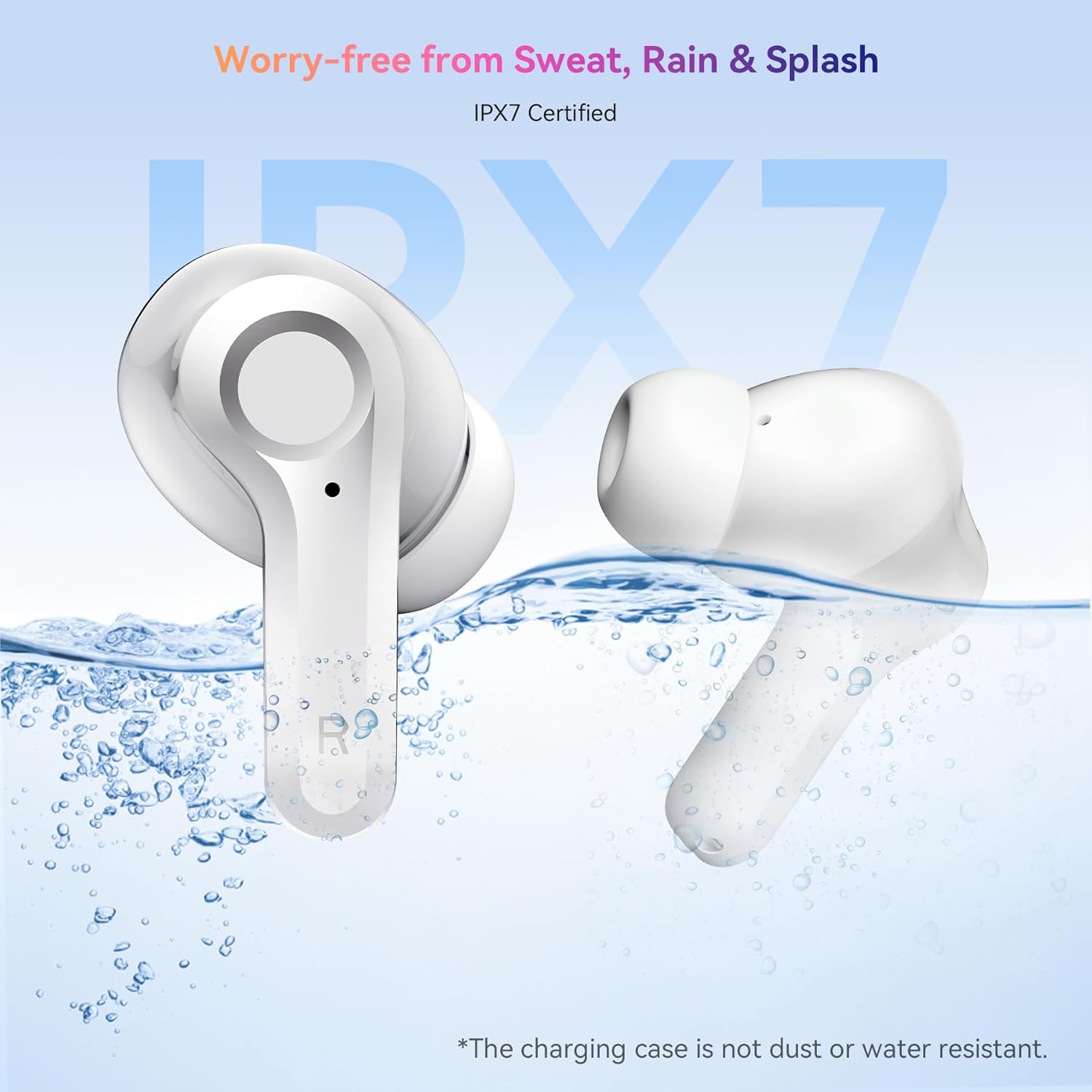
Image: The OSCAL Hibuds 6 earbuds shown partially submerged in water, visually confirming their IPX7 water-resistant certification. A note clarifies that the charging case is not water-resistant.
Resolución de problemas
If you encounter issues with your OSCAL Hibuds 6, refer to the following common solutions:
| Problema | Solución |
|---|---|
| Os auriculares non se emparejan | Asegúrate de que os auriculares estean cargados. Volve a colocalos na funda, péchaos e ábreos de novo. Comproba a configuración de Bluetooth do dispositivo e tenta volver emparellalos. |
| Só funciona un auricular | Ensure both earbuds are charged. Try placing both back in the case, closing it, and then taking them out again to re-establish the connection. |
| Volume baixo ou mala calidade de son | Adjust volume on your device. Clean ear tips and speaker mesh. Ensure ear tips provide a good seal in your ear. |
| O estuche de carga non se está cargando | Comproba o cable USB-C e o adaptador de corrente. Asegúrate de que o cable estea conectado correctamente tanto á carcasa como á fonte de alimentación. |
| Os auriculares non cargan no estoxo | Ensure the charging case has power. Clean the charging contacts on both the earbuds and inside the case. |
Especificacións
Detailed technical specifications for the OSCAL Hibuds 6 Wireless Earbuds:
| Característica | Especificación |
|---|---|
| Nome do modelo | Hibuds 6 |
| Versión Bluetooth | 5.4 |
| Tamaño do controlador de audio | Controlador dinámico de 13 mm |
| Control de ruído | AI-enhanced ENC Microphones |
| Resistencia á auga | IPX7 (só auriculares) |
| Duración da batería (auriculares) | Ata 8 horas por carga |
| Tempo de reprodución total (con estuche) | Ata 40 horas |
| Porto de carga | USB-C |
| Tipo de control | Control táctil |
| Peso dos auriculares | Approximately 4.15g (0.15oz) each |
| Peso do estuche de carga | Aproximadamente 35 g |
| Compatibilidade | dispositivos iOS, Android e Windows |
| UPC | 810175529004 |
Garantía e Soporte
OSCAL products are designed for reliability and performance. For specific warranty details, please refer to the warranty card included in your product packaging or visit the official OSCAL websitio.
If you require technical assistance or have questions not covered in this manual, please contact OSCAL customer support through their official channels.


