1. Ro-ràdh
Thank you for choosing the SHARP 55GL4060E 55-inch 4K Ultra HD Google TV. This manual provides essential information for setting up, operating, and maintaining your new television. Please read this manual thoroughly before using the product to ensure safe and optimal performance. This television features a 4K Ultra HD display, Google TV operating system, HDMI 2.1 with eARC, Dolby Vision HDR, Dolby Atmos immersive sound, integrated Google Assistant, and Chromecast built-in.
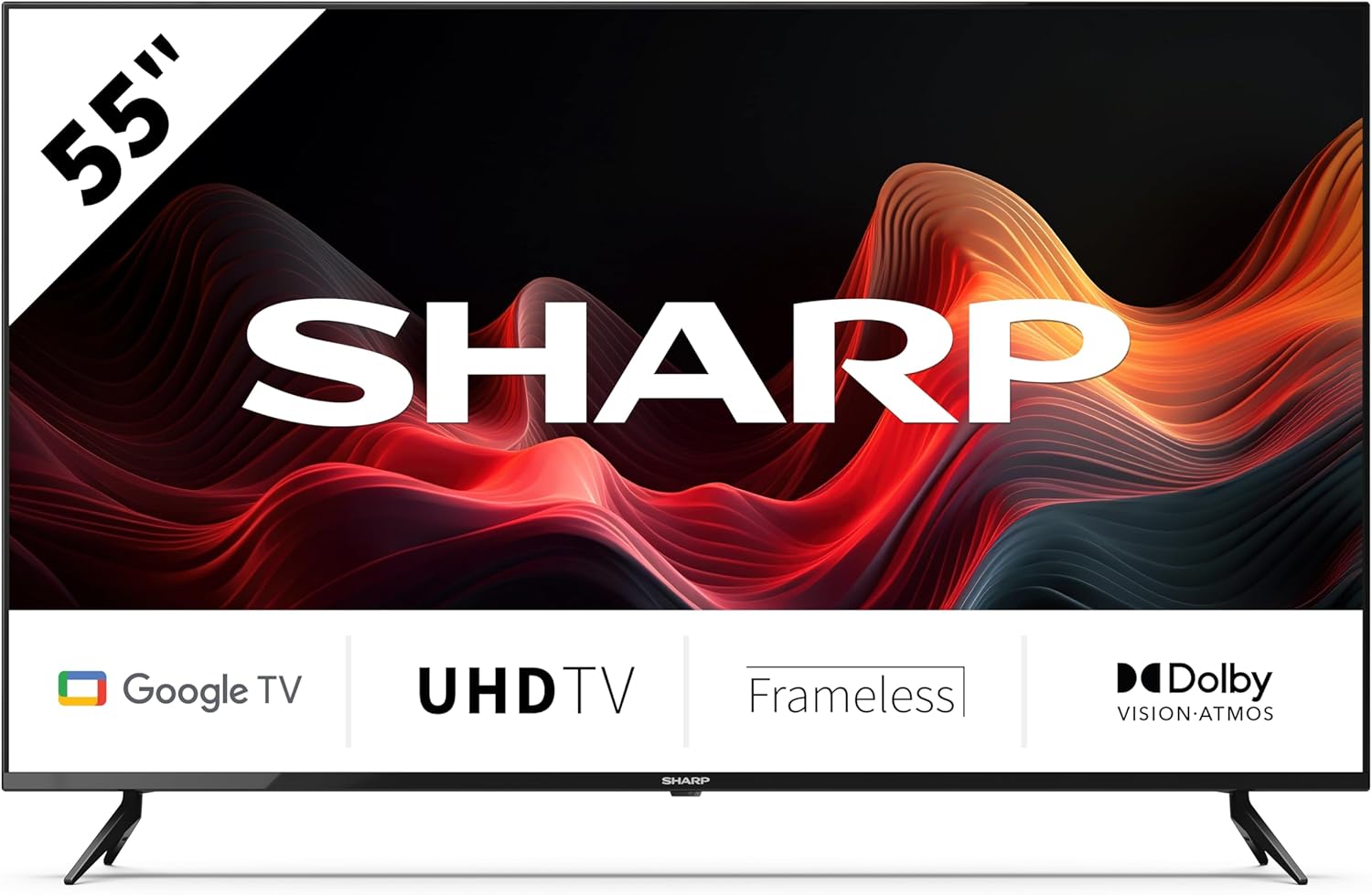
This image displays the SHARP 55GL4060E television from the front, showcasing its 55-inch frameless screen, the SHARP logo at the bottom center, and the two V-shaped stands. The screen shows a vibrant abstract red and orange waveform design. Below the screen, icons indicate 'Google TV', 'UHD TV', 'Frameless', and 'Dolby Vision Atmos'.
2. Fiosrachadh Sàbhailteachd
Observe the following safety precautions to prevent damage and ensure safe operation:
- Solar cumhachd: Ceangail an telebhisean ri socaid cumhachd AC a-mhàin leis an tomhas-lìonaidh cheart.tage. Na cuir cus cus air na socaidean cumhachd.
- Fionnarachadh: Ensure adequate ventilation around the TV. Do not block ventilation openings. Avoid placing the TV on soft surfaces or in enclosed spaces.
- Glanadh: Tarraing a-mach am pluga bhon telebhisean mus glan thu e. Cleachd clò bog, tioram. Na cleachd innealan-glanaidh leaghaidh no aerosol.
- Uisge agus Taiseachd: Na cuir an telebhisean fosgailte do uisge no taiseachd. Na cuir nithean làn lionntan, leithid vasaichean, air an telebhisean.
- Suidheachadh: Place the TV on a stable, level surface. If wall-mounting, use a VESA-compatible mount and ensure it is securely installed. Keep the TV away from direct sunlight, heat sources, and strong magnetic fields.
- Clann: Cùm sùil air clann gus casg a chur orra bho bhith a’ dìreadh air an telebhisean no an stand.
3. Pasgan-susbaint
Dèan cinnteach gu bheil a h-uile nì anns a’ phacaid:
- SHARP 55GL4060E 55-inch 4K Ultra HD Google TV
- Smachd Iomallach
- Bataraidhean AAA (x2)
- Stiùireadh tòiseachaidh luath
- TV Stands (x2) and Screws
4. Suidhich
4.1 A’ ceangal nan seasamh Tbh
- Cuir an telebhisean gu faiceallach leis an sgrion sìos air uachdar bog, còmhnard gus casg a chur air milleadh.
- Cuir gach seasamh còmhla ris na tuill sgriubha co-fhreagarrach aig bonn an Tbh.
- Daingnich na standan leis na sgriothan a tha air an toirt seachad. Dèan cinnteach gu bheil iad air an teannachadh gu daingeann.
4.2 Stàladh balla
If you choose to wall-mount your TV, ensure you use a VESA-compatible wall mount. The VESA mounting dimensions for this model are 400 x 300 mm. Consult a professional for wall mounting installation to ensure safety and proper attachment.
4.3 A’ ceangal innealan taobh a-muigh
- HDMI: Connect devices such as Blu-ray players, game consoles, or set-top boxes to the HDMI ports. This TV features 4 HDMI 2.1 ports with eARC support.
- USB: Connect USB storage devices for media playback or software updates to the 2 USB ports.
- Ethernet: For a stable internet connection, connect an Ethernet cable from your router to the TV's LAN port.
- Wi-Fi: Connect to your wireless network for internet access and smart TV features.
- Bluetooth: Pair Bluetooth-enabled devices like headphones or soundbars.
4.4 Suidheachadh tùsail
- Plug an sreang cumhachd a-steach don ionad dealain.
- Brùth am putan cumhachd air an smachd iomallach gus an Tbh a thionndadh.
- Lean an stiùireadh air an sgrion gus an rèiteachadh tùsail a chrìochnachadh, a’ gabhail a-steach taghadh cànain, ceangal lìonra, agus clàradh a-steach cunntas Google.
5. A’ cleachdadh an telebhisean
5.1 Smachd Iomallach thairisview
The remote control allows you to navigate the Google TV interface, adjust settings, and control playback. Insert the two AAA batteries into the remote control, ensuring correct polarity.
5.2 Gnìomhan Bunaiteach
- Cumhachd: Brùth gus an Tbh a thionndadh air no dheth.
- Meud: Cleachd na putanan tomhas-lìonaidh gus an ìre fuaim atharrachadh.
- Teachd a-steach: Select the desired input source (HDMI 1, HDMI 2, USB, etc.).
- Seòladh: Use the directional pad and OK button to move through menus and make selections.
- Dachaigh: Return to the Google TV home screen.
5.3 Feartan Google TV
- Neach-taic Google: Brùth air a’ phutan Google Assistant air an smachd iomallach agad agus bruidhinn a-steach don mhaicreafòn gus susbaint a lorg, innealan dachaigh snasail a smachdachadh, no fiosrachadh fhaighinn.
- Chromecast air a thogail a-steach: Tilg susbaint bhon fhòn-smart, tablet no coimpiutair co-chòrdail agad gu dìreach chun telebhisean agad.
- Aplacaidean: Access a wide range of streaming services and applications from the Google Play Store.
6. Cumail suas
6.1 Glanadh an telebhisean
- Sgrion: Sguab an sgrion gu socair le clò bog, gun lint. Airson comharran stòlda, sguab beaganampen the cloth with water (do not spray directly on the screen).
- Corp: Sguab frèam agus seasamh an Tbh le clò bog, tioram.
- Rabhadh: Do not use abrasive cleaners, alcohol, benzene, or thinners, as these can damage the TV's surface.
6.2 Ùrachaidhean bathar-bog
Your Google TV may receive automatic software updates. You can also manually check for updates through the TV's settings menu to ensure you have the latest features and security patches.
7. A ’dèanamh trioblaid
Ma thachras tu ri duilgheadasan leis an telebhisean agad, thoir sùil air na duilgheadasan agus na fuasglaidhean cumanta a leanas:
- Gun chumhachd: Dèan cinnteach gu bheil an càball cumhachd ceangailte gu tèarainte ris an telebhisean agus ris an t-socaid dealain. Feuch socaid eadar-dhealaichte.
- Gun Dealbh/Fuaim: Dearbhaich gu bheil an stòr cuir-a-steach ceart air a thaghadh. Thoir sùil air na ceanglaichean càball uile (HDMI, msaa.). Ath-thòisich na h-innealan ceangailte.
- Smachd air astar nach eil ag obair: Thoir sùil air na bataraidhean agus cuir nan àite iad ma tha sin riatanach. Dèan cinnteach nach eil bacadh sam bith eadar an smachd iomallach agus mothachaire IR an Tbh.
- Cùisean Ceangail Lìonra: Ath-thòisich an router agus am modem agad. Thoir sùil air facal-faire Wi-Fi. Ma tha thu a’ cleachdadh Ethernet, dèan cinnteach gu bheil an càball ceangailte gu ceart.
- Cùisean Càileachd Dealbh: Atharraich roghainnean an deilbh (soilleireachd, eadar-dhealachadh, dath). Dèan cinnteach gu bheil càileachd àrd aig stòr an t-susbaint.
For persistent issues, consult the online support resources or contact customer service.
8. Sònrachaidhean
| Feart | Sònrachadh |
|---|---|
| Brand | biorach |
| Modail Àireamh | 55GL4060E |
| Meud sgrion | 55 òirlich |
| Teicneòlas taisbeanadh | LED |
| Fuasgladh | 4K Ultra HD |
| Ìre Ath-nuadhachaidh | 60 Hz |
| Siostam-obrachaidh | Tbh Google |
| Feartan sònraichte | Google Assistant and Chromecast built-in, Dolby Vision, Dolby Atmos |
| Teicneòlas ceangail | Bluetooth, Ethernet, HDMI (4x HDMI 2.1 with eARC), USB (2x), Wi-Fi |
| Dath | Dubh |
| Meudan an toraidh (leis an stand) | 1116.4 x 692.9 x 264.7 mm (W x H x D) |
| Meudan an toraidh (gun seasamh) | 1116.4 x 651.3 x 91.5 mm (W x H x D) |
| Distance between stands | 1095 mm |
| Cuideam lom | 11 kg |
| VESA Wall Mount Support | 400 x 300 mm |
| Innealan co-fhreagarrach | Laptop, smartphone, tablet, game console |
| Co-chruinneachadh bataraidh | Alkaline (2 AAA included) |
9. Barantas agus Taic
For warranty information, please refer to the warranty card included with your product or visit the official Sharp website. For technical support, troubleshooting assistance, or service inquiries, please contact Sharp customer support through their official channels. Keep your purchase receipt as proof of purchase.


