Ro-ràdh
This manual provides essential information for setting up, operating, and maintaining your HP Essential 17t Laptop TPN-I139. Please read these instructions carefully to ensure proper use and to maximize the lifespan of your device.
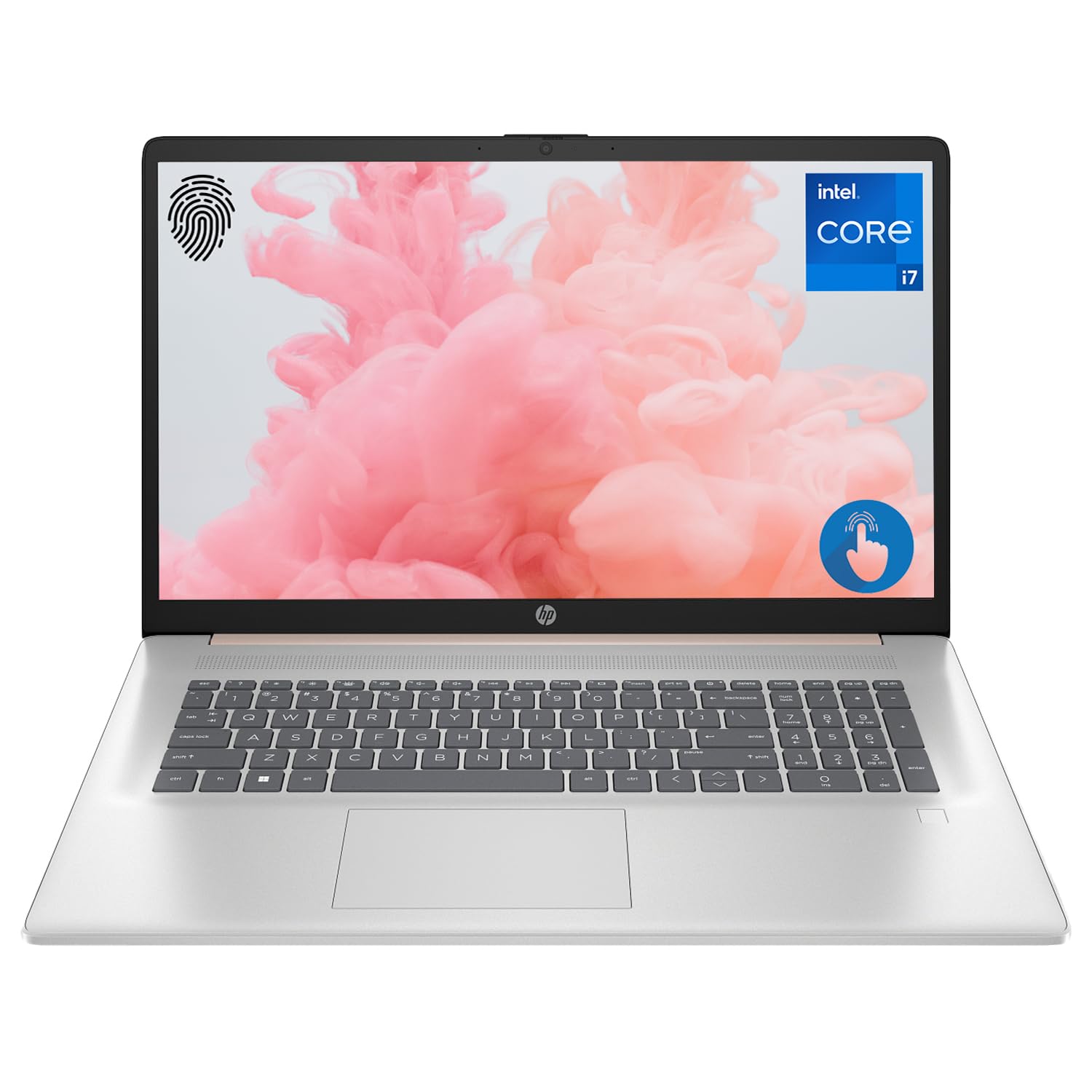
Figure 1: HP Essential 17t Laptop
The HP Essential 17t Laptop is designed for productivity and everyday use, featuring a 17.3-inch HD+ touchscreen, an Intel Core i7-1355U processor, 64GB of RAM, and a 2TB SSD. It comes pre-installed with Windows 11 Home.
Toiseach tòiseachaidh
1. Dè tha sa bhogsa
- HP Essential Touchscreen Laptop
- Adaptor Cumhachd AC
- Stiùireadh Tòiseachaidh Luath (ma tha e air a ghabhail a-steach)
2. A’ chiad chumhachd air agus an rèiteachadh
- Connect the AC power adapter to the laptop and a power outlet.
- Fosgail mullach an laptop agus brùth air a’ phutan cumhachd, a tha mar as trice suidhichte air deic a’ mheur-chlàir.
- Follow the on-screen instructions to complete the Windows 11 Home setup. This includes selecting your region, connecting to a Wi-Fi network, creating a user account, and accepting the license agreement.

Figure 2: Windows 11 Home Interface
Bathar-cruaidh thairisview
Puirt agus luchd-ceangail
Dèan eòlas air na diofar phuirt air an laptop agad airson innealan taobh a-muigh a cheangal.

Figear 3: Puirt is Ceanglaichean Laptop
- SuperSpeed USB Type-A (5Gbps signaling rate): Airson innealan USB leithid luchagan, meur-chlàran no draibhearan taobh a-muigh a cheangal.
- HDMI 1.4b: Airson ceangal ri taisbeanaidhean no proiseactaran taobh a-muigh.
- SuperSpeed USB Type-C (5Gbps signaling rate): A versatile port for data transfer and connecting compatible devices.
- Seac Combo Fònaichean-cluaise/Maicreafòn (3.5mm): Airson ceangal chluas-cinn, luchd-labhairt taobh a-muigh, no headset le microfòn.
Meur-chlàr agus Touchpad
The laptop features a full-size backlit keyboard for comfortable typing in various lighting conditions and a responsive touchpad for navigation.
Taisbeanadh
Your HP Essential 17t Laptop is equipped with a 17.3-inch HD+ (1600 x 900) touchscreen display, offering intuitive interaction with Windows 11.

Figure 4: 17.3" HD+ Touchscreen Display
A’ obrachadh do laptop
Stiùireadh cumhachd
- Cumhachd air / dheth: Brùth am putan cumhachd gus an laptop a thionndadh air. Gus a dhùnadh sìos, briog air a’ phutan Tòisich, an uairsin Cumhachd > Dùin sìos.
- Modh cadail: Close the lid or click the Start button, then Power > Sleep to put the laptop into a low-power state.
- Cùram Bataraidh: The laptop supports battery fast charge, reaching approximately 50% charge in 45 minutes. For optimal battery health, avoid consistently draining the battery to 0% or keeping it at 100% for extended periods.
A 'cleachdadh an touchscreen
Interact with your laptop directly on the screen using touch gestures. Common gestures include tapping to select, pinching to zoom, and swiping to scroll.
A’ cleachdadh an leughadair lorgan-meòir
The integrated fingerprint reader allows for secure and quick login. Set up your fingerprints through Windows Hello in the Windows Settings app (Accounts > Sign-in options).
A 'ceangal ri Wi-Fi
To connect to a wireless network, click the Wi-Fi icon in the taskbar, select your desired network, and enter the password if prompted. The laptop supports Wi-Fi 6 for fast and reliable wireless connectivity.
Feartan cinneasachd
This laptop integrates Copilot + AI capabilities to enhance productivity. These features can assist with scheduling, drafting emails, summarizing documents, and more, streamlining your workflow.

Figure 5: Copilot + AI for Enhanced Productivity
Cùram agus cumail suas
A’ glanadh do laptop
- Cleachd clò bog, gun lint beagan dampair a nighe le uisge no le inneal-glanaidh sgrion gus an taisbeanadh a ghlanadh.
- Airson a’ mheur-chlàir agus an chassis, cleachd clò bog, tioram. Seachain ceimigean cruaidh no stuthan sgrìobach.
- Dèan cinnteach gu bheil an laptop dheth agus gun a bhith a’ cleachdadh a’ phlug mus glan thu e.
Ùrachaidhean bathar-bog
Thoir sùil gu cunbhalach airson ùrachaidhean Windows agus stàlaich iad gus dèanamh cinnteach gu bheil na badan tèarainteachd agus na leasachaidhean coileanaidh as ùire aig an t-siostam agad. Rach gu Roghainnean > Ùrachadh Windows.
Fuasgladh thrioblaidean
Ma thachras duilgheadasan leis an laptop agad, feuch na ceumannan bunaiteach fuasgladh-cheistean a leanas:
- Gun chumhachd: Dèan cinnteach gu bheil an inneal-atharrachaidh AC ceangailte gu tèarainte ris an laptop agus ri socaid cumhachd a tha ag obair. Feuch socaid eadar-dhealaichte.
- Cùisean Taisbeanaidh: If the screen is blank, try connecting an external monitor to check if the issue is with the laptop's display.
- Ceangal Wi-Fi: Restart your router and modem. Ensure Wi-Fi is enabled on your laptop.
- Coileanadh slaodach: Close unnecessary applications. Check for available Windows updates.
Airson cùisean nas iom-fhillte, thoir sùil air taic HP weblàrach-lìn no cuir fios gu seirbheis luchd-cleachdaidh HP.
Sònrachaidhean
Below are the key technical specifications for the HP Essential 17t Laptop TPN-I139:

Figure 6: Intel Core i7-1355U Processor
| Feart | Sònrachadh |
|---|---|
| Ainm Modail | TPN-I139 |
| Pròiseasar | 13th Gen Intel Core i7-1355U (10 Cores, 12 Threads, up to 5.0 GHz) |
| RAM | 64 GB DDR4 SDRAM (3200 MHz) |
| Stòradh | SSD 2 TB PCIe NVMe M.2 |
| Taisbeanadh | 17.3" HD+ (1600 x 900) Touchscreen, BrightView, 250 nit |
| Grafaigean | Grafaigean Intel Iris Xe |
| Siostam-obrachaidh | Windows 11 dachaigh |
| Ceangal gun uèir | Wi-Fi 6 (802.11ax) |
| Puirt | 1x SuperSpeed USB Type-C (5Gbps), 2x SuperSpeed USB Type-A (5Gbps), 1x HDMI 1.4b, 1x Headphone/Microphone Combo |
| Feartan sònraichte | Meur-chlàr le solas cùil, leughadair lorgan-meòir |
| Meudan (LxWxH) | 15.78 x 10.15 x 0.78 òirleach |
| Cuideam | 5.25 not |

Figure 7: Intel Iris Xe Graphics
Barantas agus Taic
Your HP Essential 17t Laptop comes with a standard manufacturer's warranty. For detailed warranty terms and conditions, please refer to the documentation included with your product or visit the official HP support website. For technical assistance, driver downloads, or service requests, please contact HP customer support directly.
Bathar seachadview Bhideo
Coimhead air a’ bhidio seo airson sealladh farsaingview of the HP Essential 17t Laptop's features and capabilities.
Video 1: HP Essential 17 Touchscreen 13th Gen i7 Laptop Overview by PCOnline US. This video highlights key features and design aspects of the laptop.