1. Ro-ràdh
This manual provides essential information for the safe and efficient use of your AOC CU34P3CV 34-inch Ultrawide Quad HD LED Monitor. Please read this manual thoroughly before operating the device and retain it for future reference.
The AOC CU34P3CV is a 34-inch ultrawide curved monitor designed for productivity and immersive viewing, featuring a 3440 x 1440 Quad HD resolution, a VA panel, and a versatile USB-C docking solution.
2. Fiosrachadh Sàbhailteachd
- Stòr cumhachd: Cleachd an càball cumhachd agus an inneal-atharrachaidh a tha air an toirt seachad leis a’ mhonatair a-mhàin. Dèan cinnteach gu bheil an socaid cumhachd ceangailte gu ceart ris an talamh.
- Fionnarachadh: Na cuir bacadh air fosglaidhean fionnarachaidh. Fàg àite gu leòr timcheall air an sgrìn airson sruth-adhair ceart.
- Taisbeanadh Liquid: Keep the monitor away from water or other liquids. Do not operate in high humidity environments.
- Glanadh: Dì-cheangail an càball cumhachd mus glan thu e. Cleachd clò bog, tioram. Seachain innealan-glanaidh leaghaidh no aerosol.
- Suidheachadh: Place the monitor on a stable, level surface. Avoid direct sunlight, heat sources, or excessive dust.
- Seirbheis: Na feuch ri seirbheis a thoirt don sgrìn thu fhèin. Thoir aire do luchd-obrach seirbheis teisteanasach airson a h-uile seirbheis.
3. Pasgan-susbaint
Thoir sùil air susbaint a’ phacaid nuair a dh’fhosglas tu e. Ma tha rud sam bith a dhìth no air a mhilleadh, cuir fios chun neach-reic agad.
- AOC CU34P3CV Monitor
- Seasamh Monitor (Bonn agus Amhaich)
- Càball cumhachd
- Càball HDMI
- Càball DisplayPort
- Càball USB-C
- Leabhar-làimhe cleachdaiche (an sgrìobhainn seo)
4. Suidhich
4.1. A' cruinneachadh an Staid
- Cuir am monitor gu faiceallach le aghaidh sìos air uachdar bog, glan gus casg a chur air sgrìoban.
- Attach the stand neck to the back of the monitor. Secure with screws if provided.
- Ceangail bonn an t-seasamh ri amhach an t-seasamh. Daingnich e leis an sgriubha òrdag no na sgriubhaichean a tha air an toirt seachad.
Image: AOC CU34P3CV Monitor Front View
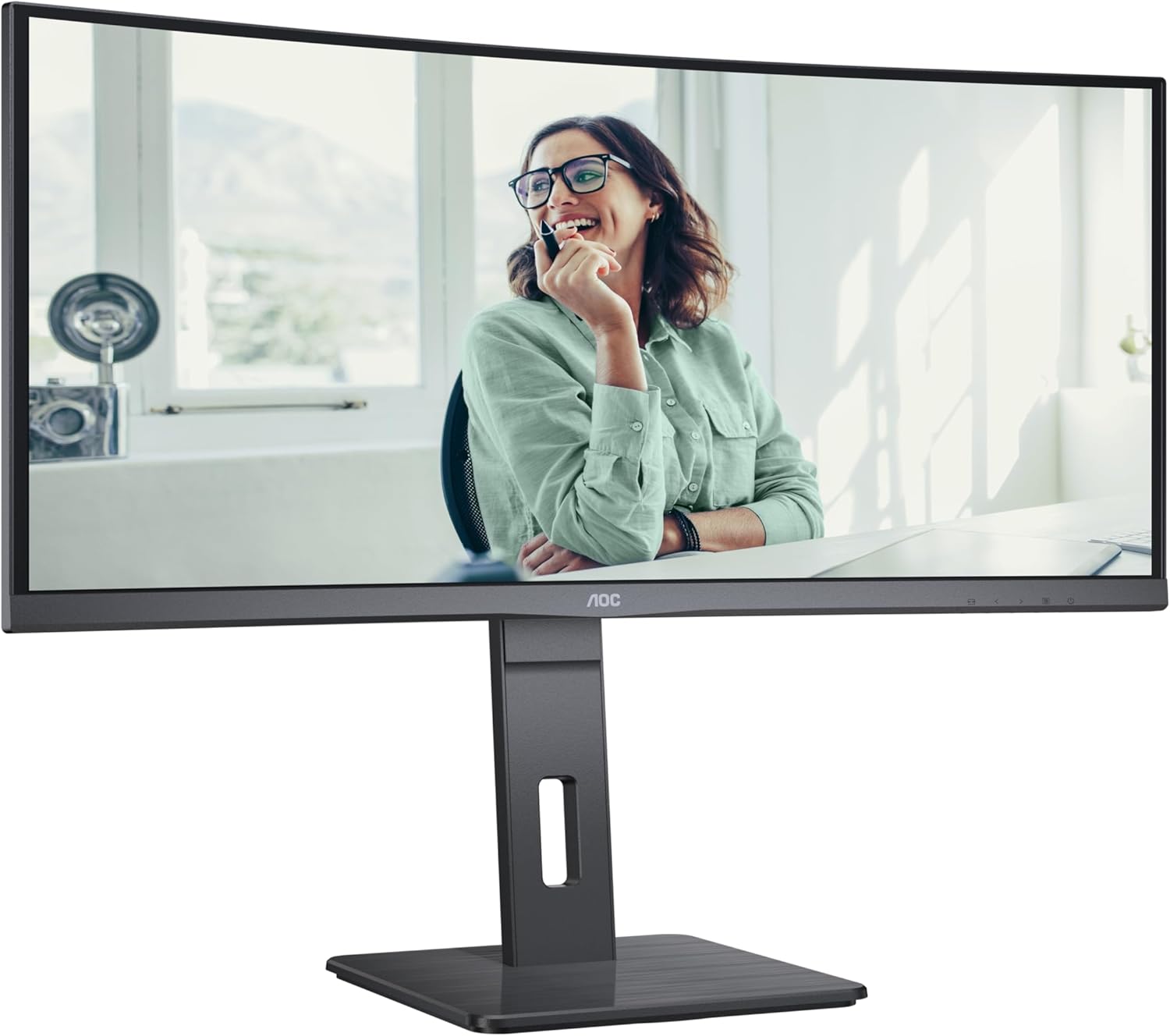
This image shows the AOC CU34P3CV monitor from the front, with its stand, displaying a vibrant image on its curved screen.
Image: AOC CU34P3CV Monitor Features Overview

This image provides a front view of the AOC CU34P3CV monitor, with graphical overlays indicating its key features such as 34-inch size, WQHD resolution, VA panel, 3-sided frameless design, adjustable stand, and curved display.
4.2. A 'ceangal an Monitor
Thoir iomradh air an cùl view ìomhaigh airson àiteachan puirt.

This image displays the rear of the AOC CU34P3CV monitor, detailing the arrangement of its power input, video input ports (HDMI, DisplayPort, USB-C), and USB hub ports.
- Ceangal cumhachd: Ceangail an càball cumhachd ri cuir a-steach cumhachd an monitor agus an uairsin ri socaid dealain le talamh.
- Ceangal bhidio:
- USB-C: For a single-cable solution providing video, data, and power delivery (up to 65W), connect the USB-C cable from your computer to the monitor's USB-C port.
- HDMI/Port Taisbeanaidh: Connect an HDMI or DisplayPort cable from your computer's video output to the corresponding port on the monitor.
- Hub USB: Connect the upstream USB-C cable (if using USB-C for video) or a separate USB upstream cable (if using HDMI/DP) from your computer to the monitor to enable the integrated USB hub ports.
- Lìonra (RJ45): If your monitor supports an integrated Ethernet port via USB-C docking, connect an Ethernet cable from your network router/modem to the RJ45 port on the monitor.
4.3. A’ chiad chumhachd air
- Dèan cinnteach gu bheil a h-uile càball ceangailte gu tèarainte.
- Brùth am putan cumhachd air an monitor.
- Turn on your computer. The monitor should automatically detect the input signal. If not, you may need to manually select the input source using the On-Screen Display (OSD) menu.
5. Stiùireadh Obrachaidh
5.1. Cumhachd air / dheth
Press the power button, usually located on the bottom right or rear of the monitor, to turn the monitor on or off.
5.2. Clàr-taice Taisbeanaidh On-Screen (OSD).
The OSD menu allows you to adjust various monitor settings. Use the control buttons (joystick or individual buttons) typically located on the bottom or rear of the monitor to navigate the menu.
- Taghadh a-steach: Choose between USB-C, HDMI, or DisplayPort inputs.
- Roghainnean dealbhan: Adjust Brightness, Contrast, Gamma, Color Temperature, and various picture modes.
- Suidheachadh Dath: Fine-tune color settings.
- Suidhich OSD: Atharraich cànan OSD, follaiseachd, agus crìoch-ama.
- A bharrachd: Access information about the current resolution and refresh rate.
5.3. A’ gleusadh suidheachadh an sgrìn
Leigidh an seasamh sgrùdaidh le atharrachaidhean ergonomic.
- Atharrachadh àirde: Gently push or pull the monitor up or down to adjust its height.
- Atharrachadh teilt: Tilt the monitor screen forward or backward to find your preferred viewceàrn ing.
- Atharrachadh slugaidh: Tionndaidh am monitor gu clì no gu deas air a bhunait.
Image: AOC CU34P3CV Monitor Side View le puirt USB

Tha an ìomhaigh seo a’ sealltainn pro taobhfile of the AOC CU34P3CV monitor, highlighting two easily accessible USB ports on the side of the display.
Image: AOC CU34P3CV Monitor Side View with Stand Adjustment

This image illustrates the side view of the AOC CU34P3CV monitor, showcasing the flexibility of its stand for height and tilt adjustments.
Image: AOC CU34P3CV Monitor Top View
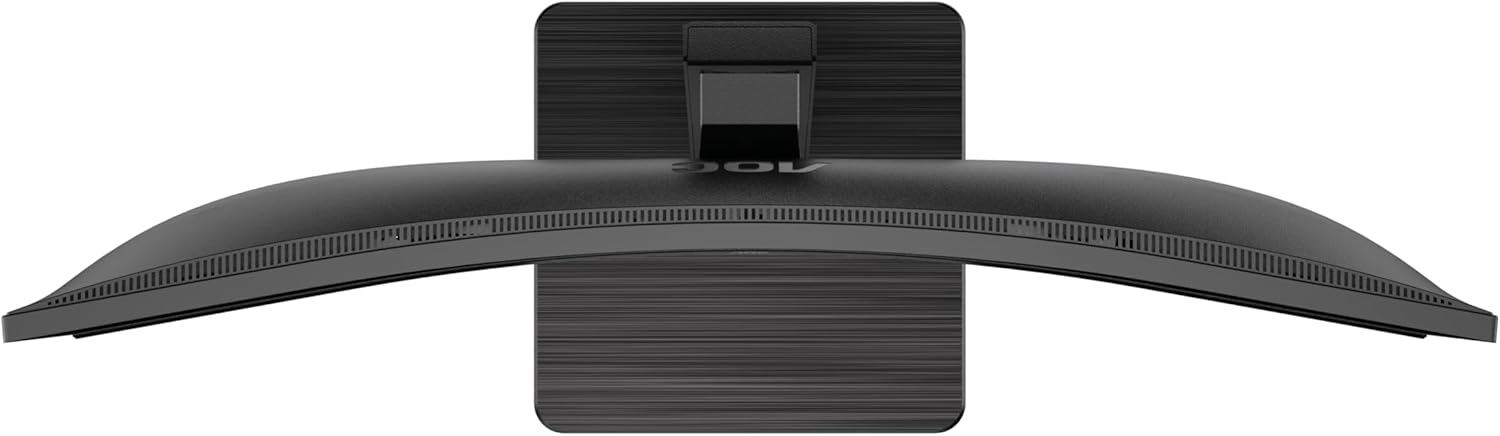
This image provides a top-down perspective of the AOC CU34P3CV monitor, clearly showing the curvature of its ultrawide screen.
6. Cumail suas
6.1. Glanadh an Monitor
- Tarraing am monitor a-mach às a’ phuing cumhachd an-còmhnaidh mus glan thu e.
- Cleachd clò bog, gun lint gus an sgrion agus na h-uachdaran a-muigh a sguabadh gu socair.
- Airson comharran stòlda, cuir beagan uisge orra.ampnigh an clò le uisge no le inneal-glanaidh sgrion tlàth, neo-sgrìobach. Na spraeadh an inneal-glanaidh gu dìreach air an sgrion.
- Avoid using benzene, thinner, ammonia-based cleaners, or abrasive cleaning agents.
7. A ’dèanamh trioblaid
Ma thachras tu ri duilgheadasan leis an sgrìn agad, thoir sùil air na duilgheadasan agus na fuasglaidhean cumanta a leanas:
| Trioblaid | Adhbhar a dh’fhaodadh a bhith ann | Fuasgladh |
|---|---|---|
| No power/No image | Power cable not connected; Monitor off | Ensure power cable is securely connected; Press the power button to turn on the monitor. |
| No signal/"No Input" message | Càball bhidio gun cheangal; Stòr cuir-a-steach ceàrr air a thaghadh | Check video cable connections (HDMI, DisplayPort, USB-C); Use OSD menu to select the correct input source. |
| Dealbh ro dhorcha/ro shoilleir | Roghainnean soilleireachd/eadar-dhealachaidh ceàrr | Atharraich roghainnean Soilleireachd is Iomsgaradh tron chlàr-taice OSD. |
| Dealbh flickering | Incorrect refresh rate; Loose cable | Ensure refresh rate is set to 60Hz in your computer's display settings; Check video cable connections. |
| Puirt USB nach eil ag obair | USB upstream cable not connected; Driver issue | Ensure the USB-C cable (for video and data) or a separate USB upstream cable is connected to your computer; Check computer's device manager for USB driver issues. |
8. Sònrachaidhean
Modail: AOC CU34P3CV
| Feart | Sònrachadh |
|---|---|
| Meud sgrion | 34 òirleach (86.4 cm) |
| Fuasgladh | 3440 x 1440 Quad HD |
| Co-mheas taobh | 21:9 |
| Seòrsa pannal | Pannal VA |
| Ìre Ath-nuadhachaidh | 60 Hz |
| Co-mheas coimeas ìomhaigh | 1000:1 |
| Ceangalachd | USB-C (with Power Delivery), HDMI, DisplayPort, USB Hub, Ethernet (RJ45) |
| Caitheamh Cumhachd (SDR) | 32.0 W |
| Caitheamh Cumhachd (HDR) | 35.0 W |
| Caitheamh Cumhachd (Mòd Dheth) | 0.3 W |
| Caitheamh cumhachd (Fuirich) | 0.5 W |
| Meudan an toraidh (timcheall air) | 11.81 x 11.81 x 11.81 òirleach (leis an t-seasamh) |
| Cuideam an Nì (timcheall air) | 2.2 pounds (without stand) |
| Guaranteed Software/Firmware Updates | 8 Bliadhna |
| Guaranteed Spare Parts | 7 Bliadhna |
| Guaranteed Product Support | 8 Bliadhna |
Image: Product Information Sheet
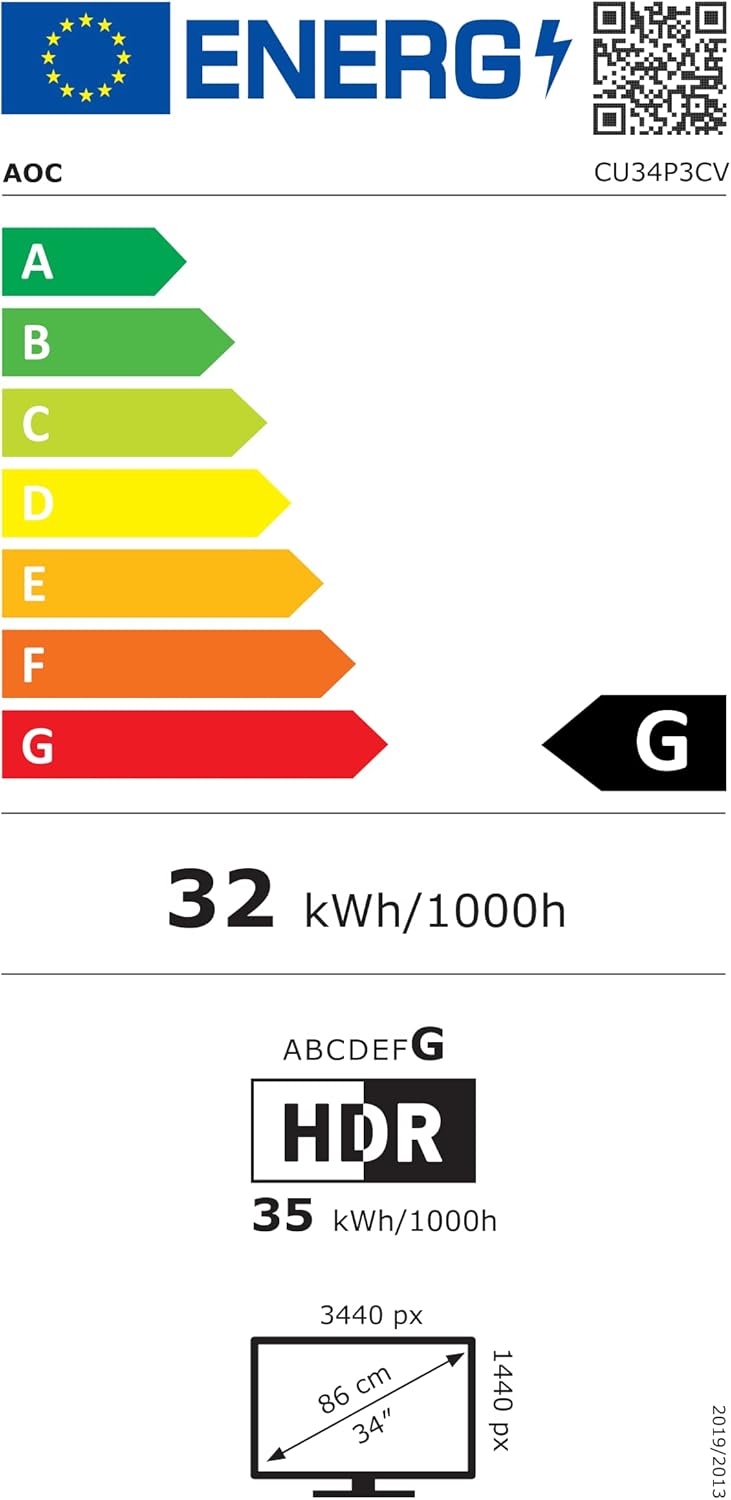
This image displays the official Product Information Sheet for the AOC CU34P3CV monitor, providing detailed technical specifications and compliance information.
Image: Energy Label
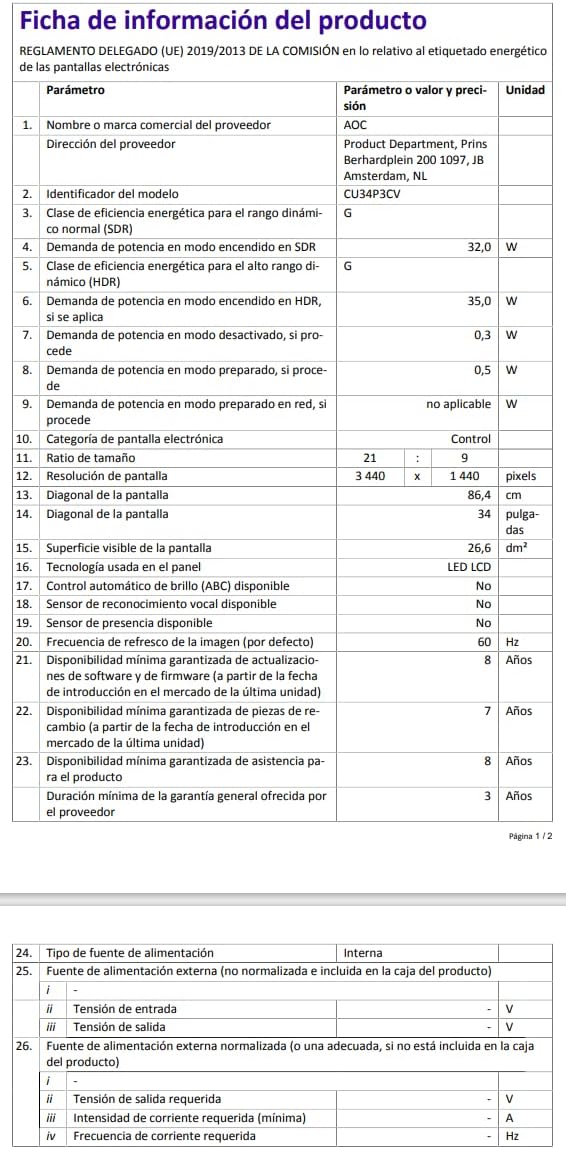
This image presents the EU Energy Label for the AOC CU34P3CV monitor, indicating its energy efficiency class and annual power consumption.
Airson tuilleadh fiosrachaidh mu lùth, tadhail air stòr-dàta EPREL: https://eprel.ec.europa.eu/qr/1362085
9. Barantas agus Taic
Your AOC CU34P3CV monitor comes with a minimum general guarantee of 3 bliadhna provided by the supplier. Additionally, AOC guarantees minimum availability of software and firmware updates for 8 years, spare parts for 7 years, and product support for 8 years from the date of end of placement on the market.
For technical support, warranty claims, or further assistance, please visit the official AOC website or contact your local AOC customer service center. Keep your purchase receipt as proof of purchase for warranty purposes.


