1. Réamhrá
This manual provides essential information for setting up, operating, maintaining, and troubleshooting your HP 17 Laptop, Model 17t. Please read these instructions carefully to ensure proper use and longevity of your device.
2. Cad atá sa Bhosca
- HP 17 Laptop (Model 17t)
- Cuibheoir cumhachta 45 W Smart AC
- HD tógtha Webcam with integrated dual-array digital microphones (integrated into laptop)
3. Táirge Tharview
The HP 17 Laptop features a 17.3-inch HD+ touchscreen display, powered by a 12th Gen Intel Core i7-1255U processor. It includes 64GB DDR4 RAM and a 2TB PCIe NVMe M.2 Solid State Drive for high performance and ample storage. Key features include Wi-Fi 6 connectivity, a backlit keyboard, and a fingerprint reader for enhanced security.
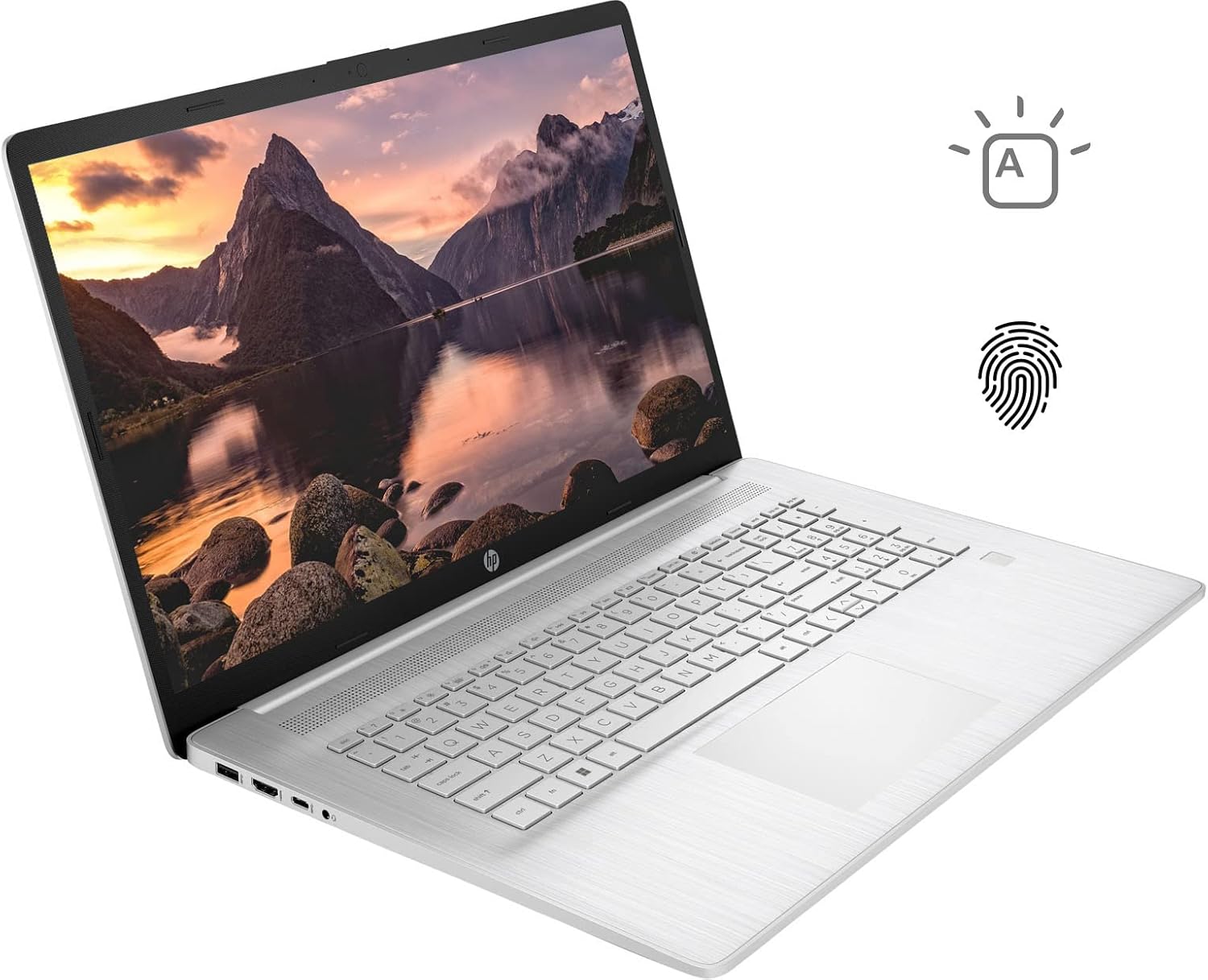
Figure 3.1: HP 17 Laptop with screen displaying a landscape image and keyboard visible.
3.1. Calafoirt Taobh Clé
The left side of the laptop provides essential connectivity options.
- Port USB Cineál-A: Chun gléasanna USB a nascadh.
- Port HDMI: Chun ceangal le taispeántais sheachtracha.
- Port USB Cineál-C: For data transfer and connecting compatible devices.
- Seac Comhcheangailte Cluasán/Micreafón: Le haghaidh ionchuir agus aschuir fuaime.

Figure 3.2: Left side of the HP 17 Laptop, detailing the USB Type-A, HDMI, USB Type-C, and headphone/microphone combo ports.
3.2. Calafoirt ar an Taobh Deise
The right side of the laptop includes additional ports and indicators.
- Ceanglóir Cumhachta: Chun an t-oiriúntóir cumhachta AC a nascadh.
- Solas Táscaire Muirir: Taispeánann sé stádas muirir.
- Port USB Cineál-A: Chun gléasanna USB a nascadh.

Figure 3.3: Right side of the HP 17 Laptop, showing the power connector, charging indicator, and USB Type-A port.
4. Socrú
4.1. An Chumhacht Tosaigh
- Connect the 45 W Smart AC power adapter to the power connector on the right side of the laptop and then to a power outlet.
- Oscail clúdach an ríomhaire glúine.
- Press the power button, typically located on the top right of the keyboard deck.
- Lean na treoracha ar an scáileán chun thus Windows 11 Home a chríochnú, lena n-áirítear teanga, réigiún, nasc líonra, agus cruthú cuntais úsáideora.
4.2. Forimeallaigh a nascadh
Use the available USB ports (Type-A and Type-C) to connect external devices such as a mouse, external keyboard, or USB storage devices. The HDMI port allows connection to an external monitor or TV.
5. Operating Your HP 17 Laptop
5.1. Feidhmiúlacht an Scáileáin Tadhaill
The 17.3-inch HD+ display supports touch input. You can interact with Windows 11 and applications directly using your fingers for navigation, scrolling, and selection.
5.2. Méarchlár le Soilsiú Cúlra
The keyboard features backlighting for use in low-light conditions. To toggle the backlight, press the F4 key. Repeated presses may cycle through different brightness levels or turn the backlight off.
5.3. Léitheoir Méarloirg
For enhanced security and quick login, configure the integrated fingerprint reader through Windows Hello settings. Access these settings via Socruithe > Cuntais > Roghanna sínithe isteach.
5.4. Nascacht Gan Sreang
The laptop supports Wi-Fi 6 and Bluetooth 5.2. To connect to a Wi-Fi network, click the network icon in the taskbar, select your desired network, and enter the password if required. Bluetooth devices can be paired via Socruithe > Bluetooth & gléasanna.
5.5. Webcam and Microphones
An HD comhtháite webcam and dual-array digital microphones are suitable for video conferencing and online communication. Ensure privacy settings are configured correctly in Windows to control application access to the camera and microphone.
6. Cothabháil
6.1. Glanadh
- Scáileán: Bain úsáid as éadach bog, saor ó lint go héadrom dampnigh le huisce nó le glantóir scáileáin. Seachain ceimiceáin ghéara.
- Méarchlár agus Chassis: Use a soft, dry cloth. A can of compressed air can help remove dust from between keys.
- Cinntigh go bhfuil an ríomhaire glúine múchta agus díphlugáilte sula ndéantar é a ghlanadh.
6.2. Cúram Battery
- Seachain teochtaí foircneacha.
- For optimal battery life, avoid constantly keeping the laptop at 100% charge or letting it fully discharge frequently.
- Stóráil an ríomhaire glúine le luchtú páirteach (thart ar 50%) mura n-úsáidtear é ar feadh tréimhsí fada.
6.3. Nuashonruithe Bogearraí
Seiceáil go rialta le haghaidh nuashonruithe Windows agus suiteáil iad trí Socruithe > Nuashonrú Windows. Also, ensure HP drivers and firmware are up to date using the HP Support Assistant application or HP's official websuíomh.
7. Fabhtcheartú
7.1. Ní Chumhachtaíonn an Ríomhaire Glúine Ar Ais
- Cinntigh go bhfuil an t-oiriúntóir AC ceangailte go daingean leis an ríomhaire glúine agus le hasraon cumhachta atá ag obair araon.
- Check the charging indicator light on the right side of the laptop. If it's not lit, try a different outlet or adapter if available.
- Perform a hard reset: Disconnect the AC adapter, press and hold the power button for 15 seconds, then reconnect the adapter and try to power on.
7.2. Fadhbanna Taispeána
- Gan Taispeáin: If the laptop powers on but the screen remains black, try connecting an external monitor via HDMI to check if the issue is with the laptop's internal display.
- Scáileán Tadhaill Gan Fhreagracht: Restart the laptop. If the issue persists, check for updated display drivers or run Windows Troubleshooter for hardware and devices.
7.3. Fadhbanna Nascachta Wi-Fi
- Cinntigh go bhfuil Wi-Fi cumasaithe i socruithe Windows.
- Atosaigh do ródaire agus do mhodem.
- Rith Fabhtcheartaitheoir Líonra Windows.
- Nuashonraigh tiománaithe do chuibheoirí gan sreang.
8. Sonraíochtaí
| Ainm an tSamhail | HP 17t Notebook |
| Taispeáin | 17.3" HD+ (1600 x 900) BrightView Scáileán Tadhaill |
| Próiseálaí | 12th Gen Intel Core i7-1255U (10 Cores, up to 4.70 GHz) |
| Grafaicí | Grafaicí Intel Iris Xe (Comhtháite) |
| RAM | 64GB DDR4 |
| Stóráil | SSD PCIe NVMe M.2 2TB |
| Córas Oibriúcháin | Windows 11 baile |
| Nascacht Gan Sreang | Wi-Fi 6 (2x2), Bluetooth 5.2 |
| Calafoirt | 1x USB Type-C (5Gbps), 2x USB Type-A (5Gbps), 1x HDMI 1.4b, 1x Headphone/Microphone Combo |
| Méarchlár | Backlit Keyboard, Numeric Keyboard |
| Slándáil | Léitheoir Méarloirg |
| Ceamara | HD tógtha Webcam with dual-array digital microphones |
| Ceallraí | 3-chealla, 41Wh litiam-ian prismasach |
| Cuibheoir Cumhachta | Cuibheoir cumhachta 45 W Smart AC |
| Meáchan | 5.25 punt (thart ar 2.38 kg) |
| Toisí (LxWxH) | 15.78 x 10.15 x 0.78 orlach (thart ar 40.08 x 25.78 x 1.98 cm) |
| Dath | Airgid |
9. Barántas agus Tacaíocht
For warranty information, please refer to the documentation included with your product or visit the official HP support website. If you encounter issues not covered in this manual or require further assistance, please contact HP customer support.
You can find support resources, drivers, and contact information on the official HP websuíomh: www.hp.com/tacaíocht