1. Introduction
Thank you for choosing the LG 34 Inch UltraWide WQHD Curved Monitor. This manual provides essential information for the safe and efficient use of your new monitor. Please read it thoroughly before operating the device and keep it for future reference.
Contenu du colis
- LG 34 Inch UltraWide Curved Monitor
- Support pour écran (base et col)
- Câble d'alimentation
- Câble HDMI
- Câble DisplayPort
- Câble USB-C
- Manuel d'utilisation et carte de garantie
2. Principales caractéristiques
- 34-inch WQHD UltraWide Curved Display: Expansive 21:9 screen (3440 x 1440) for enhanced productivity and immersive viewing.
- HDR Display with 99% sRGB: Delivers vibrant, natural colors and distinct image layers, supporting HDR brightness performance.
- Fréquence de rafraîchissement élevée de 120 Hz : Ensures fluid scrolling and dynamic content for a comfortable visual experience.
- Temps de réponse : 5 ms (GTG) Provides quick pixel response for smooth motion.
- LG Switch for Multitasking & Eye Care: Enables quick split-screen functionality, customizable layouts, and Reader Mode to reduce eye strain.
- Support réglable : Supports height, tilt, and swivel adjustments for optimal viewangles d'inclinaison.
- Haut-parleurs intégrés : Audio intégré pour plus de commodité.
- Plusieurs options de connectivité : Includes DisplayPort and HDMI inputs.
3. Installation
3.1 Assemblage du support
Carefully remove the monitor and stand components from the packaging. Follow the instructions below to attach the stand to the monitor.
- Placez l'écran face contre une surface douce et propre pour éviter les rayures.
- Fixez le pied du moniteur à l'arrière. Assurez-vous qu'il s'enclenche correctement.
- Attach the stand base to the bottom of the stand neck. Tighten the screw(s) firmly to secure the base.
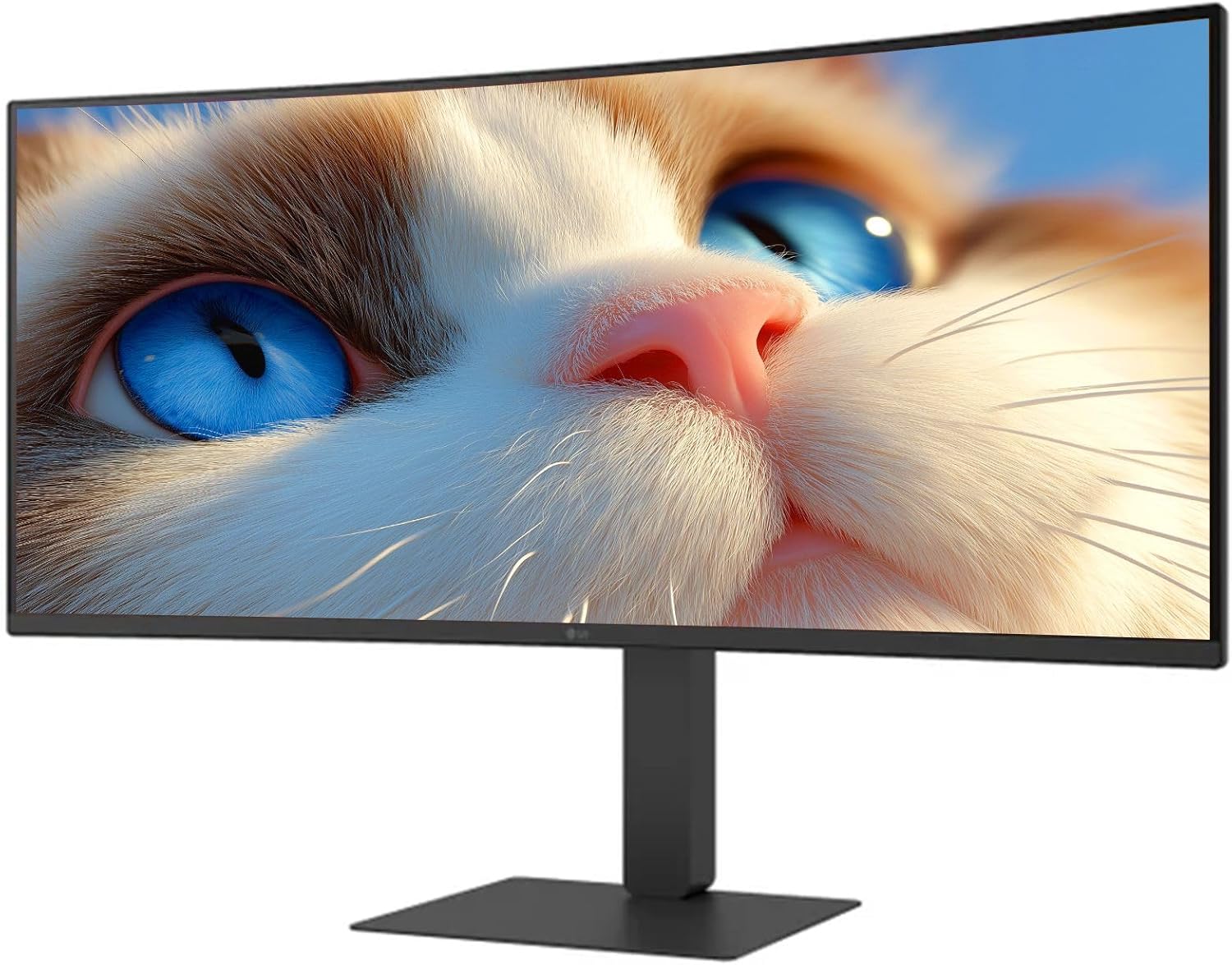
Figure 1 : Face avant view of the LG 34 Inch UltraWide Curved Monitor with stand.

Figure 2 : Côté view of the LG 34 Inch UltraWide Curved Monitor with stand.
3.2 Connexion du moniteur
Connectez le moniteur à votre ordinateur ou à d'autres appareils à l'aide des câbles appropriés.
- Branchez le câble d'alimentation à l'entrée d'alimentation du moniteur, puis à une prise de courant.
- For video input, connect either an HDMI cable or a DisplayPort cable from your computer's graphics card to the corresponding port on the monitor.
- If your computer supports USB-C, you can use the provided USB-C cable for video, audio, and data transfer.

Figure 3 : Arrière view of the monitor showing available ports for connectivity.
4. Utilisation du moniteur
4.1 Mise sous/hors tension
Press the power button, usually located on the bottom center of the monitor, to turn the monitor on or off. The power indicator light will illuminate when the monitor is on.
4.2 Menu d'affichage à l'écran (OSD)
The OSD menu allows you to adjust various monitor settings. Use the joystick button (typically located on the bottom center) to navigate the menu.
- Mode d'image : Select from various preset modes (e.g., Custom, Reader, HDR Effect) or customize settings like brightness, contrast, and sharpness.
- Saisir: Manually select the input source (HDMI, DisplayPort, USB-C).
- Général: Access settings for language, OSD transparency, and power-saving options.
4.3 Réglage du support
The monitor stand offers ergonomic adjustments for your comfort:
- Réglage de la hauteur : Poussez ou tirez doucement le moniteur vers le haut ou vers le bas jusqu'à la hauteur souhaitée.
- Réglage de l'inclinaison : Hold both sides of the monitor and tilt it forwards or backwards.
- Ajustement pivotant : Faites pivoter le moniteur vers la gauche ou vers la droite sur son socle.
5. Entretien
5.1 Nettoyage du moniteur
Pour garantir la longévité et les performances optimales de votre moniteur, suivez ces consignes de nettoyage :
- Débranchez toujours le moniteur de la prise de courant avant de le nettoyer.
- Utilisez un chiffon doux et non pelucheux légèrement dampterminer avec de l'eau ou un nettoyant pour écrans spécialisé.
- Ne pas vaporiser le nettoyant directement sur l'écran.
- Évitez d'utiliser des nettoyants abrasifs, des solvants ou des produits à base d'ammoniaque.
6. Dépannage
Si vous rencontrez des problèmes avec votre moniteur, consultez les solutions courantes suivantes :
- Pas d'alimentation : Assurez-vous que le câble d'alimentation est bien branché à la fois au moniteur et à la prise de courant. Vérifiez le bon fonctionnement de la prise de courant.
- Pas de signal: Vérifiez que le câble vidéo (HDMI, DisplayPort ou USB-C) est correctement connecté à la fois au moniteur et à votre ordinateur. Assurez-vous que la source d'entrée appropriée est sélectionnée dans le menu OSD.
- Écran clignotant : Check the video cable connection. Try adjusting the refresh rate in your computer's display settings.
- Distorsion de l'image : Reset the monitor to factory settings via the OSD menu. Ensure your computer's display resolution matches the monitor's native resolution (3440 x 1440).
- Aucun son ne sort des haut-parleurs intégrés : Check the volume settings on both the monitor and your computer. Ensure the audio output is correctly routed to the monitor.
If the problem persists after trying these steps, please contact LG customer support.
7. Spécifications
| Fonctionnalité | Spécification |
|---|---|
| Marque | LG |
| Numéro de modèle | 195174134092 |
| Taille de l'écran | 34 pouces |
| Résolution maximale | WQHD (3440 x 1440) |
| Taux de rafraîchissement | 120 Hz |
| Temps de réponse | 5ms (GTG) |
| Rapport hauteur/largeur | 21:9 |
| Gamme de couleurs | 99% sRGB |
| Prise en charge HDR | HDR10 |
| ViewAngle d'attaque | 178 degrees (R/L), 178 degrees (U/D) |
| Connecteurs d'affichage | 1 x HDMI, 1 x DisplayPort |
| Eye Relief Features | Low blue light, Flicker-free, Anti-glare, Reader Mode |
| Haut-parleurs intégrés | Oui |
| Dimensions du produit (avec support) | 8.7"P x 32.1"L x 19.2"H |
| Poids du produit (avec support) | 16.8 livres |
8. Garantie et assistance
Your LG 34 Inch UltraWide Curved Monitor comes with a standard manufacturer's warranty. Please refer to the warranty card included in your package for detailed terms and conditions.
For technical support, service, or further inquiries, please visit the official LG website or contact their customer service hotline. Keep your purchase receipt and product serial number (located on the back of the monitor) handy when contacting support.