Introduction
This manual provides detailed instructions for the setup, operation, and maintenance of your LIGE EF21-I Smartwatch. Please read this manual thoroughly before using the device to ensure proper function and to maximize its features.
Consignes de sécurité
- N'essayez pas de démonter ou de modifier la montre.
- Gardez la montre à l’abri des températures extrêmes et de la lumière directe du soleil.
- Évitez d'exposer la montre à des chocs violents ou à des chutes.
- Do not use corrosive chemicals to clean the watch.
- Cet appareil n'est pas un dispositif médical. Les données de santé sont fournies à titre indicatif uniquement et ne doivent pas être utilisées pour un diagnostic ou un traitement médical.
- Assurez-vous que les contacts de charge sont propres et secs avant de procéder à la charge.
Contenu du colis
Vérifiez que tous les éléments sont présents dans votre colis :
- LIGE EF21-I Smartwatch
- Câble de charge magnétique USB
- Câble de charge de type C
- Manuel d'utilisation

Image: The package includes both a USB magnetic charging cable and a Type-C charging cable for versatile power options.
Guide d'installation
1. Charge initiale
Before first use, fully charge your smartwatch. Connect the magnetic charging cable to the charging contacts on the back of the watch and the USB end to a power adapter (not included) or a computer USB port. The watch display will show the charging status.

Image: The smartwatch connected to its magnetic charger, indicating its 800 mAh battery capacity.
2. Installation et appairage de l'application
To unlock all features, download and install the "Fit CloudPro" app on your smartphone.
- Scan the QR code in the manual or on the watch (if available) or search for "Fit CloudPro" in your phone's app store (compatible with Android 8.0+ and iOS 12.0+).
- Ouvrez l'application et créez un compte ou connectez-vous.
- Assurez-vous que Bluetooth est activé sur votre smartphone.
- Dans l'application, accédez à la section appareil et sélectionnez « Ajouter un appareil » ou une option similaire.
- Select "EF21-I" from the list of available devices to pair.
- Suivez les instructions à l’écran pour terminer le processus de couplage.
Une fois jumelée, la montre synchronisera l'heure et les données avec votre téléphone.
Mode d'emploi
Navigation de base
- Écran tactile : Balayez vers la gauche/droite, vers le haut/bas pour naviguer dans les menus et les fonctionnalités. Appuyez pour sélectionner.
- Boutons latéraux : Typically, one button acts as a power/back button, while others may be customizable shortcuts. Refer to the on-screen prompts for specific functions.

Image: The 1.43-inch AMOLED display offers brilliant colors and a fluid, efficient user experience.
Fonction d'appel Bluetooth
The EF21-I Smartwatch supports Bluetooth calls, allowing you to make and receive calls directly from your wrist.
- Assurez-vous que la montre est connectée à votre smartphone via Bluetooth.
- Access the "Call" or "Phone" function on your watch.
- You can use the dial pad, access your contacts, or view Historique des appels.
- Advanced noise cancellation ensures clear audio during calls.
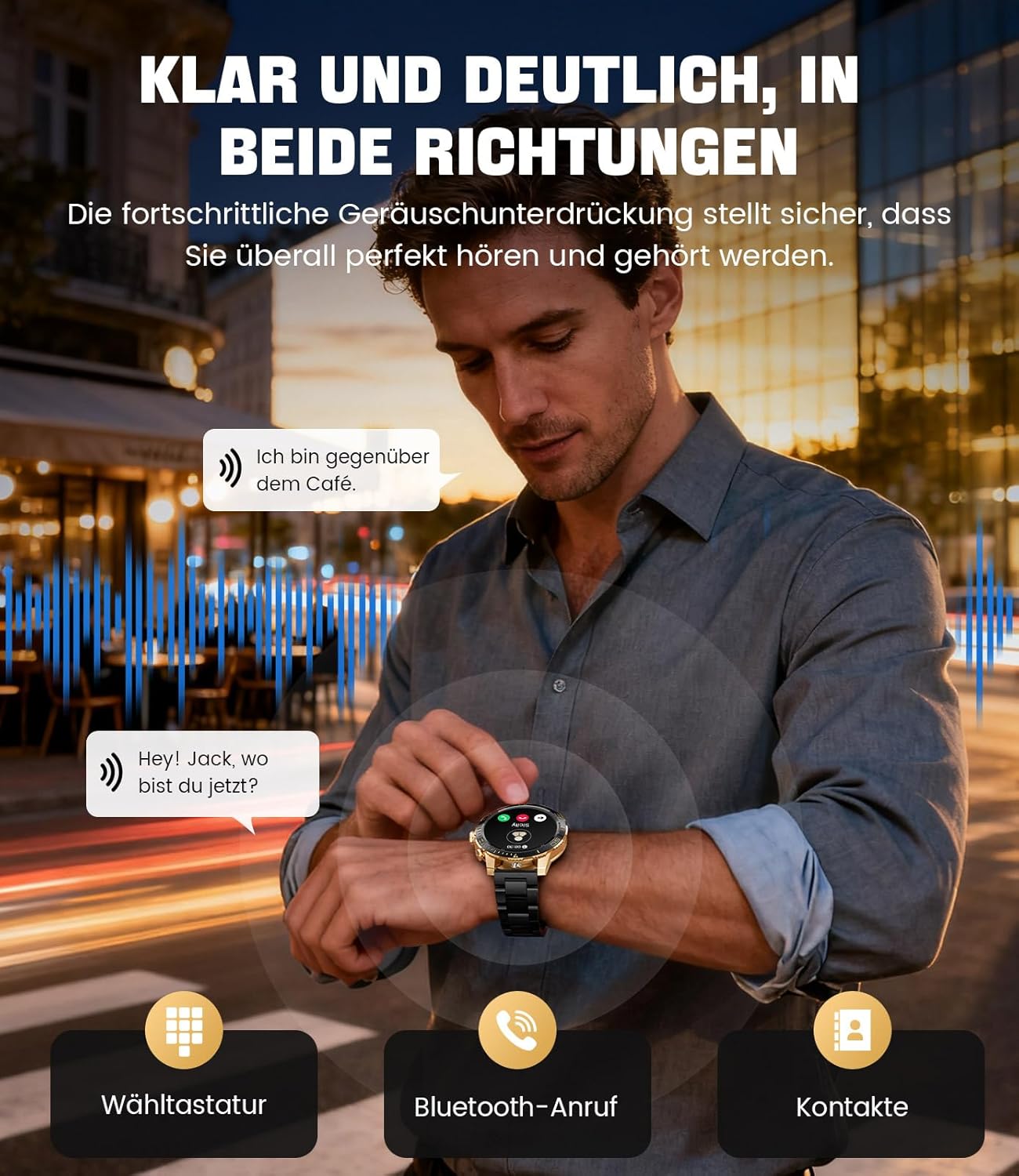
Image: The smartwatch allows clear two-way communication with advanced noise cancellation, featuring a dial pad, Bluetooth call option, and contacts access.
Notifications
Recevez des notifications en temps réel de vos applications pour smartphone directement sur votre montre.
- Enable app notifications in the "Fit CloudPro" app settings.
- The watch will display incoming calls, SMS, and messages from social media apps (e.g., Facebook, Twitter, Instagbélier, WhatsApp).
- A quick glance at your wrist allows you to stay informed discreetly.

Image: The smartwatch displays real-time notifications from various social media applications, keeping you informed discreetly.
Surveillance de la santé
The EF21-I Smartwatch acts as your 24/7 health guardian, providing continuous monitoring of key health metrics.
- Fréquence cardiaque : Surveille votre fréquence cardiaque tout au long de la journée.
- Oxygène sanguin (SpO2) : Mesure votre taux de saturation en oxygène dans le sang.
- Suivi du sommeil : Analyse vos cycles de sommeil, en faisant la distinction entre sommeil profond, sommeil léger et périodes d'éveil.
- Surveillance du stress : Surveille les niveaux de stress.
- Rappels sédentaires : Vous alerte pour que vous puissiez bouger après des périodes d'inactivité.
View detailed health data and trends in the "Fit CloudPro" app.
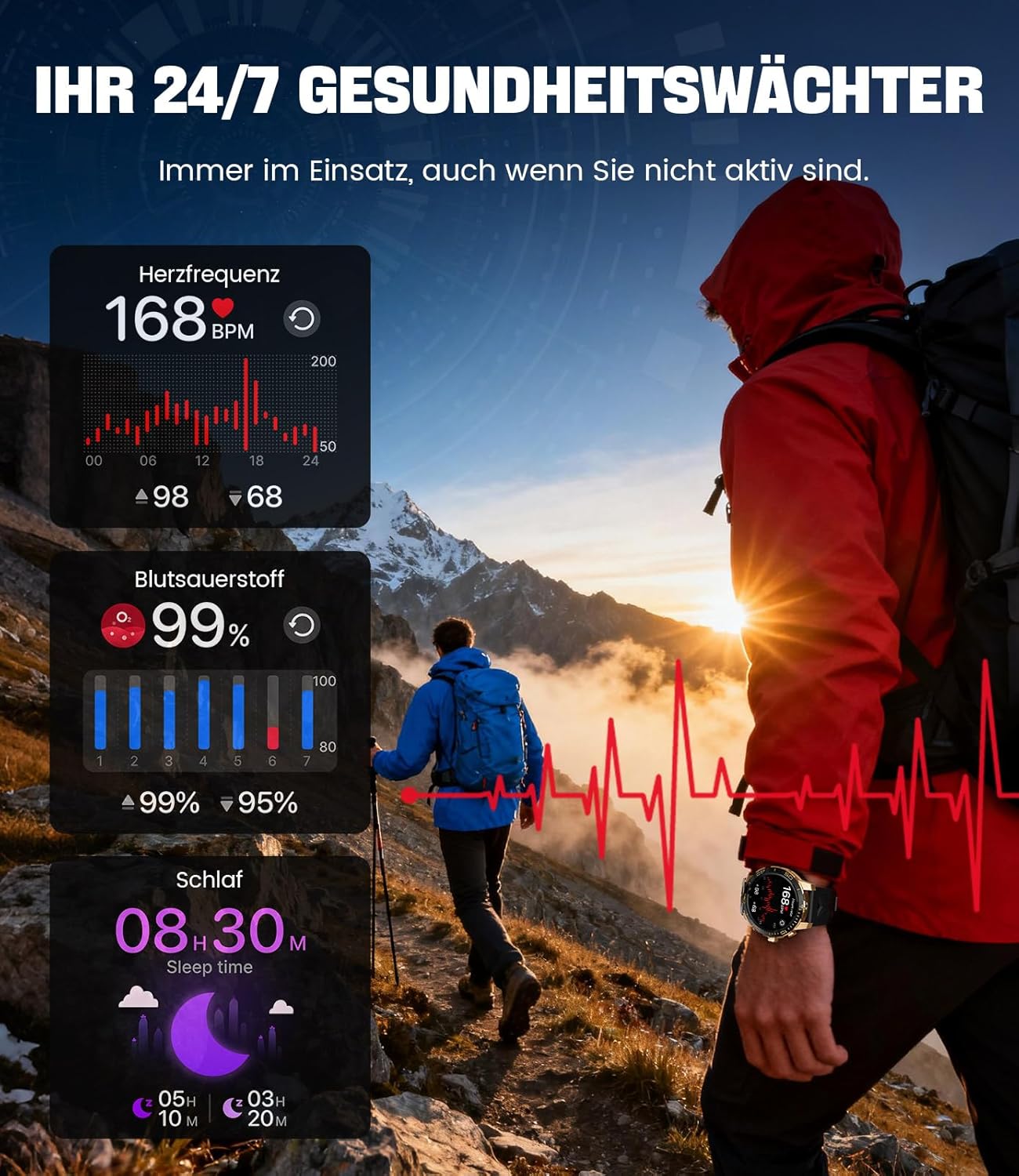
Image: The smartwatch functions as a 24/7 health guardian, monitoring heart rate, blood oxygen, and sleep patterns, even when you are not actively engaged in exercise.
Modes sportifs
With over 200 sports modes, the watch helps you track your workouts and achieve your fitness goals.
- Sélectionnez le mode sportif souhaité dans le menu de la montre.
- The watch records data such as heart rate, calories burned, and steps taken.
- Automatic recognition for walking, running, and cycling is supported.
- Review your activity data in the "Fit CloudPro" app for performance analysis.

Image: The smartwatch supports over 200 training modes, tracking heart rate, calories, and steps for various activities.
Cadrans de montre personnalisables
Personnalisez votre montre connectée avec une variété de cadrans.
- The watch comes with several pre-installed classic watch faces.
- Access over 200 additional designs through the "Fit CloudPro" app.
- Vous pouvez également télécharger vos propres photos pour créer des cadrans de montre personnalisés.
Fonctionnalités supplémentaires
- Prévisions météorologiques: Recevez des mises à jour météo en temps réel.
- Réveil: Réglez vos alarmes directement depuis votre poignet.
- Contrôle de la caméra à distance : Use your watch to trigger your phone's camera.
- Lampe de poche: Activate a flashlight function on your wrist.
- Localisateur de téléphone : Find your misplaced smartphone using the watch.

Image: The smartwatch features a wrist flashlight function, providing illumination for outdoor activities.
Entretien
Nettoyage
- Essuyez l'écran et le boîtier de la montre avec un chiffon doux non pelucheux.
- Pour les taches tenaces, dampHumidifiez légèrement le tissu avec de l'eau.
- Avoid using harsh chemicals, abrasive materials, or ultrasonic cleaners.
- Assurez-vous que les contacts de charge sont propres et exempts de débris.
Résistance à l'eau (IP68)
The LIGE EF21-I Smartwatch is IP68 water-resistant, meaning it can withstand immersion in water up to 1.5 meters for up to 30 minutes. It is suitable for daily use, hand washing, and swimming.
- N’utilisez pas la montre dans l’eau chaude, les saunas ou les hammams.
- Évitez d'appuyer sur les boutons sous l'eau.
- After exposure to water, especially saltwater, dry the watch thoroughly.
Dépannage
La montre ne s'allume pas
- Assurez-vous que la montre est complètement chargée. Branchez-la au chargeur pendant au moins 30 minutes.
- Appuyez sur le bouton d'alimentation et maintenez-le enfoncé pendant plusieurs secondes.
Unable to Pair with App
- Assurez-vous que Bluetooth est activé sur votre smartphone.
- Assurez-vous que la montre est suffisamment chargée.
- Redémarrez votre smartphone et votre montre connectée.
- Try unpairing and re-pairing the device through the "Fit CloudPro" app.
- Vérifiez si l'application dispose des autorisations nécessaires sur votre téléphone.
Données de santé inexactes
- Assurez-vous que la montre soit bien ajustée à votre poignet, ni trop lâche ni trop serrée.
- Nettoyez le capteur situé à l'arrière de la montre.
- Évitez les mouvements excessifs pendant les mesures.
- Remember that health data is for reference and not for medical use.
Notifications non reçues
- Vérifiez que la montre est connectée à votre téléphone via Bluetooth.
- Check notification settings in the "Fit CloudPro" app.
- Ensure your phone's notification settings allow the app to send notifications.
- Disable any battery optimization settings for the "Fit CloudPro" app on your phone.
Caractéristiques
| Fonctionnalité | Détail |
|---|---|
| Marque | LIGE |
| Numéro de modèle | EF21-I |
| Taille de l'écran | 1.43 pouces |
| Type d'affichage | Écran AMOLED |
| Capacité de la batterie | 13 000 mAh (Lithium-polymère) |
| Connectivité | Bluetooth |
| Compatibilité du système d'exploitation | Android 8.0+ et iOS 12.0+ |
| Indice de résistance à l'eau | IP68 |
| Capacité de stockage de la mémoire | 256 Mo |
| Caractéristiques spéciales | Weather forecast, Sedentary reminder, Alarm clock, Touch screen, Always-on display, Bluetooth calling, Heart rate monitor, SpO2 monitor, Sleep monitor, 200+ sports modes, Phone locator |
| GPS | GPS via smartphone |

Image: The smartwatch features impact resistance, indicated by a 'Military Grade Drop-Tested' badge.
Garantie et assistance
Informations sur la garantie
The product is supported by a 12-month warranty. Please retain your proof of purchase for warranty claims.
Assistance clientèle
For technical assistance, troubleshooting, or warranty inquiries, please contact LIGE customer support. Refer to the contact information provided with your purchase or visit the official LIGE website.


