مقدمه
This manual provides essential information for setting up, operating, and maintaining your iFFALCON 55U95A 55-inch 4K QD-Mini LED Smart Google TV. Please read these instructions carefully before using the product to ensure safe and optimal performance. Keep this manual for future reference.
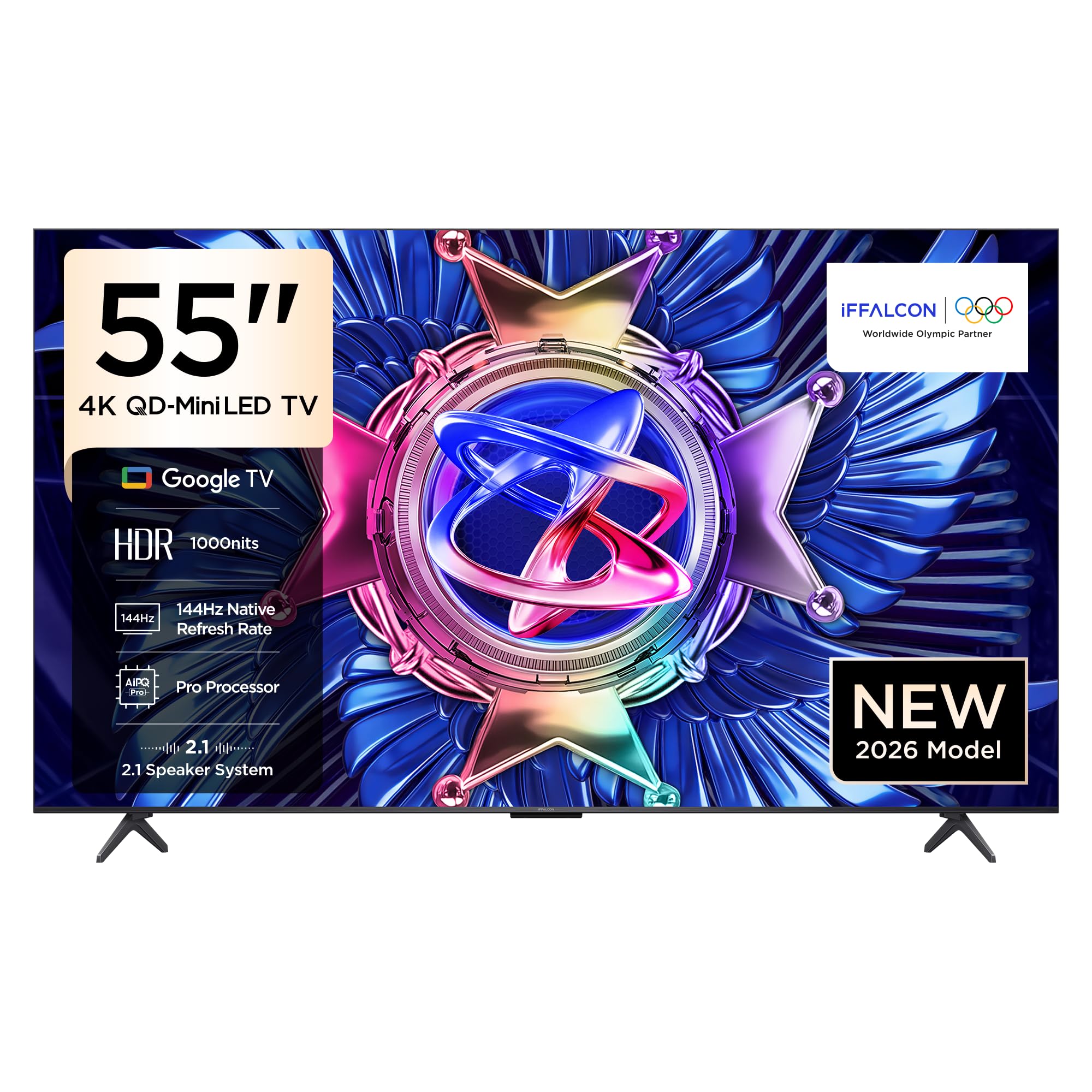
شکل 1: جلو view of the iFFALCON 55U95A Smart Google TV.
راهنمای راه اندازی
1. باز کردن بسته بندی
- تلویزیون و تمام لوازم جانبی را با دقت از بستهبندی خارج کنید.
- Verify that all included components are present: Power Adapter, Power Cable, Remote Control, Stand, and User Manual.
- مواد بستهبندی را برای حمل و نقل یا خدمات احتمالی در آینده نگه دارید.
۲. نصب روی پایه یا نصب روی دیوار
نصب پایه:
- برای جلوگیری از آسیب دیدن، صفحه تلویزیون را رو به پایین روی یک سطح نرم و صاف قرار دهید.
- Attach the stand bases to the designated slots on the bottom of the TV, aligning the screw holes.
- پایهها را با استفاده از پیچهای ارائه شده محکم کنید. مطمئن شوید که محکم بسته شدهاند.
نصب دیواری:
- If wall mounting, refer to the specific instructions provided with your wall mount kit.
- Ensure the wall mount is compatible with the VESA mounting pattern of your TV.
- Professional installation is recommended for wall mounting.

Figure 2: TV dimensions for placement and mounting considerations.
3. اتصال لوازم جانبی
Locate the input ports on the back of your TV. Connect your devices as follows:
- دستگاههای اچدیامآی: کنسولهای بازی، پخشکنندههای بلو-ری یا گیرندههای دیجیتال را به پورتهای HDMI وصل کنید.
- دستگاه های USB: Insert USB drives for media playback or software updates into the USB port.
- قدرت: کابل برق را به تلویزیون و سپس به پریز برق وصل کنید.
- شبکه: Connect an Ethernet cable for a wired internet connection, or use Wi-Fi for wireless connectivity.
شکل 3: عقب view تلویزیون با پورتهای اتصال.
۲. روشن کردن و راهاندازی اولیه
- دکمه روشن/خاموش را روی کنترل از راه دور یا تلویزیون فشار دهید.
- برای تکمیل تنظیمات اولیه، از جمله انتخاب زبان، اتصال به شبکه و ورود به حساب گوگل، دستورالعملهای روی صفحه را دنبال کنید.
دستورالعمل های عملیاتی
1. توابع کنترل از راه دور
The remote control allows you to navigate the TV's interface and control various functions. Familiarize yourself with the buttons for power, volume, channel, input selection, and smart TV navigation.
۲. ویژگیهای تلویزیون هوشمند (گوگل تیوی)
Your iFFALCON TV runs on Google TV, providing access to a wide range of apps, streaming services, and smart features.
- دستیار گوگل: از طریق کنترل از راه دور، از دستورات صوتی برای جستجوی محتوا، کنترل دستگاههای هوشمند خانگی و دریافت اطلاعات استفاده کنید.
- Chromecast داخلی: Cast content from your compatible mobile devices directly to the TV screen.
- دسترسی به برنامه: برنامهها را از فروشگاه گوگل پلی دانلود و نصب کنید.
3. تنظیمات تصویر
خود را بهینه کنید viewing experience by adjusting picture settings. The iFFALCON 55U95A features advanced display technologies:
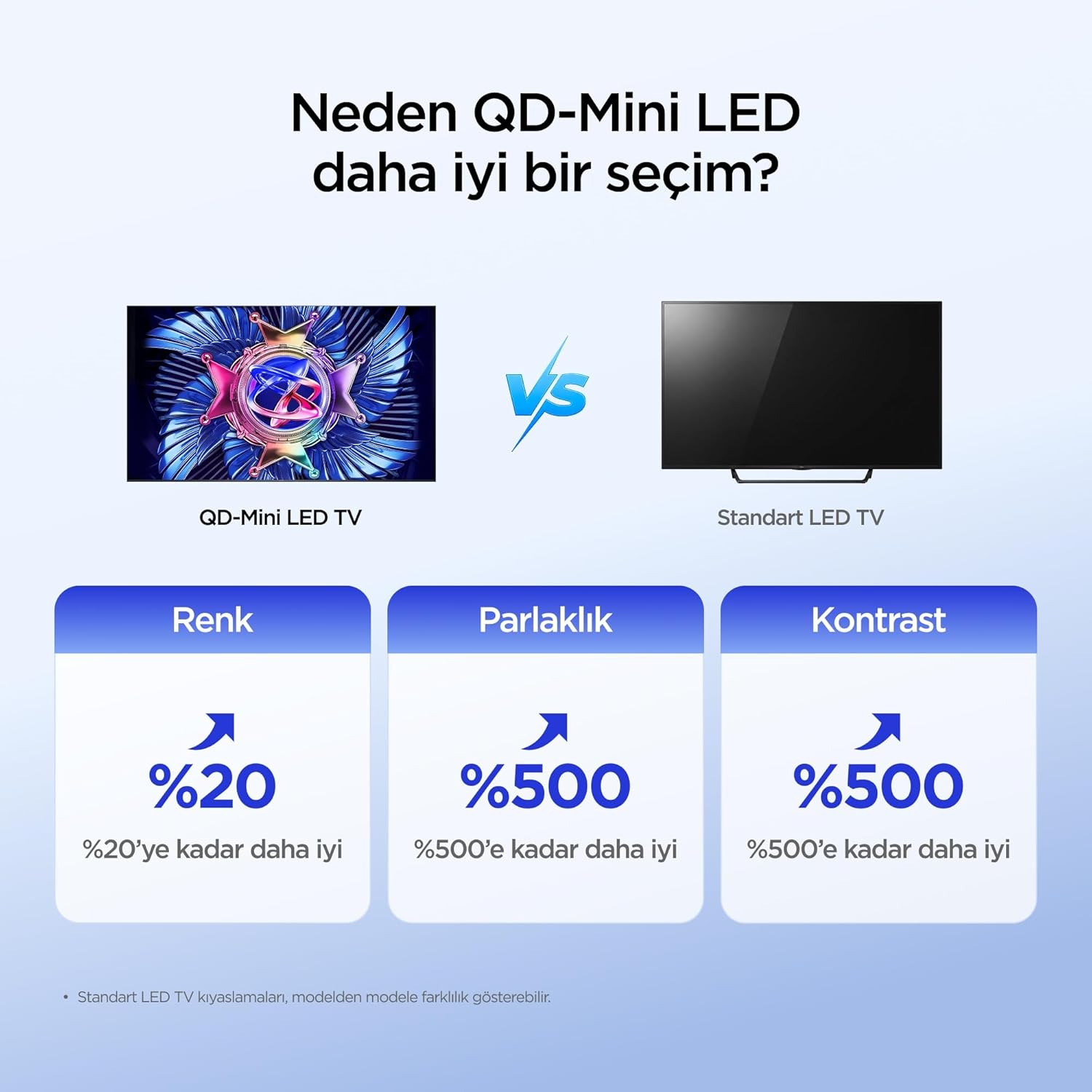
- QD-مینی الایدی: Offers superior color, brightness, and contrast compared to standard LED TVs.
- 512 Local Dimming Zones: Provides pixel-level light control for precise detail and impressive visuals by managing over 500 local dimming zones.
- HDR 1000nits: Delivers peak brightness of up to 1000 nits, enhancing contrast and detail even in bright environments.
- فناوری QLED: Utilizes advanced quantum crystal materials for richer colors, higher stability, and long-lasting color performance, ensuring vibrant and lifelike images.
- All-domain Halo Control Technology: Reduces the halo effect from source to screen, providing clearer details and higher contrast for a premium viewتجربه کردن
- پردازنده AiPQ Pro: Intelligently analyzes and optimizes content at a pixel level for enhanced clarity, balance, and overall viewکیفیت
- Matte HVA Panel: Reduces reflections and glare, offering a clear view even in brightly lit rooms.

Figure 4: QD-Mini LED technology advantages

Figure 5: Local Dimming Zones for superior contrast.

Figure 6: High HDR brightness for vivid images.
4. تنظیمات صدا
Experience immersive audio with your TV's advanced sound system:
- ONKYO 2.1 Hi-Fi Audio: Built-in 2.1 channel speakers deliver impressive stereo sound with deep bass, providing a cinema-like audio experience.
- Dolby Atmos: Enjoy powerful, clear, and balanced sound with enhanced dialogue and immersive surround sound.

Figure 7: The 2.1 Speaker System provides a Hi-Fi experience.
۵. ویژگیهای بازی
The iFFALCON 55U95A is designed for an enhanced gaming experience:
- 144Hz Natural Refresh Rate: Provides smoother motion and sharper images, reducing lag and tearing for a more responsive gaming experience.
- Game Master Mode: Optimizes settings for gaming, reducing input lag and enhancing visual performance.

Figure 8: Enjoy smoother action with a 144Hz natural refresh rate.
تعمیر و نگهداری
۴.۱ تمیز کردن تلویزیون
- همیشه قبل از تمیز کردن، تلویزیون را از برق بکشید.
- از یک پارچه نرم، خشک و بدون پرز برای پاک کردن آرام صفحه نمایش و کابینت استفاده کنید.
- برای لکههای سرسخت، به آرامی dampپارچه را با آب یا یک پاککنندهی ملایم و غیرسایندهی صفحه نمایش آغشته کنید. پاککننده را مستقیماً روی صفحه نمایش اسپری نکنید.
- از استفاده از الکل، بنزین، تینر یا سایر مواد فرار خودداری کنید، زیرا ممکن است به تلویزیون آسیب برسانند.
2. به روز رسانی نرم افزار
تلویزیون شما ممکن است بهروزرسانیهای نرمافزاری را برای بهبود عملکرد و افزودن ویژگیهای جدید دریافت کند. برای دریافت خودکار این بهروزرسانیها، مطمئن شوید که تلویزیون شما به اینترنت متصل است یا میتوانید آنها را به صورت دستی در منوی تنظیمات بررسی کنید.
عیب یابی
اگر با تلویزیون خود با مشکلاتی مواجه شدید، به مشکلات و راهحلهای رایج زیر مراجعه کنید:
| مشکل | راه حل ممکن |
|---|---|
| بدون قدرت | Check if the power cable is securely connected to the TV and the power outlet. Ensure the outlet is functional. |
| تصویر ندارد، اما صدا دارد | تأیید کنید که منبع ورودی صحیح انتخاب شده است. اتصالات کابل به دستگاههای خارجی را بررسی کنید. تلویزیون را مجدداً راهاندازی کنید. |
| صدا نداره ولی تصویر داره | Check the volume level and mute status. Ensure audio cables are correctly connected. Check TV audio output settings. |
| کنترل از راه دور کار نمی کند | باتریها را تعویض کنید. مطمئن شوید که هیچ مانعی بین کنترل از راه دور و حسگر IR تلویزیون وجود ندارد. |
| نمیتوان به وایفای وصل شد | مطمئن شوید که روتر وایفای شما روشن و کار میکند. رمز عبور وایفای را دوباره وارد کنید. تلویزیون و روتر را دوباره راهاندازی کنید. |
| Picture is Distorted or Unclear | تنظیمات تصویر (روشنایی، کنتراست، وضوح) را تنظیم کنید. کیفیت سیگنال ورودی را بررسی کنید. |
اگر پس از امتحان کردن این راهحلها مشکل همچنان ادامه داشت، لطفاً با پشتیبانی مشتری تماس بگیرید.
مشخصات فنی
| ویژگی | مشخصات |
|---|---|
| نام تجاری | آیفالکون |
| مدل | 55U95A |
| اندازه صفحه نمایش | 55 اینچ |
| فناوری نمایش | مینی ال ای دی |
| قطعنامه | 4K (3840 در 2160 پیکسل) |
| نرخ تازه سازی | 144 هرتز |
| رابط سخت افزار | بلوتوث، اچدیامآی، یواسبی |
| ورودی صوتی | بلوتوث ، Wi-Fi |
| پیکربندی بلندگو | 2.1 کانال |
| فناوری اتصال | بلوتوث، اچدیامآی، یواسبی، وایفای |
| تعداد پورت های USB | 1 |
| نوع نصب | پایه رومیزی، پایه دیواری |
| ابعاد محصول (WxDxH) | 122.9 × 5.59 × 71.3 سانتی متر |
| وزن محصول | 16.3 کیلوگرم |
| اجزای شامل | آداپتور برق، کابل برق، ریموت کنترل، پایه، دفترچه راهنما |
| کشور مبدا | چین |
گارانتی و پشتیبانی
Your iFFALCON 55U95A TV comes with a standard manufacturer's warranty. Please refer to the warranty card included in your product packaging for specific terms and conditions, including warranty duration and coverage details.
For technical support, service requests, or further assistance, please visit the official iFFALCON website or contact their customer service hotline. Contact information can typically be found in the warranty documentation or on the manufacturer's webسایت


