مقدمه
Thank you for choosing the LIGE FVA21-D Smart Watch. This manual provides essential information for setting up, operating, and maintaining your device. Please read it carefully to ensure optimal performance and longevity of your smartwatch.
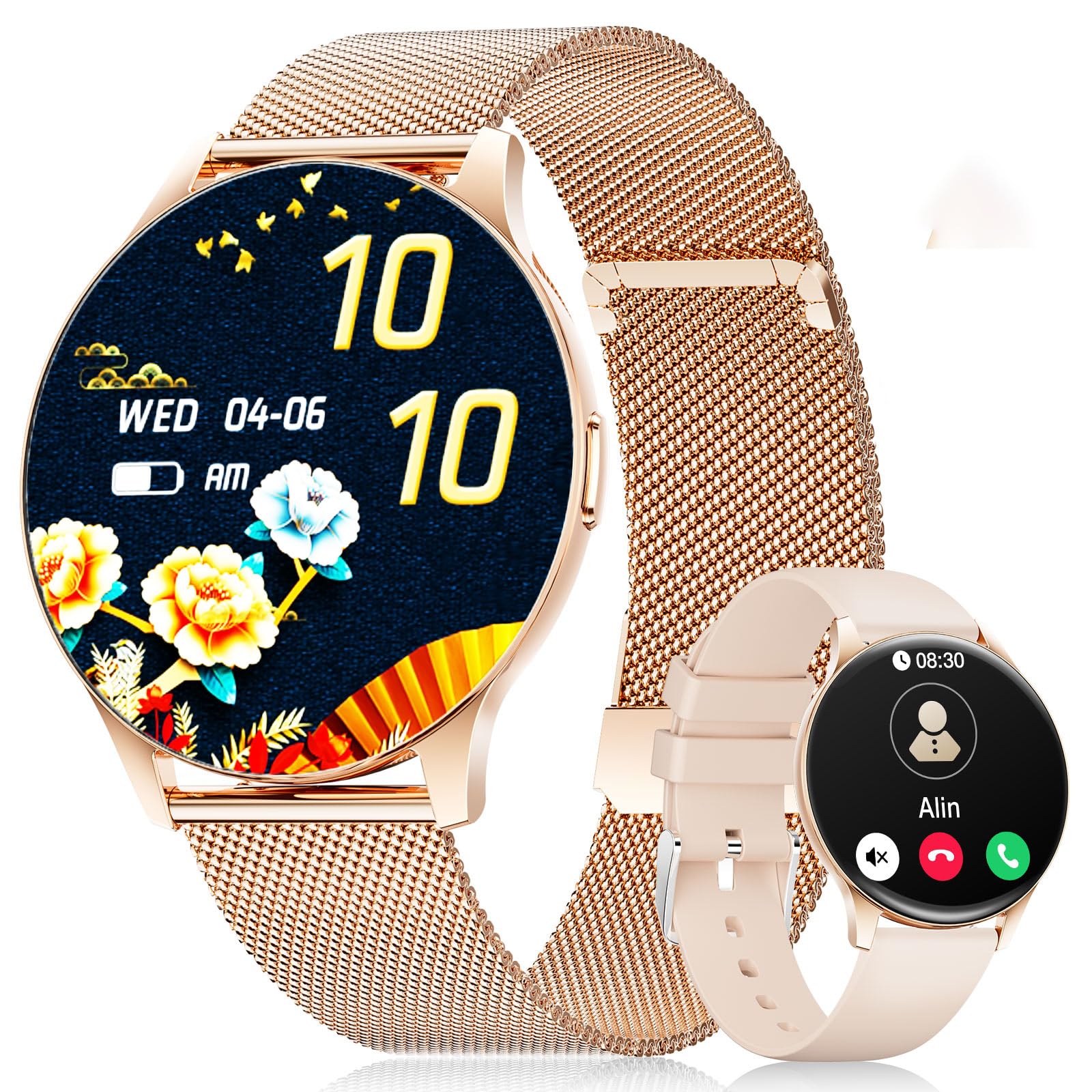
The LIGE FVA21-D Smart Watch featuring a 1.43-inch AMOLED display and a stylish gold mesh band.
آنچه در جعبه است
Upon unboxing your LIGE FVA21-D Smart Watch, you should find the following items:
- LIGE FVA21-D Smart Watch
- کابل شارژ
- Watch Strap (Gold Mesh)
- Additional Watch Strap (Apricot Silicone)
- Watch Setting Tools (if applicable for strap adjustment)
- Smartwatch Manuals
This video demonstrates the unboxing process of the LIGE Smart Watch, showing all included components such as the watch, two different straps, charging cable, and user manual.
راه اندازی
۱. شارژ کردن ساعت هوشمند
Before initial use, fully charge your LIGE FVA21-D Smart Watch. Connect the magnetic charging cable to the charging points on the back of the watch and plug the USB end into a power source.

The magnetic charging cable attaching to the back of the LIGE Smart Watch for convenient power replenishment.
۲. نصب و جفتسازی برنامه
To unlock the full potential of your smartwatch, download and install the 'FitCloudPro' app on your smartphone. The app is compatible with Android 4.4+ and iOS 9.0+ devices.
- Scan the QR code displayed on your watch screen or in the manual to download the 'FitCloudPro' app.
- برنامه را باز کنید و دستورالعمل های روی صفحه را دنبال کنید تا حساب کاربری ایجاد کنید یا وارد شوید.
- به بخش «دستگاه» در برنامه بروید و «افزودن دستگاه» را انتخاب کنید.
- The app will search for nearby smartwatches. Select 'FV21' from the list to initiate pairing.
- درخواست جفتسازی را هم در گوشی هوشمند و هم در ساعت هوشمند خود تأیید کنید.
This video demonstrates the process of installing the companion app and pairing the LIGE Smart Watch with a smartphone, including scanning the QR code and confirming the Bluetooth connection.
۸. نصب تسمه
Your LIGE FVA21-D Smart Watch comes with two interchangeable straps: a gold mesh band and an apricot silicone band. To change the strap:
- پینهای سریعالرها را در پشت بندهای ساعت پیدا کنید.
- Slide the pin inwards to detach the current strap from the watch body.
- Align the new strap with the watch lugs and slide the pin inwards.
- Release the pin to secure the strap in place. Gently pull on the strap to ensure it is properly attached.

The LIGE Smart Watch displayed with its two included straps, highlighting the versatility in style.
دستورالعمل های عملیاتی
1. ناوبری اولیه
The LIGE FVA21-D Smart Watch features a full touch HD AMOLED screen for intuitive navigation:
- انگشت خود را به پایین بکشید: به تنظیمات سریع (مثلاً روشنایی، حالت DND) دسترسی پیدا کنید.
- بالا کشیدن: View اطلاعیه ها
- کشیدن انگشت به چپ/راست: Scroll through main functions and widgets (e.g., activity data, heart rate, weather, music control).
- دکمه کناری را فشار دهید: Return to the main watch face or turn the screen on/off.
۵. فراخوانی توابع
Once paired with your smartphone, the smartwatch supports Bluetooth calling:
- برقراری تماس: Access the 'Telephone' function on your watch to dial numbers directly or select from frequent contacts synced from your phone.
- پاسخ / رد تماس ها: When an incoming call is received, you can answer or reject it directly from your watch screen.

The LIGE Smart Watch displaying its Bluetooth call interface and message notification screen.
3. اطلاعیه ها
Receive real-time notifications for calls, messages, and various apps directly on your wrist. Ensure notification permissions are enabled in the 'FitCloudPro' app settings.
4. Watch Faces
Personalize your watch with over 200 customizable watch faces available through the 'FitCloudPro' app. You can also upload your own photos to create unique watch faces.
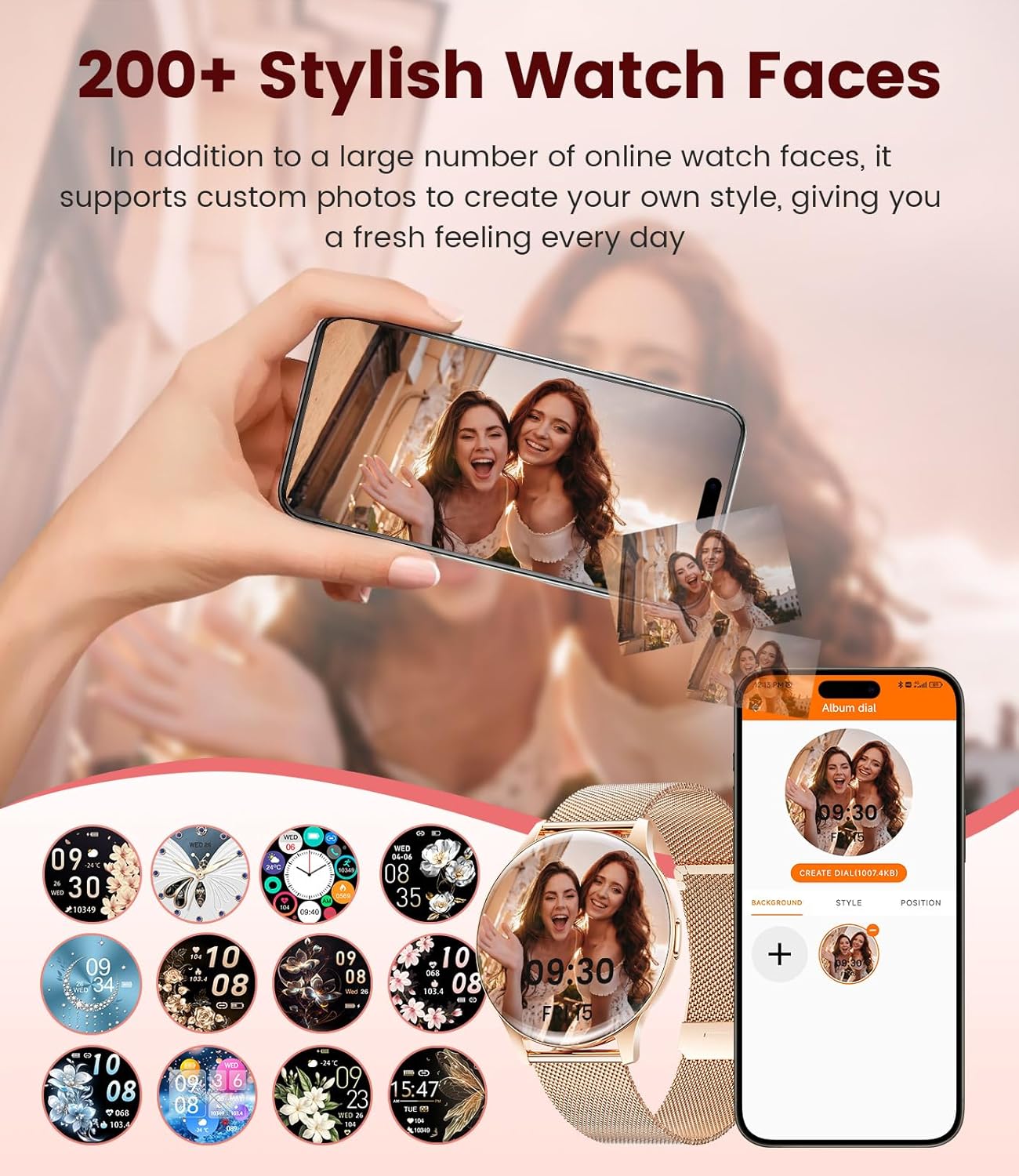
A selection of watch faces for the LIGE Smart Watch, including an option to customize with personal photos.
۳. نظارت بر سلامت
The LIGE FVA21-D Smart Watch offers comprehensive health tracking features:
- پایش ضربان قلب: در طول روز به طور مداوم ضربان قلب شما را کنترل میکند.
- نظارت بر خواب: الگوهای خواب شما، از جمله خواب عمیق، خواب سبک و زمانهای بیداری را پیگیری میکند.
- سلامت زنان: Provides menstruation and pregnancy period reminders.
- اکسیژن خون و فشار خون: Measures blood oxygen levels and blood pressure (for reference only, not medical grade).
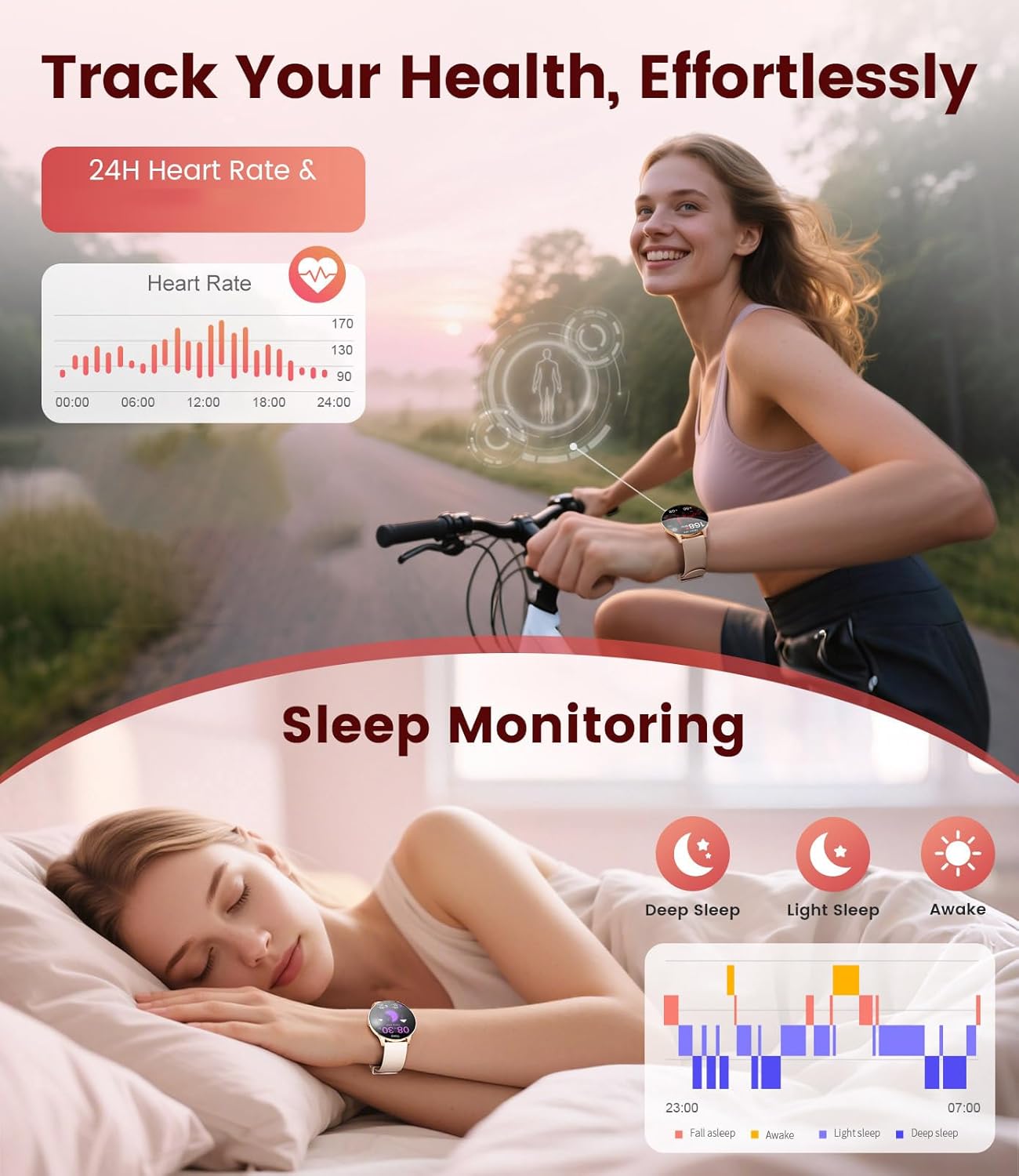
The LIGE Smart Watch displaying heart rate data and sleep monitoring graphs.

The LIGE Smart Watch interface showing menstruation and pregnancy period reminders for women's health tracking.
۴. حالتهای ورزشی
With over 120 sports modes, the smartwatch helps you track various activities, including walking, running, cycling, yoga, and more. It records steps, distance, calories burned, and heart rate during workouts.

The LIGE Smart Watch displaying various sport mode icons and activity tracking metrics.
7. سایر ویژگی ها
The smartwatch includes additional useful functions:
- پیش بینی آب و هوا: بهروزرسانیهای آب و هوا را به صورت لحظهای دریافت کنید.
- کنترل موسیقی: پخش موسیقی را در گوشی هوشمند خود کنترل کنید.
- کنترل دوربین: از ساعت خود به عنوان شاتر دوربین گوشی خود استفاده کنید.
- هشدارها و یادآوری ها: Set alarms, sedentary reminders, and drink water reminders.
- پیدا کردن تلفن: Locate your misplaced phone by triggering an alarm.
- Calculator & Stopwatch: Basic utility tools.
A collage of the LIGE Smart Watch's multifunctional features, including weather display, music control, camera remote, and various reminders.
تعمیر و نگهداری
۶.۱ مقاومت در برابر آب (IP68)
The LIGE FVA21-D Smart Watch is IP68 waterproof, meaning it is resistant to dust and can withstand immersion in water up to 1.5 meters for 30 minutes. It is suitable for daily use, such as hand washing, rain, and shallow swimming. However, it is not recommended for hot showers, saunas, or diving, as steam and high water pressure may compromise the seal.
This video demonstrates the water resistance of the LIGE Smart Watch, showing it being rinsed under running water and functioning normally.
2. تمیز کردن
Regularly clean your watch and straps to prevent skin irritation and maintain appearance. Use a soft, dry cloth to wipe the watch body. For silicone straps, you can use mild soap and water. Ensure the watch is completely dry before wearing or charging.
3. مراقبت از باتری
برای افزایش طول عمر باتری:
- از دمای شدید خودداری کنید.
- نگذارید باتری مرتباً کاملاً خالی شود.
- ساعت را با استفاده از کابل شارژ اصلی ارائه شده شارژ کنید.
عیب یابی
- ساعت روشن نمیشود: Ensure the watch is fully charged. If it still doesn't turn on, try pressing and holding the side button for 10-15 seconds.
- نمیتوان با تلفن جفتسازی کرد: Make sure Bluetooth is enabled on your phone and the watch is within range. Restart both devices and try pairing again. Ensure the 'FitCloudPro' app has necessary permissions.
- اعلانهایی که دریافت نشدند: Check app notification settings on your phone and within the 'FitCloudPro' app. Ensure the watch is connected via Bluetooth.
- دادههای نادرست سلامت: Ensure the watch is worn snugly on your wrist, not too tight or too loose. Avoid excessive movement during measurements. Note that health data is for reference and not for medical diagnosis.
- عمر باتری کوتاه: روشنایی صفحه نمایش را کاهش دهید، اعلانهای غیرضروری را غیرفعال کنید و در صورت عدم نیاز، نظارت مداوم بر ضربان قلب را محدود کنید.
مشخصات
| ویژگی | مشخصات |
|---|---|
| شماره مدل | FVA21-D |
| اندازه صفحه نمایش | ۱.۵۸ اینچ آمولد |
| وضوح نمایش | 466x466 |
| سیستم عامل | Android نسخه 4.4 و بالاتر و iOS 9.0+ |
| قابلیت اتصال | بلوتوث |
| مقاومت در برابر آب | IP68 |
| ظرفیت باتری | 200 میلیونamp ساعت (لیتیوم پلیمر) |
| ذخیره سازی حافظه | 256 مگابایت |
| وزن مورد | 7.4 اونس |
| سازنده | LIGE |

Detailed product dimensions for the LIGE Smart Watch, including watch face diameter and strap length ranges.
گارانتی و پشتیبانی
LIGE provides reliable service for its products. If you encounter any questions or require assistance with your FVA21-D Smart Watch, please refer to the contact information provided in your product packaging or visit the official LIGE support webسایت رسید خرید خود را برای ادعای گارانتی نگه دارید.


