1. مقدمه
Thank you for choosing the ULANZI VM1 MagSafe Selfie Monitor. This manual provides instructions for the safe and effective use of your device, designed to enhance your mobile video recording and live streaming experience.
۲.۲ محتویات جعبه
- VM1 Selfie Monitor Screen *1
- Magnetic Adapter Ring *1
- کیسه ذخیره سازی *1
- کابل داده *1
- راهنمای کاربر *1

Image: Package contents of the ULANZI VM1 MagSafe Selfie Monitor.
1.2 محصول به پایان رسیده استview
The ULANZI VM1 MagSafe Selfie Monitor features a 3.97-inch HD display, designed for real-time preview of your phone's camera. It includes a Power/Mirror Button, USB 3.0 Data Type-C Port, Host Type-C Port, Charging Type-C Port, Brightness Button, and Aspect Ratio Button.

تصویر: تمام شدview of the ULANZI VM1 monitor's buttons and ports.
2. راهنمای راه اندازی
۵.۵ اتصال مانیتور
The ULANZI VM1 is designed for quick and secure attachment using MagSafe technology. Simply align the monitor with the MagSafe area on your iPhone or a MagSafe-compatible Android phone case. The magnetic connection ensures precise 1:1 alignment and a stable hold.

Image: MagSafe magnetic attachment of the monitor to a smartphone.
2.2 Connecting to Your Phone
The monitor operates as a plug-and-play device. Connect your phone to the monitor using the provided data cable. Ensure your phone supports DisplayPort (DP) Alt Mode for video output to enable real-time preview.
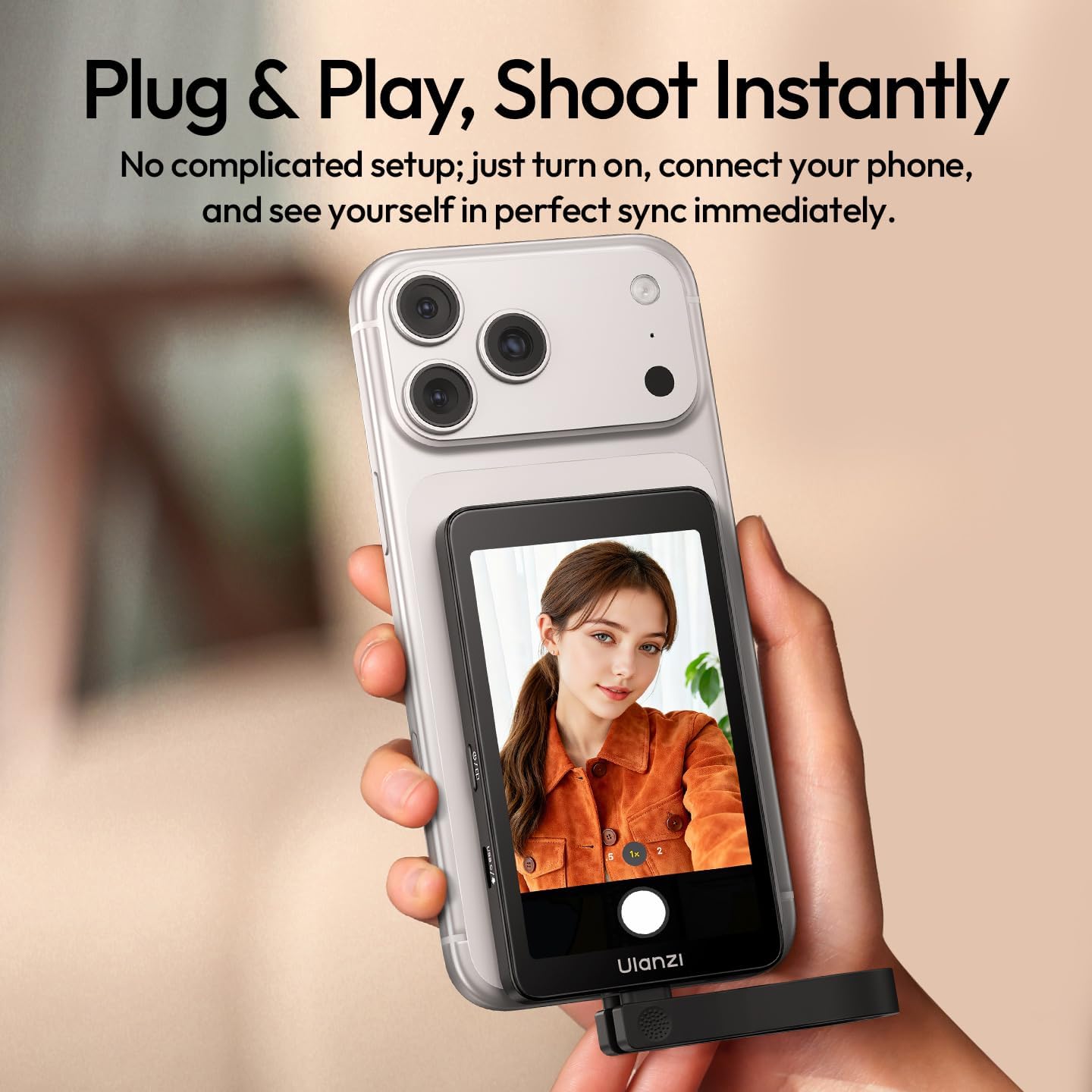
Image: Connecting the monitor to a smartphone for instant shooting.
3. دستورالعمل های عملیاتی
3.1 Real-Time 4K 60fps Preview و ضبط
The ULANZI VM1 monitor provides a clear, real-time preview of your phone's camera feed, supporting up to 4K 60fps. This allows you to monitor your frame accurately while recording high-quality content with your phone's rear camera.

Image: Real-time 4K 60fps preview and recording setup.
3.2 Audio-Visual Sync
For professional audio quality, connect wireless microphones via the USB 3.0 Data Type-C port on the monitor. This setup ensures perfectly synced audio-visual quality during recording or live streaming.
3.3 Mirror Flip Function
To switch your perspective instantly, tap the Power/Mirror Button. This one-tap mirror flip feature allows you to unlock creative angles and shoot your way with total freedom, especially useful when using the rear camera for selfies or vlogging.

Image: Demonstrating the one-tap mirror flip function.
۴.۳ قابل تنظیم View and Brightness
The monitor allows you to tailor your view for perfect framing:
- نسبت تصویر: Short-press the Aspect Ratio Button to toggle between native ratio and scaled zoom.
- روشنایی: Short-press the Brightness Button to cycle through three brightness levels.

Image: Adjusting view size and brightness on the monitor.
3.5 Charging During Use
The VM1 monitor supports Power Delivery (PD) 60W charging. This allows you to charge your phone simultaneously while filming, ensuring uninterrupted creative sessions without blocking your phone's Type-C port.

Image: Keeping your phone charged during filming with the monitor.
3.6 پخش زنده
The monitor is ideal for live streaming, providing a clear view of yourself while using your phone's superior rear camera. It maintains full WiFi functionality, ensuring interruption-free live broadcasts.
Video: Demonstrating the ULANZI VM1 MagSafe Selfie Monitor in use for vlogging and live streaming, showcasing its features like 4K 60fps recording, mirror flip, and adjustable brightness.
4. مراقبت و نگهداری
To ensure the longevity and optimal performance of your ULANZI VM1 monitor, please follow these care and maintenance guidelines:
- تمیز کردن: Keep the device clean by gently wiping it with a soft, dry, lint-free cloth. Avoid using harsh chemicals, abrasive cleaners, or solvents, as these can damage the screen or casing.
- شرایط محیطی: Avoid exposing the monitor to extreme temperatures, high humidity, or direct sunlight for prolonged periods. These conditions can affect the internal components and display.
- ذخیره سازی: When not in use, store the monitor in the provided storage bag to protect it from dust, scratches, and minor impacts.
- رسیدگی: Handle the monitor with care. Avoid dropping it or subjecting it to strong vibrations.
5 عیب یابی
If you encounter issues with your ULANZI VM1 monitor, refer to the following common solutions:
- بدون نمایش: Ensure the monitor is properly connected to your phone using the data cable. Verify that your phone supports DisplayPort (DP) Alt Mode, which is required for video output. Check if the monitor is powered on.
- کیفیت ضعیف ویدیو: Confirm that your phone's camera settings are configured for 4K 60fps recording. Ensure the connection cable is securely inserted into both the phone and the monitor.
- مشکلات صوتی: If using an external microphone, ensure it is correctly connected to the monitor's USB 3.0 Data Type-C port and properly configured within your phone's recording application.
- Magnetic Attachment Problems: Ensure the MagSafe area on your phone or case is clean and free of any obstructions. The magnetic ring should be securely attached if using a non-MagSafe phone.
- شارژ نشدن دستگاه: Check the charging cable and power source. Ensure the charging port on the monitor is clean and free of debris.
For further assistance, please contact ULANZI customer support through their official channels.
6. مشخصات محصول

Image: Dimensions of the ULANZI VM1 MagSafe Selfie Monitor.
| ویژگی | جزئیات |
|---|---|
| نام تجاری | ULANZI |
| مدل | VM1 |
| اندازه صفحه نمایش | 3.97 اینچ 800*480 |
| روشنایی | 400 نیت |
| نرخ تازه سازی | 60 هرتز |
| مصرف برق | 0.375 وات |
| پورت شارژ | Supports PD 60W |
| پورت داده | USB 3.0 5Gbps |
| ابعاد | 103mm*61mm*11mm |
| وزن | تقریبا 87 گرم |
| Video Transmission Protocol | DisplayPort (DP), phones that support DP Alt Mode |
7. گارانتی و پشتیبانی
ULANZI products come with a standard manufacturer's warranty. Please refer to the warranty card included in your package or visit the official ULANZI website for detailed warranty information regarding terms and conditions.
For technical support, product inquiries, or warranty claims, please contact ULANZI customer service through their official channels. You can also visit the ULANZI Store on Amazon برای اطلاعات بیشتر و منابع پشتیبانی


