مقدمه
This manual provides detailed instructions for the setup, operation, and maintenance of your LIGE EF21-I Smartwatch. Please read this manual thoroughly before using the device to ensure proper function and to maximize its features.
اطلاعات ایمنی
- سعی نکنید ساعت را جدا کرده یا تغییر دهید.
- ساعت را از دمای شدید و نور مستقیم خورشید دور نگه دارید.
- از قرار دادن ساعت در معرض ضربات شدید یا افتادن خودداری کنید.
- Do not use corrosive chemicals to clean the watch.
- This device is not a medical device. Health data is for reference only and should not be used for medical diagnosis or treatment.
- قبل از شارژ، از تمیز و خشک بودن اتصالات شارژ اطمینان حاصل کنید.
محتویات بسته
بررسی کنید که همه اقلام در بسته شما موجود باشد:
- LIGE EF21-I Smartwatch
- کابل شارژ مغناطیسی USB
- کابل شارژ نوع C
- راهنمای کاربر

Image: The package includes both a USB magnetic charging cable and a Type-C charging cable for versatile power options.
راهنمای راه اندازی
۱. شارژ اولیه
Before first use, fully charge your smartwatch. Connect the magnetic charging cable to the charging contacts on the back of the watch and the USB end to a power adapter (not included) or a computer USB port. The watch display will show the charging status.

Image: The smartwatch connected to its magnetic charger, indicating its 800 mAh battery capacity.
۲. نصب و جفتسازی برنامه
To unlock all features, download and install the "Fit CloudPro" app on your smartphone.
- Scan the QR code in the manual or on the watch (if available) or search for "Fit CloudPro" in your phone's app store (compatible with Android 8.0+ and iOS 12.0+).
- برنامه را باز کنید و یک حساب کاربری ایجاد کنید یا وارد شوید.
- اطمینان حاصل کنید که بلوتوث در گوشی هوشمند شما فعال است.
- در برنامه، به بخش دستگاه بروید و «افزودن دستگاه» یا گزینه مشابه را انتخاب کنید.
- Select "EF21-I" from the list of available devices to pair.
- برای تکمیل فرآیند جفتسازی، فرمانهای روی صفحه را دنبال کنید.
پس از جفت شدن، ساعت زمان و دادهها را با تلفن شما همگامسازی میکند.
دستورالعمل های عملیاتی
ناوبری اولیه
- صفحه نمایش لمسی: برای پیمایش در منوها و ویژگیها، انگشت خود را به چپ/راست، بالا/پایین بکشید. برای انتخاب، ضربه بزنید.
- دکمه های کناری: Typically, one button acts as a power/back button, while others may be customizable shortcuts. Refer to the on-screen prompts for specific functions.

Image: The 1.43-inch AMOLED display offers brilliant colors and a fluid, efficient user experience.
عملکرد تماس بلوتوث
The EF21-I Smartwatch supports Bluetooth calls, allowing you to make and receive calls directly from your wrist.
- مطمئن شوید که ساعت از طریق بلوتوث به گوشی هوشمند شما متصل است.
- Access the "Call" or "Phone" function on your watch.
- You can use the dial pad, access your contacts, or view تاریخچه تماس
- Advanced noise cancellation ensures clear audio during calls.
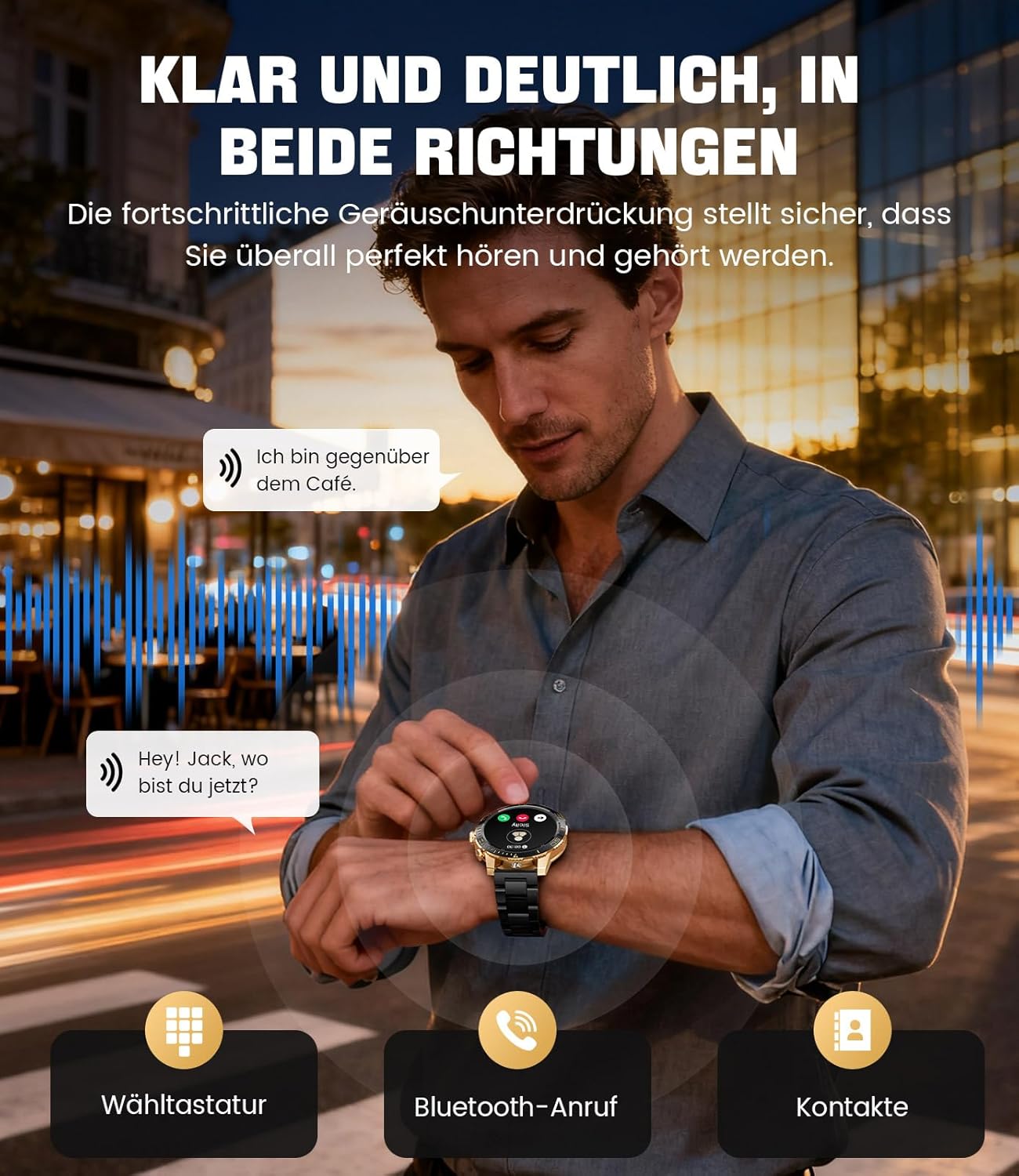
Image: The smartwatch allows clear two-way communication with advanced noise cancellation, featuring a dial pad, Bluetooth call option, and contacts access.
اطلاعیه ها
Receive real-time notifications from your smartphone apps directly on your watch.
- Enable app notifications in the "Fit CloudPro" app settings.
- The watch will display incoming calls, SMS, and messages from social media apps (e.g., Facebook, Twitter, Instagرم، واتس اپ).
- A quick glance at your wrist allows you to stay informed discreetly.

Image: The smartwatch displays real-time notifications from various social media applications, keeping you informed discreetly.
پایش سلامت
The EF21-I Smartwatch acts as your 24/7 health guardian, providing continuous monitoring of key health metrics.
- ضربان قلب: ضربان قلب شما را در طول روز کنترل میکند.
- اکسیژن خون (SpO2): میزان اشباع اکسیژن خون شما را اندازهگیری میکند.
- ردیابی خواب: Analyzes your sleep patterns, distinguishing between deep sleep, light sleep, and awake times.
- نظارت بر استرس: سطح استرس را ردیابی میکند.
- یادآوری های کم تحرک: پس از دورههای عدم فعالیت، به شما هشدار میدهد که حرکت کنید.
View detailed health data and trends in the "Fit CloudPro" app.
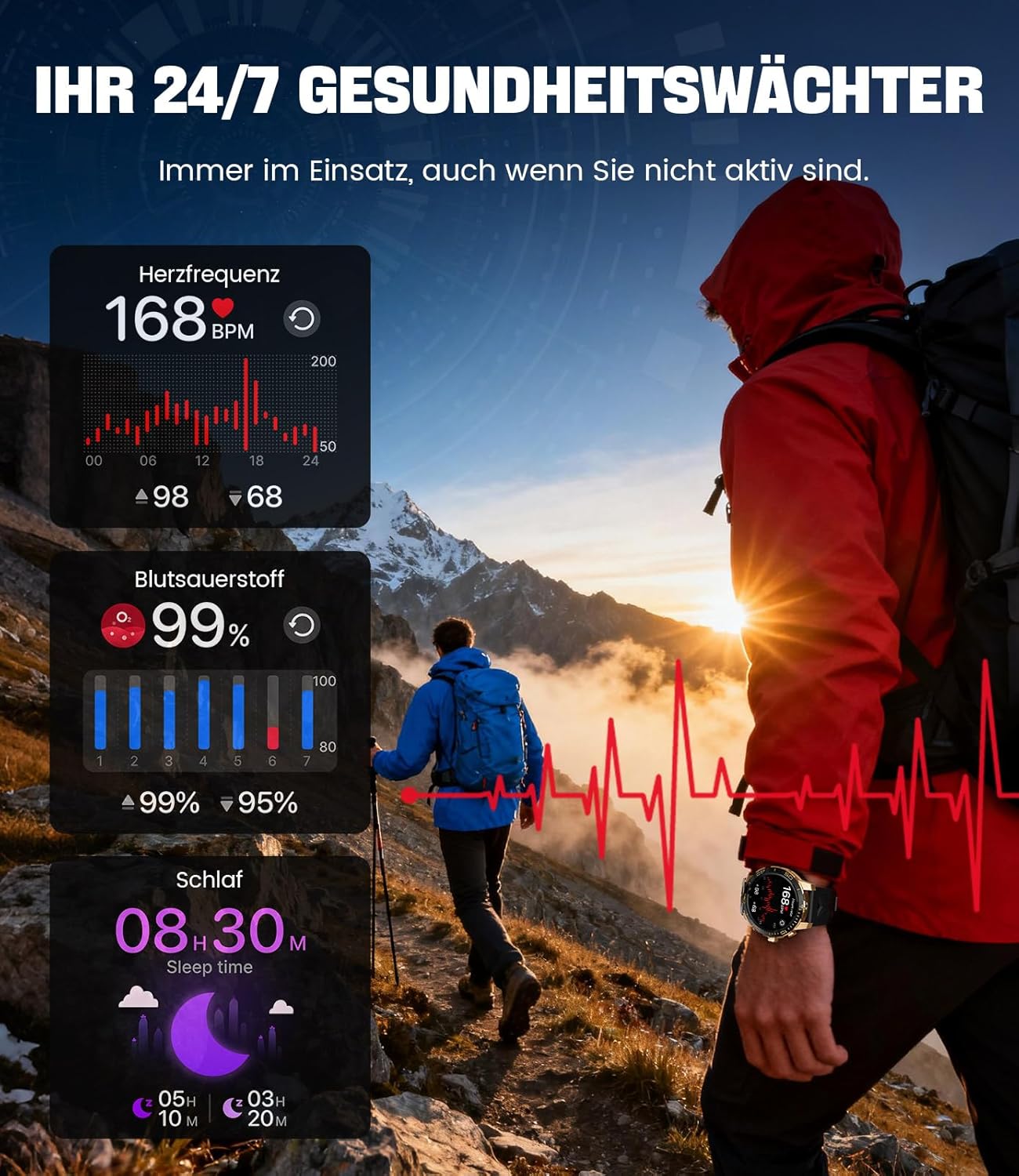
Image: The smartwatch functions as a 24/7 health guardian, monitoring heart rate, blood oxygen, and sleep patterns, even when you are not actively engaged in exercise.
حالت های ورزشی
With over 200 sports modes, the watch helps you track your workouts and achieve your fitness goals.
- حالت ورزشی مورد نظر خود را از منوی ساعت انتخاب کنید.
- The watch records data such as heart rate, calories burned, and steps taken.
- Automatic recognition for walking, running, and cycling is supported.
- Review your activity data in the "Fit CloudPro" app for performance analysis.

Image: The smartwatch supports over 200 training modes, tracking heart rate, calories, and steps for various activities.
صفحه های ساعت قابل تنظیم
Personalize your smartwatch with a variety of watch faces.
- The watch comes with several pre-installed classic watch faces.
- Access over 200 additional designs through the "Fit CloudPro" app.
- همچنین میتوانید عکسهای خودتان را آپلود کنید تا واچفیسهای سفارشی بسازید.
ویژگی های اضافی
- پیش بینی آب و هوا: بهروزرسانیهای آب و هوا را به صورت لحظهای دریافت کنید.
- ساعت زنگدار: آلارمها را مستقیماً از روی مچ دست خود تنظیم کنید.
- کنترل دوربین از راه دور: Use your watch to trigger your phone's camera.
- چراغ قوه: Activate a flashlight function on your wrist.
- مکانیاب تلفن: Find your misplaced smartphone using the watch.

Image: The smartwatch features a wrist flashlight function, providing illumination for outdoor activities.
تعمیر و نگهداری
تمیز کردن
- صفحه نمایش و بدنه ساعت را با یک پارچه نرم و بدون پرز پاک کنید.
- برای لکه های سرسخت، دampپارچه را کمی با آب خیس کنید.
- Avoid using harsh chemicals, abrasive materials, or ultrasonic cleaners.
- مطمئن شوید که اتصالات شارژ تمیز و عاری از هرگونه آلودگی هستند.
مقاومت در برابر آب (IP68)
The LIGE EF21-I Smartwatch is IP68 water-resistant, meaning it can withstand immersion in water up to 1.5 meters for up to 30 minutes. It is suitable for daily use, hand washing, and swimming.
- از ساعت در آب گرم، سونا یا اتاق بخار استفاده نکنید.
- از فشار دادن دکمهها زیر آب خودداری کنید.
- After exposure to water, especially saltwater, dry the watch thoroughly.
عیب یابی
ساعت روشن نمیشود
- مطمئن شوید که ساعت کاملاً شارژ شده است. آن را حداقل به مدت 30 دقیقه به شارژر وصل کنید.
- دکمه پاور را چند ثانیه فشار دهید و نگه دارید.
Unable to Pair with App
- اطمینان حاصل کنید که بلوتوث در گوشی هوشمند شما فعال است.
- مطمئن شوید که ساعت به اندازه کافی شارژ دارد.
- هم گوشی هوشمند و هم ساعت هوشمند خود را مجدداً راه اندازی کنید.
- Try unpairing and re-pairing the device through the "Fit CloudPro" app.
- بررسی کنید که آیا برنامه مجوزهای لازم را در تلفن شما دارد یا خیر.
دادههای نادرست سلامت
- مطمئن شوید که ساعت به طور محکم روی مچ دست شما بسته شده است، نه خیلی گشاد و نه خیلی تنگ.
- حسگر پشت ساعت را تمیز کنید.
- از حرکات بیش از حد در حین اندازهگیری خودداری کنید.
- Remember that health data is for reference and not for medical use.
Notifications Not Received
- مطمئن شوید که ساعت از طریق بلوتوث به گوشی شما متصل است.
- Check notification settings in the "Fit CloudPro" app.
- Ensure your phone's notification settings allow the app to send notifications.
- Disable any battery optimization settings for the "Fit CloudPro" app on your phone.
مشخصات
| ویژگی | جزئیات |
|---|---|
| نام تجاری | LIGE |
| شماره مدل | EF21-I |
| اندازه نمایشگر | 1.43 اینچ |
| نوع نمایشگر | AMOLED |
| ظرفیت باتری | ۳۵۰ میلیآمپر ساعت (لیتیوم-پلیمر) |
| قابلیت اتصال | بلوتوث |
| سازگاری سیستم عامل | اندروید ۵.۰+ و آیاواس ۱۰.۰+ |
| رتبه بندی مقاومت در برابر آب | IP68 |
| ظرفیت ذخیره سازی حافظه | 256 مگابایت |
| ویژگی های خاص | Weather forecast, Sedentary reminder, Alarm clock, Touch screen, Always-on display, Bluetooth calling, Heart rate monitor, SpO2 monitor, Sleep monitor, 200+ sports modes, Phone locator |
| جی پی اس | جی پی اس از طریق گوشی هوشمند |

Image: The smartwatch features impact resistance, indicated by a 'Military Grade Drop-Tested' badge.
گارانتی و پشتیبانی
اطلاعات گارانتی
The product is supported by a 12-month warranty. Please retain your proof of purchase for warranty claims.
پشتیبانی مشتری
For technical assistance, troubleshooting, or warranty inquiries, please contact LIGE customer support. Refer to the contact information provided with your purchase or visit the official LIGE webسایت


