1. مقدمه
This manual provides essential information for the safe and efficient operation of your iSinbox AC311 Projector. Please read it thoroughly before using the device and keep it for future reference.
2. اطلاعات ایمنی
هنگام استفاده از این محصول، همیشه اقدامات احتیاطی اولیه ایمنی را رعایت کنید تا خطر آتشسوزی، برقگرفتگی و آسیبدیدگی افراد کاهش یابد.
- دهانه های تهویه را مسدود نکنید.
- پروژکتور را در معرض باران یا رطوبت قرار ندهید.
- از نگاه مستقیم به لنز پروژکتور زمانی که lamp روشن است.
- فقط از پیوست ها/لوازم جانبی مشخص شده توسط سازنده استفاده کنید.
- در هنگام رعد و برق یا زمانی که برای مدت طولانی از دستگاه استفاده نمیشود، سیم برق را از آن جدا کنید.
3. محتویات بسته
بررسی کنید که آیا همه اقلام در بسته موجود است یا خیر:
- پروژکتور iSinbox AC311
- کنترل از راه دور
- کابل HDMI
- کابل AV
- کابل برق
- راهنمای کاربر (این سند)
4. محصول تمام شدview
با اجزا و رابطهای پروژکتور آشنا شوید.

تصویر: جلو view of the iSinbox AC311 Projector, showcasinطراحی و لنز جمع و جور آن.
رابط ها:
- پورت HDMI: Connect to HDMI-enabled devices like laptops, game consoles, or streaming sticks.
- پورت USB: دستگاههای ذخیرهسازی USB را برای پخش رسانه متصل کنید.
- جک صوتی 3.5 میلی متری: بلندگوهای خارجی یا هدفون را وصل کنید.
- ورودی برق: کابل برق را وصل کنید.
5. راه اندازی
- قرار دادن: Place the projector on a stable, flat surface or mount it according to your preference (floor, ceiling, tripod, wall). Ensure adequate ventilation around the device. The projector supports short-throw projection, allowing a 100-inch screen from approximately 2.4 meters away.

Image: Diagram illustrating optimal projection distances for various screen sizes with the iSinbox AC311 Projector.
- اتصال برق: Connect the power cable to the projector's power input and then to an electrical outlet.
- روشن شدن اولیه: دکمه پاور روی پروژکتور یا کنترل از راه دور را فشار دهید تا دستگاه روشن شود.
- تمرکز و تصحیح کیستون: The iSinbox AC311 features automatic focus and 6D keystone correction. The projector will automatically adjust the image for clarity and correct distortion. Manual adjustments can also be made if needed.

Image: Visual representation of the automatic focus and 6D keystone correction capabilities of the iSinbox AC311 Projector.
- اتصال شبکه: Connect the projector to your Wi-Fi network using the settings menu. The projector supports ultra-fast WiFi 6 for stable streaming.
6. دستورالعمل های عملیاتی
6.1 کنترل از راه دور
The included remote control allows you to navigate the projector's interface and control playback.

Image: The iSinbox AC311 Projector remote control, showing dedicated buttons for popular streaming services like Netflix and YouTube.
6.2 انتخاب منبع
Use the remote control to select your desired input source (HDMI, USB, or built-in streaming apps).
۴.۳ برنامههای پخش جریانی
The iSinbox AC311 Projector comes with a Movin Smart operating system and is compatible with popular streaming services such as Netflix, Prime Video, YouTube, Disney, and Apple TV. Access these directly from the home screen.
6.4 کیفیت تصویر
The projector supports 4K resolution with HDR10+ and features AI Image Enhance technology, delivering vibrant and detailed visuals. It boasts 1200 ANSI lumens for bright images.
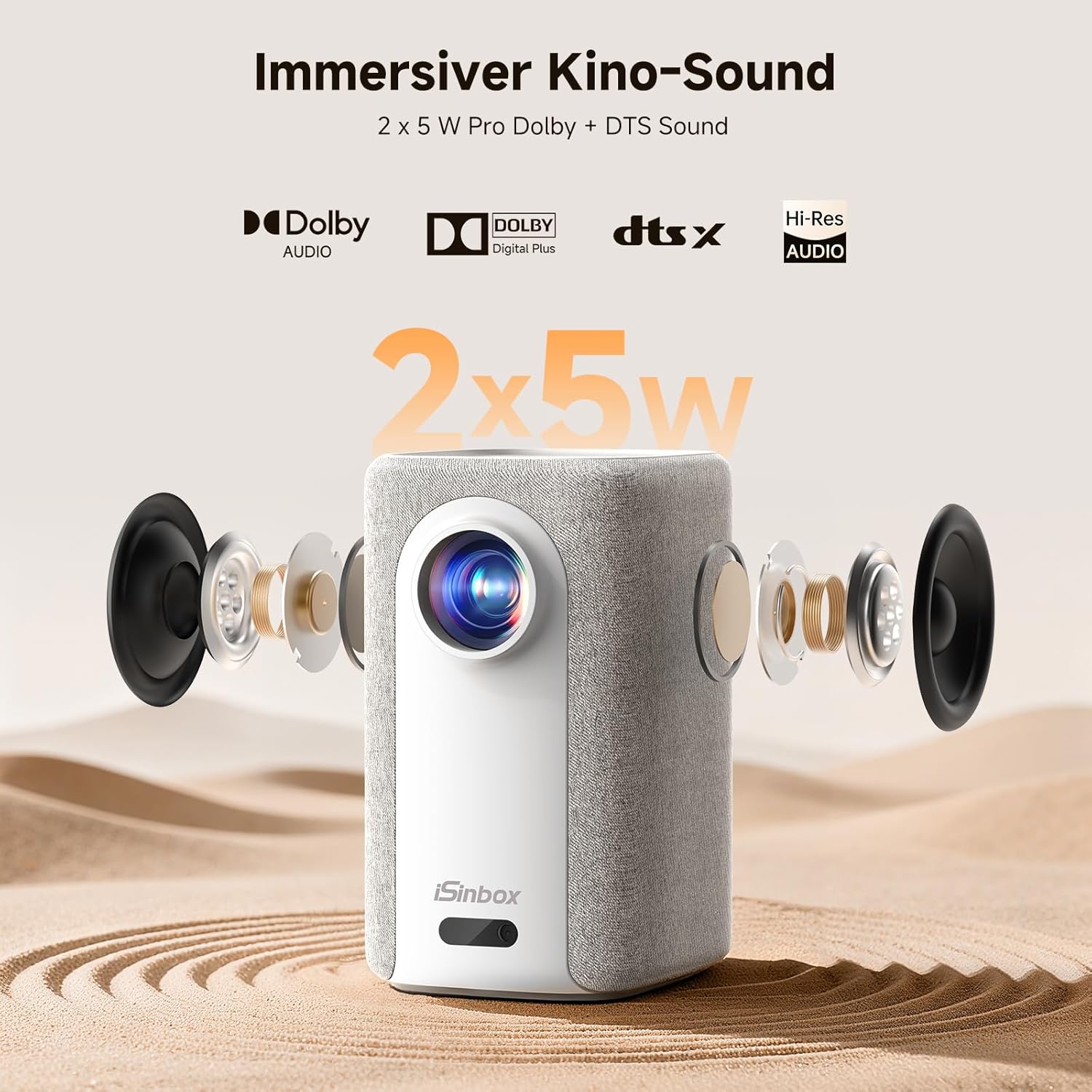
Image: A split-screen comparison demonstrating the superior image quality, vibrant colors, and detail of the iSinbox AC311 Projector (AC311) compared to other projectors.
6.5 قابلیت اتصال بلوتوث
The projector features bidirectional Bluetooth 5.4, allowing you to connect external speakers or headphones for enhanced audio, or use the projector as a Bluetooth speaker.

Image: Illustration of the iSinbox AC311 Projector's advanced WiFi 6 and Bluetooth 5.4 capabilities, highlighting smooth and low-latency connections.
6.6 خروجی صدا
The projector is equipped with 2 x 5W speakers and supports Dolby Audio and DTS Sound for an immersive audio experience.

تصویر: منفجر شد view of the iSinbox AC311 Projector, detailing its 2x5W speakers and support for Dolby Audio and DTS Sound.
6.7 360-Degree Projection
The projector's design, including a dual-mode stand and integrated handle, allows for flexible placement and 360-degree projection, enabling you to project onto ceilings or walls from various angles.
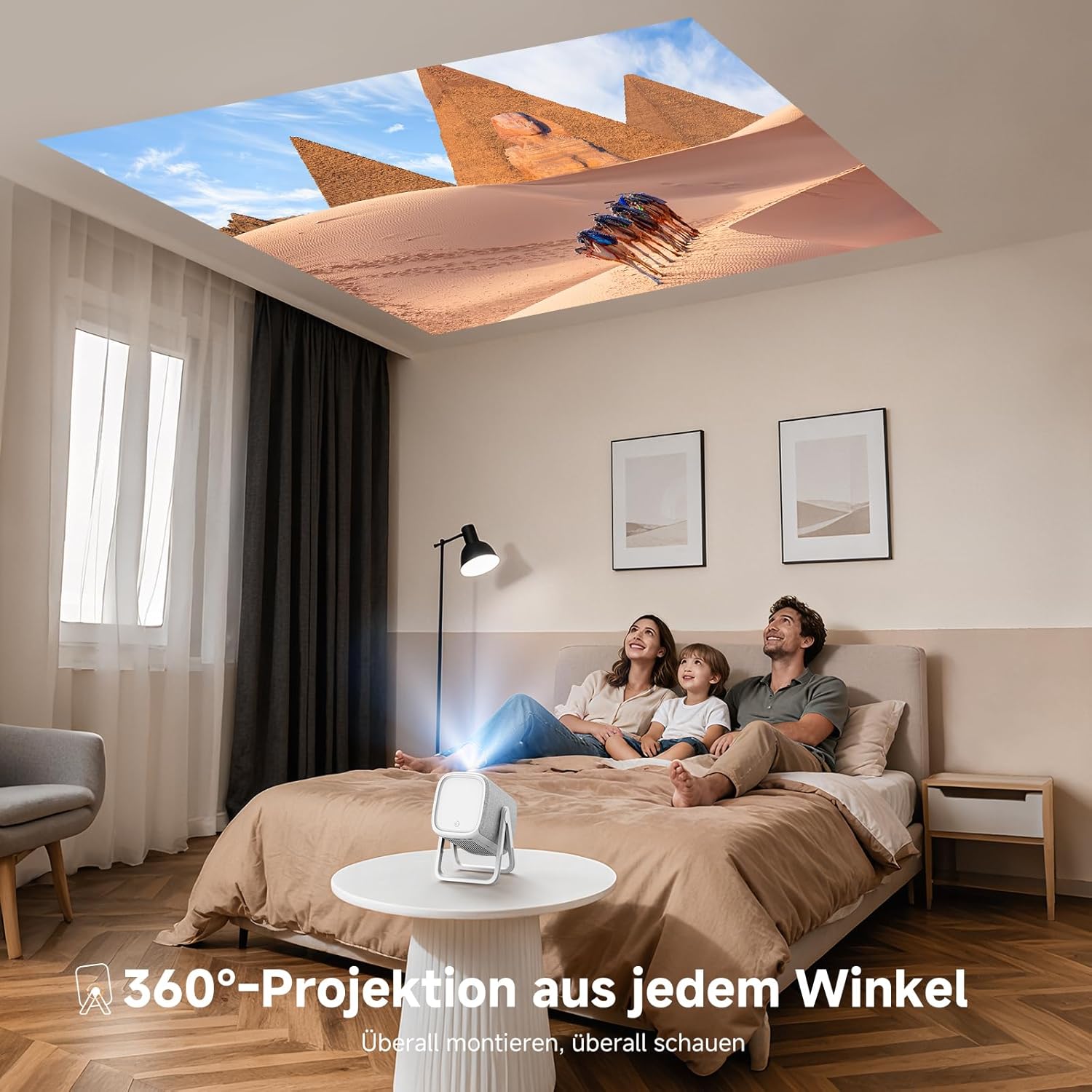
Image: The iSinbox AC311 Projector projecting an image onto a ceiling, illustrating its 360-degree projection feature and portable design.
7. تعمیر و نگهداری
- تمیز کردن لنز: از یک پارچه نرم و بدون پرز که مخصوص لنزهای اپتیکی طراحی شده است استفاده کنید. از پاک کننده ها یا حلال های ساینده استفاده نکنید.
- تمیز کردن سیasing: قسمت بیرونی پروژکتور را با یک پارچه نرم و خشک پاک کنید. برای لکههای سرسخت، از یک پارچه نرم و کمی مرطوب استفاده کنید.amp پارچه و سپس کاملا خشک کنید.
- تهویه: مطمئن شوید که منافذ تهویه از گرد و غبار و موانع پاک هستند تا از گرمای بیش از حد جلوگیری شود.
- ذخیره سازی: در صورت عدم استفاده طولانی مدت، پروژکتور را در جای خشک و خنک، دور از نور مستقیم خورشید و دمای شدید نگهداری کنید.
8 عیب یابی
| مشکل | علت احتمالی | راه حل |
|---|---|---|
| هیچ تصویری نمایش داده نمی شود | Power cable disconnected; incorrect input source; device not powered on. | Check power connection; select correct input source; ensure connected device is on. |
| تصویر تار | Out of focus; projector not perpendicular to screen. | Allow auto-focus to adjust or manually adjust focus; use keystone correction. |
| صدا نداره | Volume too low; external audio device not connected properly; mute enabled. | Increase volume; check audio cable/Bluetooth connection; disable mute. |
| کنترل از راه دور کار نمی کند | باتریها تمام شدهاند؛ مانعی بین کنترل از راه دور و پروژکتور وجود دارد. | Replace batteries; ensure clear line of sight to IR receiver. |
9. مشخصات
| ویژگی | جزئیات |
|---|---|
| مدل | AC311 |
| نام تجاری | iSinbox |
| فناوری نمایش | LCD |
| وضوح بومی | 1920 x 1080 (Full HD) |
| حداکثر وضوح | ۳۸۴۰ در ۲۱۶۰ (پشتیبانی از ۴K) |
| نسبت تصویر | 4:3 |
| نسبت کنتراست | بالا |
| مصرف برق | 65 وات |
| نرخ تازه سازی | 60 هرتز |
| قابلیت اتصال | Bluetooth 5.4 (Bidirectional), WiFi 6, HDMI, USB, 3.5mm Audio Jack, IR |
| دستگاه های سازگار | Speakers, Game Consoles, Laptops, Smartphones, Tablets |
| ویژگی های خاص | Automatic Focus, 6D Keystone Correction, Dual-mode Stand, Movin Smart OS, Built-in Streaming Apps (Netflix, Prime Video, YouTube, Disney, Apple TV), Dolby Audio, DTS Sound, 360-degree Projection |
| ابعاد (L x W x H) | 27.6 × 20.5 × 16.3 سانتی متر |
| وزن | 1.92 کیلوگرم |
| گزینه های نصب | Floor, Ceiling, Tripod, Table, Wall |
10. گارانتی و پشتیبانی
For warranty information and technical support, please refer to the official iSinbox website or contact their customer service directly. Details are typically provided on the product packaging or a separate warranty card.
The product was first available on Amazon.es from October 23, 2025.


