1. مقدمه
This manual provides essential information for setting up, operating, and maintaining your Samsung 27" Odyssey G5 G53F QHD Gaming Monitor. Designed for an immersive gaming experience, this monitor features QHD resolution, a 200Hz refresh rate, IPS panel technology, HDR10 support, AMD FreeSync™ Premium, Black Equalizer, and Auto Source Switch+ for optimal performance and visual clarity.
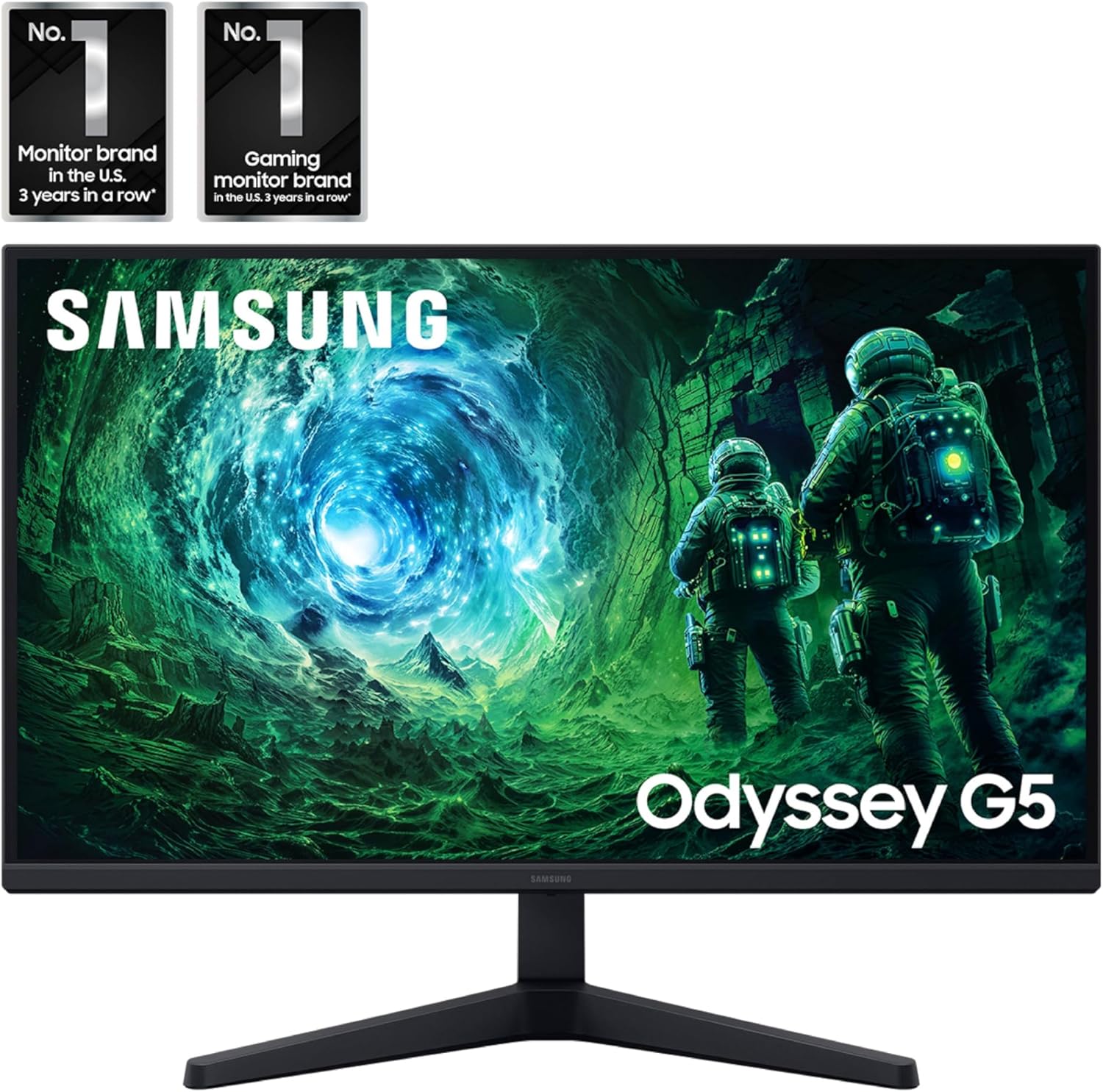
تصویر: جلو view of the Samsung 27" Odyssey G5 G53F QHD Gaming Monitor.
۲. چه چیزهایی در جعبه است؟
Upon unboxing your Samsung Odyssey G5 monitor, please ensure all the following components are present:
- Samsung 27" Odyssey G5 G53F QHD Gaming Monitor
- پایه مانیتور (پایه و گردن)
- کابل برق
- کابل HDMI
- کابل دیسپلیپورت (DP)
- راهنمای کاربر / دفترچه راهنما
- پیچهای نصب (برای مونتاژ پایه)
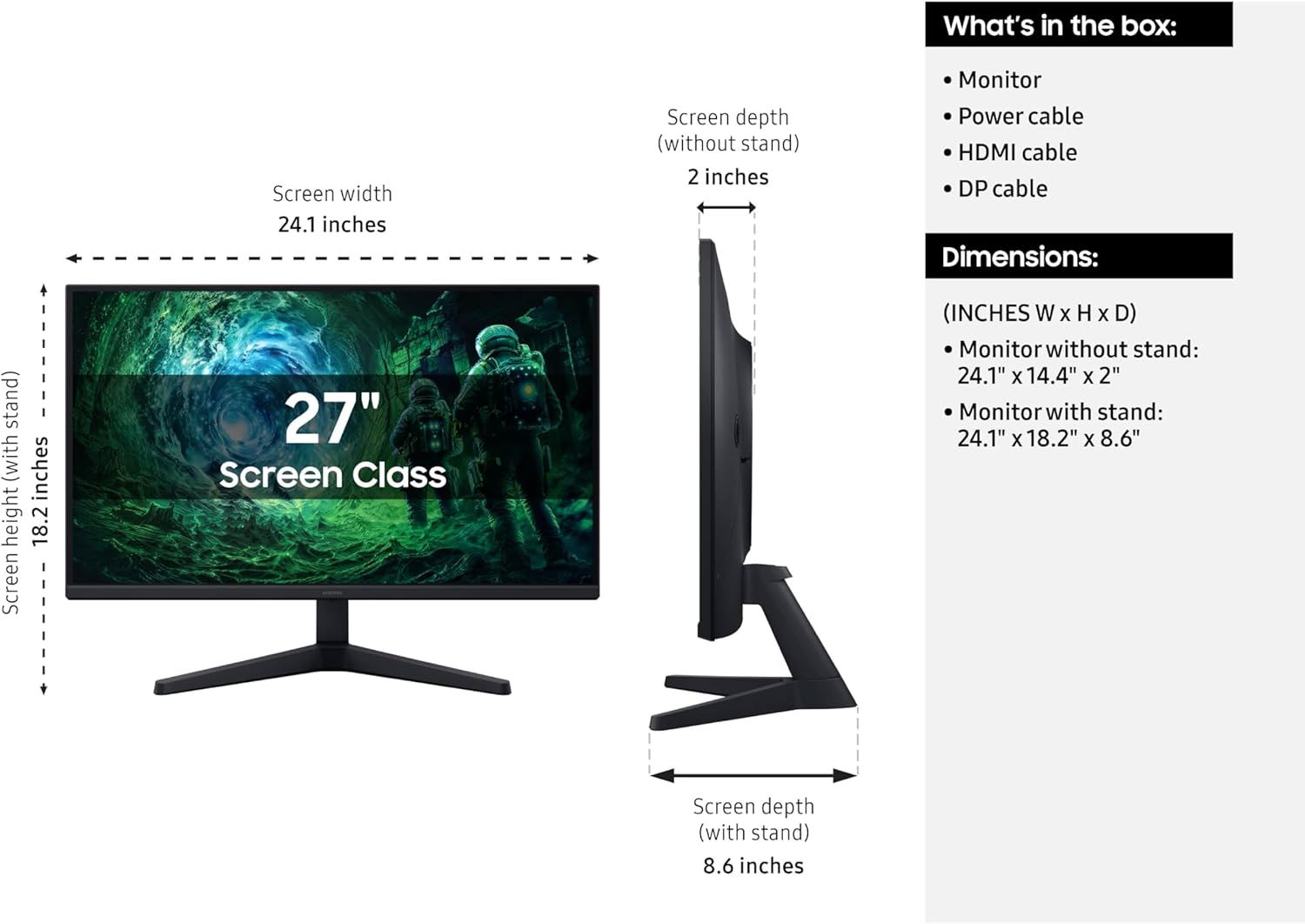
Image: Diagram showing the monitor, stand, and included cables, along with dimensions.
3. راه اندازی
3.1 مونتاژ پایه
- اجزای مانیتور و پایه را با دقت از بستهبندی خارج کنید.
- Attach the stand neck to the stand base. Secure it with the provided screw, typically located at the bottom of the base.
- پایه مونتاژ شده را با محل نصب در پشت مانیتور تراز کنید.
- Gently push the stand into the monitor until it clicks into place. Ensure it is securely fastened.
- Tighten any additional screws if provided, to further secure the stand to the monitor.
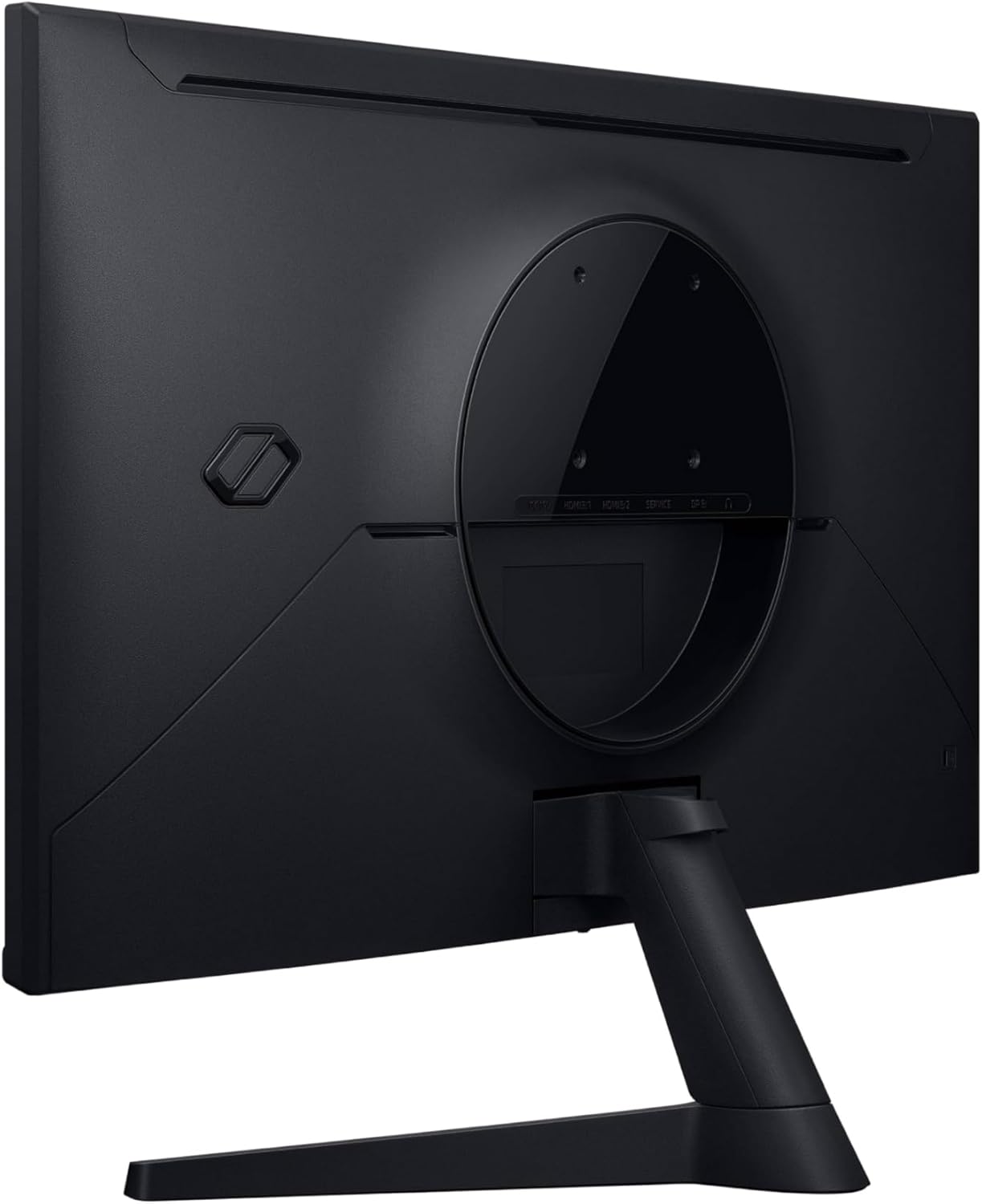
تصویر: عقب view از مانیتور که محل اتصال پایه را نشان میدهد.
3.2 کابل های اتصال
Connect the necessary cables to your monitor and computer/device.
- کابل برق: Connect one end of the power cable to the monitor's power input (DC 19V) and the other end to a power outlet.
- کابل ویدئو: Connect either an HDMI cable or a DisplayPort (DP) cable from your computer's graphics card to the corresponding input on the monitor (HDMI IN 1, HDMI IN 2, or DP IN). For optimal performance, especially for 200Hz refresh rate and QHD resolution, use the DisplayPort connection.
- صدا (اختیاری): If you are using external speakers or headphones, connect them to the Headphone OUT port on the monitor.
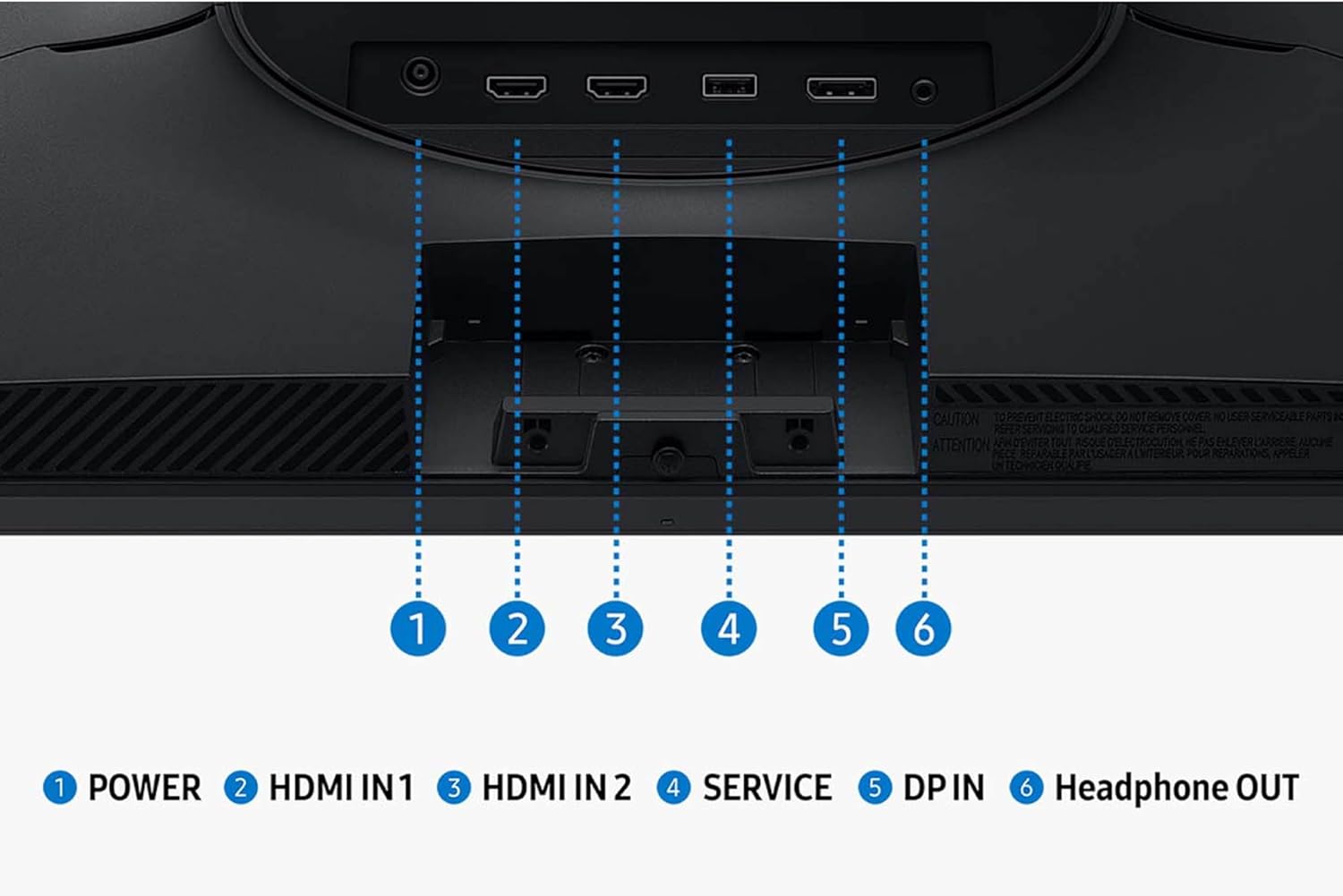
تصویر: دقیق view پورتهای ورودی و خروجی مانیتور
3.3 روشن شدن اولیه
Once all cables are connected, press the power button on the monitor to turn it on. The monitor should automatically detect the input signal. If not, you may need to manually select the input source using the monitor's OSD (On-Screen Display) menu.
4. کار با مانیتور
۳.۲ منوی ناوبری نمایشگر روی صفحه (OSD)
The monitor's settings can be adjusted using the OSD menu, typically accessed via a joystick or buttons located on the bottom or rear of the monitor. Navigate through the menu options to customize your viewتجربه کردن
۵.۲ ویژگیها و تنظیمات کلیدی
- وضوح تصویر QHD (2560x1440): Enjoy incredibly detailed and sharp images with 1.7 times the pixel density of Full HD.
- نرخ تازه سازی 200 هرتز: Experience ultra-smooth gaming with fast reactions and reduced motion blur.
- زمان پاسخ ۱ میلیثانیه (MPRT): Ensures movements are captured in real-time for precise gaming.
- IPS Panel with 178° Viewزاویه ورودی: Consistently delivers precise and radiant colors across various viewامتیاز
- ایامدی فریسینک™ پریمیوم: Reduces choppiness, screen lag, and image tearing during intense gaming sessions. Ensure your graphics card supports AMD FreeSync™ Premium for this feature to function.
- HDR10: Provides brighter highlights and nuanced shadows for added depth, making scenes feel more realistic.
- اکولایزر سیاه: Improves visibility in the deepest shadows, allowing you to spot enemies or details in dark areas.
- نقطه هدف مجازی: Increases the accuracy of the player’s aim by displaying crosshairs on the screen.
- سوئیچ منبع خودکار+: Allows instantaneous switching between connected devices, automatically detecting and switching to a new signal source.
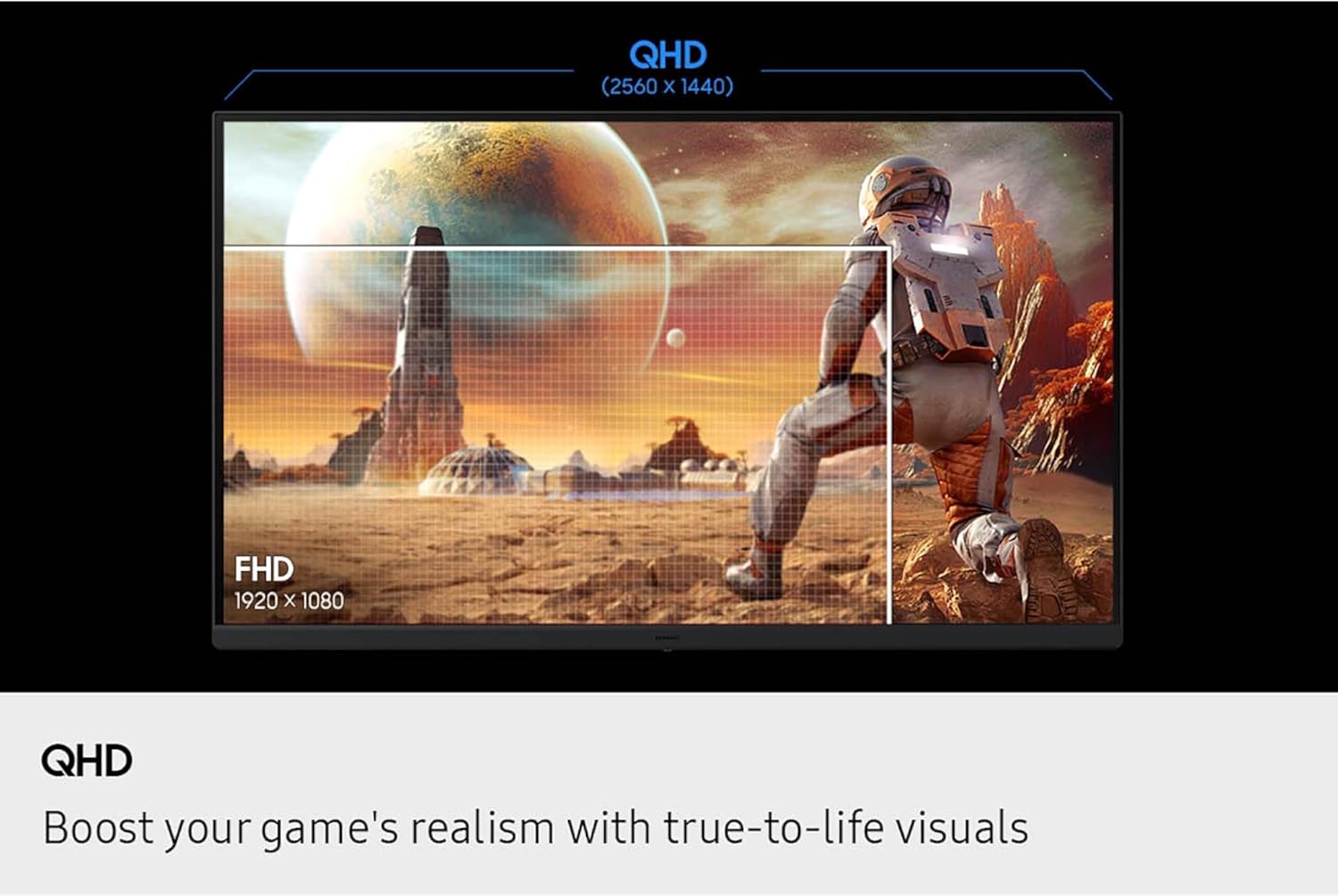
Image: Visual comparison of QHD vs. FHD resolution.

Image: Monitor displaying 200Hz refresh rate for swift and smooth gameplay.

Image: Illustration of the wide 178° viewزاویه دید پنل IPS
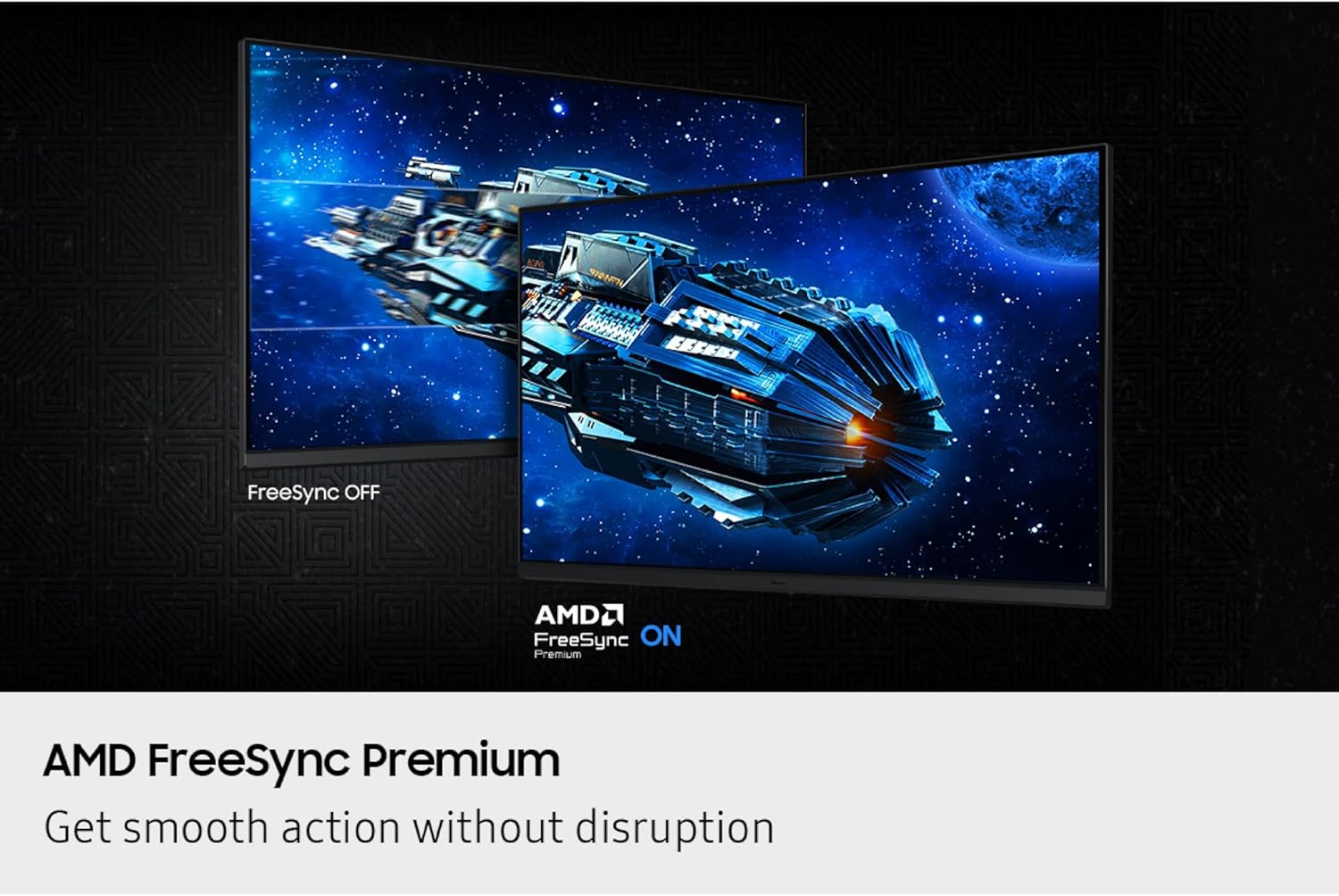
Image: Comparison of FreeSync OFF vs. FreeSync ON, demonstrating smooth action without disruption.
5. تعمیر و نگهداری
To ensure the longevity and optimal performance of your Samsung Odyssey G5 monitor, follow these maintenance guidelines:
- تمیز کردن صفحه نمایش: صفحه نمایش را به آرامی با یک پارچه نرم و بدون پرز پاک کنید. برای لکههای سرسخت، به آرامیampen the cloth with water or a screen-safe cleaning solution. Avoid harsh chemicals, abrasive materials, or direct spraying onto the screen.
- تمیز کردن سیasing: برای پاک کردن مانیتور از یک پارچه نرم و خشک استفاده کنید.asing.
- تهویه: مطمئن شوید که منافذ تهویه مانیتور مسدود نشده باشند تا از گرم شدن بیش از حد جلوگیری شود.
- ذخیره سازی: When not in use for extended periods, store the monitor in a cool, dry place, ideally in its original packaging to protect it from dust and physical damage.
6 عیب یابی
اگر با مانیتور خود با مشکل مواجه شدید، به مراحل عیبیابی رایج زیر مراجعه کنید:
- بدون برق:
- بررسی کنید که آیا کابل برق به طور ایمن به مانیتور و پریز برق وصل شده است یا خیر.
- از عملکرد پریز برق اطمینان حاصل کنید.
- دکمه پاور روی مانیتور را فشار دهید.
- سیگنال وجود ندارد / صفحه خالی است:
- Verify that the video cable (HDMI or DisplayPort) is securely connected to both the monitor and your computer/device.
- مطمئن شوید که منبع ورودی صحیح در منوی OSD مانیتور انتخاب شده است.
- بررسی کنید که آیا رایانه/دستگاه شما روشن است و سیگنالی ارسال میکند یا خیر.
- یک کابل یا پورت ویدیویی دیگر را امتحان کنید.
- مشکلات کیفیت تصویر (تاری، اعوجاج، رنگهای نادرست):
- Ensure the monitor's resolution is set to its native QHD (2560x1440) in your computer's display settings.
- Adjust settings like brightness, contrast, and color balance through the OSD menu.
- کابل ویدیو را از نظر آسیب یا اتصالات شل بررسی کنید.
- Flickering or Tearing:
- Ensure AMD FreeSync™ Premium is enabled in both the monitor's OSD and your graphics card settings.
- Verify that your graphics card drivers are up to date.
- Check the refresh rate setting in your computer's display settings to ensure it matches the monitor's capabilities (up to 200Hz).
7. مشخصات
| ویژگی | جزئیات |
|---|---|
| نام تجاری | سامسونگ |
| نام مدل | Odyssey G5 G53F |
| شماره مدل مورد | S27FG532EN |
| اندازه صفحه نمایش | 27 اینچ |
| وضوح صفحه نمایش | QHD 2560x1440 Pixels |
| حداکثر وضوح صفحه نمایش | 2560 x 1440 پیکسل |
| نرخ تازه سازی | 200 هرتز |
| زمان پاسخگویی | 1 میلیثانیه (MPRT) |
| نوع پنل | IPS |
| Viewing angle | ۱۷۸ درجه (افقی/عمودی) |
| پشتیبانی از HDR | HDR10 |
| فناوری همگام سازی تطبیقی | AMD FreeSync™ Premium |
| نسبت تصویر | 16:9 |
| سطح صفحه نمایش | مات |
| رنگ | مشکی |
| وزن مورد | 8.59 پوند |
| ابعاد محصول (LxWxH) | 8.55 x 24.14 x 18.23 اینچ |
| قابلیت اتصال | 2x HDMI, 1x DisplayPort, 1x Headphone Out |
8. ضمانت و پشتیبانی
برای اطلاعات گارانتی، پشتیبانی فنی یا سوالات مربوط به خدمات، لطفاً به کارت گارانتی ارائه شده همراه محصول خود مراجعه کنید یا از پشتیبانی رسمی سامسونگ دیدن کنید. webرسید خرید خود را به عنوان مدرک خرید برای درخواستهای گارانتی نگه دارید.
میتوانید پشتیبانی و منابع بیشتری را در اینجا پیدا کنید فروشگاه سامسونگ در آمازون.


