1. مقدمه
Thank you for choosing the Bestier Criss Cross Office Chair H200671A. This manual provides essential information for the safe assembly, operation, and maintenance of your new chair. Please read these instructions thoroughly before use and retain them for future reference.
2. اطلاعات ایمنی
To ensure safe operation and prevent injury, please observe the following warnings:
- When the armrests are laid flat at 180°, it is not permitted to stand or place heavy objects on the armrests.
- قبل از استفاده از صندلی، مطمئن شوید که تمام پیچها و مهرهها محکم بسته شدهاند. به صورت دورهای آنها را بررسی کرده و در صورت لزوم دوباره سفت کنید.
- از صندلی روی سطوح ناهموار استفاده نکنید.
- از حداکثر وزن توصیه شده ۲۶۵ پوند تجاوز نکنید.
3. محتویات بسته
Verify that all components listed below are present in your package. If any parts are missing or damaged, please contact customer support.

Image: All chair components laid out for assembly.
- Backrest Cushion (A)
- Seat Cushion (B)
- Footrest Cushion (C)
- Armrests (E x2)
- Chair Base (T)
- Casters (J x5)
- Gas Lift Cylinder (I)
- Gas Lift Cover (O)
- Mechanism (F)
- Footrest Frame (R)
- Side Covers (D x2)
- Screws, Washers, and Allen Wrench (Various sizes, K, N, S, L, M, P)
4. راه اندازی و مونتاژ
Follow these steps to assemble your Bestier Criss Cross Office Chair. It is recommended to have a second person for assistance during certain steps.
راهنمای ویدیویی مونتاژ
Video: Detailed assembly instructions for the Bestier Criss Cross Chair.
- پایه صندلی را مونتاژ کنید: Attach the five legs to the central hub of the chair base (T) using the provided screws (S). Insert the casters (J) into the ends of each leg.
- نصب بالابر گازی: Place the gas lift cylinder (I) into the center hole of the assembled chair base. Cover it with the gas lift cover (O).
- Attach the Mechanism: Secure the mechanism (F) to the underside of the seat cushion (B) using the specified screws (L). Ensure the "FRONT" arrow on the mechanism aligns with the front of the seat.
- دستههای صندلی را وصل کنید: Attach the armrests (E) to the sides of the seat cushion (B) and the backrest cushion (A) using the appropriate screws (M). Pay attention to the orientation of the armrests.
- پشتی صندلی را به آن وصل کنید: Secure the backrest cushion (A) to the seat cushion (B) using the remaining screws (M).
- نصب زیرپایی: Attach the footrest frame (R) to the underside of the seat cushion (B) using screws (K). Then, attach the footrest cushion (C) to the footrest frame.
- Mount the Seat to the Base: Carefully place the assembled seat onto the gas lift cylinder. Press down firmly to ensure it is securely seated.
- بررسی های نهایی: Ensure all connections are tight and the chair functions correctly before use.
5. دستورالعمل های عملیاتی
دسته های قابل تنظیم
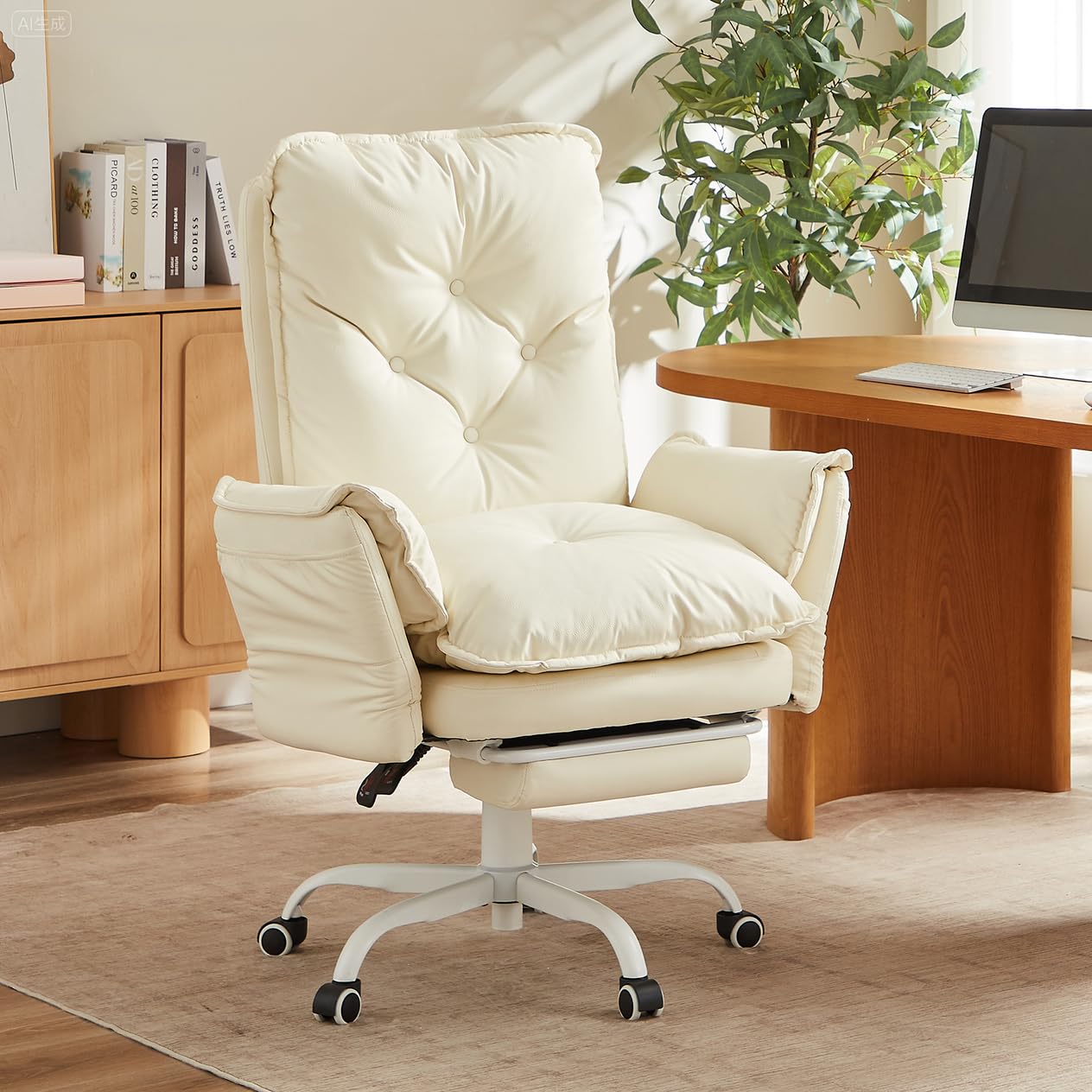
Image: Armrests can be adjusted from 90° to 180° to expand seat width.
The chair features unique flip-up armrests that can be adjusted from 90° to 180°. To adjust, gently push the armrest inward, flatten it to 180°, and then raise it to lock at your desired angle. When flattened, the seat width extends from 16" to 46", providing ample space for sitting cross-legged or sharing with pets.
Reclining Function and Height Adjustment
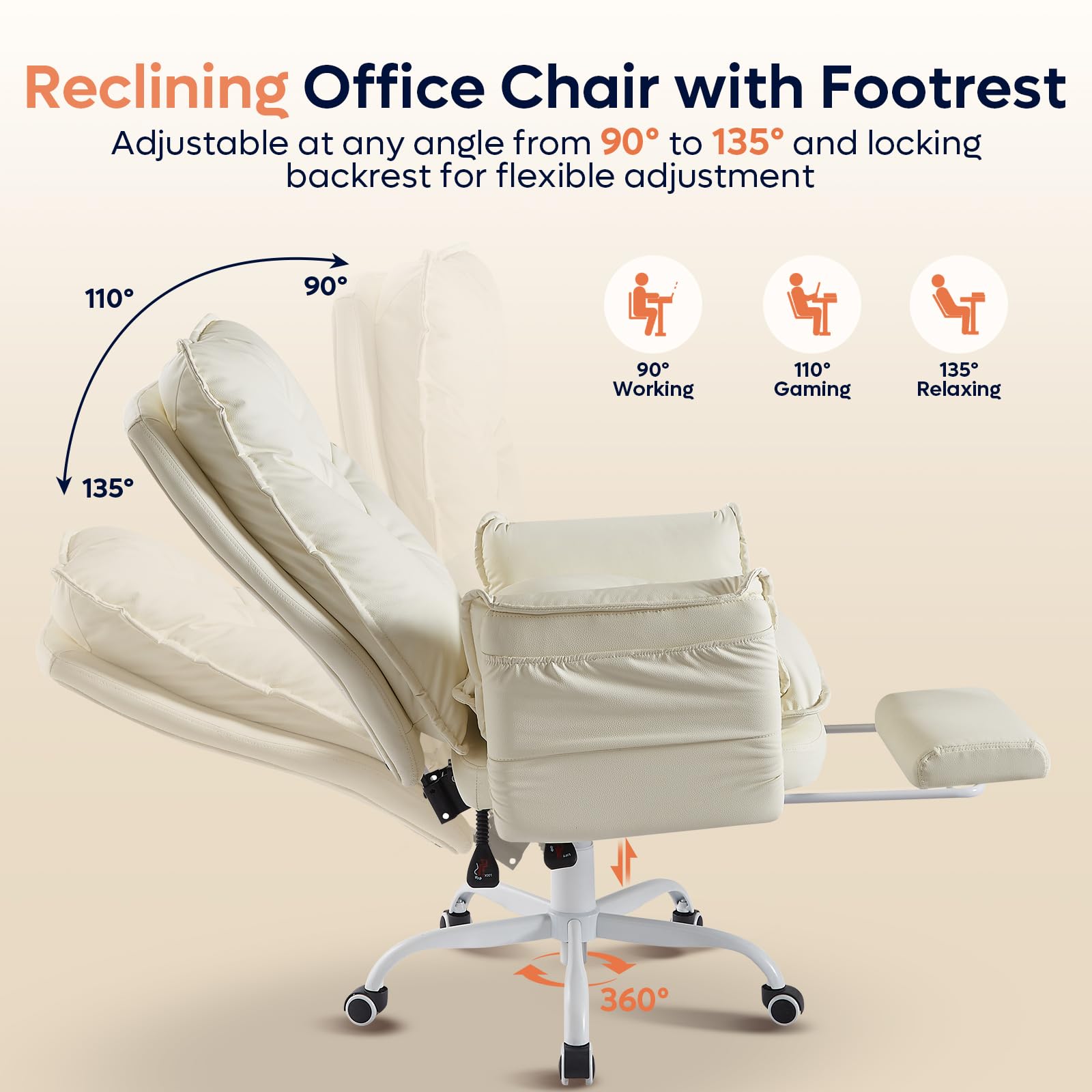
Image: Reclining positions from 90° to 135° and 360° swivel.
The thick backrest can be adjusted within a range of 90° to 135°. Use the lever located under the seat to recline the backrest to your preferred angle for working, gaming, or resting. The same lever also controls the seat height, offering a 4-inch adjustment range to match various desk heights.
زیرپایی جمعشونده
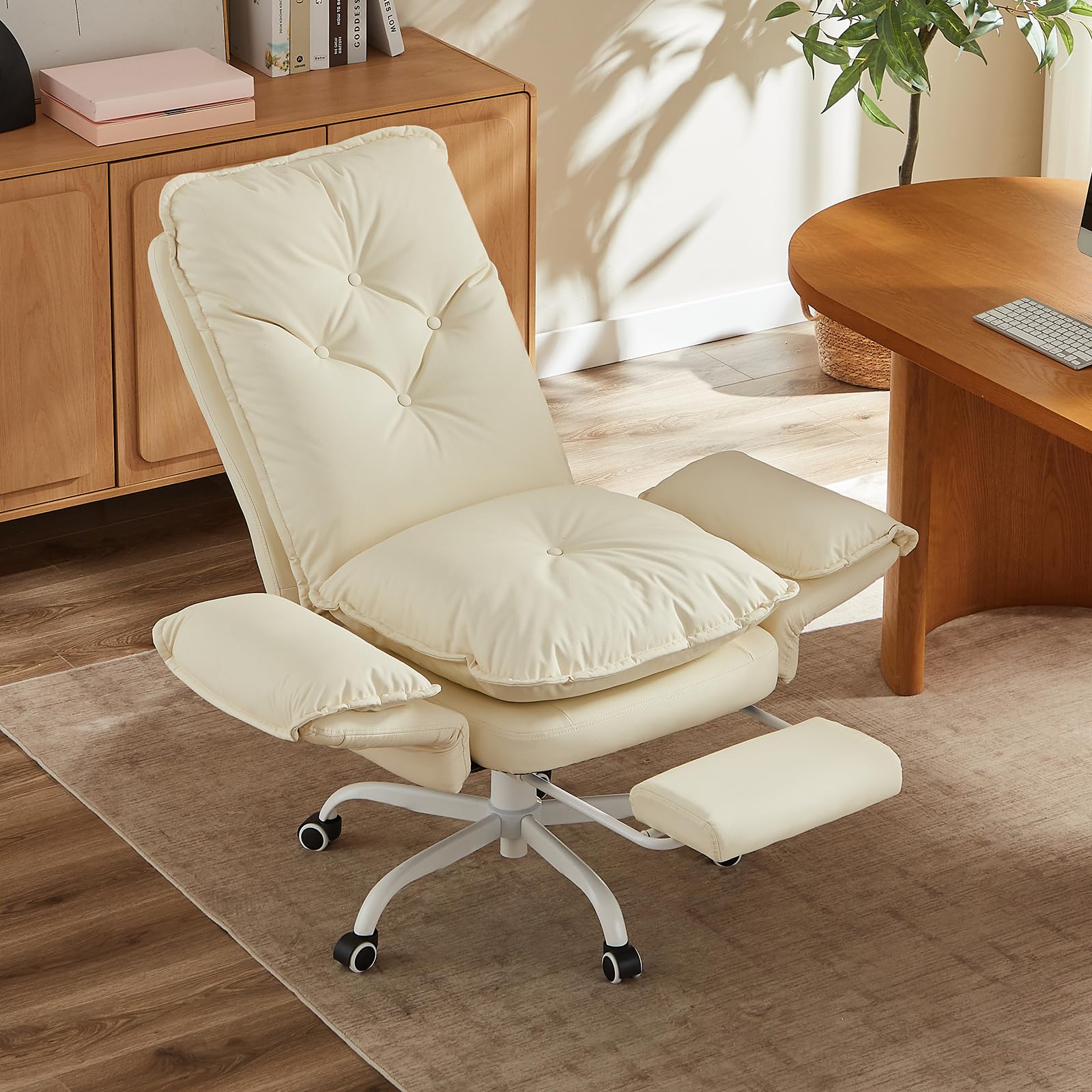
Image: The retractable footrest provides leg support for relaxation.
The chair includes a padded retractable footrest. To extend, pull the footrest out from under the seat. To retract, push it back in until it is fully stored. This feature allows you to stretch out and relax while reclining.
چرخها و پایههای چرخان ۳۶۰ درجه
The chair is equipped with 5 silent and smooth 360° rolling casters, allowing for easy mobility across your workspace. The chair also features a full 360° swivel for convenient movement and access.
جیب های جانبی
Two side pockets are integrated into the armrests, providing convenient storage for small items like remote controls, phones, or magazines, keeping them within easy reach.
ویژگی تموم شدview ویدیو
ویدئو: تمام شدview of the Bestier Cross Legged Office Chair features, including armrests, recline, and footrest.
6. تعمیر و نگهداری
مراقبت مناسب، عمر و ظاهر صندلی شما را افزایش میدهد:
- تمیز کردن: با تبلیغ پاک کنیدamp cloth. Avoid harsh chemicals that may damage the PU leather surface.
- مراقبت از کوسن: The removable seat cushion allows for effortless daily cleaning and maintenance.
- سخت افزار: به صورت دورهای تمام پیچها و مهرهها را بررسی کنید تا از سفت بودن آنها اطمینان حاصل شود. در صورت نیاز، برای حفظ پایداری، آنها را دوباره سفت کنید.
7 عیب یابی
اگر با صندلی خود با هر مشکلی مواجه شدید، لطفاً به راهحلهای رایج زیر مراجعه کنید:
- صندلی لق میزند: بررسی کنید که تمام پیچهای مونتاژ محکم بسته شده باشند. مطمئن شوید که صندلی روی یک سطح صاف و هموار قرار دارد.
- شیر گاز ارتفاع را تنظیم نمیکند: Ensure the height adjustment lever is fully engaged or disengaged as required. If the issue persists, the gas lift may need replacement.
- Recline function not working: Verify that the recline lock lever is disengaged. Check for any obstructions in the reclining mechanism.
- Footrest not extending/retracting smoothly: Check for any obstructions in the footrest mechanism. Ensure it is pulled or pushed along its tracks correctly.
For further assistance, please contact Bestier customer support.
8. مشخصات
| ویژگی | جزئیات |
|---|---|
| نام تجاری | بهترین |
| نام مدل | H200671A |
| رنگ | بژ |
| مواد | چرم مصنوعی، فوم حافظهدار |
| ابعاد محصول | 18.11 اینچ × 20.47 اینچ × 42.91 اینچ |
| ارتفاع صندلی | 18.11 اینچ |
| عمق صندلی | 18.11 اینچ |
| طول صندلی | 20.47 اینچ |
| سبک پشت | پشت بالا |
| ویژگی های خاص | دستههای تاشو، حالت خوابیده، جیب کناری |
| موقعیت های درازکش | ۶ (۱۰۰ تا ۱۸۰ درجه) |
| حداکثر وزن توصیه شده | 350 پوند |
| دستورالعمل های مراقبت از محصول | پاک کن |
| وزن مورد | 51.5 پوند |
| UPC | 840408642330 |
9. گارانتی و پشتیبانی
Bestier is committed to providing high-quality products and customer satisfaction. While specific warranty details are not provided in this manual, we offer a hassle-free purchase experience.
اگر قبل از خرید نگرانی داریدasing or after receiving your package, please do not hesitate to contact Bestier customer support. We aim to reply to all inquiries within 24 hours to ensure you receive prompt and helpful assistance.
For assembly questions, you may also refer to the installation video provided in the Setup section.


